D435 failed calibration
Hello,
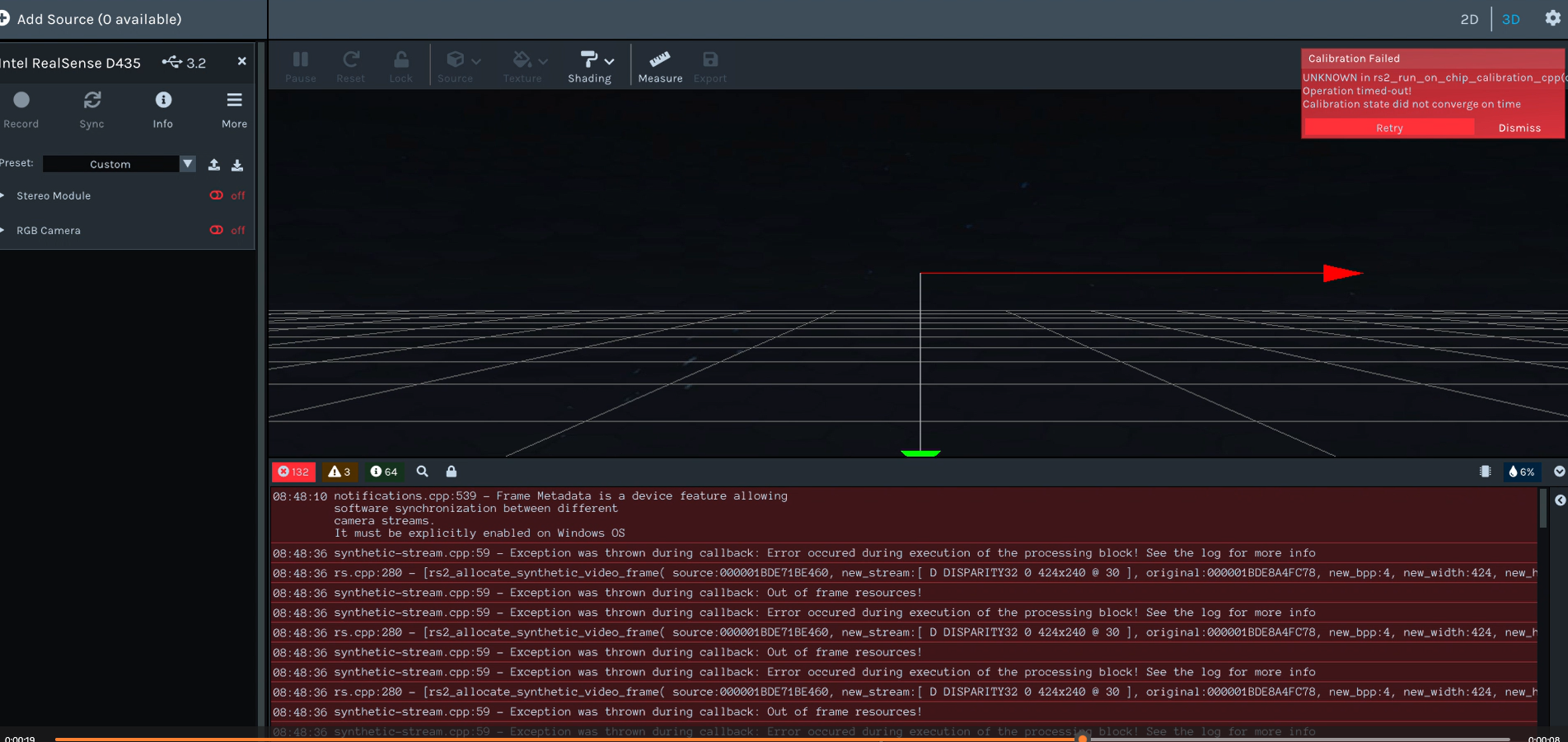
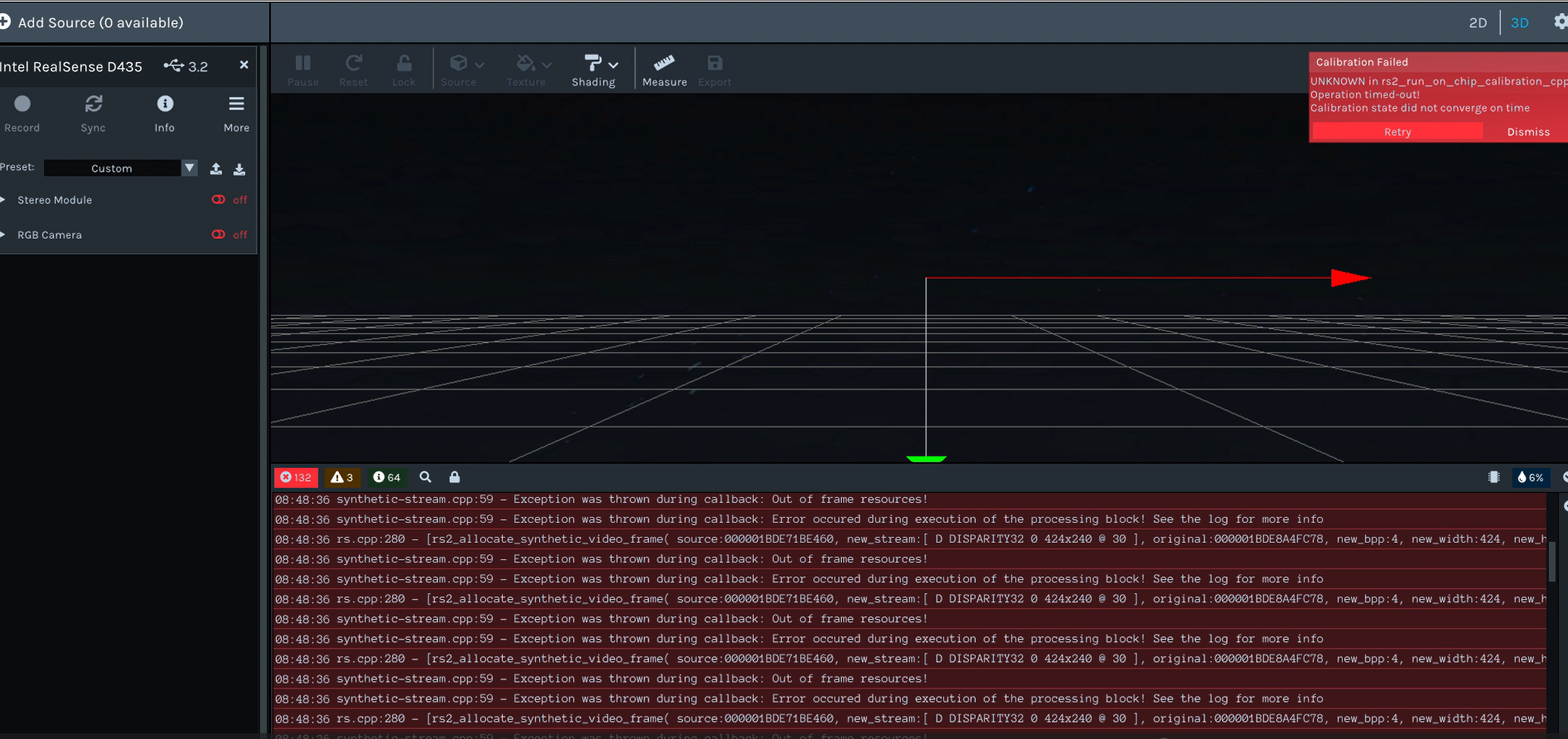
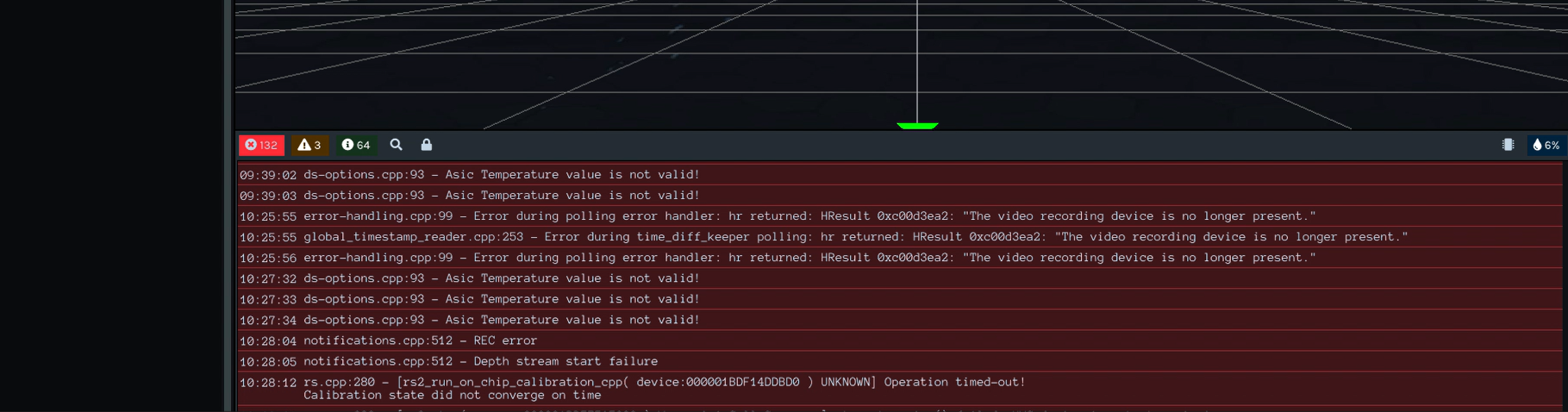
I have a few D435 cameras returned from customer. The cameras failed On-chip Calibration in the viewer at the beginning of the process. I can't attach a video , but below are some screenshots of a repeated rec error. The original camera angel was adjust <2 degree then changed to 88 degree when it failed. What these codes actually say? Thanks
-
Hi Richard Li When performing On-Chip calibration, you first need to download and print out the target image at the link below and attach it to a flat surface such as a wall, then point the camera straight ahead at the target sheet and initiate calibration. It is not necessary to change the camera angle from the facing-forward orientation.
https://files.readme.io/5b8b076-target.png
Do you know whether your customers have used this target, please?
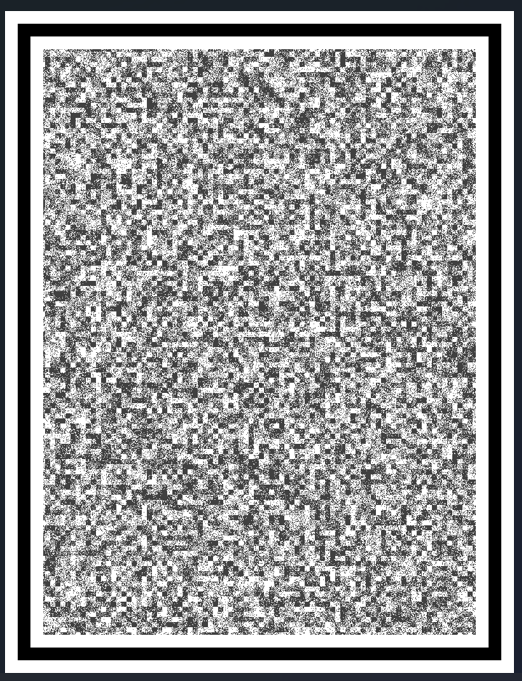
As an alternative to performing calibration, you can reset the camera to its factory-new default calibration in the RealSense Viewer tool using instructions that can be found here:
https://github.com/realsenseai/librealsense/issues/10182#issuecomment-1019854487
-
These error codes in the screenshots were from the calibration I did at my desk. I used a good texture wall for the calibration which other cameras passed. Do these error codes indicate a target error? I am not sure.
The camera was able to pass OEM calibration tool used at our production. Does this mean the camera calibration has shifted too much?
-
If the cameras had become significantly mis-calibrated since leaving your production area then performing the factory-reset of the calibration in the Viewer would correct that mis-calibration.
If RealSense cameras other than these few units work with the on-chip tool then that would suggest that the lighting levels in the location that the calibration is taking place in are okay and your computer hardware and the aiming of the camera at the calibration target is also okay.
An Out of frame resources error suggests to me that depth frames are not arriving at the USB port, causing the frame queue to run out of frames to process and also preventing the calibration from taking place.
Are the affected cameras able to stream depth normally when the Stereo Module is enabled? If so then this would indicate that the USB cables of these cameras are okay.
-
A Depth Stream Start Failure does not necessarily mean that there is a fault with the camera hardware: it can be a software related problem. If you have multiple D435 that have the same firmware driver 5.13 and work fine on the same computer then it would be more likely to be a hardware issue with those few specific cameras.
If the customer had stored these cameras inactive in a small dry space such as a cupboard or drawer for weeks or months before they used them again and experienced errors the next time they used them then in rare situations it could be a hardware fault on the depth stream caused by the storage conditions that would require an RMA return of the camera for replacement if it was still within its 12 month warranty period after purchase. I would rule out that fault scenario if the cameras were able to start the depth stream normally with the Stereo Module though.
The ASIC temperature is not valid notification usually occurs if the camera hardware was not ready to respond when a temperature reading was requested from RealSense software such as the Viewer. This is not a concern if it only happened once or twice, though would be more of a concern if the warning was being generated repeatedly. In the case of the particular camera that it occurred on, it seemed to be preceded by an inability to find the camera, which could account for the several ASIC temperature warnings.
-
One more question - I health checked some cameras yesterday using on-chip calibration. It is interesting some cameras failed on-chip calibration with same error messages as above, but passed Quality Tool health check <0.25. What is the different between the two on-chip calibrations?
-
1. If a camera is mis-calibrated (if that is what you mean by out-of-calibration) then the depth image could have elements that should not be there and would likely not be there on a camera with a healthy calibration, yes.
2. If a reset of the camera's calibration to its factory-new settings does not provide improvement to the depth image, and attaching a known healthy camera to the same USB cable as the problematic camera provides a healthy image, then you could lean towards considering the possibility of an issue with the hardware of the camera that does not have a good depth image.
3. The On-Chip calibration procedure is one that is intended to be repeated by the customer until they achieve a health score result that is satisfactory to them, and it would be normal to expect to not receive the same result for every calibration attempt. If an attempt results in a very good health score that is < 0.25 then I would recommend saving the very good calibration to the camera hardware and then not repeating the calibration. Any result that is less than 0.25 can be considered good, so there is no need to perform repeated calibrations in search of lower values than the previous best score.
-
1. Sorry for the confusing term. I don't think I understand "mis-calibrated". The original question was -- if camera hardware shifted significantly for some reason, baseline distance for example, Could this HW change cause ghost hit, other than an accuracy issue?
2. I understood. HW issue if still bad depth image after re-calibration.
3. The question was not about health reading difference. A few cameras failed health-check in the Viewer with either " out of frame source" or "rec error". The same cameras gave me good health reading around 0.10 in Quality Tool. Apparently Quality Tool may not process the same health check as the Viewer where I was wondering the difference.
-
In terms of RealSense cameras, the stereo baseline distance is the distance between the center-line of the left and right IR sensors. As the left and right sensors are mounted on the circuit board and are attached to a metal 'stiffener' it is not likely that the distance between them has changed.
It is possible for events such as physical shock (severe vibration, a hard knock or drop on the ground, or severe temperature event) to cause micro-changes in the sensors that result in them becoming miscalibrated (producing a less correct depth image). This is usually correctable by performing a re-calibration of the sensors with a software tool such as On-Chip or the Dynamic Calibration tool.
"out of frame source" or "rec error" are not errors that are related to calibration but instead happen when something interrupts the streaming of new frames. If new frames stop arriving then it may cause a calibration attempt to fail as a side-effect of the problem. My understanding is that this apparent streaming failure only occurs when you activate on-chip calibration and depth streams normally when you enable the Stereo Module in the Viewer though, indicating that there is not usually a problem with receiving frames except when calibrating.
In regard to differences between calibrating in the Viewer and the Depth Quality Tool: the On-Chip tool is built into the camera firmware driver and not the Viewer / Depth Quality Tool. The calibration controls in these programs are just activating functions within the firmware driver to perform the calibration. It is possible that a fault is occurring in the user control interface for the calibration functions in the Viewer that is not occurring in the Quality Tool's version of the control interface though.
I performed tests with On-Chip calibration in both the Viewer and Depth Quality Tool and both consistently provided a health check score ranging from 0.10 to 0.13. Some RealSense users do experience problems in the Viewer with the On-Chip calibration process that other users do not though, for reasons that are unclear.
So if the Depth Quality Tool consistently provides a health check score and you are getting slightly different scores from your repeated health check attempts then I would recommend trusting it and advising your customers to try using the Depth Quality Tool for on-chip calibrations instead of the Viewer to see if the number of reported problems with suspected faulty cameras decreases.
-
Hi Richard Li Do you require further assistance with this case, please? Thanks!

Please sign in to leave a comment.
Comments
12 comments