Focus Calibration for closeish range D435
Hello,
I would like to be able to change the optimum focus of my D435 camera to about 60ish mm, or at least move it toward that. Is this something that can be done with this camera? Is this something that can be done with RealsenseViewer or would I need to move to the API? If the former, how?
Jeff Boucher
-
Hi Jeff Boucher You can use the Viewer's Disparity Shift setting to reduce the minimum depth distance of the camera by increasing the Disparity Shift value, though the trade-off is that the maximum observable depth range reduces. So with a high Disparity Shift value, you can observe an object at close-up but will have little or no background depth detail further away from the object.
In regard to how close you could get to 60 mm (6 cm) from a surface, you might be able to force the minimum distance of the D435 to around 80 mm with a very high Disparity Shift but the depth sensing will get confused when closer. Technical advice about this can be found at the link below.
https://github.com/realsenseai/librealsense/issues/7631#issuecomment-714504852
For depth sensing at 60 mm, the D405 model is the best choice, as its optimal depth sensing distance is 7 to 50 cm (70 to 500 mm). Using Disparity Shift, you can reduce the minimum depth sensing distance of a D405 to 4 cm (40 mm).
-
Thanks for your response!
I will be able to tolerate these downsides because I am not using the camera for its intended purpose as a depth camera, and am instead just using it as an IR camera we had available in the lab... Glad to have the flexibility to do so!
Thanks!
Jeff Boucher
-
You are very welcome!
Minimum distances only apply to the depth image. IR and RGB images do not have a minimum distance and can be very close up. For example, the images below are 60 mm away (RGB on the left side and IR on the right).
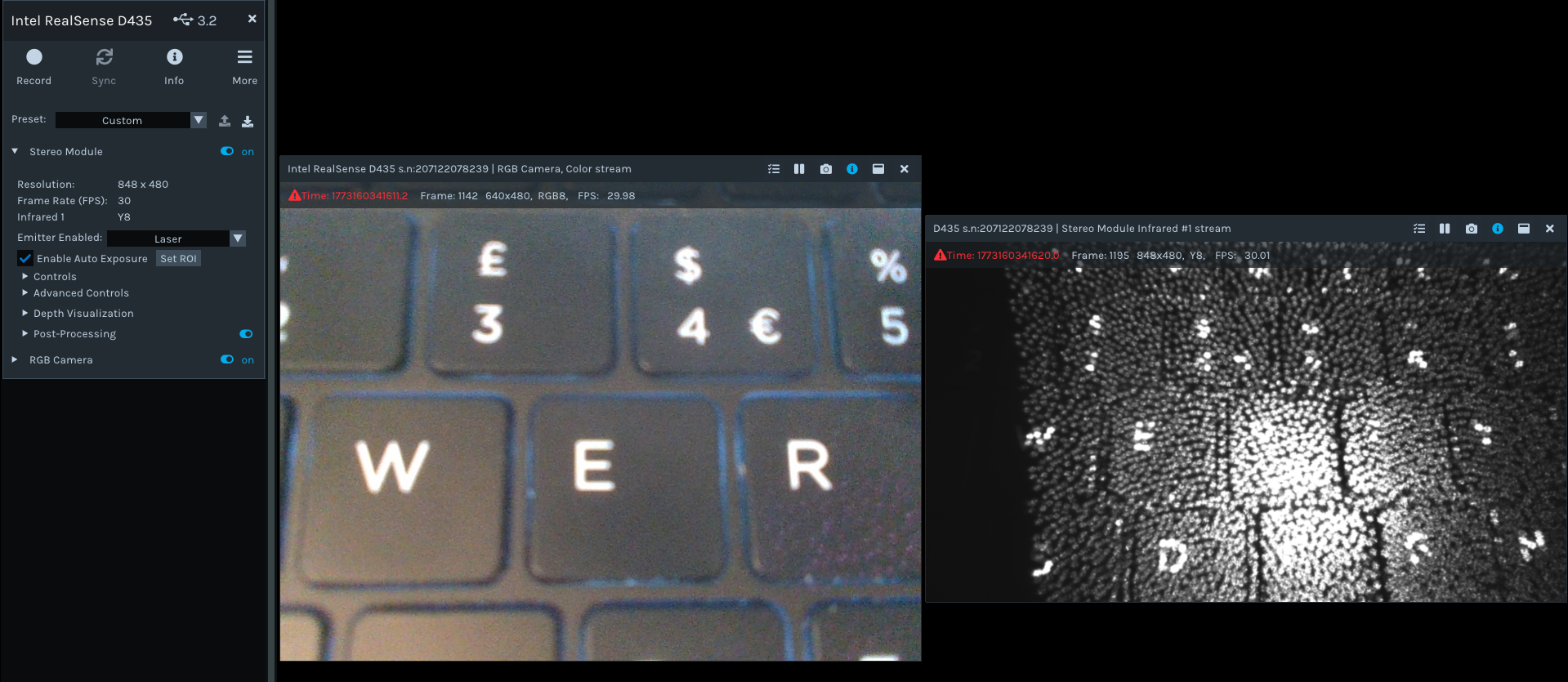
If you do not want the pattern of dots overlaid on the IR image then you can remove them by setting the Viewer's Emitter Enabled drop-down menu to Off.
-
Hello,
The disparity shift didn't help me, and because of the computer I am using (which could only use an older version of RealSense viewer) I was unable to adjust the focal distance... I found this bit of code https://github.com/joezaki/RealSenseRecorder which I am keen to try as the auto-focus is useful to me (I am tracking a moving target) and I would prefer to save as avi...
Which is all to say, my problem isn't solved but I currently have a good lead. I plan to try it out on Wednesday.
Thanks!Jeff Boucher
-
Hello,
I wrote a response which must not have submitted two weeks ago...
To try and recreate it: basically, the code I linked didn't help with my specific problem, and caused me to begin looking into the api. This led me to understand that focal-length calibration code for this camera appears to be about correcting focal disparity between the two cameras. Due to this, I described the specific problem I am dealing with: I am a neuroscientist trying to track the pupil of a moving animal; I do not need the pupil to be resolved in every frame, but I want it to be well resolved as often as possible. Setting the focal length such that the pupil is in focus at the mean-position would probably do it, though if I write fast enough code I could potentially track their pupil as well... Because the focal distance correction seems to be primarily about correcting disparity however, it is possible that the range of correction available to me is too small to do this sort of thing... Is this the case? If not, which code in the api would I use to do this?
In any case, the "set the focus to the mean position" can be crudely solved by changing the position of the camera for now, though this has many downsides in my specific situation and even for that I would prefer a way to do it with internal hardware.
Thanks in any case!Jeff Boucher
-
You are correct, the SDK's Focal Length Calibration corrects imbalances between the left and right cameras, as described at the focal length section of the self-calibration guide at the link below.
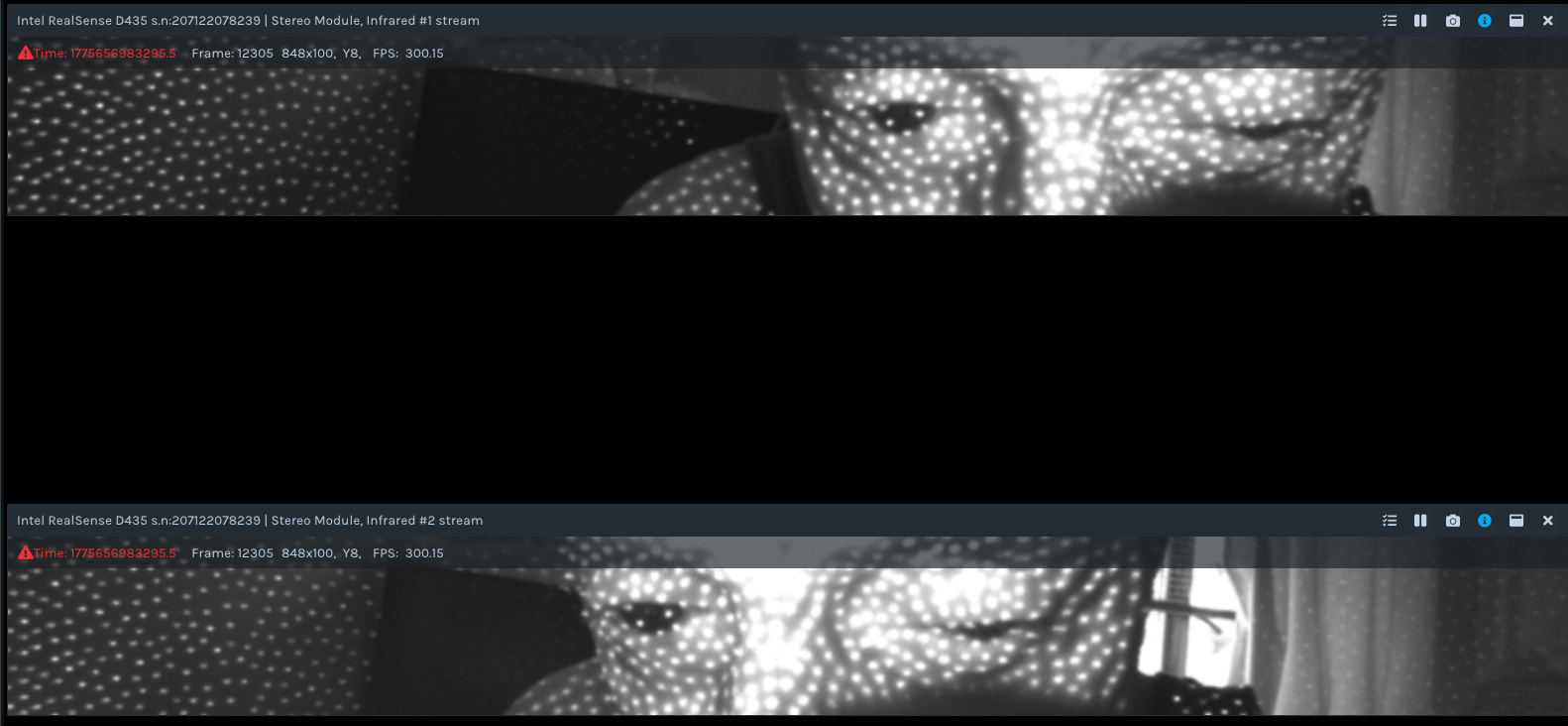
For your application, the High Speed Capture Mode of the SDK, which D435 supports, may be beneficial. If you set the IR resolution to 848x100 then you can produce a pair of IR images that are only 100 high and stream at 300 FPS without the processing demand being any higher than if 90 FPS was used. In the image below, I point my D435 towards my eyes, centered in the 100-high strip (RealSense cameras are eye-safe laser devices)
Please sign in to leave a comment.
Comments
8 comments