D455 not detected by RealSense Viewer v2.56
RealSense Viewer v2.56 doesn't see D455 device. The camera is connected to 3.2 USB port. I can see the camera in the Device manager: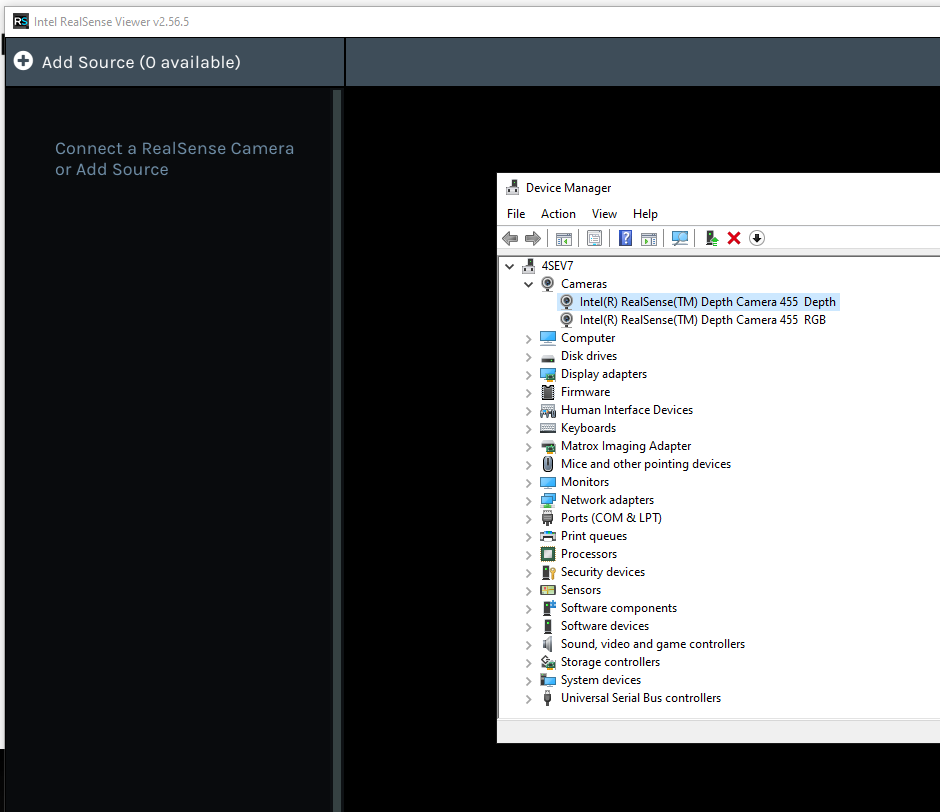
Here are logs from Viewer:
Why can't I see the camera?
-
Hi Patrycja Grabowska Can you check the camera privacy settings in Windows please to ensure that permission for applications to access the camera is set to On. Instructions for doing so can be found at the link below.
https://github.com/IntelRealSense/librealsense/issues/3381#issuecomment-503424789
-
Hi MartyX Grover, thank you for your support. The solution has helped. However, I have new errors. Could you please assist?
12:27:16 [None] C:\jenkins_sys_rsbuild\workspace\LRS_windows_compile_pipeline\common\notifications.cpp:539 - Frame Metadata is a device feature allowing
software synchronization between different
camera streams.
It must be explicitly enabled on Windows OS12:27:17 [Error] C:\jenkins_sys_rsbuild\workspace\LRS_windows_compile_pipeline\tools\realsense-viewer\..\..\common\post-processing-worker-filter.h:51 - Cannot start Face Detection : OpenVINO: Error loading xmlfile: age-gender-recognition-retail-0013.xml, File was not found at line: 1 pos: 0
-
Frame Metadata can be enabled on Windows in the RealSense Viewer tool. When the program is launched, there will usually be a pop-up box that appears in the top corner informing that metadata is disabled and asking if you want to enable it. You can then click a button on the pop-up to enable it.
If you are experiencing the Face Detection error when launching the Viewer, you can download a standalone version of the Viewer that does not have the OpenVINO face detection feature and so will not trigger errors related to this feature. To do so, please go to the link below and scroll to the Assets file list at the bottom of the page.
https://github.com/IntelRealSense/librealsense/releases/tag/v2.56.5
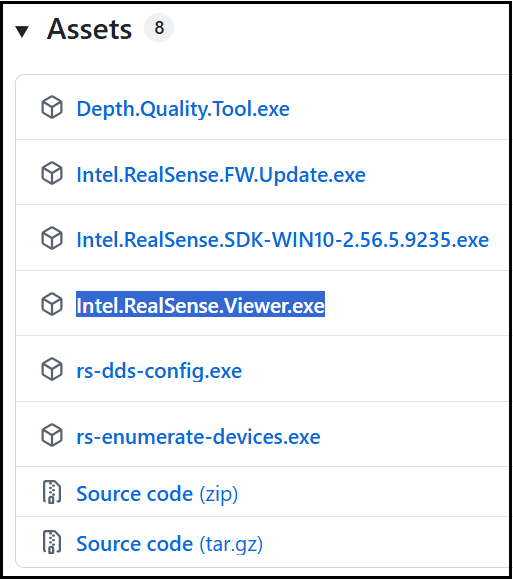
Left-click on the Intel.RealSense.Viewer.exe link to launch a download of this Viewer in your browser and then run the .exe file after download completes to launch it (do not launch the Viewer with a Windows desktop launch icon).
-
MartyX Grover, great, thank you for your help!
Please sign in to leave a comment.
Comments
4 comments