Camera L515 not detected in device manager after FW update failed
I tried installing sdk 2.50 on ubuntu 20.04 and in windows with different PC's but the usb is not detected.
Is there any other way to flash the FW?
Thanks
-
Hi estrella demar Is the camera detected on your Windows PCs if install the 2.50.0 version of RealSense Viewer on it and then unplug the micro-sized end of the USB connector from the base of the camera, turn the connector around the other way and re-insert it into the camera base? (USB-C cables are two-way insertion at the micro-sized end).
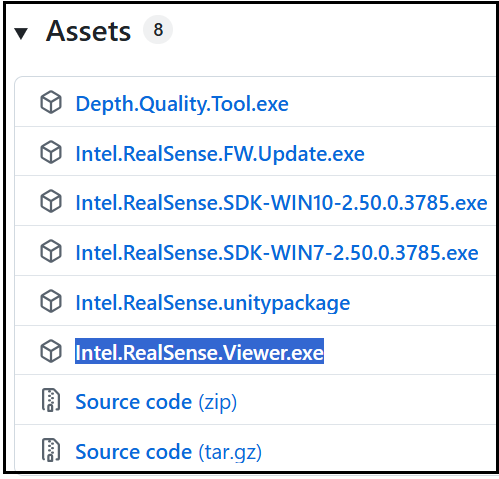
You can install the 2.50.0 version of the Viewer on Windows by visiting the link below, going to the Assets list at the bottom of the page and left-clicking on the Intel.RealSense.Viewer.exe link to download the 2.50.0 Viewer. Once download is complete, launch the downloaded file to open the Viewer (do not use a launch shortcut icon on the Windows desktop).
https://github.com/IntelRealSense/librealsense/releases/tag/v2.50.0
-
I just tried what you said but it's still not recognised, it's also not recognised by the PC in device manager.
Is there not any way to force it to go to recovery mode?
The FW update I did and failed was with Intel.RealSense.Viewer.exe, but don't remember which version I used
Thanks,
-
I checked the latest available advice about L515 firmware update at the link below.
https://dev.realsenseai.com/docs/firmware-releases-l500
If you use the 2.50.0 version then you can download a firmware update tool for Windows from the 'Assets' list of the 2.50.0 release page called Intel.RealSense.FW.Update.exe which I believe is basically a pre-made executable version of rs-fw-update and should still have L515 support as it is the 2.50.0 version.
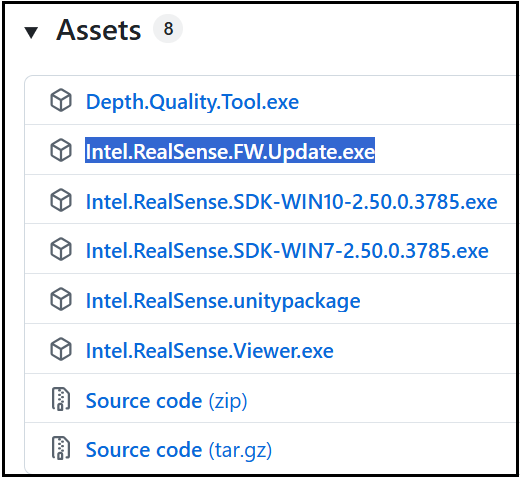
Launching the program requires a few steps as it needs to be opened in the Command Prompt interface of Windows. You can find the Command Prompt to open it by typing the word 'command' into the search box at the bottom of the Windows screen. Then when the Command Prompt window opens, navigate to the location on your PC that the firmware updater program was downloaded to using the cd command.
The easiest way to do this is to open the location where the .exe file is visually by navigating to it in the This PC interface and then left-clicking on the location address at the top of the This PC window to change it into the actual address on the computer. Highlight it and Ctrl-C to copy it. Then go to the command prompt and write cd and then do ctrl-v to paste the copied address in and press the return / enter key to navigate there. Then you can just input Intel.RealSense.FW.Update to launch the updater program.
Once the updater tool has launched, it will check for the presence of a camera. Based on what you have described though, it is possible that the camera still might not be detectable, in which case the tool could not be used to attempt to recover the L515 with the -r recovery flag.
Please sign in to leave a comment.
Comments
7 comments