The problem of Device recognition of D415 module on window 10
Hi...
We are developing a system with multi-module(D415). and we have finished the test system with 3 D415 Depth Cameras and 3rd Party solution from Imfusion.
Then, We will try with your D415 modules instead of D415 Cameras for Commercial product.
But, We have some problem on Device Recognition on Windows 10 for D415 modules. It was not occurred with D415 Cameras.
We have tested with over 10 D415 Cameras and over 6 D415 modules. In the case of D415 modules, only 1 module was recognized of D415 Depth Camera and D415 RGB Camera on Device manager in Control Panel. Others were recognized of only D410 Depth camera not RGB camera.
Realsense Viewer is operated well for both cases. but, other windows program does not use RGB camera for later case. Even, 3rd party solution from Imfusion does not recognize the sensor module at this case.
But, Just 1 module of 6 test modules, It operates well in other windows program which uses RGB camera including Imfusion Solution.
If this problem can not be solved, we can not use D415 modules for commercial product. Because the module doesn't has stable performance.
Is there a technical differences between D415 Camera and D415 Module ?
You can find the difference of recognition on my laptop Win10 for 2 D415 Modules.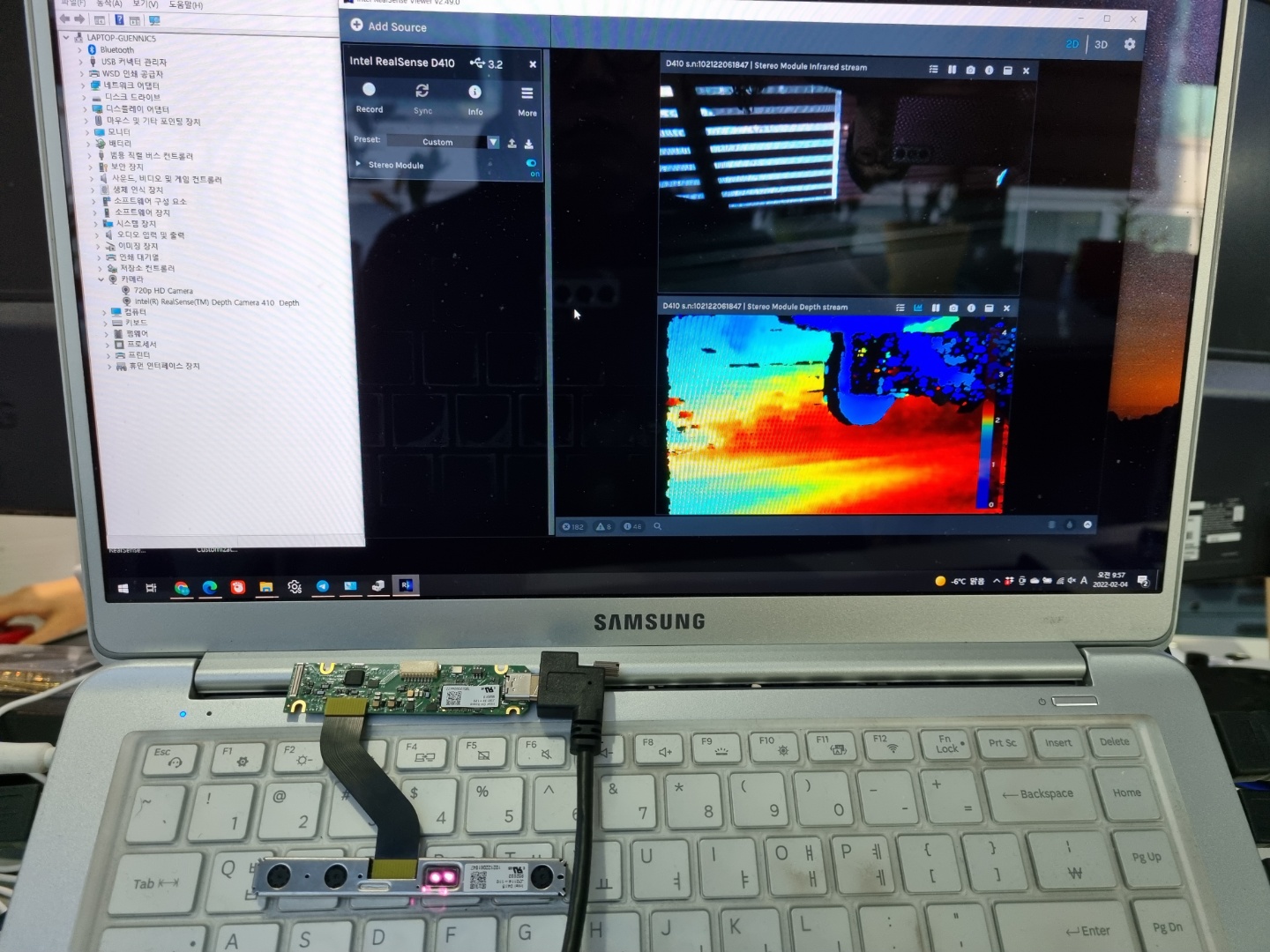
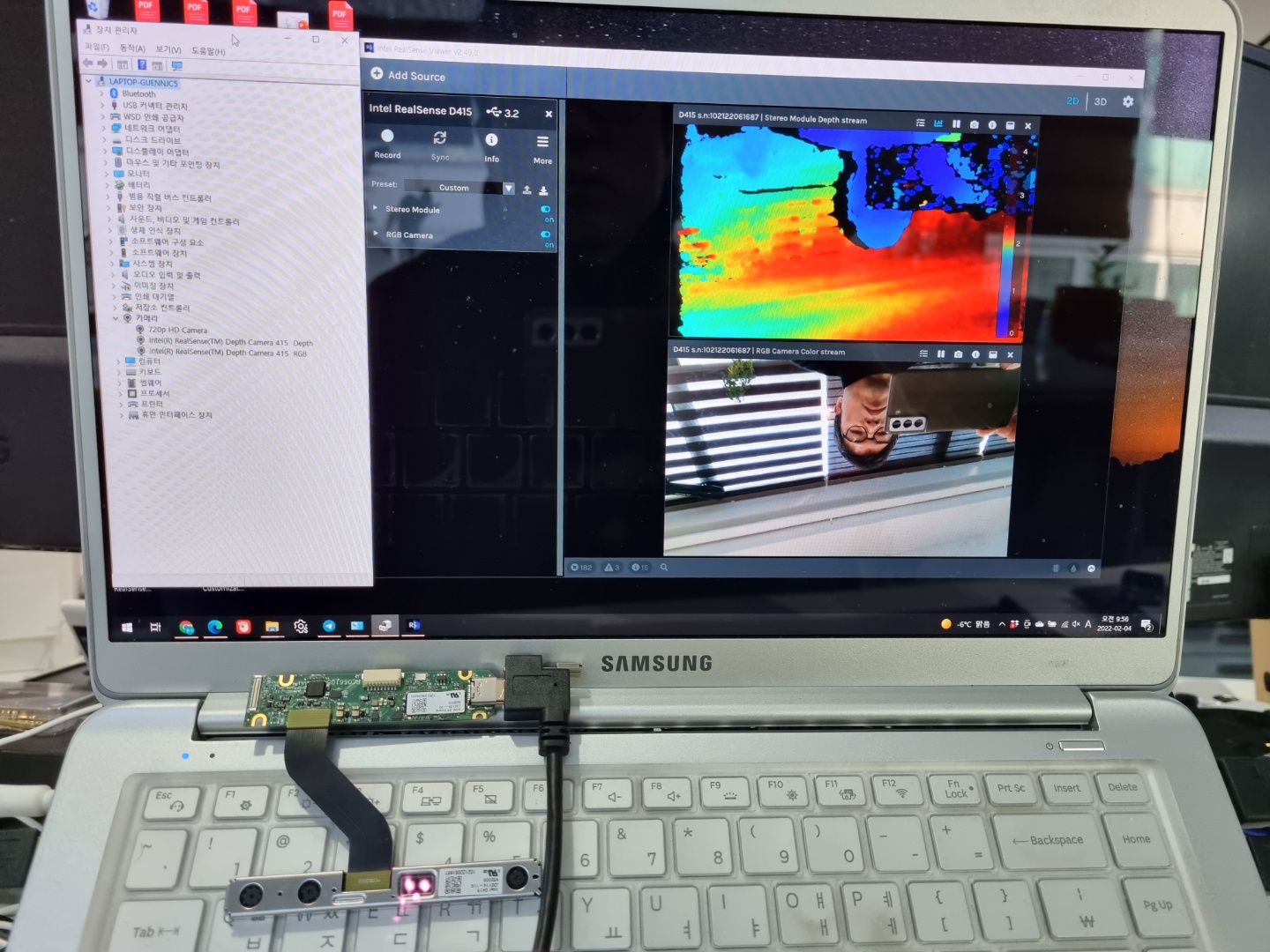
-
Hi Pys1968. A D415 depth module kit should be recognized and behave the same as a D415 cased camera, as the RGB sensor is integrated into its PCB board.
There could be a mis-identification if an incorrect Vision Processor D4 Board is being used. The D415 would use the original model of D4 board. The more recent V3 version of the D4 board is designed only for use with the D450 depth module kit. If the depth module and the D4 board were purchased in a multipack where they are paired together though (shown in the link below) then the D4 board model should be correct.
https://store.intelrealsense.com/buy-intel-realsense-depth-module-d415-and-d4-board-bundle.html
Another potential cause of mis-identification could be the flexible interposer cable that joins the D4 and depth module together via the 50 pin connectors.
The firmware driver makes a decision about how to identify the camera based on the sensors that it can detect. For example, if a D435's RGB sensor could not be detected then the firmware would identify it as a D430.
Also, is it a pre-made commercial interposer cable such as the HSF100 one on the link below or a custom made one?
https://store.intelrealsense.com/buy-hsf100-flexi-interposer-10-pack.html
May I also confirm whether you have attempted to perform a firmware update of one of the modules that is recognized as D410 to see whether it is subsequently detected as D415, please?
-
Hi MartyG
Special Thanks for your rapid advice.
Actually, I bought the D415 modules, D4 boards and HSFs at last December through Alibaba. Because, I can not ordered at realsense online store due to the "Sold out" till this Jan. So, I got some D415 modules, D4 boards but alternative HSF cables(I Guess. It looks different from original HSF in realsense store. but it has same connector)
Anyway, I've done firmware update for all D4 boards through realsense viewer already.
From your advice, I have tested with 2 D415 cameras and 2 D4 boards with same alternative HSF cable. (refer to the pictures belows)
You mentioned that the identification problem may be due to the D4 board. but, It is occurred with D415s.
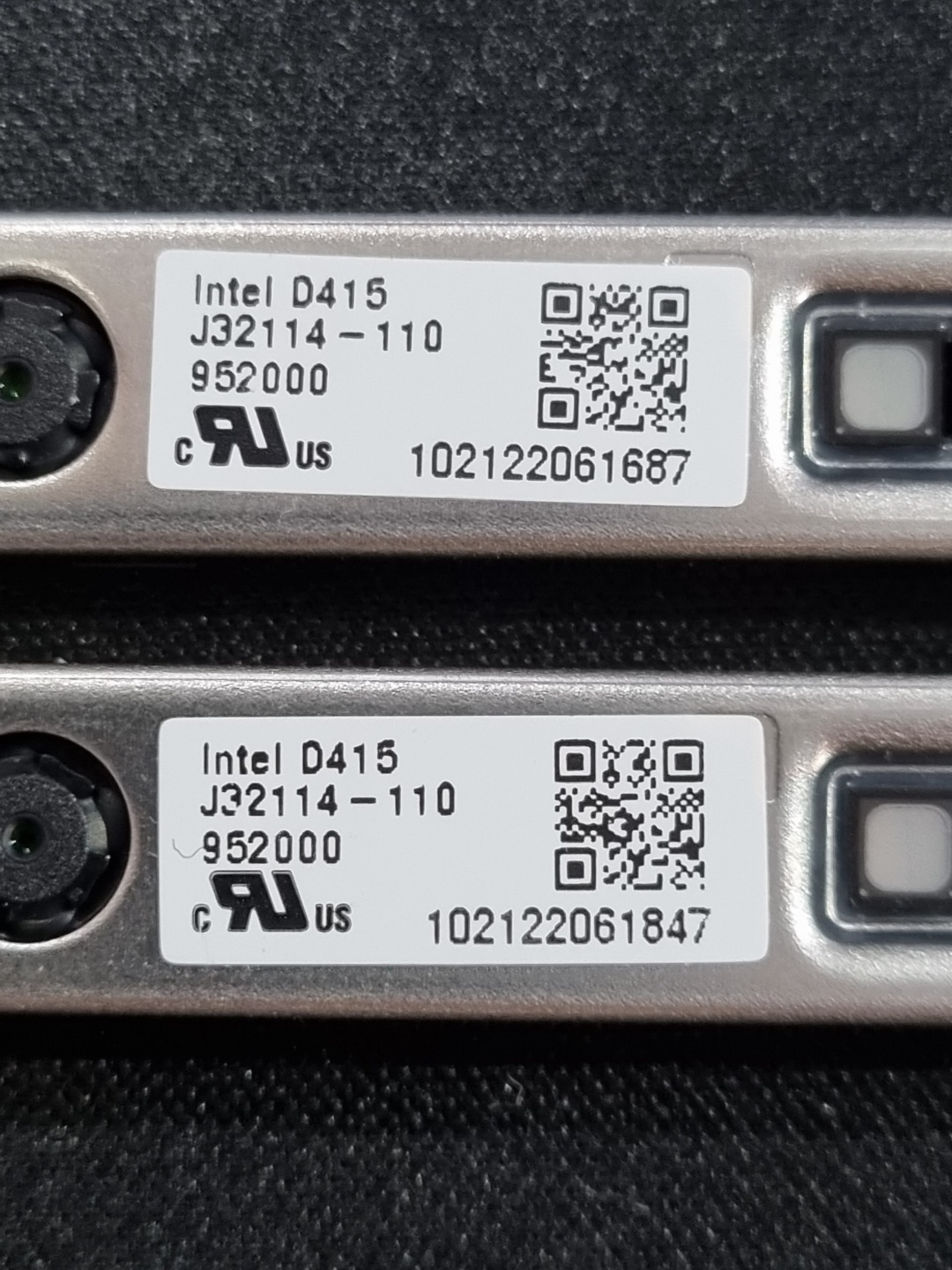
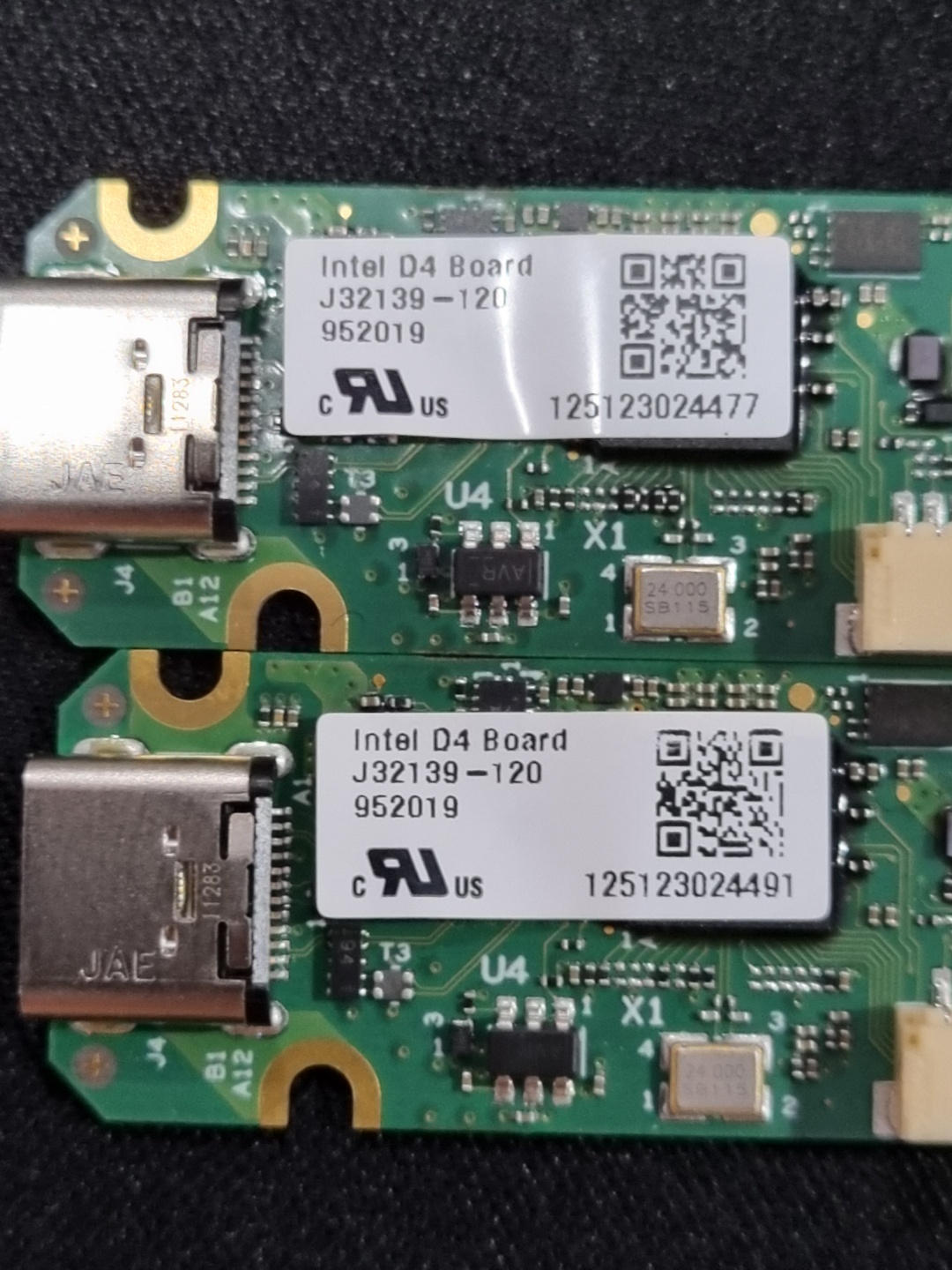
I did the test with 2 D415 camera ( serial No. ended with 1687 and 1847 in picture belows ) and D4 (serial No. ended with 4477 and 4491)
The D415 camera (serial 1687) is identified as D415 RGB and D415 Depth with any D4 boards
but, The D415 camera (serial 1847 ) is identified as D410 Depth only with any D4 boards
and, the changes of alternative HSF cables did not affect this identification problem.I need some more advice from you.
Thanks
-
Are you testing the depth kit modules with the same official 1 meter USB Type-C cable that is supplied with the D415 Cameras?
If you right-click on the sole Depth driver listed in the Windows Device Manager and select Uninstall device to remove it and then unplug the USB cable from the computer, wait a couple of seconds and plug it back into the computer, do both the Depth and RGB drivers then appear in the Device Manager?
-
Right...I did this test with USB-C type cable which is supplied with D415 Camera. and I also used some compatible cables which is confirmed with D415 camera. Actually, I have experience with the USB cable problem with F200/R200/SR300 years ago. So, I think this problem is not from the USB cable.
Regarding the device driver uninstall and re-install, I did that few times but any change did not happen. The same situation was happened at re-install. Module with camera 1687 was re-installed with D415 RGB and Depth. and Module with camera 1847 and others were re-installed with D410 Depth only.
I will try this with other computers and laptop on next monday. after that, I'll let U know the results. -
You could validate whether or not the flexible interposer cable is a factor in the problem by purchasing one unit of the rigid circuit board version of the interposer. If Ali is your retail preference then you could obtain it from the link below. Click on the thumbnail image of the square shaped board to be able to purchase it individually instead of in an interposer and D4 bundle.
https://www.aliexpress.com/item/4000081909074.html
I note that you purchased the boards last December. Have they been removed from their packaging and stored in a cool dry place such as a cupboard or drawer since then? There have been a few rare cases where storing RealSense cameras unused in such conditions for 2 weeks or more have caused the camera hardware to have problems such as depth stream start failure.
Please do update with the results of your tests on other computers after you are able to perform those tests.
Please sign in to leave a comment.
Comments
7 comments