IR Image with auto ir exposure is dimmer than manual on D415 cameras
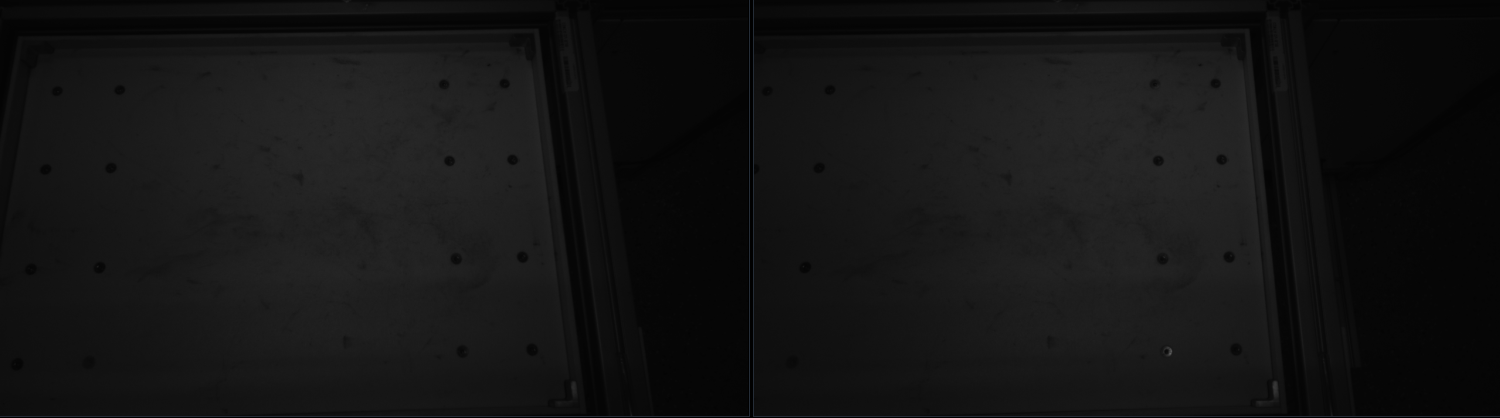
This is an IR image (of IR1 and IR2) with auto-exposure enabled:
and this is an IR image (of IR1 and IR2) with manual exposure: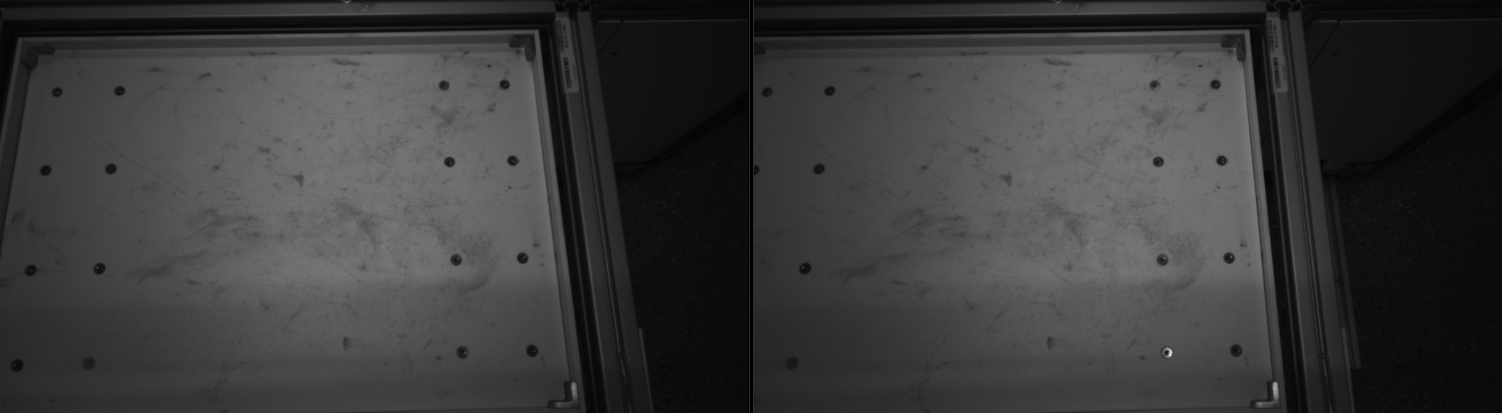
Any thoughts on why the IR image with auto-exposure enabled is dimmer?. Is this a defect in the camera or this is a process followed for better depth data?.
-
Hi Karthikeyan Yuvraj I am reminded of a phenomenon demonstrated in the link below where the exposure and gain of the camera would drop to minimum level if auto-exposure was enabled and the camera was directly facing sunlight and therefore darken the infrared image.
https://github.com/IntelRealSense/librealsense/issues/4928
In such circumstances, facing the camera away from the sunlight or holding a hand over the camera lenses for several seconds should result in auto-exposure correcting the image.
Is your D415 in a location where it might be directly observing sunlight or a similar strong light source head-on, please?
-
If the whiteboard had a reflective surface and light was being projected onto it then I can see how it could create a glare from the reflection that could have a negative impact on image quality.
There was a past case (in the link below) where a camera was located indoors in an office and tests with strong light projections such as an external flash and a laser pointer caused the camera to react as though it had faced the sun.
https://github.com/IntelRealSense/librealsense/issues/5209#issuecomment-564483334
Intel's camera tuning guide offers advice about dealing with strong light, such as defining an auto-exposure Region of Interest in the bottom half of the image.
The negative effects on the image of glare from reflections can also be greatly negated by purchasing and applying a physical thin-film linear polarization filter product over the lenses on the outside of the camera. Intel's guide on optical filters provides information about this in section 4.4 When to use polarizers and waveplates
Any polarizer filter should work so long as it is linear (ones from 3D glasses will not work). You can find examples by searching stores such as Amazon for the term linear polarization filter sheet
Intel added a fix to the firmware as far back as firmware version 5.11.4 to correct the problem of the IR image going black when exposed to strong light whilst auto-exposure was enabled. What firmware version is your camera using, please?
Please sign in to leave a comment.
Comments
6 comments