Calibration for multiple d435
I intend to use 8 d435 for scanning and then 3D reconstruction. But I don't know how to calibrate the eight d435. I hope I can get information or examples. In addition, I want to know whether there will be error value due to rotation angle, and what will the error value be?
-
RealSense 400 Series cameras are calibrated in the factory and so have very good calibration when they are new out of the box after purchase. You can perform a calibration of an individual camera at any time though by using Intel's pre-made Dynamic Calibration software tool or the On-Chip Calibration tool that is built into the camera's firmware driver and accessible through the RealSense Viewer tool or your own program scripting.
If you foresee the need to calibrate all of the cameras simultaneously then Intel offer a professional OEM calibration target board with OEM Dynamic Calibration software in the official online RealSense Store. This $1500 USD system is aimed at engineering departments and manufacturing facilities. It is out of stock at the time of writing this though.
https://store.intelrealsense.com/buy-intel-realsense-d400-cameras-calibration-target.html
If you have the option to use a commercial scanning software product then the RealSense-compatible RecFusion Pro tool supports scanning with multiple RealSense cameras.
https://www.recfusion.net/index.php/en/features
In regard to rotation angle: if you are referring to tilting of the camera up-down then you can tilt the camera, though I would recommend a maximum tilt of 30 degrees up or down. You can tilt beyond 30 degrees but problems may be introduced beyond that point. You can also point the camera 90 degrees directly up or down.
An alternative to using eight cameras would be to have just one that is moved around in the hand, and use it with a tool called rs-kinfu (KinectFusion) that progressively builds up an image as the camera is moved around. Once the scanning is completed then the pointcloud can be exported as a .ply format file that can then be imported into 3D modelling tools for further work, such as conversion to a solid mesh.
https://github.com/IntelRealSense/librealsense/tree/master/wrappers/opencv/kinfu
-
@MartyG I'm glad to see your reply, but it's out of stock, so I won't consider it. I want to know if the 8 realsense need to be calibrated in the same space? Will multiple devices reduce the accuracy and lead to the result error of the model?
Although refusion is very powerful, it cannot be used commercially because it is too expensive and requires a fee for each machine license. So I want to know if there are other better scanning software, preferably free and with SDK, or open source. If it is a charge, I hope to charge only once. I hope you can recommend my other system software, preferably open source. I can read the code and learn.
I didn't understand your last plan rs-kinfu. Maybe I'm stupid. I really didn't understand. Kinectfusion should be an algorithm, which can collect data through realsense and obtain the model through kinectfusion algorithm.
I wonder if slam is OK? Also, can open3d also realize 3D reconstruction through realsense?
I hope to get a more detailed answer. What algorithm or scheme should be used for 3D reconstruction, and what should be the process?
-
Multiple 400 Series cameras do not interfere with each other.
MeshLab and Pyntcloud (for Python) are examples of free / open source software that can convert a .ply point cloud file into a solid mesh.
https://github.com/daavoo/pyntcloud
A guide about generating a .ply file in RealSense and importing it into MeshLab is here:
https://www.andreasjakl.com/capturing-3d-point-cloud-intel-realsense-converting-mesh-meshlab/
There is also CloudCompare, which has a GPL Licence and a point cloud Merge function.
https://www.cloudcompare.org/doc/wiki/index.php?title=Merge
Another method of combining point clouds together would be PCL.
https://github.com/IntelRealSense/librealsense/tree/master/wrappers/pcl
https://github.com/PointCloudLibrary/pcl
https://pointclouds.org/documentation/tutorials/pairwise_incremental_registration.html
If you are interested in using SLAM and Open3D with RealSense, there are links to Intel seminars about these topics on YouTube at the link below.
https://www.intelrealsense.com/open-source-capabilities-in-3d-vision/
The official Open3D documentation has its own RealSense guide.
http://www.open3d.org/docs/0.12.0/tutorial/sensor/realsense.html
Here is an example from the RealSense GitHub support forum of reconstruction being performed with Open3D.
https://github.com/IntelRealSense/librealsense/issues/4640
And an article on the official RealSense blog about using RealSense with Open3D.
https://www.intelrealsense.com/open3d/?_ga=2.126064653.1877976161.1602709969-1041004708.1589641371
Using the RealSense ROS wrapper in combination with rtabmap_ros is also a popular method of performing SLAM with RealSense. Here are links to a couple of guides on the subject that describe how to build up a pointcloud scan of a scene and save it to file.
https://github.com/IntelRealSense/realsense-ros/wiki/SLAM-with-D435i
https://shinkansan.github.io/2019-UGRP-DPoom/SLAM
Here is a guide to using RealSense and rtabmap_ros for 3D reconstruction.
As the name KinectFusion suggests, it was not originally created for RealSense cameras. rs-kinfu is a RealSense implementation of that system. The RealSense camera provides the means to collect camera frames in real-time for the algorithm to fuse together in order to progressively build up the detail in the scan of a scene.
As this reply illustrates, there are a wide range of methods available for performing 3D reconstruction with a RealSense camera, so I recommend researching the subject with the help of the above links and choose the one that best suits your requirements.
-
MartyG OK, I have received your reply. I wonder if there is any open source fusion project code? Like recfusion. Because I don't know how to integrate into ply. I want to find an open source with integration function, which is as powerful as recfusion.
-
The CONIX Research Center at Carnegie Mellon developed a C++-based system for generating point clouds from up to 20 RealSense cameras and then stitching them together.
-
MartyG Do you know if there is a bracket that can fix realsense 435? It stands on the ground or can rotate 360 °
-
Examples of 3D printing blueprints for mounts for D435 can be found at websites such as Thingiverse, Yeggi and GrabCAD.
https://www.thingiverse.com/search?q=realsense&type=things&sort=relevant
https://grabcad.com/library/tag/realsense
https://www.yeggi.com/q/realsense/
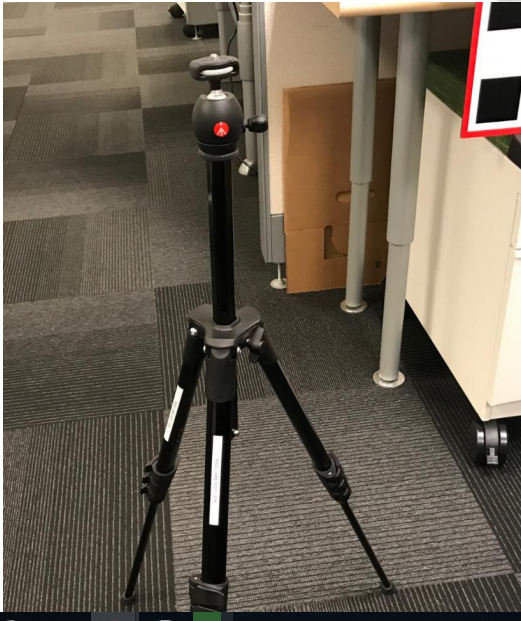
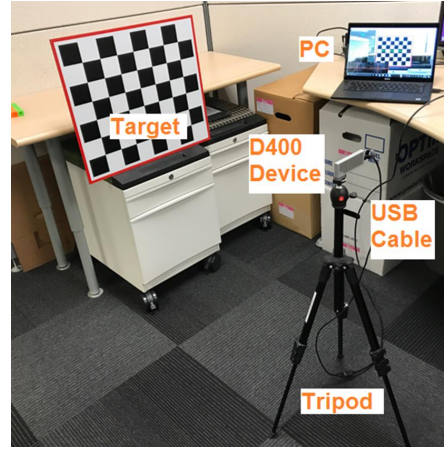
The D435 also has a standard sized 1/4-20 thread hole on its base that can be used with third-party camera tripods and mounts. For example, Intel has tested with a third-party tripod from Manfrotto.
-
MartyG I don't need a tripod. I want to buy a column that can be fixed to the ground. It is convenient for me to fix 4 angles, because I want to deploy 12 realsense. Or I want to know if there is a single arm that can rotate.
-
MartyG In addition, I also want to know how I plug 12 realsense into the computer. Do I need an adapter? Or do you need an integrated USB? Please tell me that a better device can manage 12 realsense at the same time and can be plugged into the computer together.
-
How about a column with a very heavy base that could have a camera attached to it via a tripod thread, such as the Elgato Multi Mount equipment in the link below (the 4.8 kg heavy base is in the Accessories section of the page).
https://www.elgato.com/en/multi-mount-system
If your preference is to put 12 RealSense on one arm then it has a Solid Arm accessory to attach additional arms with tripod mounting points to the vertical column.
-
@MartyG In addition, I also want to know how I plug 12 realsense into the computer. Do I need an adapter? Or do you need an integrated USB? Please tell me that a better device can manage 12 realsense at the same time and can be plugged into the computer together.
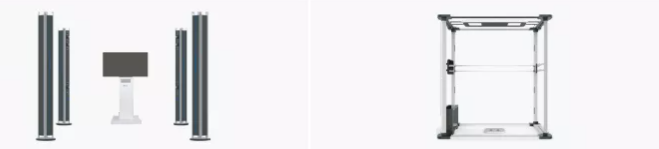
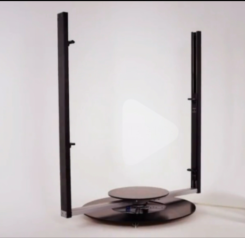
关于固定设备,就想我发布的图片一样。
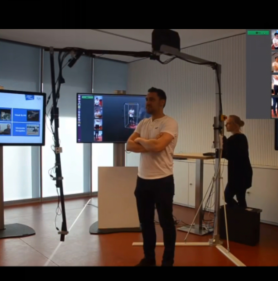
-
If all 12 cameras on one computer were going to be active at the same time then you would need a powerful computer because of the amount of computing resources that 12 cameras would consume (it is possible to physically attach that many USB devices to one computer though). In 2018, Intel recommended an Intel i7 processor for a 4-camera setup. Processors have become more powerful since 2018, but I believe that a recent computer with a high-end processor such as an Intel Core i9 would be recommendable for 12 cameras.
The USB specification allows for five USB hubs to be linked together on the same computer. I would recommend using mains electricity powered hubs in order to provide the cameras with more stable power than a computer USB port or an unpowered hub could supply. Budget the power requirements for about 2 watts per camera, with a typical individual mains powered USB hub able to supply 12 watts to be shared between the devices attached to it.
-
MartyG 可以告诉我你的邮箱吗?
-
18181247 If there is a subject that you feel that you cannot discuss on this public forum due to issues of confidentiality, please email me at the address below.
**********
如果您認為由於保密問題無法在此公共論壇上討論某個主題,請通過以下地址給我發送電子郵件。
Please sign in to leave a comment.
Comments
14 comments