D430 Modules having problem with resolution 840x480 (Firmware Bug)?!
I’ve been using firmware v05.12.10.00 and recently faced a problem with some D430 modules.
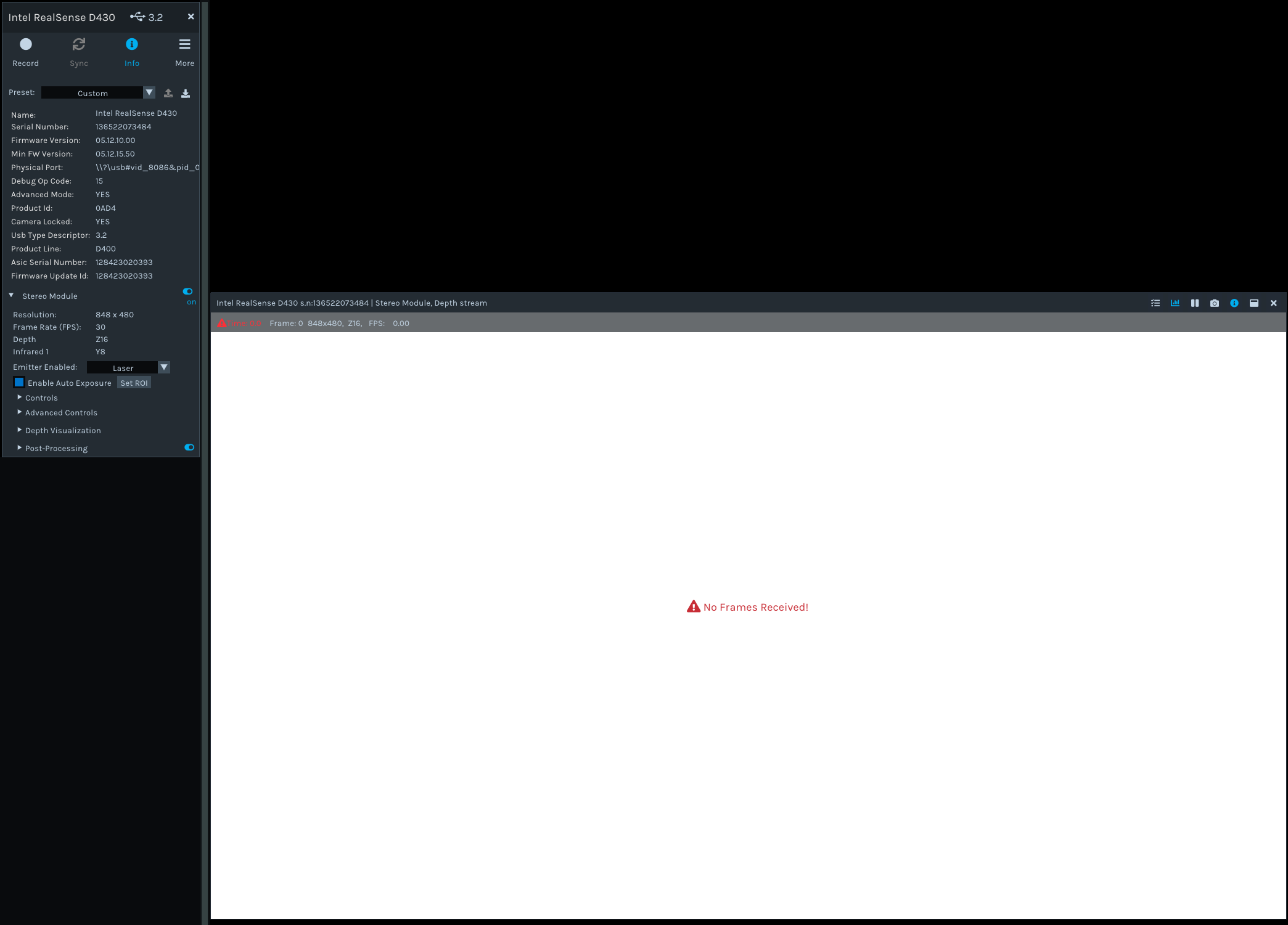
The firmware 05.12.10.00 has a problem with receiving frames on the 848x480 resolution (No Frame Received). Although it can run the module on either lower or higher resolutions without any issue. Updating the firmware to the latest version (05.12.15.50) solved the problem.
Also, I noticed the Min FW Version has changed to the latest version.
I was able to receive an image from the module on firmware v05.12.10.00 using Intel OEM Calibration Tool which I think runs the module in different resolutions (Any but 848x480).
Does anyone have the same issue? Is it a firmware bug and the new version fixed the issue, or could it be a hardware issue with certain D430 serial numbers?
Just to clarify, the D4 processor board is not causing the problem. I’ve tried different processor boards and the result was the same.
Module SN# 136522073484, 052622074500
-
Hi Kamyar The links below highlight two past cases of the issue that you encountered with the 848x480 resolution being unsupported but the other resolutions being unaffected. In the first link, the problem was found to simply be that the USB cables had been unknowingly changed to USB2 Type-C cables instead of USB3 cables (on 848x480 resolution, not all FPS modes are available from RealSense 400 Series cameras that are on a USB2 connection). In the second link, performing a Dynamic Calibration of the camera corrected the problem.
https://github.com/IntelRealSense/librealsense/issues/4962
https://github.com/IntelRealSense/librealsense/issues/7621#issuecomment-718999984
The most common reason for 848x480 being unsupported, at least at FPS speeds of 15 and above, is because the camera is detected as being on a USB2 connection. This could be because the camera is plugged into a USB2 port, has a USB2 cable attached (which lacks the internal wires necessary for USB3 identification) or the camera is plugged into a USB3 port but the connection is mis-identified as USB2.
-
Hi MartyG, I appreciate your time and thank you for your reply. I checked the USB to make sure the module is connected to USB 3.2 and also dynamic calibration didn’t solve the problem.
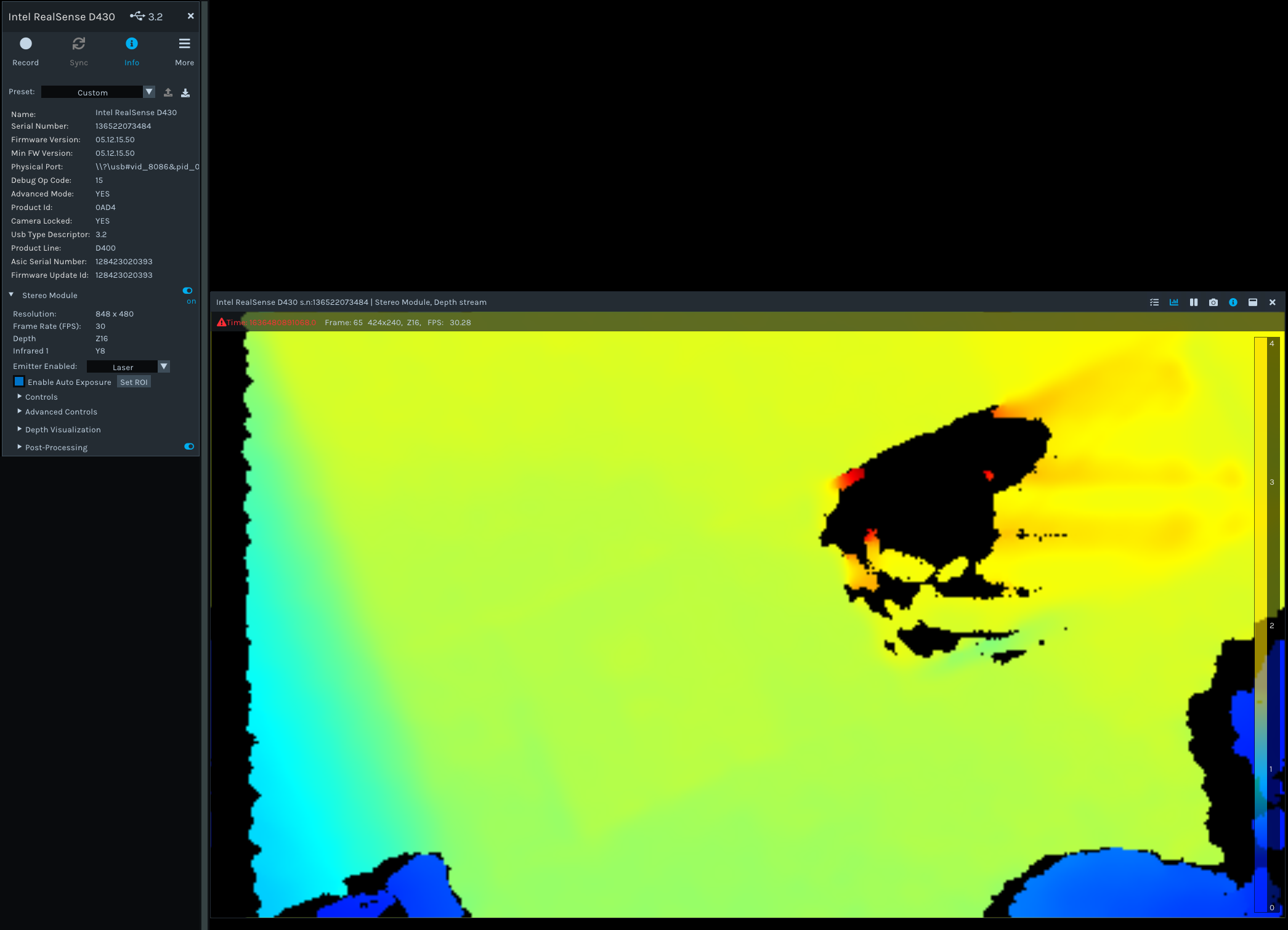
Just to clarify, updating the firmware to the latest version (05.12.15.50) does solve the problem. So I don’t even need to plug or unplug the processor board or the module. Also by downgrading the firmware to version 05.12.10.00 I can reproduce the issue.
I’ve attached the pictures for your reference.
-
Sorry, I think there is a misunderstanding here. I’m looking for confirmation just to make sure it is not a hardware issue with the certain serial number of the D430 modules. Is this a known issue that some modules are not able to receive frames at 848x480 resolution on firmware version 05.12.10.00?
-
Any chance you could escalate this issue since we don’t want to ship modules to customers that are suspiciously failing to function correctly. we're using the D430 modules embedded in our product (not the retail modules). is there someone that I talk to about this particular issue?
-
I am not a team member of this Intel RealSense Help Center forum as I am from another Intel RealSense team. I would therefore recommend that you create a new issue on this forum concerning your question so that a team member of the Intel RealSense Help Center can assist with your query. Thanks!
Please sign in to leave a comment.
Comments
7 comments