Failed to receive data of D435 over Ethernet on Windows10 from the Ubuntu with libuvc installed
We are working on integrating your product D435 into our detector system. We tried to receive data from the D435 camera via Ethernet to integrate it with our other equipment through a network switch.
We planed to finally connect the D435 camera to raspberry pi Zero and pre-study on connecting the camera with a PC in Ubuntu 20.04.3LTS and a PC in Windows 10. We follow the instruction in the official whitepaper PDF (as attached), and the last step shows "Librealsense script completed". We set the IP address and DNS of eth0 on Ubuntu and the matched information of eth0 on Windows. However, it could not work on Intel Realsense Viewer while we chose "Add Network Device" and a timeout error occurred. It seems that the rs-service has not started on Ubuntu. Besides, we have added a user named realsense with password realsense on Ubuntu, and the ssh@realsense works well by putty on Windows. "$rs-enumerate-devices" on Ubuntu show correct results, and the Windows PC could ping Ubuntu successfully, too.
Could you give some suggestions ideas to solve this situation?
-
Are you able to connect to the camera with Add Network Device if you SSH into the Ubuntu computer and input the command sudo systemctl restart rs-server.service to restart rs-server as described in the link below, please?
-
Hi MartyG.T
Thanks for your advice.
We tried to execute the command sudo systemctl restart rs-server.service, but it comes out with the error failed to restart rs-server.service: Unit rs-server.service not found. There should be something missing during the libuvc installation. We followed the instructions on the website (https://github.com/IntelRealSense/librealsense/blob/master/doc/libuvc_installation.md) according to the official whitepaper PDF.
Could you please tell me how to install the rs-server.service?
-
The structure of the ethernet networking open-source white paper can admittedly be difficult to follow. Instead of using the librealsense installation method on the libuvc_installation.md page, I would recommend building the SDK from source code in Linux with CMake and including the term -DBUILD_NETWORK_DEVICE=ON in the CMake build instruction so that the realsense2-net module and the rs-server tool are built at the same time that librealsense is installed.
A discussion in the link below, where a RealSense user encountered the same error that you did, may be a helpful reference.
-
Hello MartyG.
Thanks for your suggestion. I have tried your method. The rs-server is indeed generated in librealsense_build/librealsense_master/build/tools/rs-server.
However, when the command $rs-server is excecuted, there is nothing following the outcome "Rs-server is running". I also tried to Add Network Device on Intel RealSense Viewer in Windows, the same error "timeout" occurred. There should be more information printed after the "Rs server is running", I supposed. Besides, executing the command "$sudo systemctl restart rs-server.service" comes out same result failed to restart rs-server.service: Unit rs-server.service not found.
Could you tell me which step is wrong or anything further I should do?
BaLinZhu
-
After connecting to the device through a remote terminal with ssh (Linux) or Putty (Windows), you confirmed at the start of this case that you have set the static IP as described in the section of the white paper linked to below.
When you set up the static IP address, can you confirm please that /24 is added onto the end of the IP address? The white paper states that the IP address must end with /24
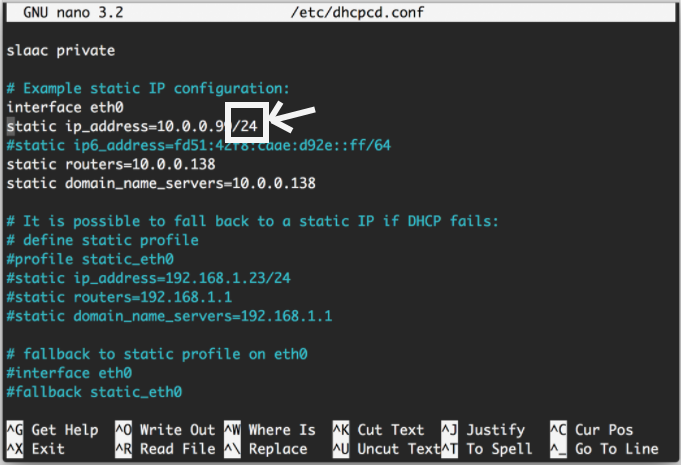
Once the configuration changes were saved, can you confirm please that you then rebooted the computer to apply the changes before using the Add Network Device option in the Viewer after the reboot?

-
Thanks for your reply.
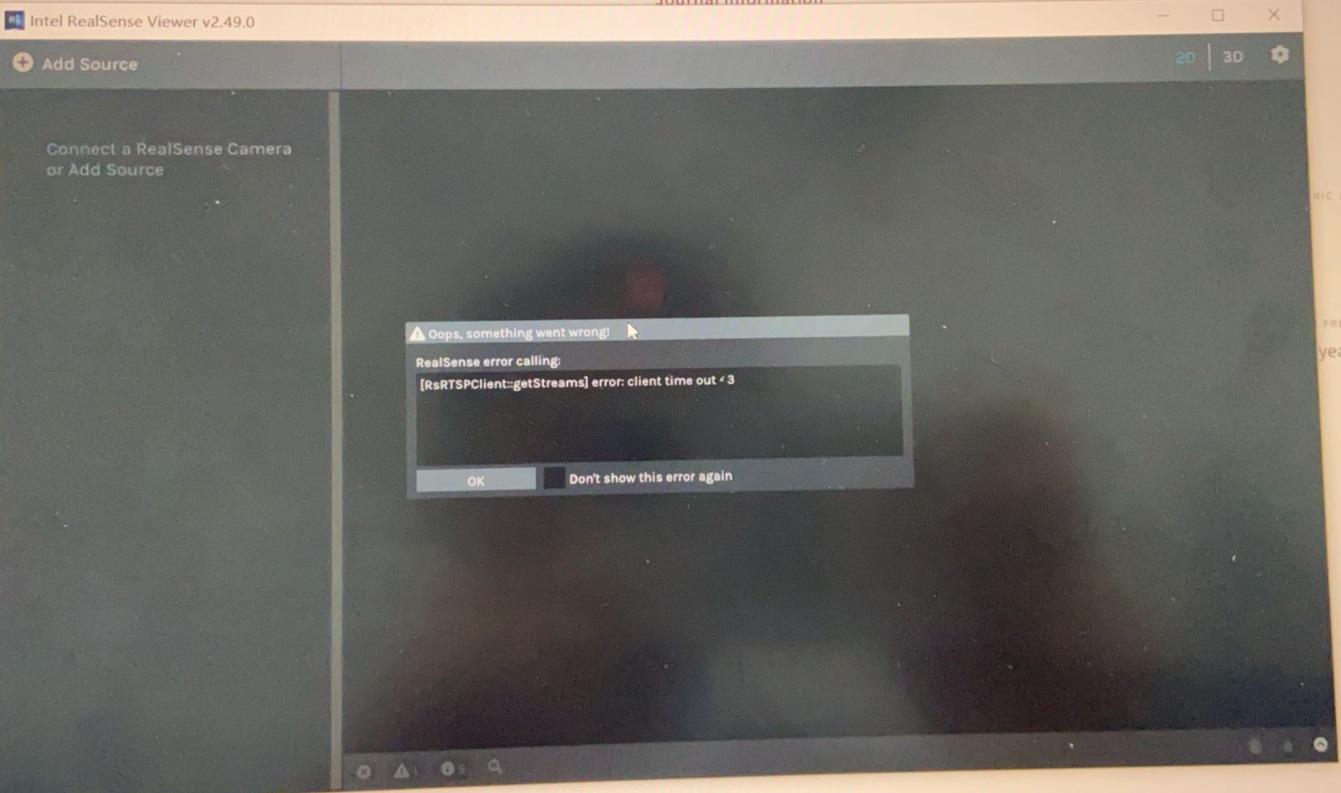
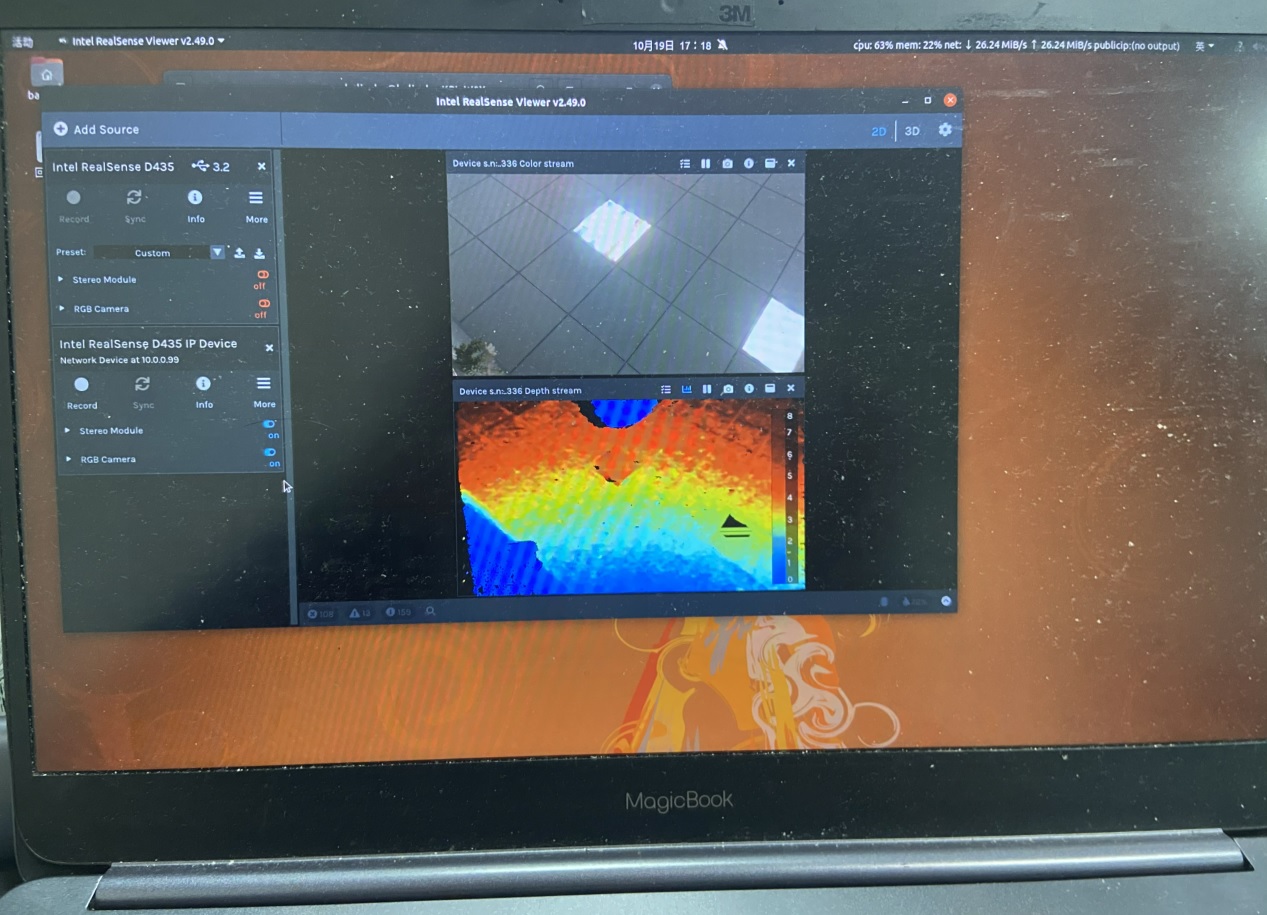
I have set the static IP address in the eth0 configuration to 10.0.0.99/24 in Ubuntu according to the second method on the website. Firstly, I tried Add Network Device on realsense-viewer in Ubuntu, it works fine. However, it still doesn't work on the Intel RealSense Viewer in Windows 10. The static IP address in Windows10 was set to "10.0.0.50", netmask was "255.255.255.0", gate4 was "10.0.0.138", and DNS was "10.0.0.138". The PC in Windows can ssh@10.0.0.99 successfully.
It seems that Windows or the Intel RealSense Viewer in Windows cannot communicate with rs-server in Ubuntu.
-
Sorry, I missed the website. "the website" mentioned here "I have set the static IP address in the eth0 configuration to 10.0.0.99/24 in Ubuntu according to the second method on the website." is (https://linuxhint.com/change-from-dhcp-to-static-ip-address-ubuntu/).
-
Hello MartyG.
Could you please give some suggestions about this situation? Thanks very much.
I have set the static IP address in the eth0 configuration to 10.0.0.99/24 in Ubuntu according to the second method on the website. Firstly, I tried Add Network Device on realsense-viewer in Ubuntu, it works fine. However, it still doesn't work on the Intel RealSense Viewer in Windows 10. The static IP address in Windows10 was set to "10.0.0.50", netmask was "255.255.255.0", gate4 was "10.0.0.138", and DNS was "10.0.0.138". The PC in Windows can ssh@10.0.0.99 successfully.
It seems that Windows or the Intel RealSense Viewer in Windows cannot communicate with rs-server in Ubuntu.
-
Thanks very much BaLinZhu for your patience. The Windows version of the Viewer should certainly be able to communicate with Ubuntu. The IP address entry box for the Add Network Device option explicitly states Connect to a Linux system running rs-server.
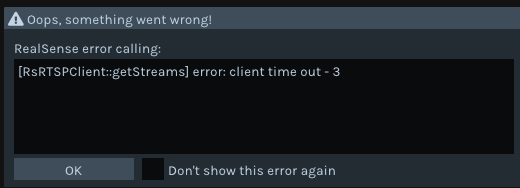
I tested inputting an IP address in the Viewer on a single computer without a camera attached or any networking equipment and experienced the same timeout error pop-up that you did.
It sounds as though you tried using a pair of Ubuntu computers as both host and remote machine and connected successfully through Add Network Device on the Ubuntu host (suggesting that the connection configuration details are fine). But when you try the process with a Windows computer as the host that connects to thhe Ubuntu remote computer, Add Network Device timeouts. Is that correct, please?
Have you launched the Windows Command Prompt interface and entered the command ipconfig to confirm that your router IP (shown as 'Default Gateway' at the top of the listing that is generated by inputting the command) is the same on Windows as it is on Ubuntu?
-
Hello MartyG.
Thanks for your detailed reply.
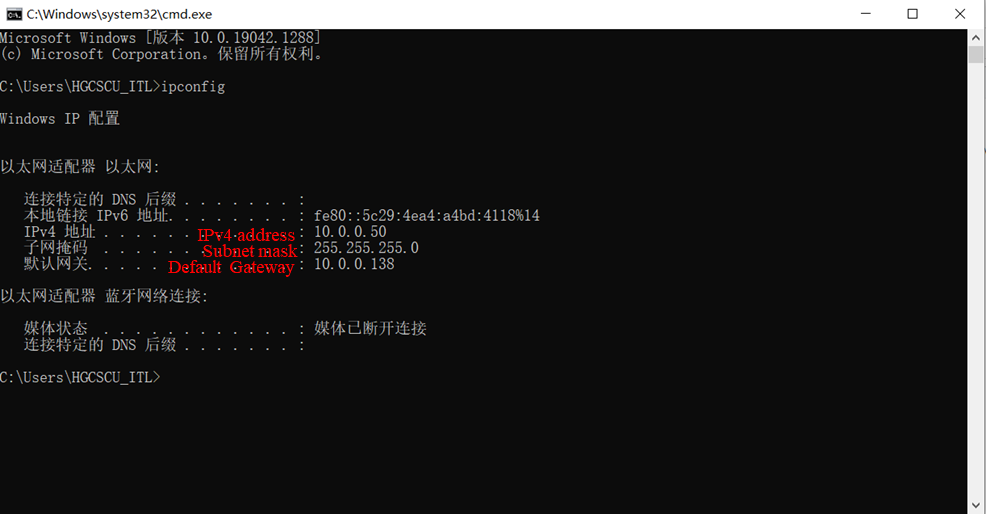
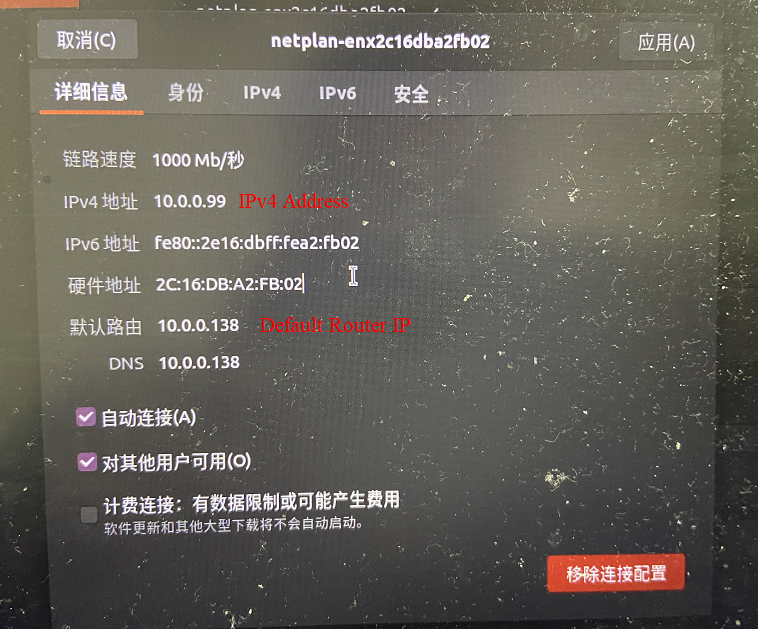
I have checked the ipconfig in Windows 10. The 'Default Gateway' is really '10.0.0.138', which is the same as that of Ubuntu.
The situation is merely the same as you described. Specifically, under the circumstance that Ubuntu connects to the camera through USB3.0, it also connects to Windows10 through Ethernet. The $realsense-viewer works fine on the Ubuntu by Add Network Device with 10.0.0.99, but it doesn't work on the Intel RealSense Viewer in Windows in the same way.
It sounds as though you tried using a pair of Ubuntu computers as both host and remote machine and connected successfully through Add Network Device on the Ubuntu host (suggesting that the connection configuration details are fine). But when you try the process with a Windows computer as the host that connects to thhe Ubuntu remote computer, Add Network Device timeouts. Is that correct, please?
This is the result of ipconfig in Windows.
This is the IP Configuration in Ubuntu.
-
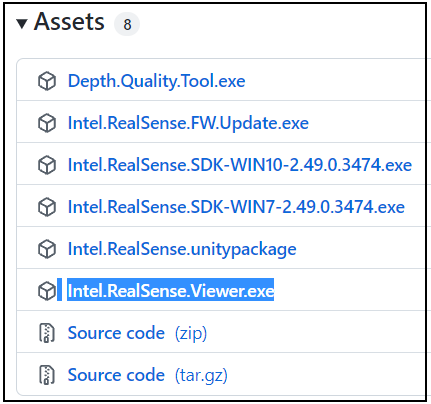
Are you able to connect the Windows version of the Viewer to the Ubuntu remote computer if you download and run the standalone version of the Viewer called Intel.RealSense.Viewer.exe from the 'Assets' file list? The .exe file should be launched from the folder location that it was downloaded to and not with the shortcut launch icon on the Windows desktop.
-
Thanks for your reply in patience.
I have downloaded and tried the standalone version of Intel RealSense Viewer.exe from the website 'https://github.com/IntelRealSense/librealsense/releases/tag/v2.49.0 ' as you suggested. But it doesn't change the situation: the result comes out with the same 'timeout' error.
-
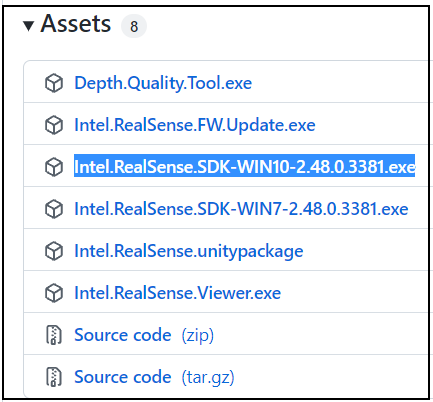
And the same timeout is produced in the Viewer if you install an earlier version of the full RealSense SDK such as 2.48.0 using the Intel.RealSense.SDK-WIN10 automated installer file?
https://github.com/IntelRealSense/librealsense/releases/tag/v2.48.0
Please sign in to leave a comment.
Comments
14 comments