Windows Server 2019 issue
Hi,
I try to use a D435 on a server using 'Windows Server 2019 Version 1809 (OS build 17763.2061)'.
I'm using 'SDK-Win10-2.47.0.3309'.
When I open 'RealSense Viewer' nothing apperas.
But thanks 'Device Manger', I can see my 'Cameras'.
Any idea?
-
Hi Ahabeillon I do not have access to Windows Server 2019 to test the advice below, so I thank you for your patience.
Do you have access to privacy settings on Windows Server 2019, please? If you do, could you see whether the privacy interface has a Camera category. On Windows 10 it would look like the image below.
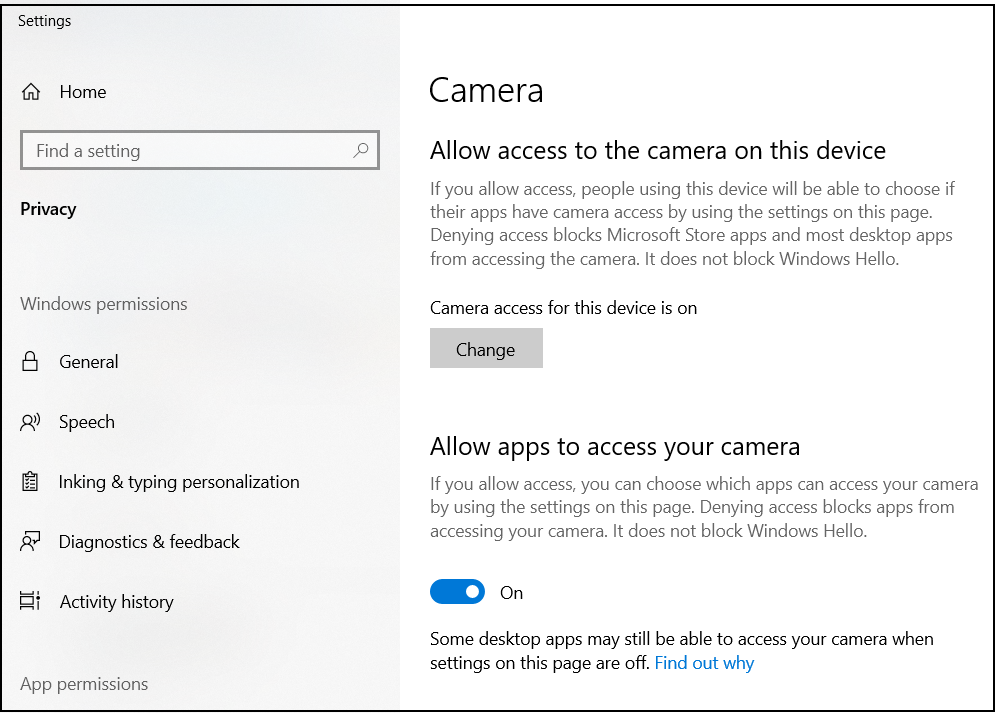
If you do have Camera privacy options and there is a setting for allowing apps to access your camera, please ensure that it is set to On so that RealSense softtware applications can make use of the camera.
Please sign in to leave a comment.
Comments
3 comments