Realsense SDK can'work on the Nvidia Jetson Jetpack5.1.4 (linux kernel 5.10)
Hi RealSense Team
Previously, when I followed the steps below to install SDK, I was able to use rs-capture to stream video from the D457 GMSL camera.
However, last week, after installing the SDK using the same procedure, I encountered an issue when running rs-capture. I noticed that the RealSense GitHub repository was recently updated to a newer version. I tried using an older version, v2.55.1, and the rs-capture function worked normally.
error message:
ERROR [281473836239104] (context.cpp:40) No valid configuration file found at : /home/nvidia/.realsense-config.json loading defaults
Install steps:
$ sudo apt-key adv --keyserver keyserver.ubuntu.com --recv-key F6E65AC044F831AC80A06380C8B3A55A6F3EFCDE || sudo apt-key adv --keyserver hkp://keyserver.ubuntu.com:80 --recv-key F6E65AC044F831AC80A06380C8B3A55A6F3EFCDE
$ sudo add-apt-repository "deb https://librealsense.intel.com/Debian/apt-repo $(lsb_release -cs) main" -u
$ sudo apt-get install librealsense2-utils
$ sudo apt-get install librealsense2-dev
-
Hi Kevin Liao The realsense-config.json file is primarily used by the realsense-viewer program to apply configuration settings. If the file is absent then realsense-viewer applies its default settings instead. I am not aware of a past case where a launch of rs-capture has failed due to realsense-config.json though.
Does rs-capture still fail to launch if it is run in sudo admin permissions mode with sudo rs-capture
-
I’ve tried running
sudo ./rs-capture, but the issue still occurs. This issue only occurs in versions v2.56.5 and v2.56.4; it doesn't happen in earlier versions. I found that v2.56.5 and v2.56.4 were only released recently.
I’m currently using v2.56.3, andrs-capturecan successfully launch the RealSense D457, but I’m still encountering some issues.
1. Sometimes runningrs-capturefails with the error "Frame didn't arrive within 15000
RealSense error calling rs2_pipeline_wait_for_frames(pipe:0xaaaaf972c5d0):",
and I need to re-runrs-capture.
2.
Even when using v2.56.3, my RealSense Viewer still fails to run. Thers-capturefunction works properly.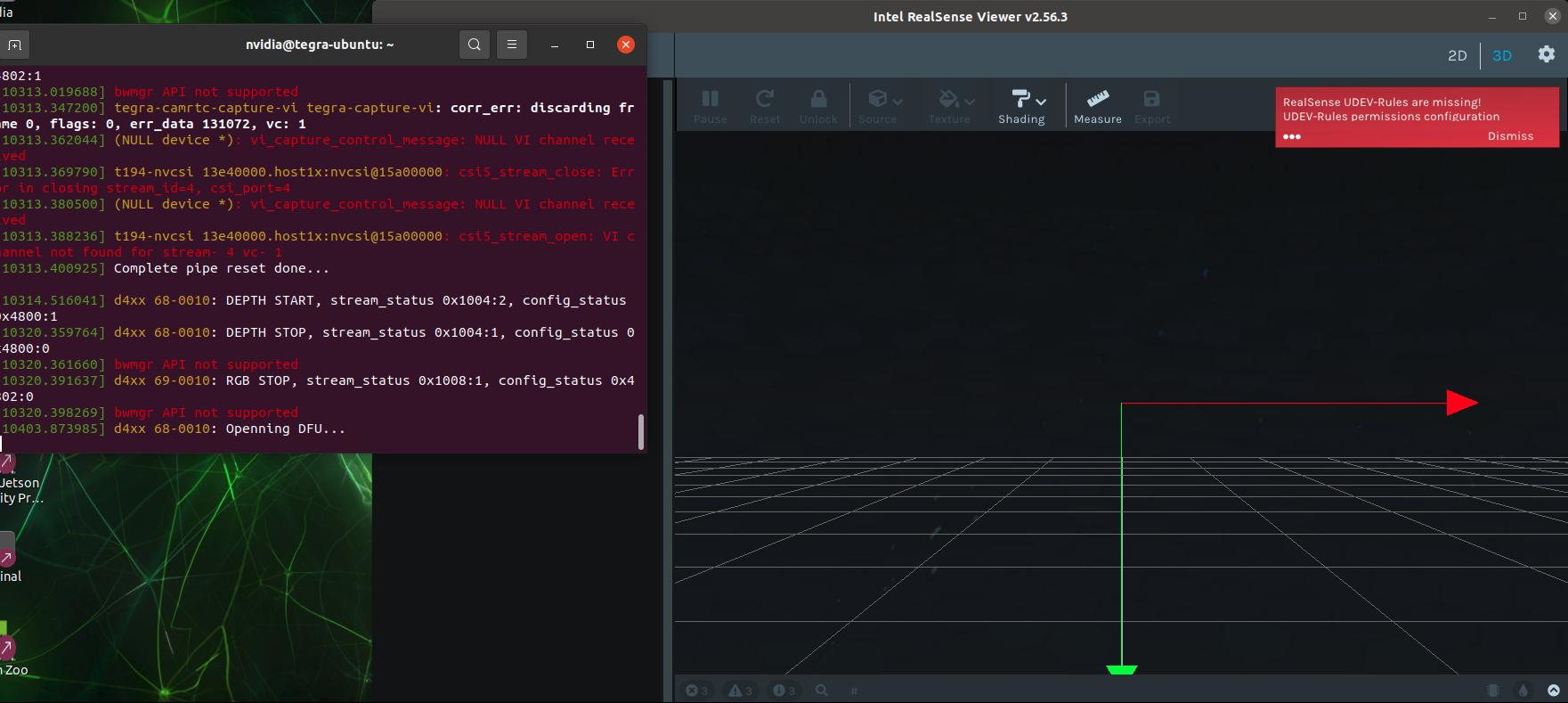
The following are the build steps.
$ sudo apt update
$ sudo apt install -y \
$ git cmake build-essential libusb-1.0-0-dev pkg-config \
libglfw3-dev libglu1-mesa-dev freeglut3-dev mesa-common-dev
$ sudo apt install libssl-dev
$ git clone https://github.com/IntelRealSense/librealsense.git
$ cd librealsense
$ rm -rf build
$ mkdir build && cd build
$ cmake .. -DBUILD_EXAMPLES=true -DBUILD_CAPTURE=ON -DCMAKE_BUILD_TYPE=Release
$ make -j$(nproc) -
I would like to know why, when I followed the same installation steps a month ago, the RealSense Viewer version was v2.55.1, but recently, using the same steps, the version became v2.56.5. Now both my RealSense Viewer and rs-capture are having issues.
$ sudo apt-key adv --keyserver keyserver.ubuntu.com --recv-key F6E65AC044F831AC80A06380C8B3A55A6F3EFCDE || sudo apt-key adv --keyserver hkp://keyserver.ubuntu.com:80 --recv-key F6E65AC044F831AC80A06380C8B3A55A6F3EFCDE
$ sudo add-apt-repository "deb https://librealsense.intel.com/Debian/apt-repo $(lsb_release -cs) main" -u
$ sudo apt-get install librealsense2-utils
$ sudo apt-get install librealsense2-dev -
When installing from packages, the librealsense version that is installed will be the current latest one unless a specific package version number is provided in the installation instruction. For a while the latest was 2.55.1. Last week the version updated to a new one.
You could try using the apt-cache showpkg librealsense2 command to find the exact package version number for 2.55.1 and then attempt to install 2.55.1 instead of 2.56.5 using instructions here:
-
I have successfully installed SDK version v2.55.1 using the following steps, but I’m still encountering some issues:
-
When running
rs-capture, the image appears, but an error is shown:xioctl(VIDIOC_S_EXT_CTRLS) failed: Invalid argument. -
When running
realsense-viewer, no device is detected.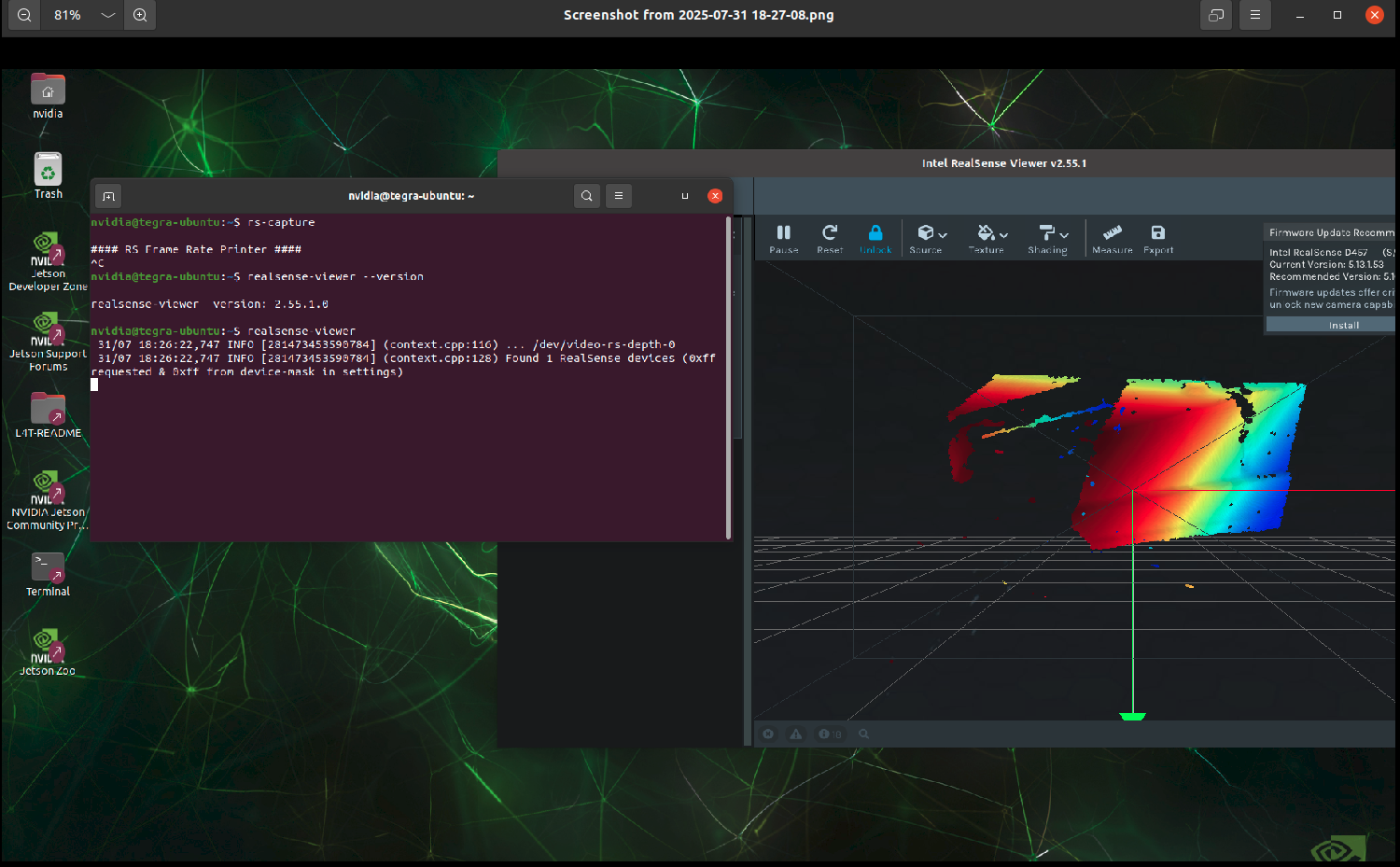
sudo apt-get install \
librealsense2=2.55.1-0~realsense.3291 \
librealsense2-utils=2.55.1-0~realsense.3291 \
librealsense2-gl=2.55.1-0~realsense.3291 \
librealsense2-dev=2.55.1-0~realsense.3291
=====================================================================================================
Another device installedrs-captureandrealsense-viewerusing the following commands about a month ago, and both functions work properly: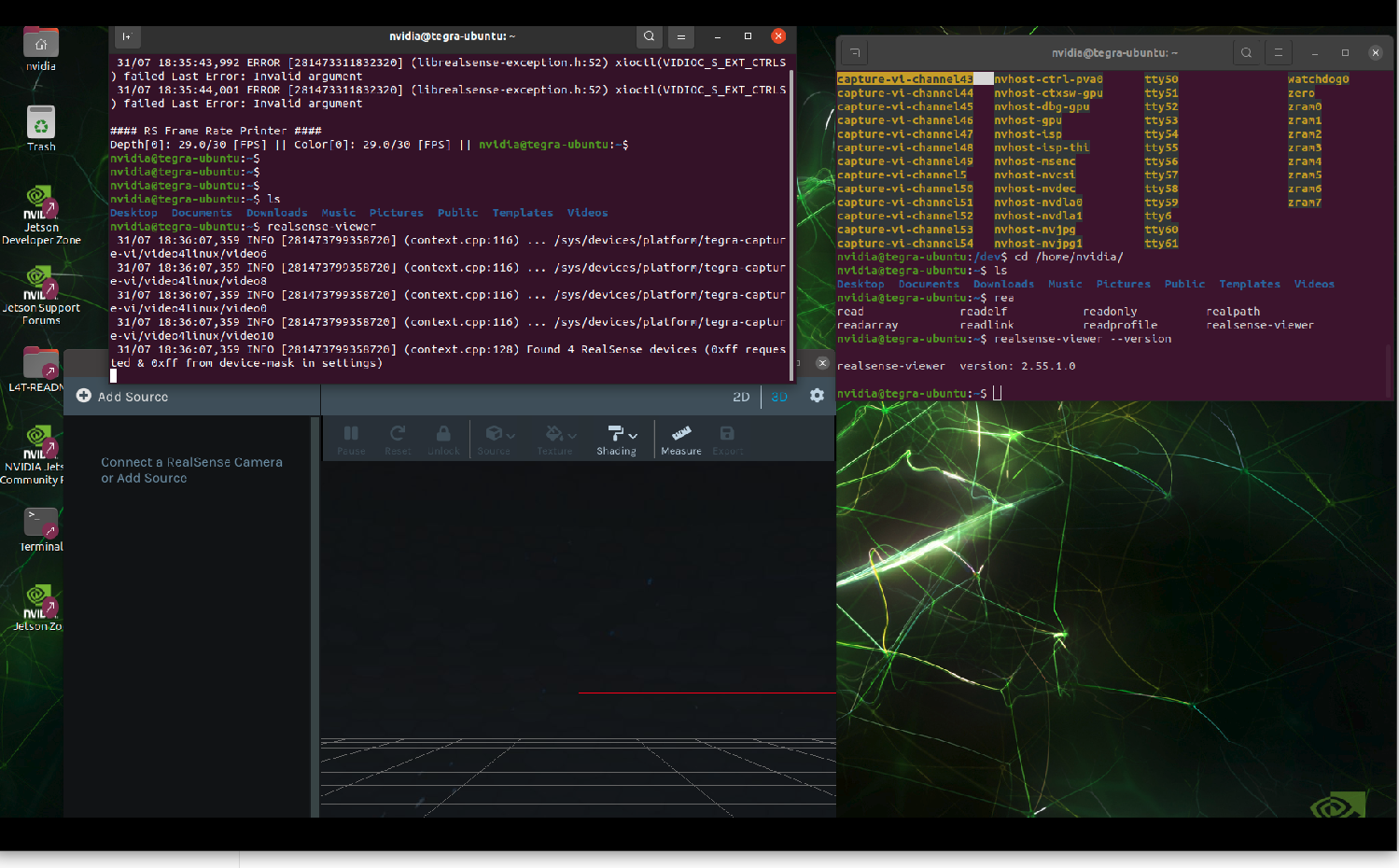
Both devices have exactly the same hardware, BSP, firmware, and SDK version. The only difference is the SDK installation method. -
-
As you are using a GMSL connection instead of USB, I recommend creating a new ticket on the librealsense GitHub support site by visiting the link below and clicking the green New Issue button. I can then refer your GitHub ticket to a GMSL expert on the RealSense team.
https://github.com/IntelRealSense/librealsense/issues
Please include a link back to this original ticket in your new GitHub message.
Please sign in to leave a comment.
Comments
12 comments