Intel Realsense D401 + Vision V4 Board. Issues with producing depth map
Hi.
I would say that I am very new to using Intel RealSense Depth cameras and I decided to get myself a D401 + V4 Vision board for prototyping a device I am currently working on.
Just to provide some context for how and why I want to use this specific camera. I am aiming to achieve the following:
1. Producing a very fine and accurate depth map at a distance of 10 to 12cm. Trying to produce a depth map, top down view of a pill blister packet that is housed in a (not fully enclosed) bay that is lit via silicon LED strips.
2. D401 specifically due to its supposed accuracy and fine depth perception at closer distances
3. I am looking for a clear distinction between the floor that the packet sits on, the foil packet and the pills themselves. regardless of shape and colour of the pills.
I dont have a priority of live depth imaging, I really only want a clean single fram depth or colour map where theres a clear distinction between the elements of the blister packet however, once I connected the HSF 50 interposes between the D401 and the V4 vision board and loaded up the Intel RealSense Viewer I was getting really poor results.
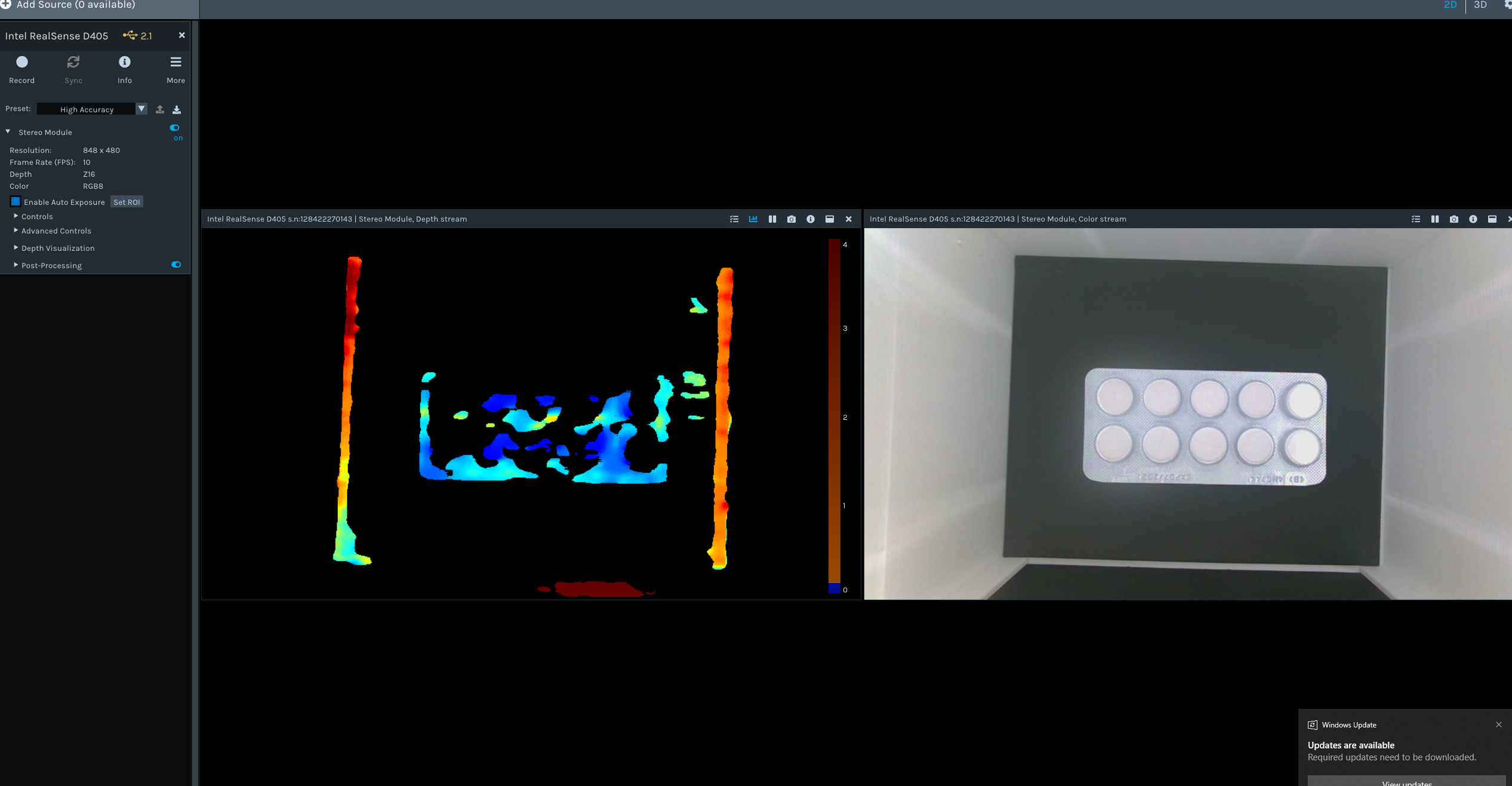
I will show pictures of the RGB and depth outputs, I want to know if I am missing something. Ive tried the onboard auto calibration, tweaked as many settings I can understand and tried different distances or lighting conditions.
I would like to say that I am still not entirely confident in the D405 or any other RealSense cameras being suitable for this application, I'd like to know if what I am looking for is viable with this camera, if not I can look elsewhere.
Some things that I have considered is reflections due to the foil blister pack so I am currently working on getting a diffused LED light panel as well as polarizing film, but something tells me I still wont get the results I want.
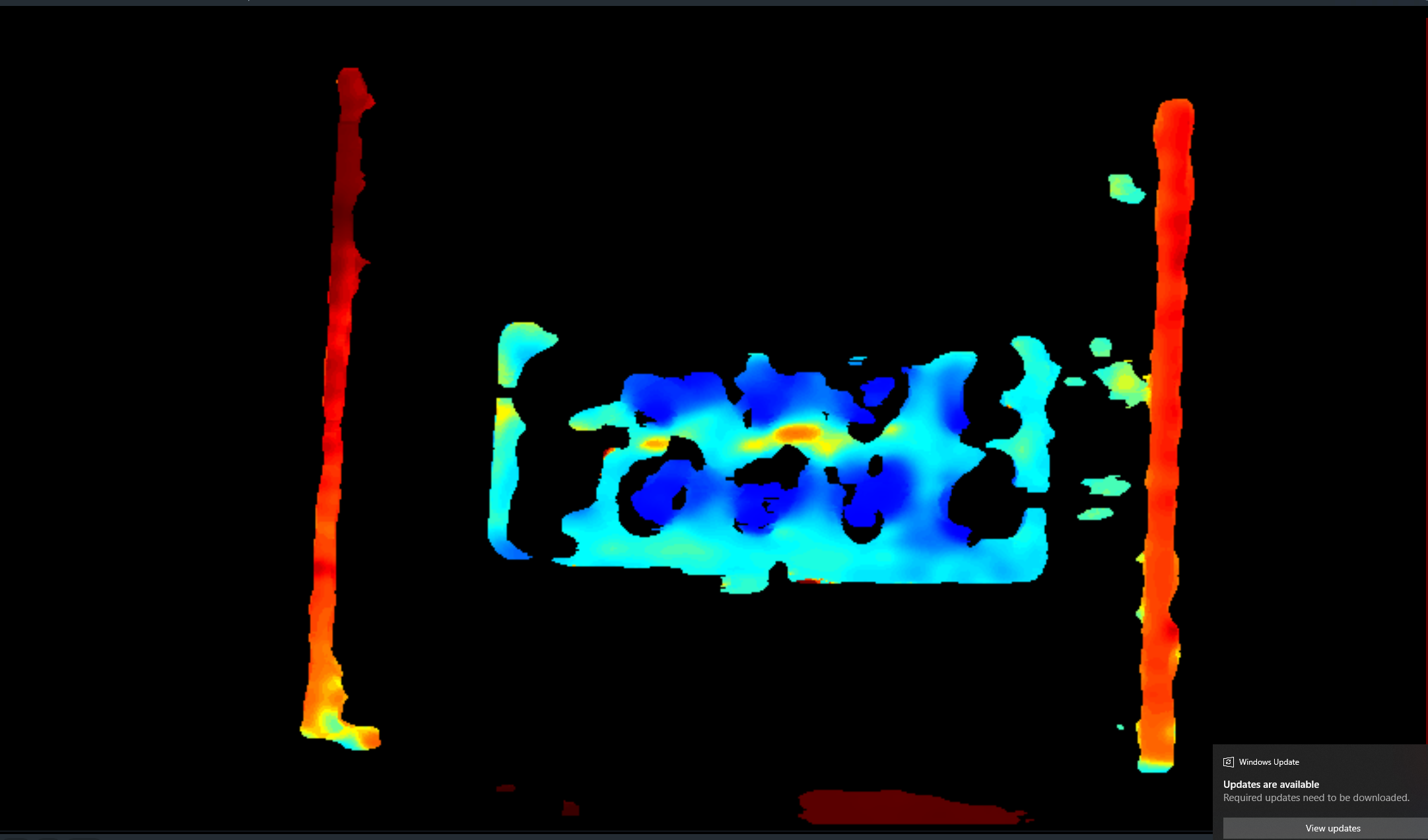
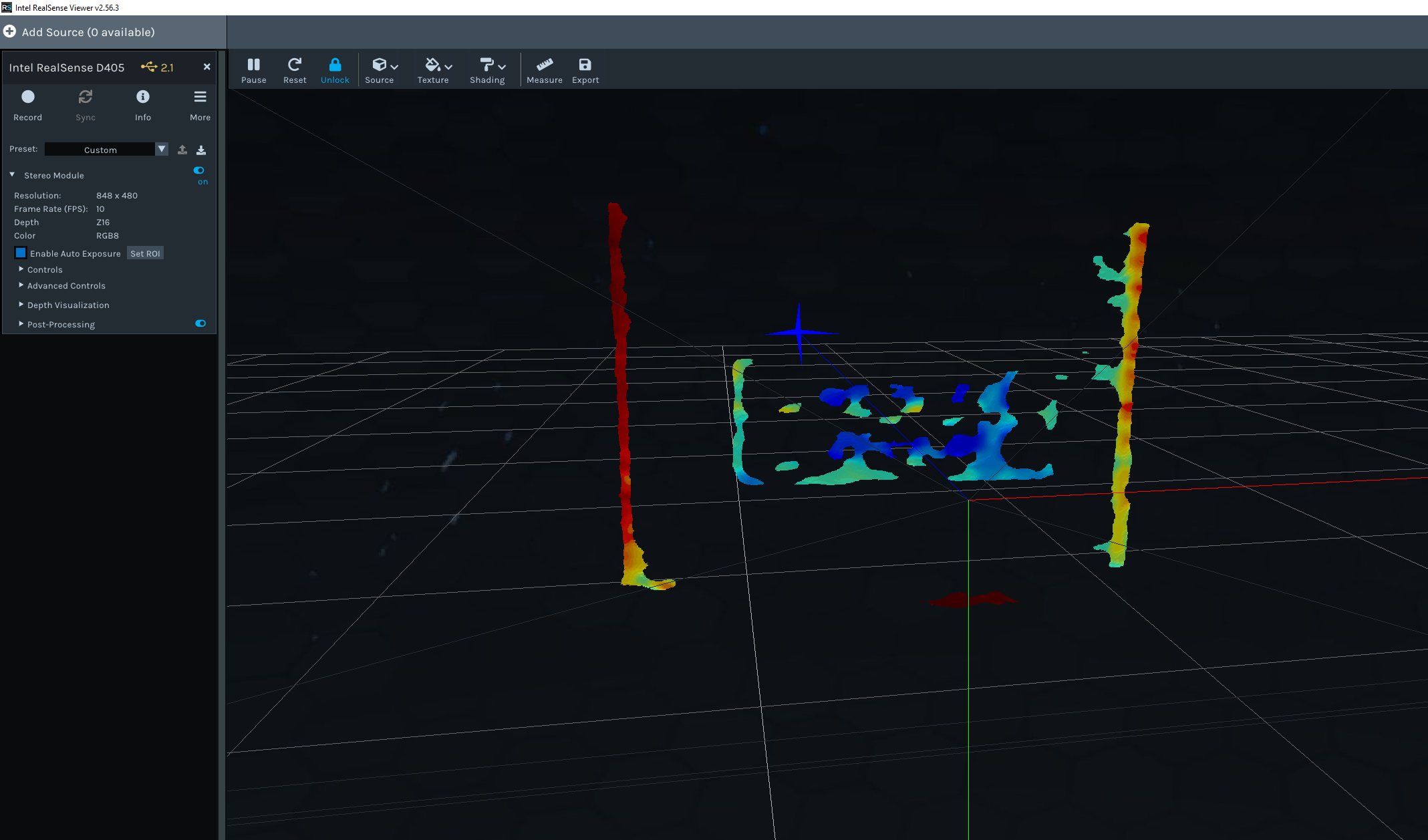
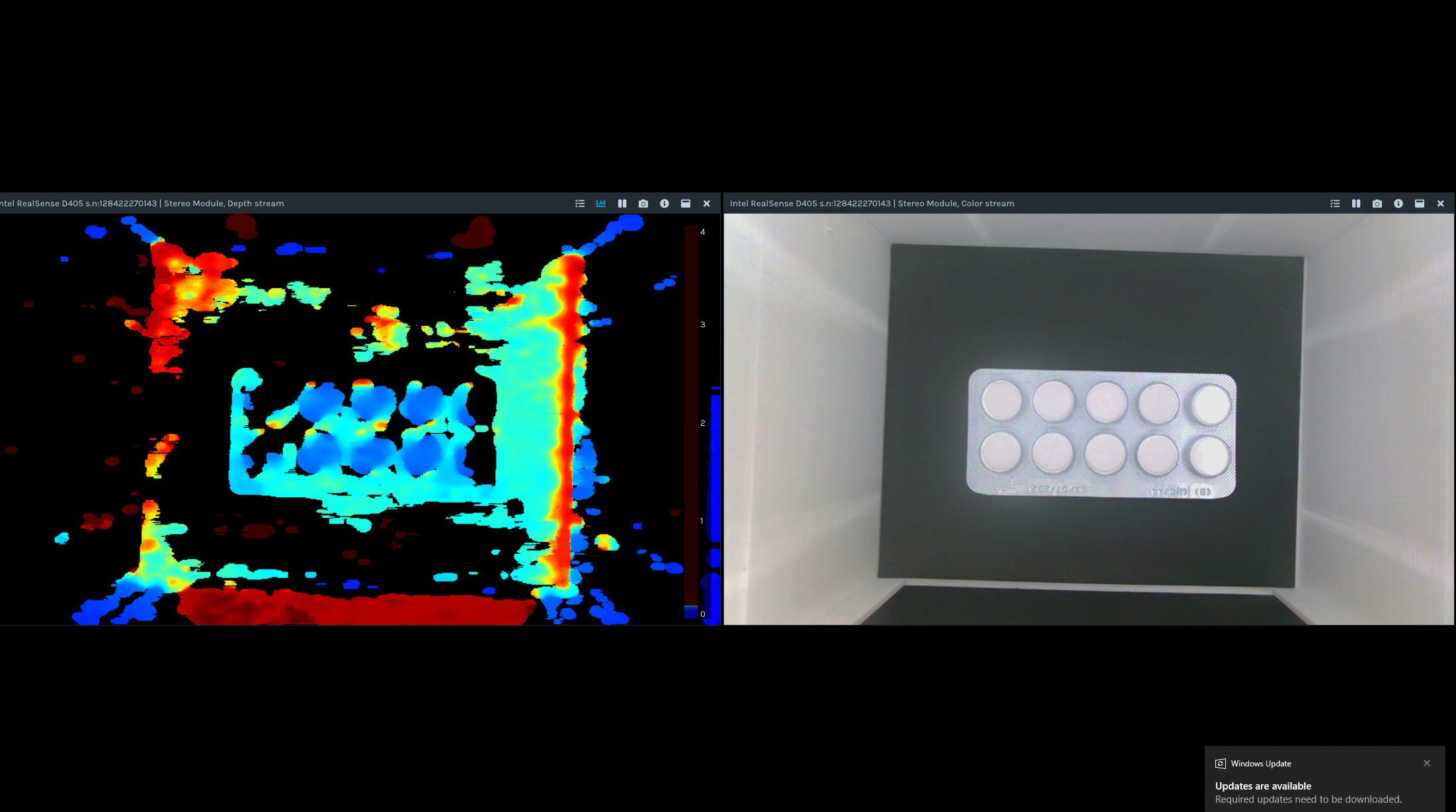
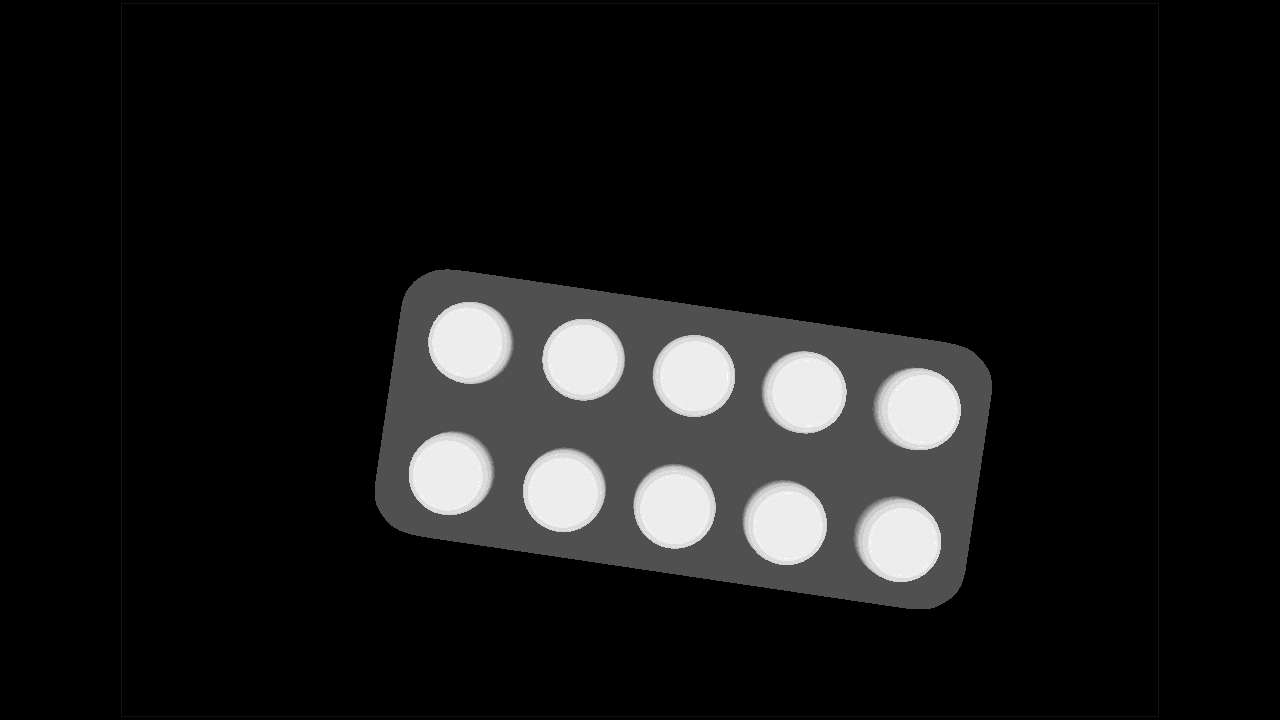
Below are screnshots from the Intel RealSense Viewer and the last image is what I want to achieve (I made a mock image in blender). The camera is positioned 12cm away from where it is currently pointing.
-
Hi Abbas Zahr It does not look like a problem with the reflectivity of the packaging. The RealSense D405 (and the D401 depth module) is not equipped with an infrared light emitter component, and so it can have difficulty with obtaining depth information from plain surfaced objects with little or no texture detail, like your blister packet.
A way of adding texture to textureless objects without using an infrared emitter is to coat the object in a fine spray-on powder such as baby powder or foot powder.
Another approach would be to use a visible pattern projector. A simple toy USB projector may be sufficient, like the one referenced here:
https://github.com/IntelRealSense/librealsense/issues/13036#issuecomment-2242839115
-
it is a general physics principle (not specific to RealSense) that dark grey or black absorbs light and so makes it more difficult for depth cameras to read depth information from such surfaces. The darker the color shade, the more light that is absorbed and so the less depth detail that the camera can obtain. So the background surface beneath the blister packet will be easier for the camera to depth sense and render on the depth image if a lighter colored surface is used.
-
Thanks MartyG,
That makes more sense now I appreciate the insight, especially regarding the background color.
Would the visible light projector work the best if it were a random dot projector pattern? Or would any other pattern such as a linear grid dot pattern work just as well? And I am also assuming higher density of smaller visible dots would work better for accuracy of depth measurement.
At a measuring distance of 10 to 15 cm, would the D435I be worth trying at all? They do have an in built IR dot projector however I do recall the ideal range to be from 30cm which is too high for my application.
Thanks again for the insight.
-
Any projector that adds some kind of texture or random dot pattern to a surface should be helpful for the camera's depth analysis.
Yes, in the case of a random dot pattern, the more dots on the surface the better the depth analysis. This is why it can be beneficial to have two RealSense cameras equipped with projectors whose fields of view overlap so that the density of the dots is increased in the area where they overlap.
Although the recommended minimum distance for D435 / D435i is 30 cm, it can actually be placed as close as 15 cm before the depth image starts breaking up when moving closer than 15 cm. You should be able to easily get it to 10 cm by configuring a setting called Disparity Shift which reduces the minimum distance of the camera, enabling it to get closer to surfaces. The trade-off is that the maximum depth sensing range reduces too as the Disparity Shift value increases, rendering less of the background detail on the depth image, though this should not be a problem if you are only concerned with observing objects at close range.
The D405 (and D401) is specifically designed for very high accuracy and image quality at close range, so if you can provide a visible pattern from an external visible pattern emitter then that may provide a better image than D435 / D435i. It has to be a visible pattern and not an infrared one because D405 / D401 has 'IR Cut' infrared blocking filters on its lenses, so it cannot see invisible infrared patterns like those projected by D435 / D435i's emitter.
-
I also note that you are using the High Accuracy visual preset. This may also be contributing to reduction of your image quality, as this setting tends to excessively strip depth detail from the image. A better preset to use may be Medium Density, which provides a good balance between accuracy and the amount of detail on the depth image.
-
MartyG Thanks so much for the additional information that helps quite alot. I have ordered a cheap amazon projector to test that out along with a D435 depth camera hoping to get some decent results at 15cm (which is pushing the boundaries in terms of height).
I have also looked at sourcing a laser random dot projector and they do seem to be the expensive kind. I have ordered a cheap Diffractive Optical Element of a random dot pattern along with a laser diode hoping to emulate some results.
Since real time depth imaging is not my priority, are there ways to configure the camera via code (python for example) such that it can generate a high fidelity/resolution and high density, single frame depth map? I imagine there's a way to increase the samples per frame and limit it to a single frame capture that would take 2 to 5 seconds to compute to get the best possible output possible.
-
You could use the save_single_frameset() instruction to save a single frame snapshot to a .bag format file. A bag is like a video recording of camera data that can be played back as though it is a live camera and so the frame should not not lose image quality or accuracy when exported. There is a Python script that uses this instruction here:
https://github.com/soarwing52/RealsensePython/blob/master/separate%20functions/single_frameset.py
You could try adding a for index in range instruction to the script so that the program will skip a specified number of frames before taking a capture in order to give the auto-exposure time to settle down. This does not require longer than several frames, not seconds. Information about implementing this in Python is here:
https://github.com/IntelRealSense/librealsense/issues/6178#issuecomment-607279470
-
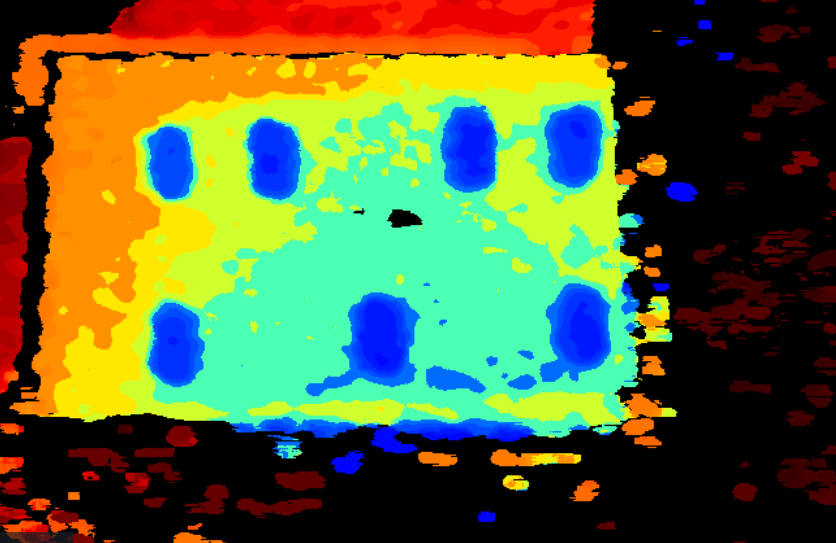
Thanks MartyG for the help, I am just returning to this thread to show some results I have achieved with the D435 as I am currently waiting for a proper visible dot projector to arrive from the US.
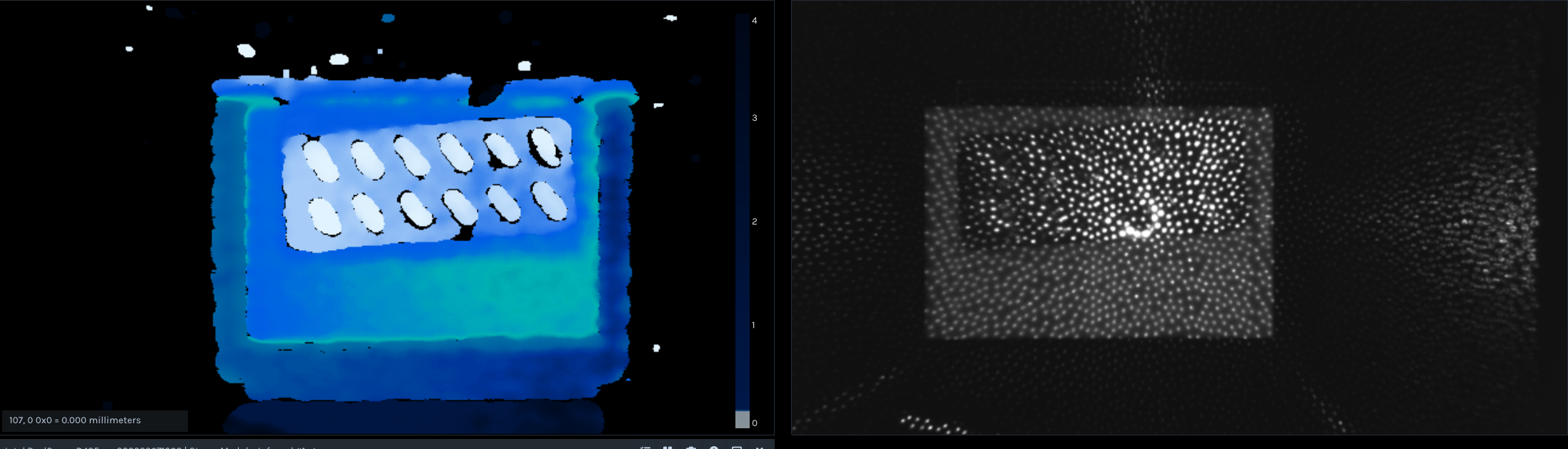
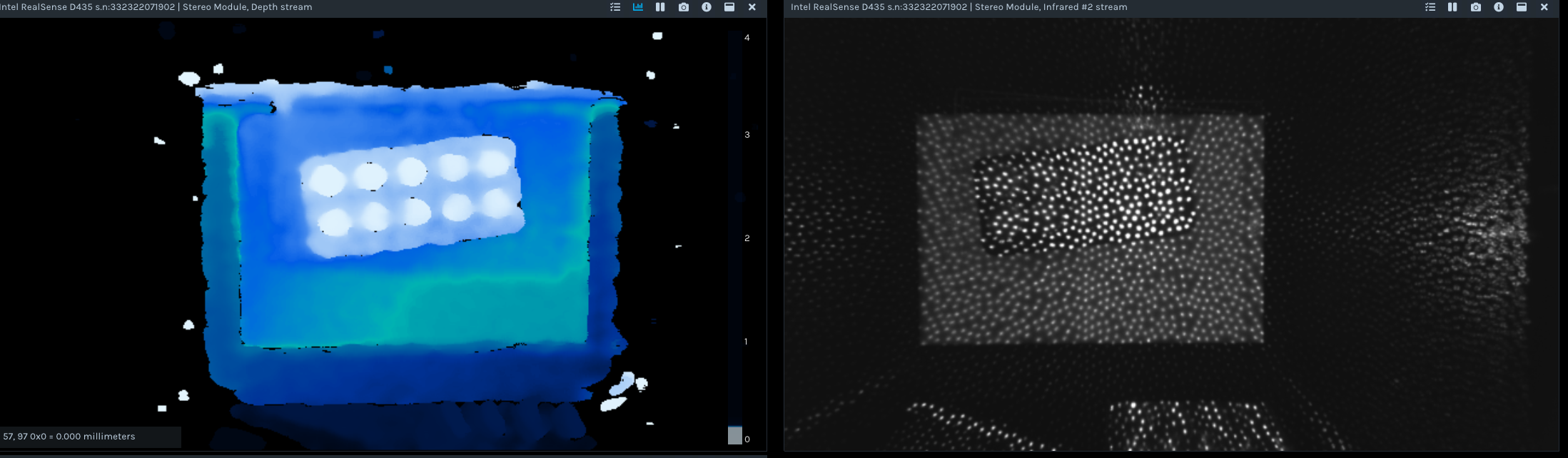
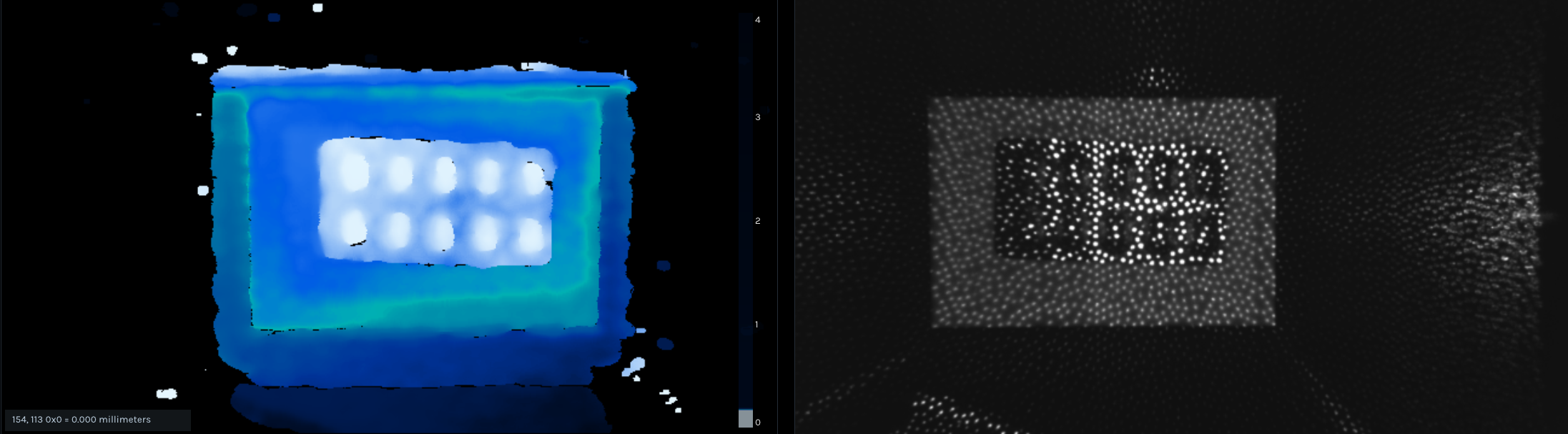
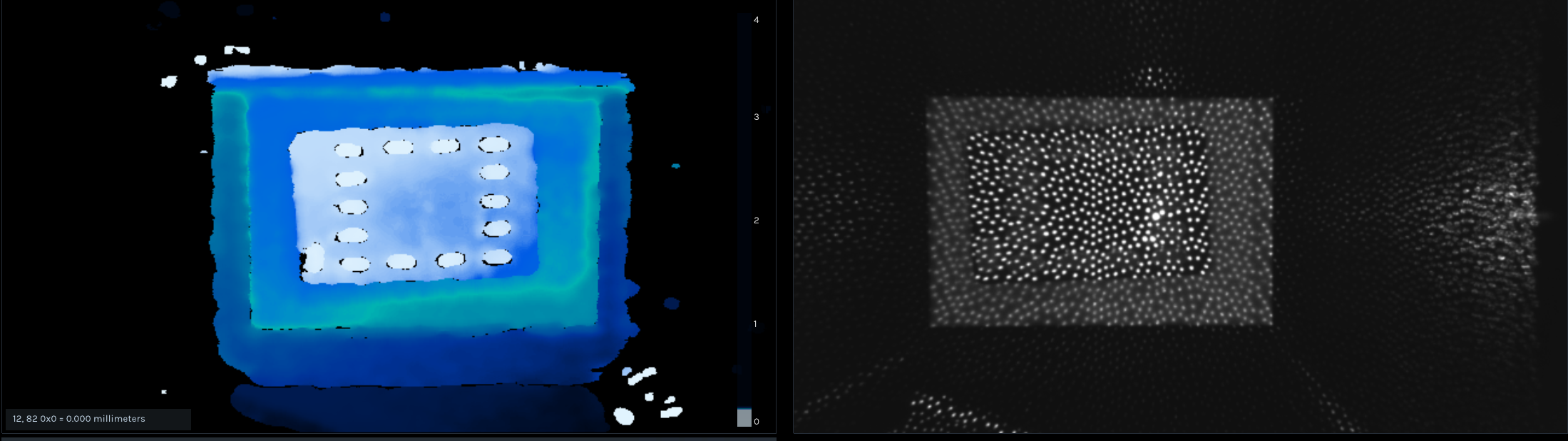
I have some results here which have turned out better after making some tweaks however I was hoping to find out in this forum if this can be further improved. I know it may be asking for quite alot since the D435 is not optimised for short distance. I currently have the camera set ~15cm from the packets.
Currently I have tried tweaking the the disparity shift, decimation filters and thresholding (however thresholding settings only allow increments of 0.1m which have no use in my case). I have also tried to set exposure to a lower value and tweaked the dot projector strength however I am not able to get results better than this. My main aim is to get a better distinction between the pills and the foil packet.
-
I would suggest disabling the Decimation filter, as decimation reduces the quality of the depth image by 'downsampling' its resolution.
You could also try changing the Depth Unit Scale setting from its default 0.001 value to 0.001.
Have you set the Visual Preset to Medium Density ?
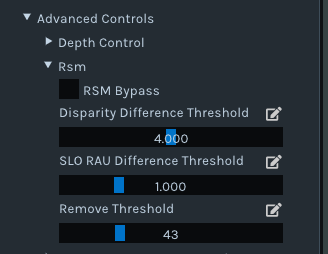
Enabling an option called RSM Bypass in the 'Advanced Controls > Rsm' section of the RealSense Viewer can make it easier for the camera to detect fine or small objects, at the cost of greater noise on the depth image. Using the Remove Threshold slider, also in the Rsm section, provides finer control over this fine-detail detection mechanism.
-
Hi MartyX Grover just an update.
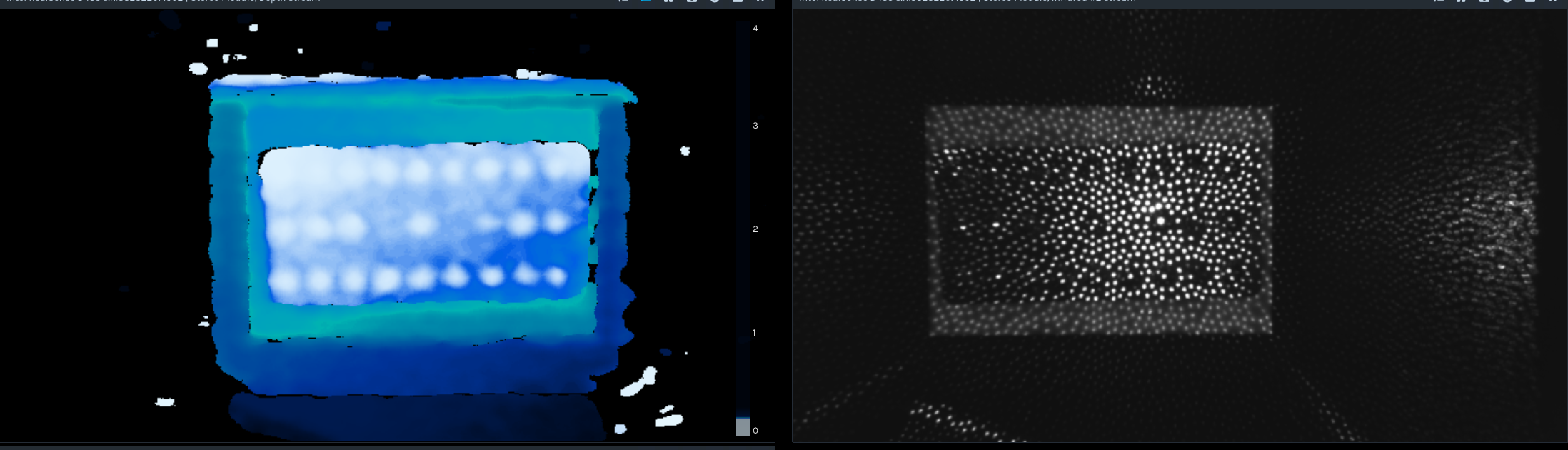
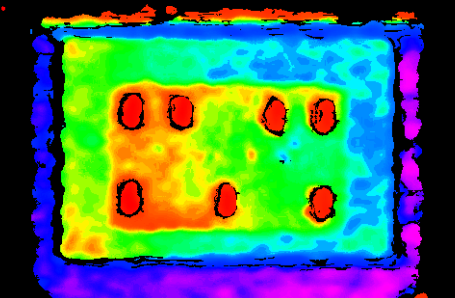
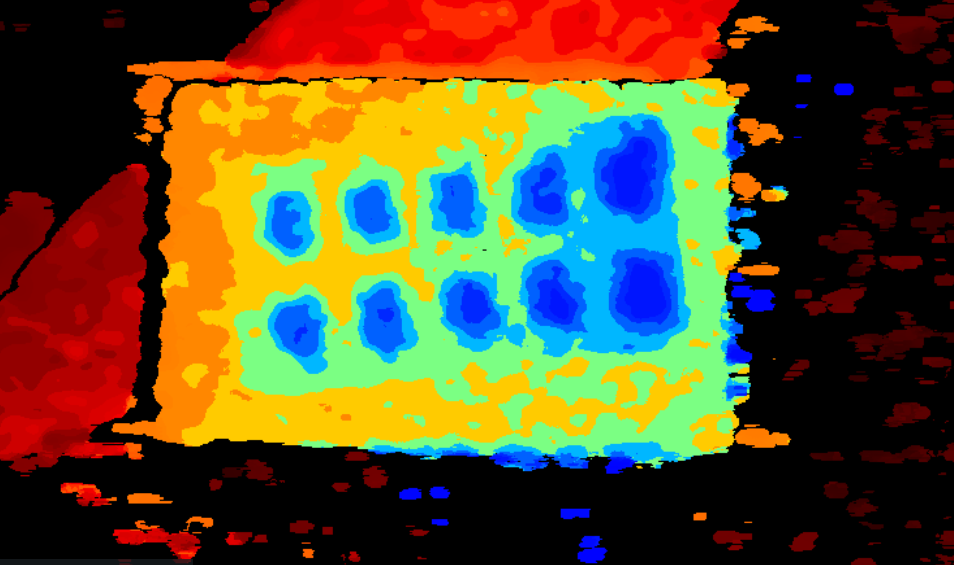
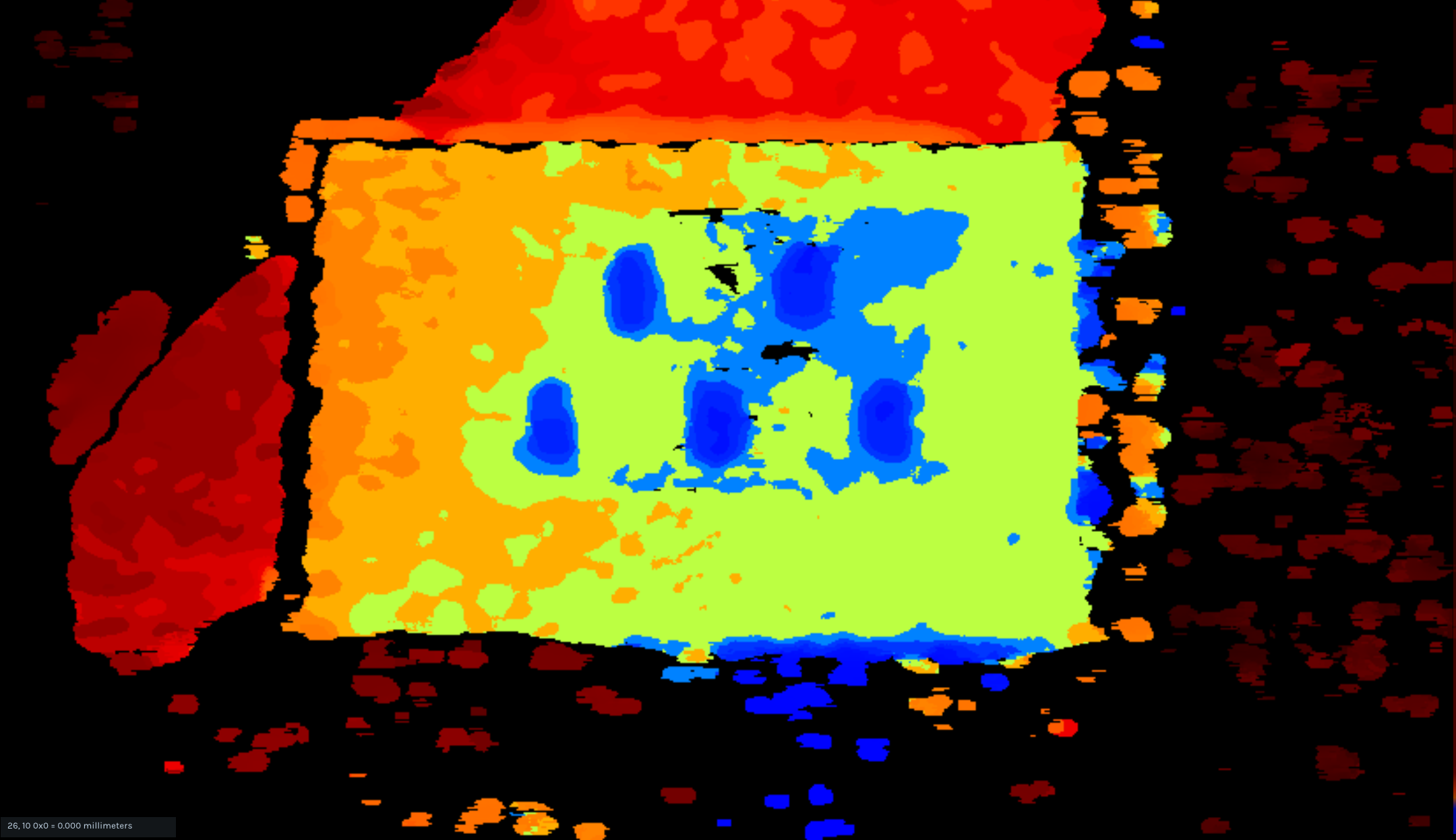
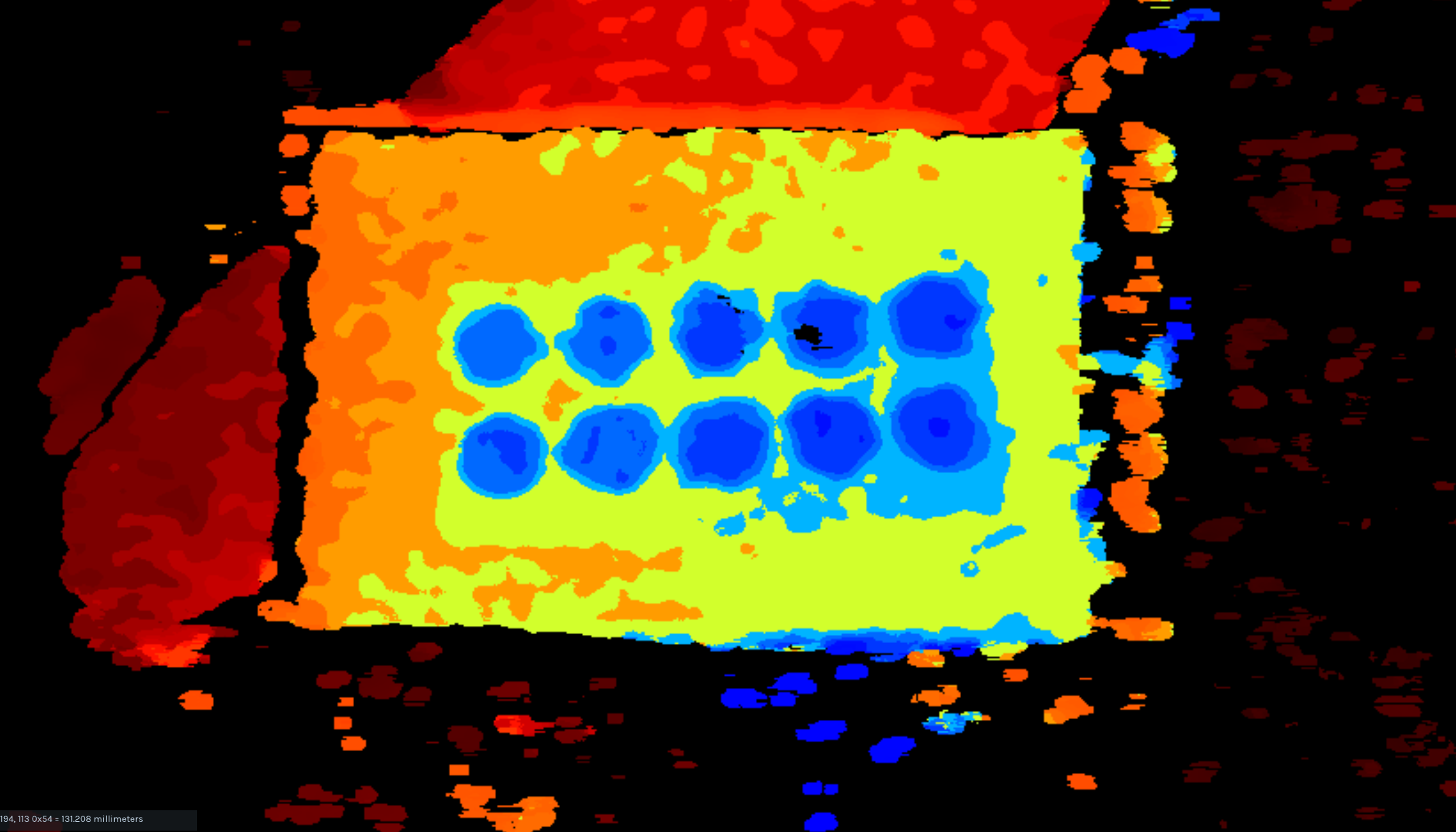
I got my hands on a visible dot projectoir from a manufacturer in the United States, I have paired it with the D405 to explore the solution you suggested earlier on the thread. these are the results I am getting:
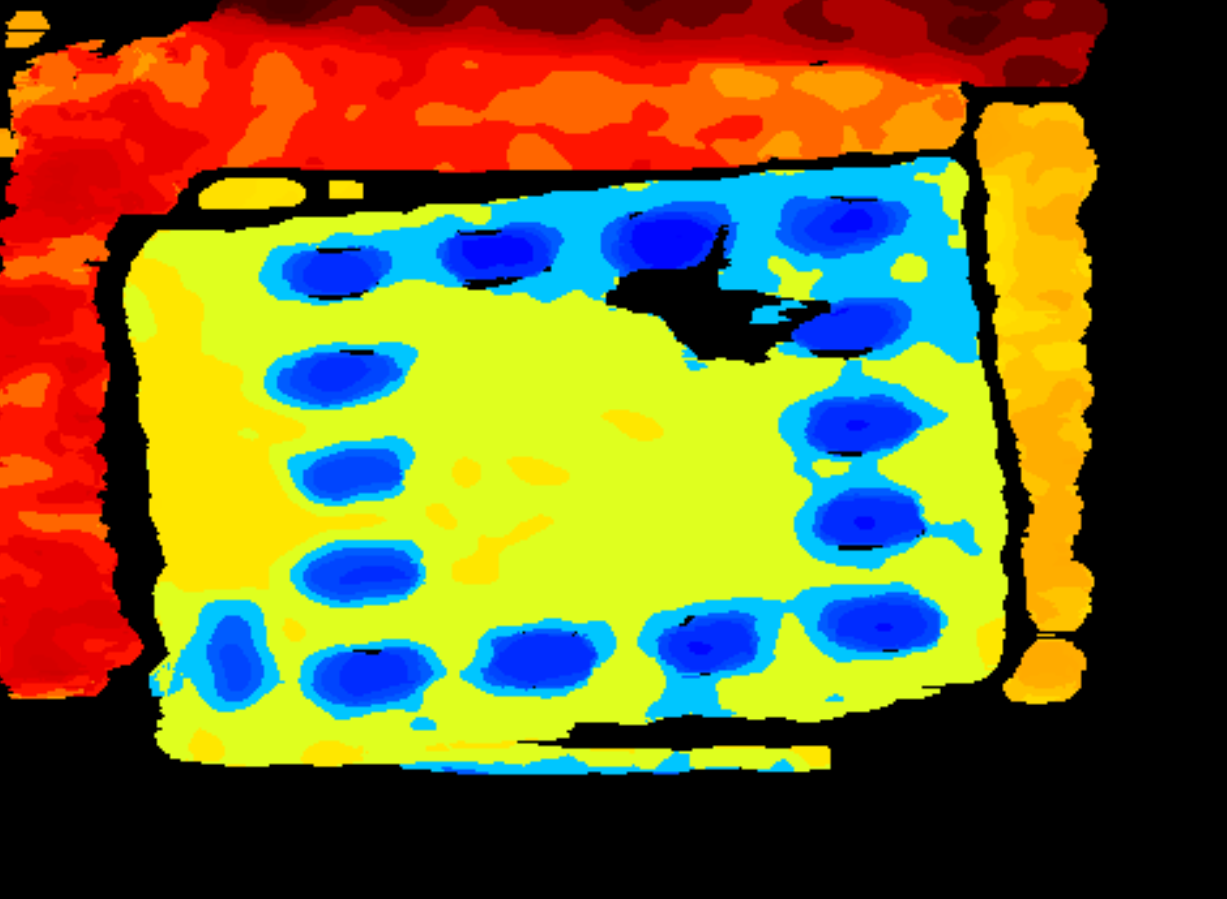
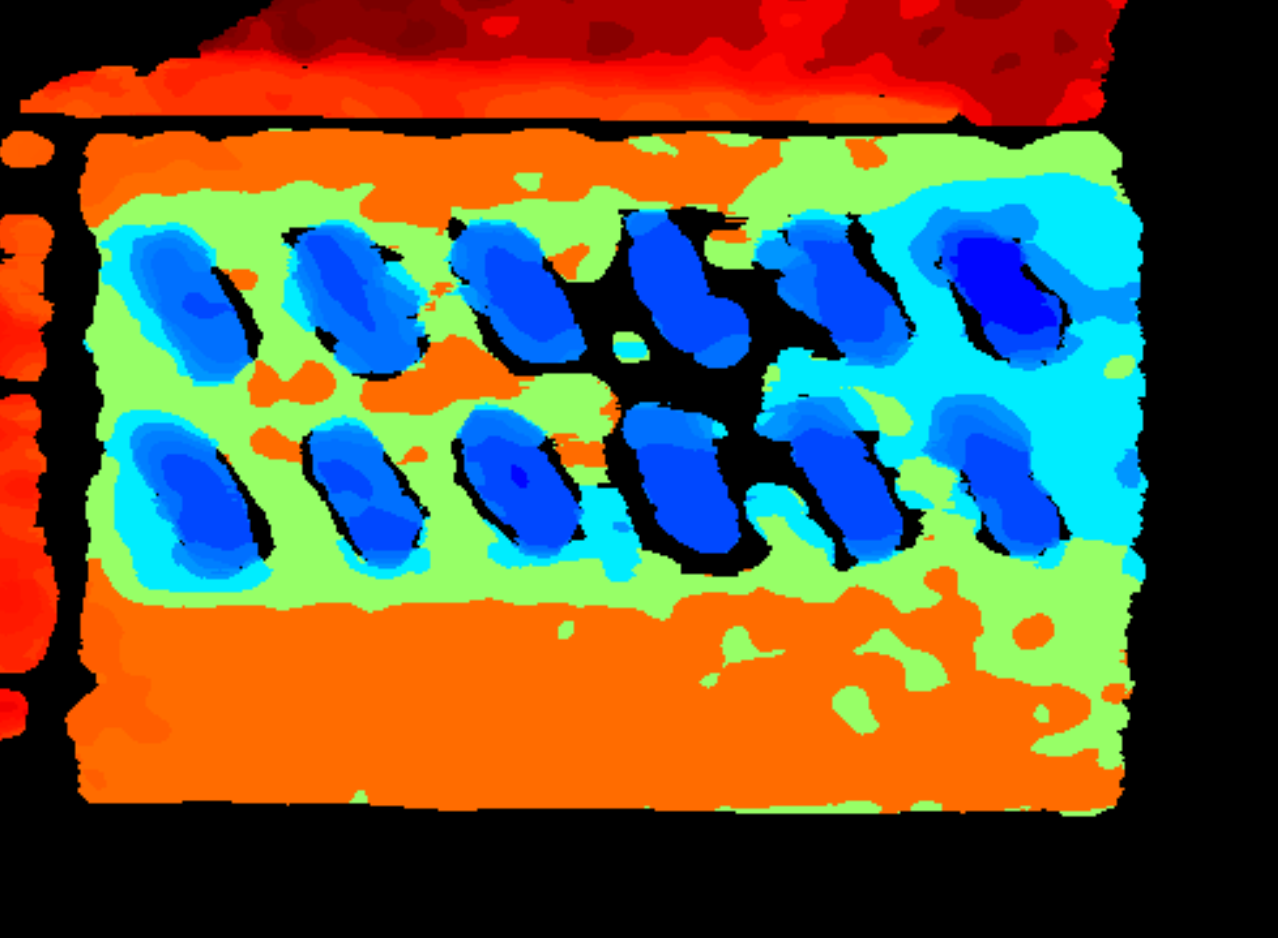
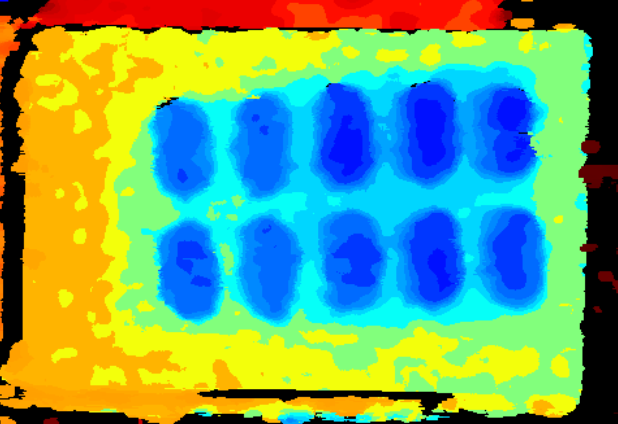
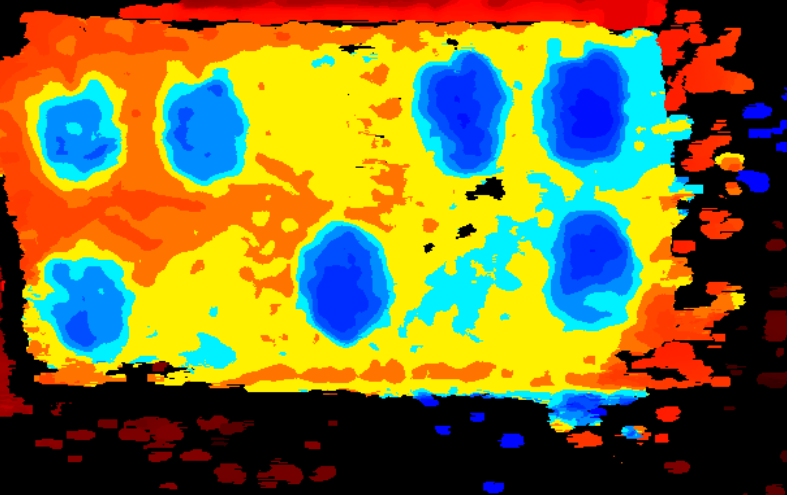
the black spot in the centre is caused by the centre dot of laser projector which is bright, causing a harsher reflection. I am still struggling to get a cleaner look especially for the silver foil packets. They are currently placed ~10 to 12cm away from the camera, would bringing them closer provide better results? if you want I can also send the .json file of the RealSense profile I have been using on a separate messaging platform.
-
Hi Abbas Zahr Thanks very much for the update with the images!
In general, closer = better accuracy and it should especially make a difference with the D405. And with this camera model you can move the camera as close as 7 cm to the surface that is being observed.
You could try angling the visible projector slightly diagonally instead of pointing it straight down to see if it helps to reduce the intensity of the light spot. If you can move the projector a little further away then that should also reduce the intensity of that spot.
The blue color of the pills on the images indicates that their depth reading is accurate. The surface around the blisters is inaccurate, likely due to the reflectivity of the foil (it should be blue too) but as long as the pills are accurately rendered on the image then this may not matter.
-
MartyX Grover Thanks for getting back so quickly!
Yes I will definitely try messing with the projector position. I am quite happy with the surface around the blister being a different colour as I need a clean distinction between the two. In terms of software processing and the RealSense viewer, are there any other settings to look out for that may help the quality even more? I currently plan to bring the subject closer to the camera but I was hoping there would be some sort of post processing option that would let me remove the noise and spotting thats scattered around the image? This will particularly helpful when dealing with packets with smaller and more flat pill sizes.
Thanks!
-
If there is spotting on a depth image, this can be caused by a phenomenon called 'laser speckle' and occurs with projectors that use a laser. This speckle is virtually absent with LED projectors, as described in the section of the RealSense guide about projectors linked to below.
https://dev.realsenseai.com/docs/projectors#7-led-projectors
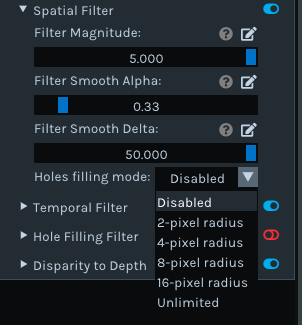
The Spatial post-processing filter has a hole-filling function that you could experiment with. The hole filling is disabled by default. You could experiment with different radius settings in this function to see whether it fills in the holes.
-
Thanks MartyX Grover I will definitely play around with those filters.
I had another question in regards to the performance of the D435. I had someone suggest to me that using another externally power IR dot projector, the likes of these https://www.electromaker.io/shop/product/dot-projector?srsltid=AfmBOoovKYqYeXaJqSmag0kKbYa1TaVs36TGoPT4D5CAc-BevaseWm1Pl_I might help get finer features hower I was not too sure that would be the case.
Would giving the D435 more infrared dots make any substantial difference in terms of getting more accurate depth estimation of much finer/smaller features? My guess was that the dots themselves are simply too large/not fine enough and would either superimpose on the dots projected by the D435 module, or fill in the gap distance between the dots already projected by the D435.
-
Yes, casting additional infrared dots onto the scene can enhance the quality of the depth image. RealSense cameras use the dots that are cast onto surfaces in the real-world scene as a 'texture source' to aid analysis of the surfaces for depth information. The denser the dots on the surface, the better the analysis.
However, they have to be a certain type of dot pattern, so that has to be taken into account when selecting an external projector. The official RealSense guide about using projectors with 400 Series cameras at the link below provides advice about this.
https://dev.realsenseai.com/docs/projectors
Alternatively, you could add a second D435 camera and enable both cameras simultaneously so that both their IR dot patterns were overlapping on the scene, but only use the depth images from one of the cameras.
Please sign in to leave a comment.
Comments
15 comments