The depth camera image has problems with the light
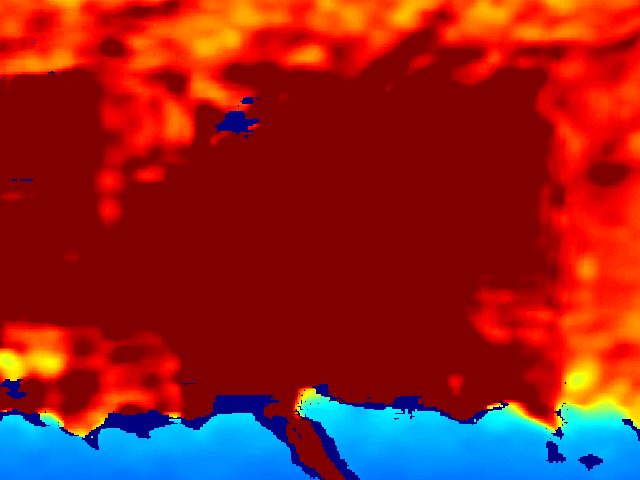
The RGB and the depth image that I took in the library building are these ones. I cannot explain why the blue and red zones so fast without any graduation. Also, about the light, how is affecting to the image and how to solve. Could, please, someone help me to explain these results? thanks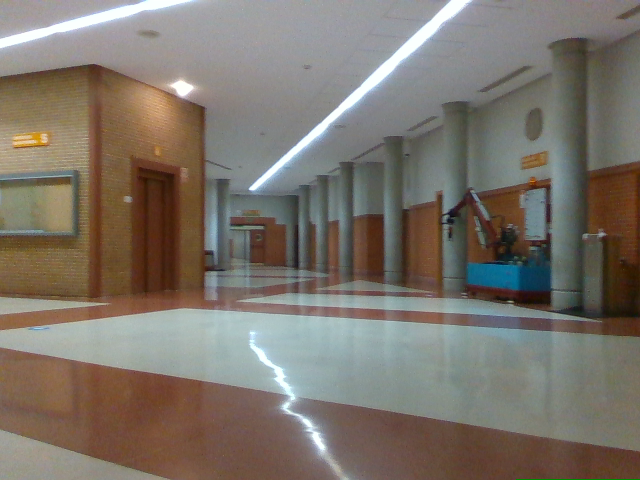
-
Hi P Martin Fluorescent lights such as ceiling strip lights can cause noise on a camera image because they contain a heated gas that flickers at rates that are hard to see with the human eye. Using an FPS that is close to the operating frequency of the particular lights in the scene can help to reduce the disruption. For some lights it might be 30 FPS or 60 FPS. Fluorescent lights in some regions such as Europe may operate at a line frequency of 50 instead of 60 though, making it more difficult to get a close frequency match with the RealSense FPS.
Having said that, I do not think that the ceiling lights are the main factor in this particular scene. It may be difficult to read depth detail from because the corridor is so long and empty (so there is little detail in the far distance for the camera to read). Like yourself, I would also expect there to be a smoother color graduation on the floor in the near-range distance though.
If you are capturing the image in the RealSense Viewer program then you could check whether a post-processing filter called a Threshold Filter is enabled and disable it if it is, using the instructions in the link below.
https://github.com/IntelRealSense/librealsense/issues/7574#issuecomment-708527245
Looking carefully at the RGB image close-up, the floor surface also seems to be very reflective of light. That would make it more difficult for the camera to read depth detail from. You may therefore obtain an improved image if you use depth to color alignment to map the RGB pixels to the depth coordinates. Doing so can also make it easier to distinguish foreground pixels from background pixels.
If you are using the RealSense Viewer then you can quickly test the difference that mapping RGB to depth can make by using its 3D point cloud mode with both depth and RGB streams enabled.
If glare from reflections is a primary cause of the depth image problems then applying a physical optical filter called a linear polarization filter over the top of the lenses on the outside of the camera can significantly reduce the negative effects of glare from reflections. Section 4.4 of Intel's white-paper document about optical filters describes this principle.
Please sign in to leave a comment.
Comments
1 comment