Distortion on pointcloud from depth frame
Hi everyone,
I'm developing an application using 4 x sr305 sensors, that works as object scanner.
Basically, I need to acquire surface pointcloud and save it as .ply .
Starting from code in rs-multicam example, I initialize the pipeline :
rs2::context ctx;
rs2::pipeline pipe(ctx);
rs2::config cfg;
cfg.enable_device(serials[choice]);
pipe.start(cfg);
but the resulting pointcloud has strong distortion.
If using an easier initialization, as in rs-pointcloud example:
rs2::pipeline pipe;
pipe.start();
pointcloud is properly acquired.
Here is picture of acquisition on a cylinder in both initialization modes.
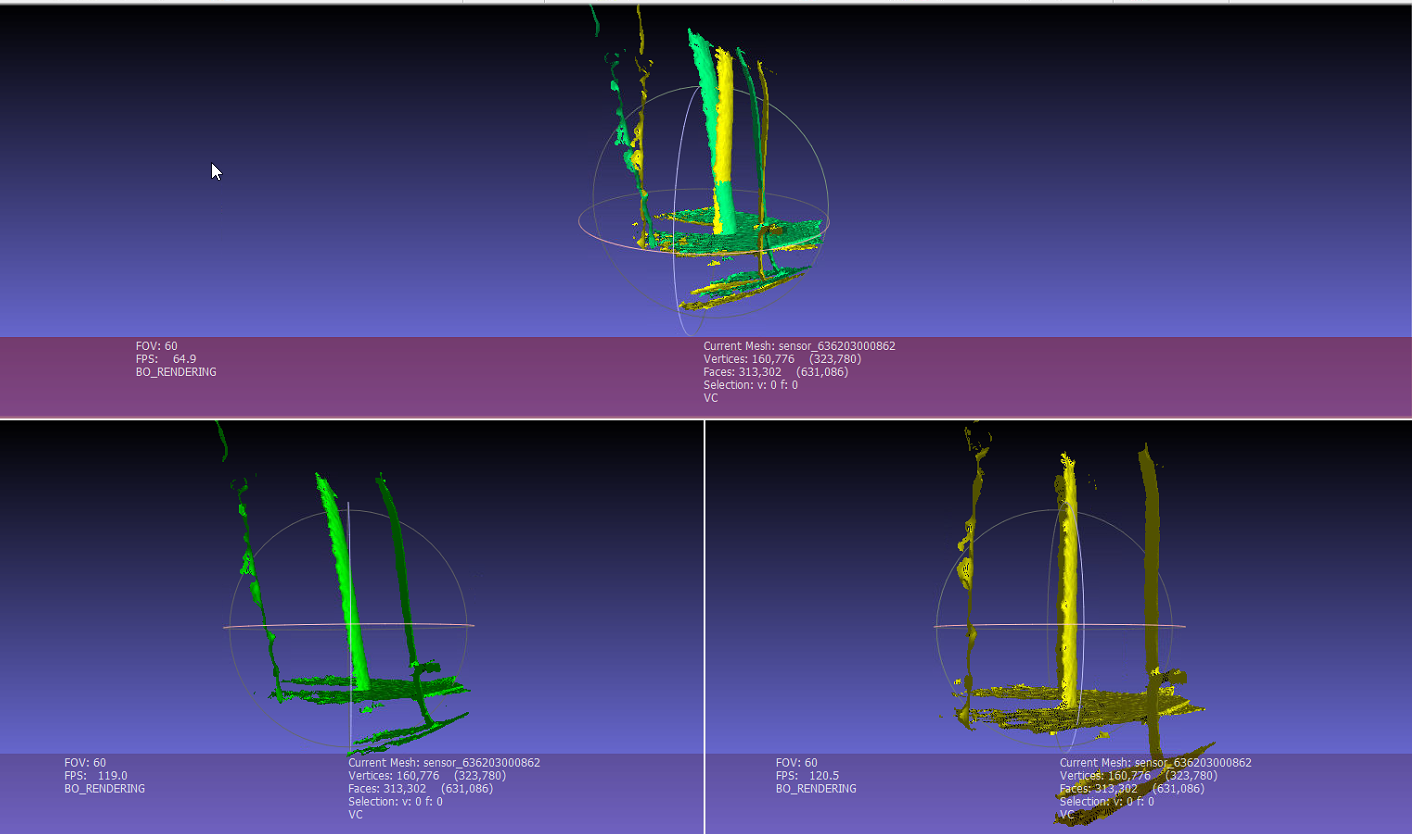
Can someone explain me the reason for the different behaviour?
I need to control which sensor (of 4 used) must take depth snapshot, so the first initialization block seems to be the right one because it let me specify sensor by serial ... There is a better way to initialize sensors without having distortion?
Thank you.
-
Hi Marco Chirivi If you are have four SR305 structured-light cameras active simultaneously and they are placed close to each other then they may be interfering with each other if their fields of view are overlapping (the RealSense 400 Series stereo camera models do not interfere with each other when used in multicam arrangements).
You could have one camera at a time active, capture its ply file and then deactivate that camera, switch to the next camera in the sequence and capture its ply, and so on until you have ply files captured from all four cameras. You could then "stitch" the individual ply files together into a single large ply image, though this is of course a non-realtime process performed at a time after the original captures.
I note that you want to control which sensor of the four is used, so this method may be compatible with your application. As you suggested though, you will have to develop a method of toggling between cameras though instead of having all four active simultaneously (which is what the rs-multicam code does).
The long discussion in the link below looks at the problem of selecting cameras by serial number using C++ code.
https://github.com/IntelRealSense/librealsense/issues/2219
During that discussion, the RealSense user in that case - who was also basing the project on rs-multicam - succeeded in selecting individual cameras by serial number and posted their scripting for doing so.
https://github.com/IntelRealSense/librealsense/issues/2219#issuecomment-412041802
They continued onwards after that and at the end of the discussion posted a final script for capturing with all cameras simultaneously (though they were using 400 Series cameras). Considering the issue with multiple SR300 / SR305 cameras interfering with each other, the serial number selection solution part-way through the discussion may be sufficient for your project needs.
-
Hi MartyG,
thank you for your answer.You could have one camera at a time active, capture its ply file and then deactivate that camera, switch to the next camera in the sequence and capture its ply, and so on until you have ply files captured from all four cameras.
The proper sequence you suggest is just what I realize: I activate just one sensor choosing it by serial , get depth frame and save in ply, then deactivate and go the the next, sensors are not activated simultaneously.
From SDK sample code I took just the piece of code for inizialization: in the first case, if I use rs2::context and rs2::config to initialize the pipeline, I can select sensor by serial but the pointcloud is distorted; in the second mode, with default initialization (no config/context), I can't choose which sensor activate, but pointcloud is correct.
Unfortunately I'm still non so confident with Realsense SDK, so probably I'm missing something....
I'm reading post you mentioned, I'll try to get the proper initialization instructions.
If you have any suggestion, you're welcome :).
Marco -
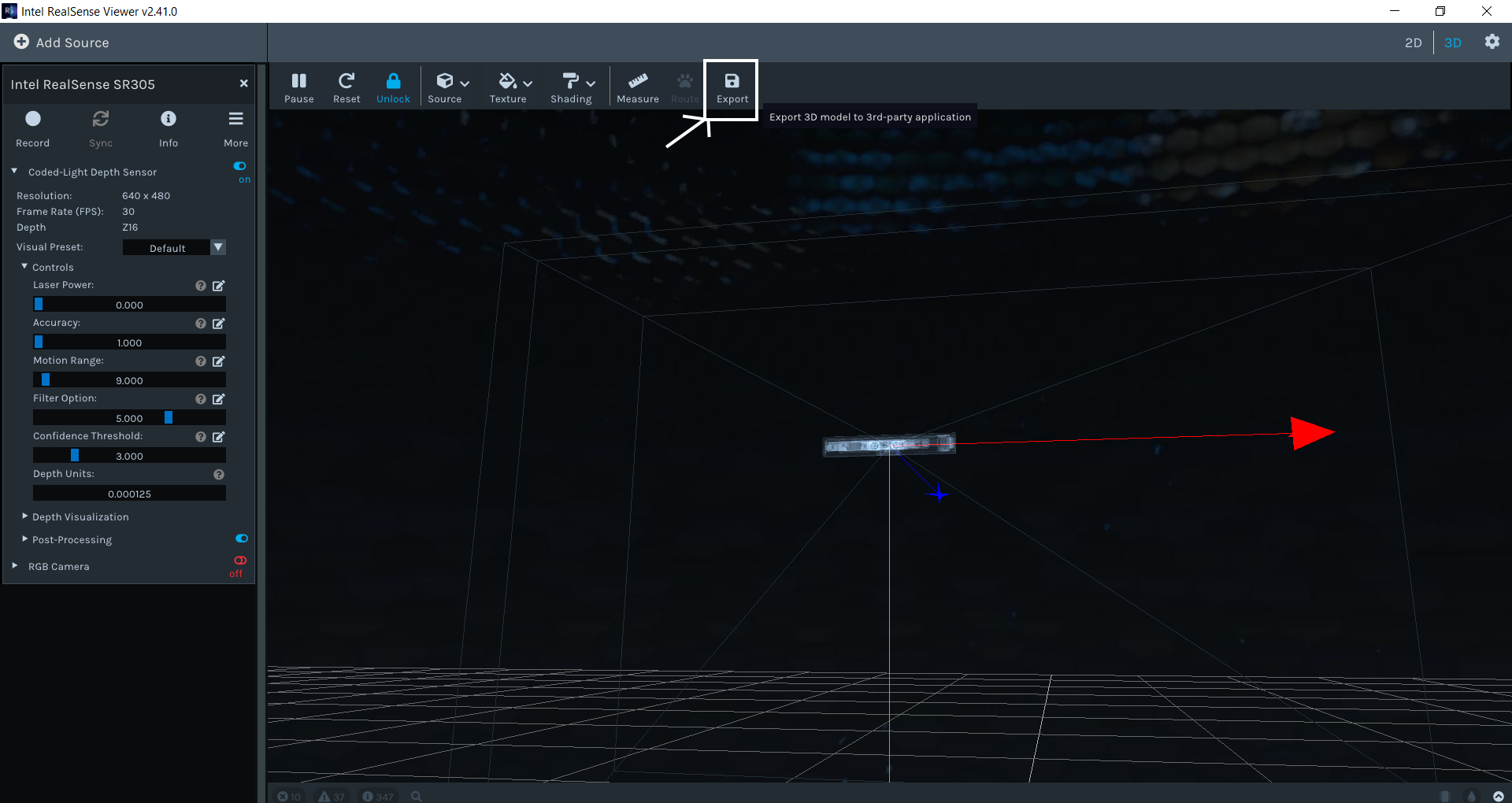
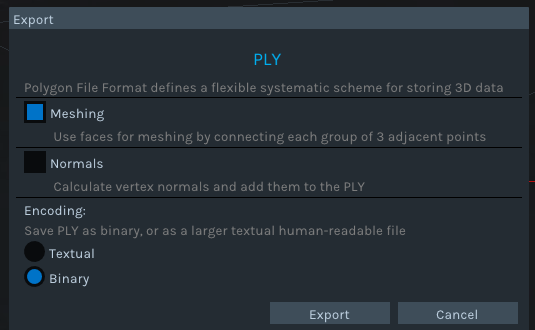
If your main goal is to obtain the ply files and how you obtain them is not important then you may find it easier to use the RealSense Viewer program. Its 3D point cloud mode has an Export option for saving point cloud data as a ply file.
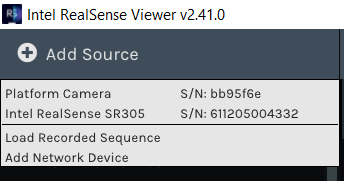
You could first add each of your four SR305 cameras to the Viewer using the Add Source option at the top of its options side-panel.
You could then enter 3D mode, enable the depth stream of one of the four added SR305 listed in the side-panel and use the Export option that is at the top of the Viewer window whilst in 3D mode to export a ply of the depth data that particular camera is producing.
-
Yes, I already used RS viewer as support tool, but I need to implement proper "export to ply" procedure inside application code.
I also tried to disconnect 3 sensors (only 1 sensor connected) but results are the same...
pipe.start(cfg);
gives wrong pointcloud, while:
pipe.start();
gives right pointcloud.
-
Which method did you use to build librealsense please and on which operating system? If you built it on Linux from source code using the RSUSB method then for multicam applications on Linux, librealsense should be built with a non-RSUSB method such as building from source code and patching the kernel.
The link below discusses the advantages and disadvantages of using an RSUSB installation (also known as libuvc backend) versus a patch-based installation. Please scroll down through the comment to the section headed What are the advantages and disadvantages of using libuvc vs patched kernel modules?
https://github.com/IntelRealSense/librealsense/issues/5212#issuecomment-552184604
Here is a quote from that information's Disadvantages list about use of RSUSB / libuvc:
"Single Consumer - most kernel drivers (Linux/Windows) allow to connect and communicate with device from multiple processes (except for streaming). With Libuvc only one application can get device handle".
-
Of course.
Wrong Ply Results:
int main(int argc, char * argv[]) try
{
	int choice = 0;    // VAriable to select 1 of 4 sensors

	// Capture serial numbers before opening streaming
	std::vector<std::string> serials;
	rs2::context ctx;        // Create librealsense context for managing devices

	for (auto&& dev : ctx.query_devices())
		serials.push_back(dev.get_info(RS2_CAMERA_INFO_SERIAL_NUMBER));

	std::cout << "Select Device for point cloud acquisition: " << std::endl;
	for (int i = 0; i < serials.size(); i++)
		std::cout << i << " - " << serials[i]<<std::endl;

	if (serials.size() > 0)
	{
		std::cin >> choice;
		if (choice > serials.size())
			std::cout << "Out of range." << std::endl;

		// Declare pointcloud object, for calculating pointclouds and texture mappings
		rs2::pointcloud pc;
		// We want the points object to be persistent so we can display the last cloud when a frame drops
		rs2::points points;

		if (choice < serials.size())  // singolo device scelto
		{
			// Declare RealSense pipeline, encapsulating the actual device and sensors
			rs2::pipeline pipe(ctx);
			rs2::config cfg;
			cfg.enable_device(serials[choice]);
			pipe.start(cfg);

			// Wait for the next set of frames from the camera
			auto frames = pipe.wait_for_frames();

			auto color = frames.get_color_frame();

			// For cameras that don't have RGB sensor, we'll map the pointcloud to infrared instead of color
			if (!color)
				color = frames.get_infrared_frame();

			// Tell pointcloud object to map to this color frame
			pc.map_to(color);

			auto depth = frames.get_depth_frame();
			points = pc.calculate(depth);	// Generate the pointcloud and texture mappings

			std::string filename = "sensor_" + serials[choice] + ".ply";
			points.export_to_ply(filename, color);
		}
	}
	else
		std::cout << "No sensor connected." << std::endl;
    return EXIT_SUCCESS;
}
Right Ply Results:
int main(int argc, char * argv[]) try
{
    // Declare pointcloud object, for calculating pointclouds and texture mappings
    rs2::pointcloud pc;
    // We want the points object to be persistent so we can display the last cloud when a frame drops
    rs2::points points;

    // Declare RealSense pipeline, encapsulating the actual device and sensors
    rs2::pipeline pipe;
    // Start streaming with default recommended configuration
    pipe.start();

	int counter = 0;
	std::string plyName ="testPointCloud.ply";

    while (app) // Application still alive?
    {
		counter++;
        auto frames = pipe.wait_for_frames();				// Wait for the next set of frames from the camera

        auto color = frames.get_color_frame();

        // For cameras that don't have RGB sensor, we'll map the pointcloud to infrared instead of color
        if (!color)
            color = frames.get_infrared_frame();

        // Tell pointcloud object to map to this color frame
        pc.map_to(color);

        auto depth = frames.get_depth_frame();

        // Generate the pointcloud and texture mappings
        points = pc.calculate(depth);

		// I take the 20th frame after initialization
		if (counter == 20)
		{
			points.export_to_ply(plyName, color);
		}
   }
    return EXIT_SUCCESS;
} -
The most obvious difference between your script and those of rs-multicam and the AntoineWefit example is that your script is not making use of emplace, whilst those two examples do.
https://github.com/IntelRealSense/librealsense/blob/master/examples/multicam/rs-multicam.cpp#L33
Please sign in to leave a comment.
Comments
9 comments