Disparity between RGB and depth field of view in the D455
Hi,
Prior to placing my order, I'd like to get an idea of how to handle the disparity between the field of view of the RGB data and the depth data that you receive with the D455. In this model according to its specs, the depth FOV is 86° × 57° (±3°) whereas the RGB field of view is 90 × 65° (±3). By the way, this 3 degrees variance is a little puzzling coming to think about it, I wonder what might be the reason but that's not my main question here.
My question is, how does the deferring field of view play out in the data received from the SDK?
Do you get a pair of images of the same resolution where the depth image just has a kind of "no data" indication for the outer frame/rim of the image where the depth sensor can't see but the RGB can? that would be pretty easy to work with. Or is it more involved?
Thanks in advance!!!
-
Hi Matan Don't worry about line spacing, as that is how this forum formats text automatically.
The data sheet document for the 400 Series cameras explains the +- 3 degrees value with the following statement: "Due to mechanical tolerances of +/-5%, Max and Min FOV values can vary from lens to lens and module to module by ~ +/- 3 degrees".
The RealSense SDK's align processing block is able to align the field of view size to that of the source that it is aligning to. When aligning depth to color, for example, it aligns depth to the color field of view size.
If the depth field of view size is larger than the color field of view then when aligning depth to color, some of the outer depth detail may be excluded. These principles and others are discussed in the documentation of Intel's rs-align alignment example program.
https://github.com/IntelRealSense/librealsense/tree/master/examples/align
-
Alignment is a very widely used technique by RealSense projects. Depth to color alignment can provide the benefit of being able to more easily distinguish between background and foreground pixels, whch can aid distance measurement accuracy.
It is also possible to apply graphics acceleration to alignment operations by offloading processing from the computer's processor to its graphics GPU. This can be done on Nvidia GPUs with the RealSense SDK's support for CUDA, or with the GLSL acceleration system that can work with any brand of GPU ('vendor-neutral').
The method demonstrated in rs-align is certainly not the only way to perform alignment between depth and color. For example, another sample program called rs-align-advanced demonstrates how color can be mapped to depth coordinates in order to remove and re-add color background detail at will in sync with the depth detail instead of only the depth detail being affected.
https://github.com/IntelRealSense/librealsense/tree/master/examples/align-advanced
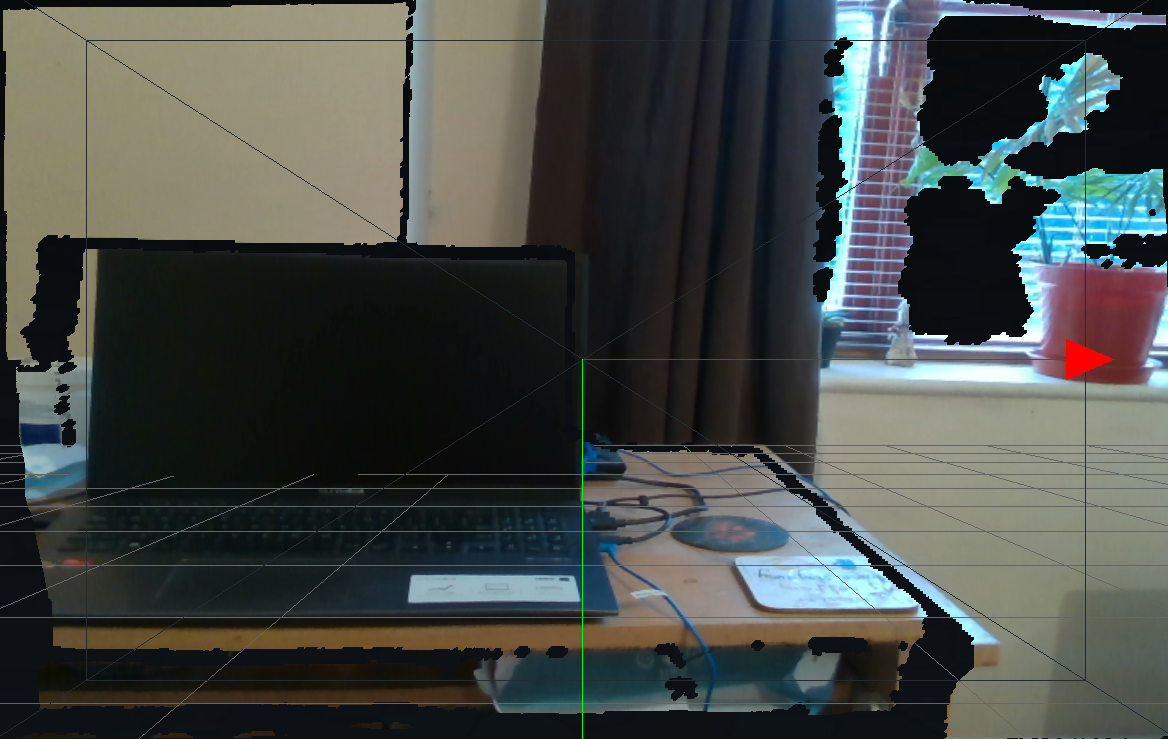
Another example is the mapping of color to a three-dimensional depth point cloud. Such a mapping in the RealSense Viewer's 3D point cloud mode is shown below.
-
Further information about use of GLSL can be found here:
https://github.com/IntelRealSense/librealsense/issues/7316
https://intelrealsense.github.io/librealsense/doxygen/classrs2_1_1gl_1_1align.html
-
The Python wrapper has an example alignment program called align_depth2color.py
There are also RealSense Python tutorials by Intel based around Jupyter Notebook that performs depth to color alignment using RGB and depth data from a pre-recorded bag file.
https://github.com/IntelRealSense/librealsense/blob/jupyter/notebooks/distance_to_object.ipynb
https://github.com/IntelRealSense/librealsense/blob/jupyter/notebooks/depth_under_water.ipynb
Please sign in to leave a comment.
Comments
8 comments