Calibration with D435i
Hi, my name is Dani and I work in the IT sector of the industry, we have recently acquired 3 Intel D435 devices with the aim of testing them to obtain point clouds. After running various outdoor tests with calibrated cameras as defined
 at https://www.intelrealsense.com/wp-content/uploads/2020/09/Intel_RealSense_D400_Dynamic_Calibration_User_Guide.pdf?_ga=2.168046561.1787275156.160814536221-14508328. We cannot get reliable data at distances of 6 and 8 meters as we get
 a lot of noise. Based on the specs of the device, it should be able to function properly at those and greater distances, so surely we're not doing something right. To obtain the point cloud we are doing several tests with both the opencv
example in python and with realsense-viewer. We would greatly appreciate some guidance or help to unblock this situation.
Thank you very much in advance.
-
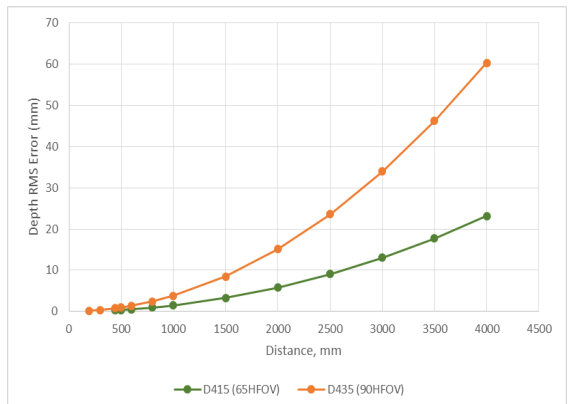
Hi Dani, on the 400 Series cameras the error factor in measurements increases linearly over distance, a phenomenon called RMS Error. So the error at 6 to 8 meters that you are experiencing would be expected behavior.
The new RealSense D455 model has 2x the accuracy over distance of the D435 models, so it has the same accuracy at 6 meters that the D435 has at 3 meters.
On the chart below, the upper orange curve is the error over distance of the D435, and the lower green line is the error over distance of the D415 model (which has about 2x less noise over distance than D435).
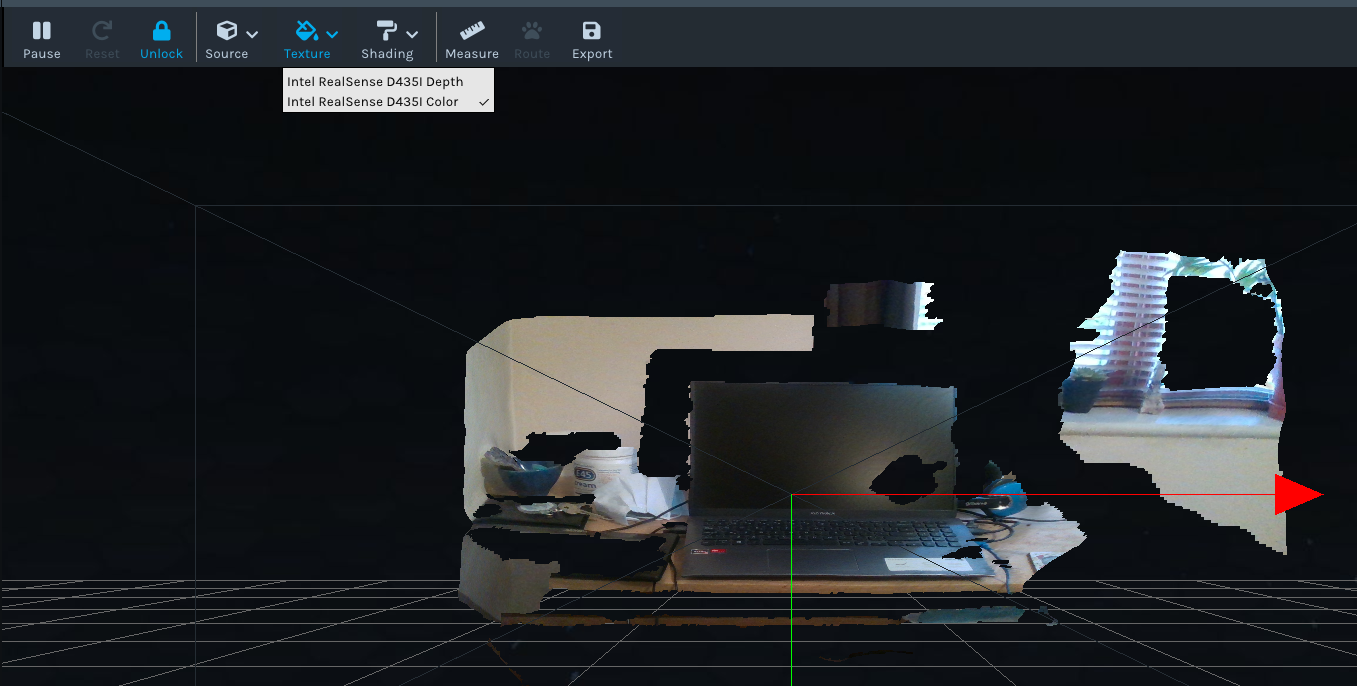
In regard to what you can do with the D435, you could try mapping RGB to the depth point cloud. Aligning depth to color can assist in distinguishing background pixels from foreground pixels.
You can test this in the RealSense Viewer by enabling the depth stream and RGB stream, and then entering 3D point cloud mode and setting Intel RealSense D435 Color as the Texture Source with the Texture option at the top of the Viewer window.
Please sign in to leave a comment.
Comments
1 comment