Measuring distance of a 3d object
Sincere,
I am trying to perform the following actions with D435i:
- set a max distance (for object from background separation) found in rs-align-advanced
- grab a frame (or imagine a video stream where both camera and object are static)
- select two points from the object
- calculate distance between said points over an area (measuring 3d area instead of just a straight line). <-- how to achieve that?
Example: calculating half a diameter of a bottle or a human arm.
I would imagine I would need to:
1. apply rs-measure to get the desired points
2. grab all points between the two points from the pointcloud
3. calculate distances between these points
Is there an example that I could reuse?
Thank you dearly,
M
-
Apologies for the delay in responding, as I was considering your request carefully. To begin with, if you are aiming to create your own C++ application then I wonder if modifying the open-source RealSense Viewer program to create your own custom version would be an option for you, as it would seem to satisfy all of your requirements in its 3D point cloud mode.
https://github.com/IntelRealSense/librealsense/tree/master/tools/realsense-viewer
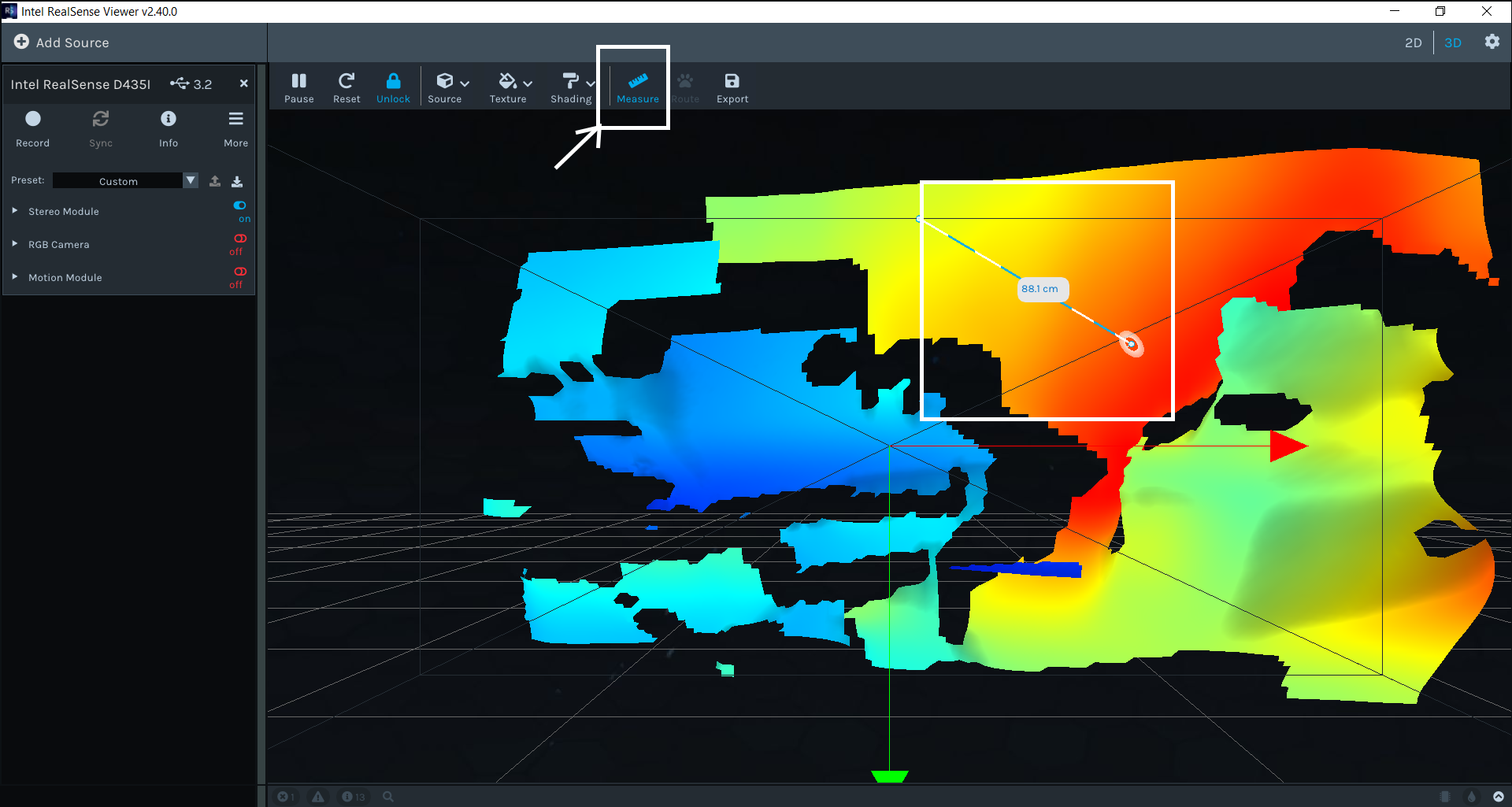
You can generate a point cloud and then use the 3D mode's Measure option at the top of the Viewer window to measure between two points on the point cloud.
This is done by left-clicking on a coordinate on the cloud, dragging a line out to the target point with the mouse and then left-clicking again to fix the line in place. A text overlay on the line provides a distance measurement.
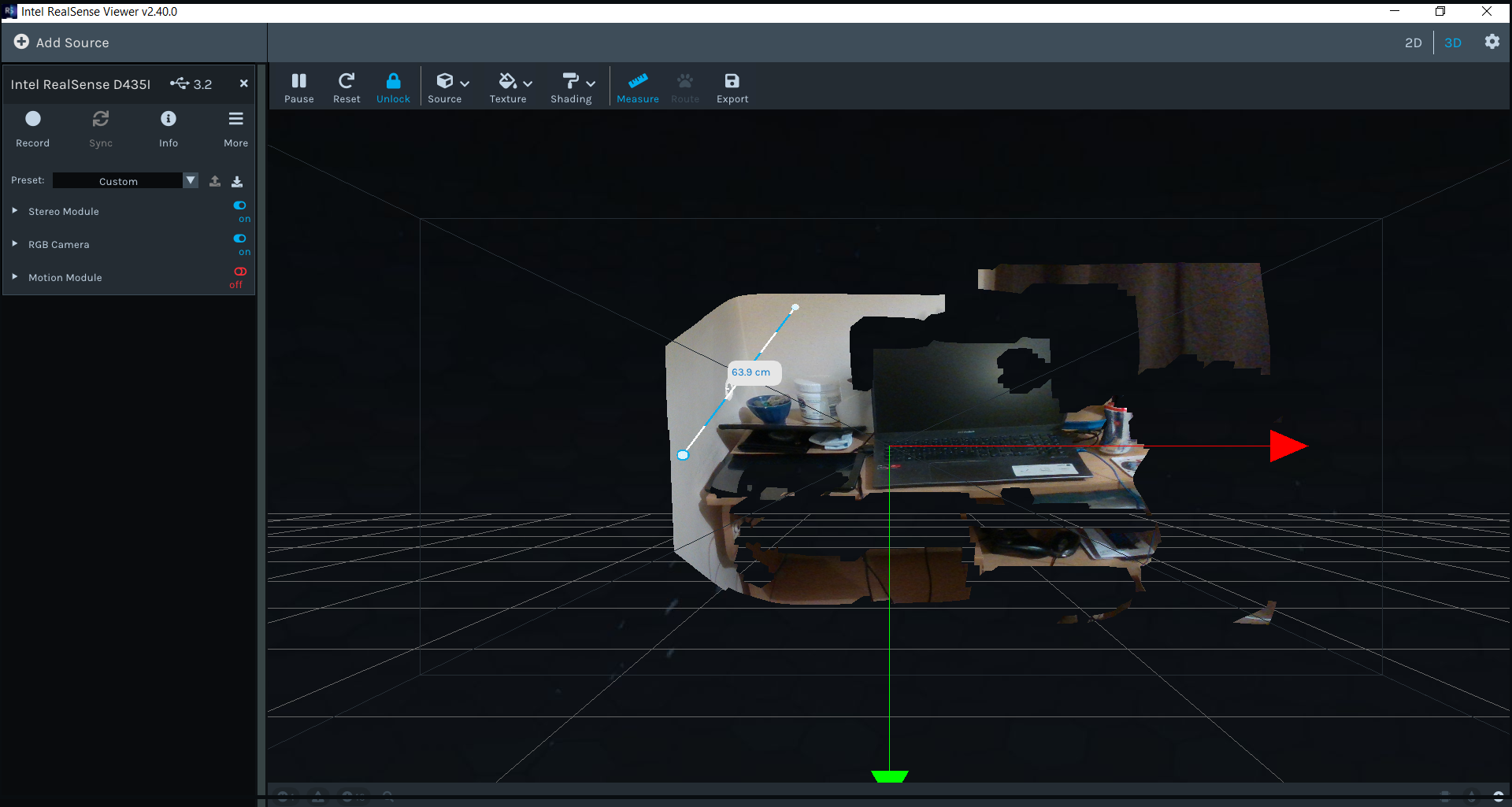
If you need to map RGB to depth points on the cloud and take a measurement then this can be done in the Viewer too.
-
Hello Marty - a pleasure to speak to you again (outside GH).
I don't believe RealSense Viewer can calculate what I would like to get out of the box:
An example Bottle of Coke
- diameter d = 104 mm
- r = d/2 = 52 mm
- circumference = 2 π r = 326.73 mm
- 1/2 of the circumference that is visible ~= 163.365 mmI believe that when I select two points of the outermost visible borders of the bottle in RealSense Viewer, the measurement would be 104,
where I would like it to be 160+ (taking in the calculation the curve of the object presented in a pointcloud, not just straight through an object).Can I achieve that?
Thank you for aiding us, newbies.
Best, M
-
If an out of the box solution rather than a self-created one is acceptable for you, DotProduct commercial scanning software may meet your needs. Its RealSense-compatible Dot3D Scan and Dot3D Pro products can do 3D point-to-point measuring.
Dot3D Scan (suitable for smaller-scale projects)
https://www.dotproduct3d.com/dot3dscan.html
Dot3D Pro (suitable for large area scanning)
https://www.dotproduct3d.com/dot3dpro.html
The software has a 14 day free trial that would enable you to see wheher it can meet your measurement needs.
-
Marty, thank you for gracing us with your wisdom.
I checked trial of DotProduct but they offer measurement options that don't apply to my use case (nor is the subscription long-term).
If there is no other example code that would help me I will have to work solutions up myself.
Can you point me into how to store point cloud still and then reopen it in viewer?
Thank you, M
-
I reviewed this case again from the start for new insights. Bearing in mind that your test object with the RealSense Viewer was a bottle of Coke, I wonder if the bottle's plastic reflectivity would be making the surface harder for the camera to read accurately. In such situations, aligning depth to color may make a difference, like in Intel's example for depth-sensing a glass aquarium.
https://github.com/IntelRealSense/librealsense/blob/jupyter/notebooks/depth_under_water.ipynb
Alignment makes it easier to differentiate between background pixels and foreground pixels.
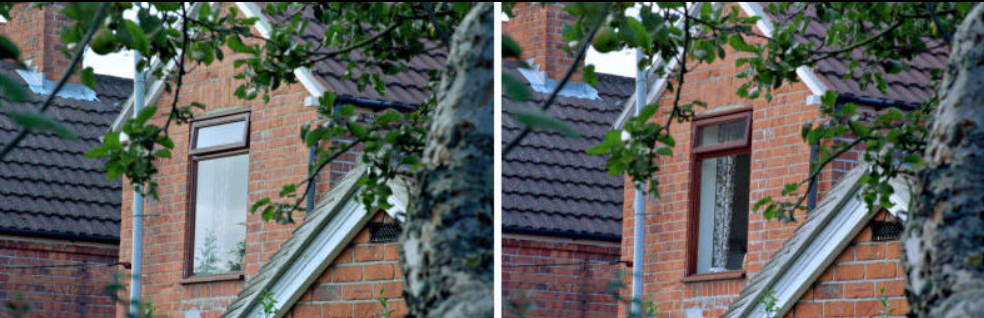
In cases of severe glare from reflections, the negative effect can be significantly negated by applying a physical optical filter called a Linear Polarizer over the front of the camera lenses, as described in Section 4.4 of Intel's white paper on optical filters.
-
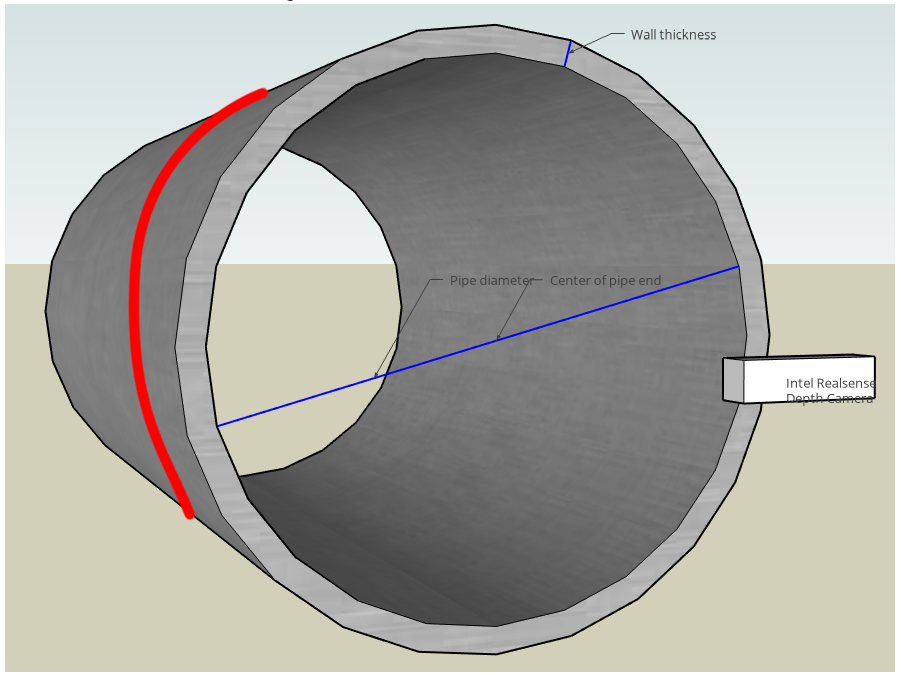
The case in the link below about measuring the diameter of a pipe end may also provide useful insights.
-
Thank you for all resources.
Bottle of Coke was an example, we can have an arm in front of the camera if that is a better example.
I looked at the pipe measurements topic yesterday as I was opening this but that again measures over a plain instead of over a curve (diameter is calculated by placing camera in the centre, which is not possible with my case, length of the pipe is measured by depth sensor itself as pipe is straight (one plain)).
I believe that I will have to design a SW that will:
- separate object from the background
- take into account camera position
- extract all the point cloud dots of a plain based on measure example (I line of dots from a point cloud)
- sort these dots from start to the end of the line
- calculate the distance between these points
- figure out error rates (with separation we introduced a level of uncertainty)
I will research further. You are an immense help.M
-
Given all of the functions and calculations that your application will have to perform, it may benefit from a "big data" approach where every depth pixel (or what is left after segmentation) and its accuracy is considered important. It brought to mind Intel's 2018 CES Show keynote speech that was entirely focused about data.
The keynote featured Intel tech such as TruView, that captures an entire 360 degree scene in Voxels (volumetric pixels), and their Intel Studios volumetric markerless capture studio near LAX airport. The whole keynote is worth watching, but for a quick view you could go to 16 minutes 30 seconds, where it starts discussing voxels.
https://m.youtube.com/watch?v=viezeQZjZRI
-
Also worth looking at is a case where a mannequin needs to be segmented out from the background.
https://support.intelrealsense.com/hc/en-us/community/posts/360051973333/comments/360014572573
-
Thank you Marty, you really are a gentleman that aids the needy.
Can I ask you to push me in the right direction of what is the best option to combine rs-align-advanced and rs-measure examples. I'm struggling with the fact that one uses ImGui library for overlay while another uses a different approach to showing pointcloud.
Is there an example that would combine both in an efficient manner?
Thank you sir.
M
-
I did further research into various 3D reconstruction solutions that I had suggested in the past. Given the three dimensional nature of your application and the probable wish to use just one camera, rs-kinfu (a RealSense sample program implementation of KinectFusion in the SDK's OpenCV wrapper) may meet a number of your requirements.
As you move the camera around, it progressively builds up a point cloud instead of just taking a static capture. When you are satisfied with the level of captured point cloud detail, you can export the cloud as a ply file to do further work with the point cloud coordinates, and import it into other 3D software if you wish (MeshLab, Blender, Maya, etc).
The program is highly configurable. Amongst its numerous useful features, you can set a maximum clipping distance for the cloud, and use SDK Visual Preset configurations and post-processing filters to adjust the data precisely to your needs.
https://github.com/IntelRealSense/librealsense/tree/master/wrappers/opencv/kinfu
Please sign in to leave a comment.
Comments
12 comments