D455 for object measure has a problem
Hello, we have a problem with D455 camera. We are using it for object measuring, and it always shows us wrong value for horizontal (X-axis) side of an object. It always shows us ADDITIONAL mm's not negative. For example, RealSense box is 14.2 cm in length, 9.2 cm in width. If we put the box horizontally it will show us (from 65-75 cm in height) width: 9.2 cm, length from 14.9-16.0 cm. If we put it vertically it shows us width: from 9.9-11 cm, length: 14.2-14.4 cm.
-
Hi Baiyu0584 I considered your case very carefully. As you mention using the measure tool in the RealSense Viewer, I believe that you are in 3D point cloud mode. Is that correct, please?
If you are using a point cloud, I wonder if your own application is experiencing ghost noise, a phenomenon that can manifest in different ways, from areas of depth that have no objects in the real world at that location to the stretching out of the cloud beyond its correct dimensions. The latter may be what is occurring in your case. The link below is a good introduction to the subject of ghost noise that distorts the cloud.
-
Yeah, that's right, we are using pointcloud. But we also did calibrate our camera with intel app on galaxy smartphone with resolution 2280x1080. Also we are using spatial and temporal filters, lasers, good light conditions.
Do we have to align RGB and Depth images on D455 like we did on D415? What is the default resolution of D455 1280x720 or 848x480? Decimation filter is kind of downgrades depth image, so we didn't use it, will it help with low light conditions? We just can't be sure will users use good lights or not.
-
The hardware design of the D455 improves depth to color alignment accuracy but you still need to deliberately apply the alignment process.
The 400 Series cameras can work in lighting levels of <1 lux. The decimation filter should not make a difference to performance under low lighting.
The D455 default resolution is 848x480. On D415 it is 1280x720.
-
I suspect that the solution will involve using plane fit. Some information resources about using this method for box measurement are in the links below.
https://github.com/IntelRealSense/librealsense/issues/1788
https://support.intelrealsense.com/hc/en-us/community/posts/360050894154-plane-detection
-
I would say that whether the difference in FOV size is automatically taken into account would depend on how your application is programmed. If you are aligning depth and color using the SDK's align processing block, it should adjust automatically to different camera configurations.
https://github.com/IntelRealSense/librealsense/tree/master/examples/align
-
Do you mean this align function in pyrealsense2:
https://intelrealsense.github.io/librealsense/python_docs/_generated/pyrealsense2.align.html
-

Here, this problem occurs in RealSense Quality Depth Tool and Viewer. Here we see that angle is 0.9 degrees.
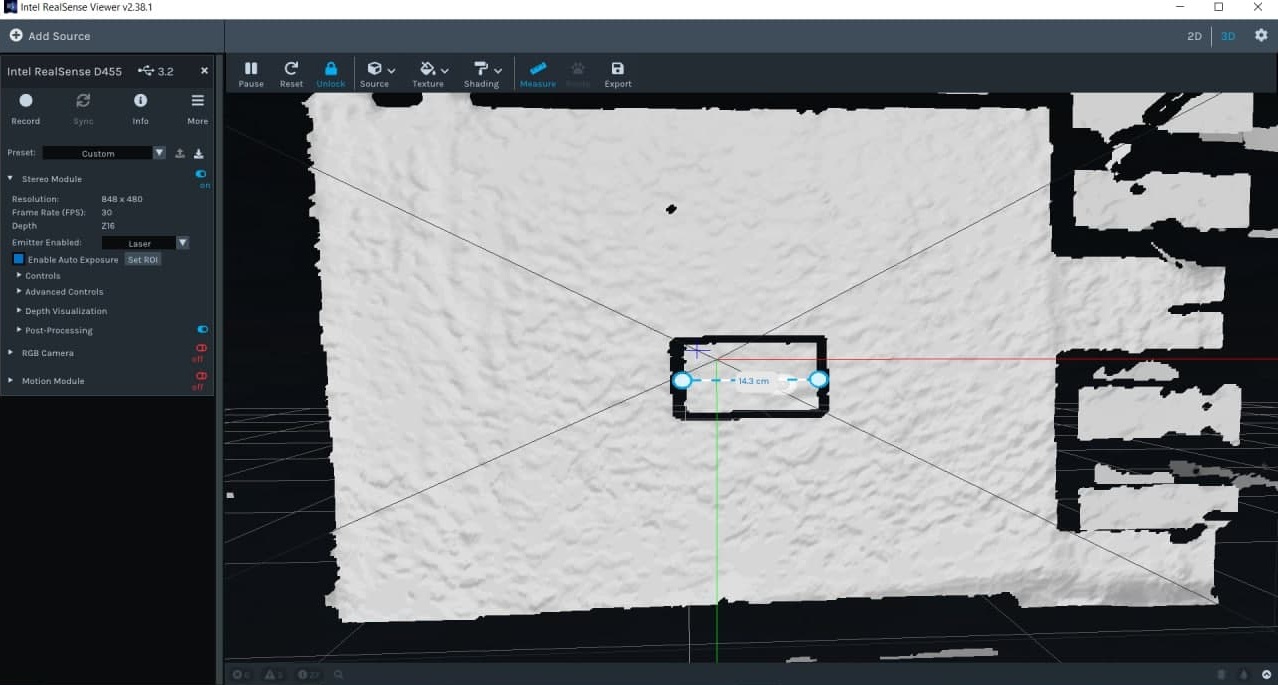
Same RealSense Box (14.2 cm x 9.1 cm) length is 14.3 cm, but width...
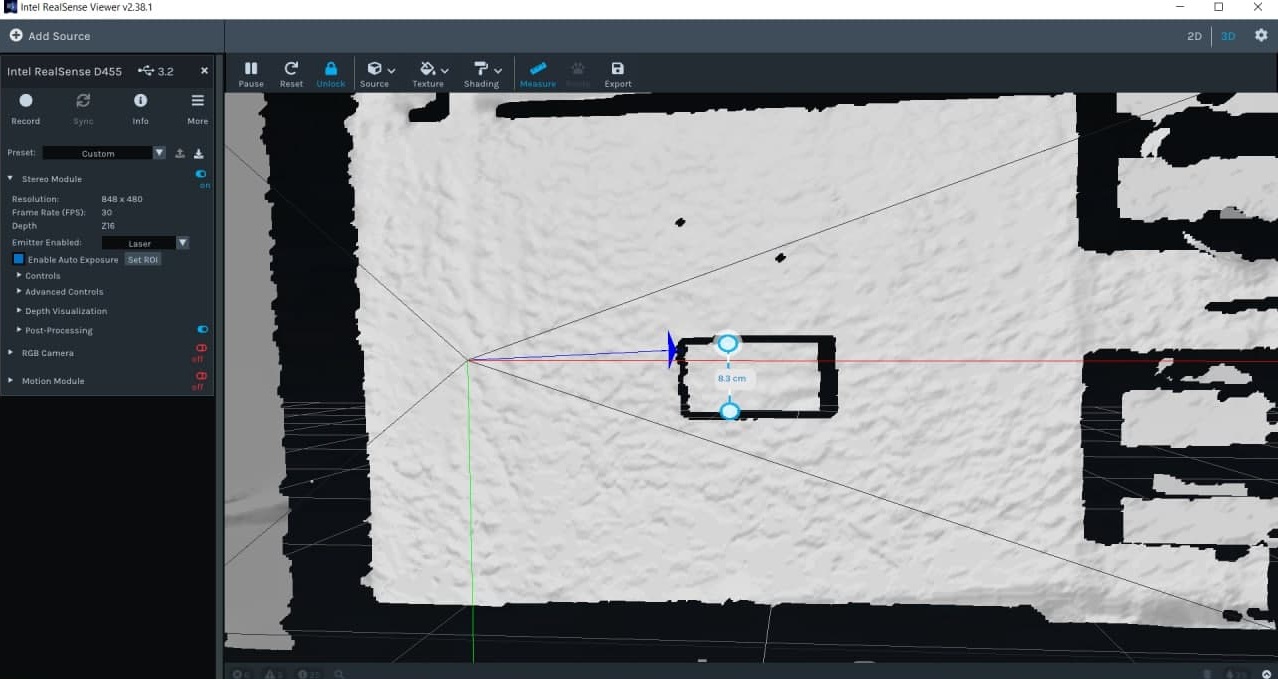 8.3 cm instead of 9.1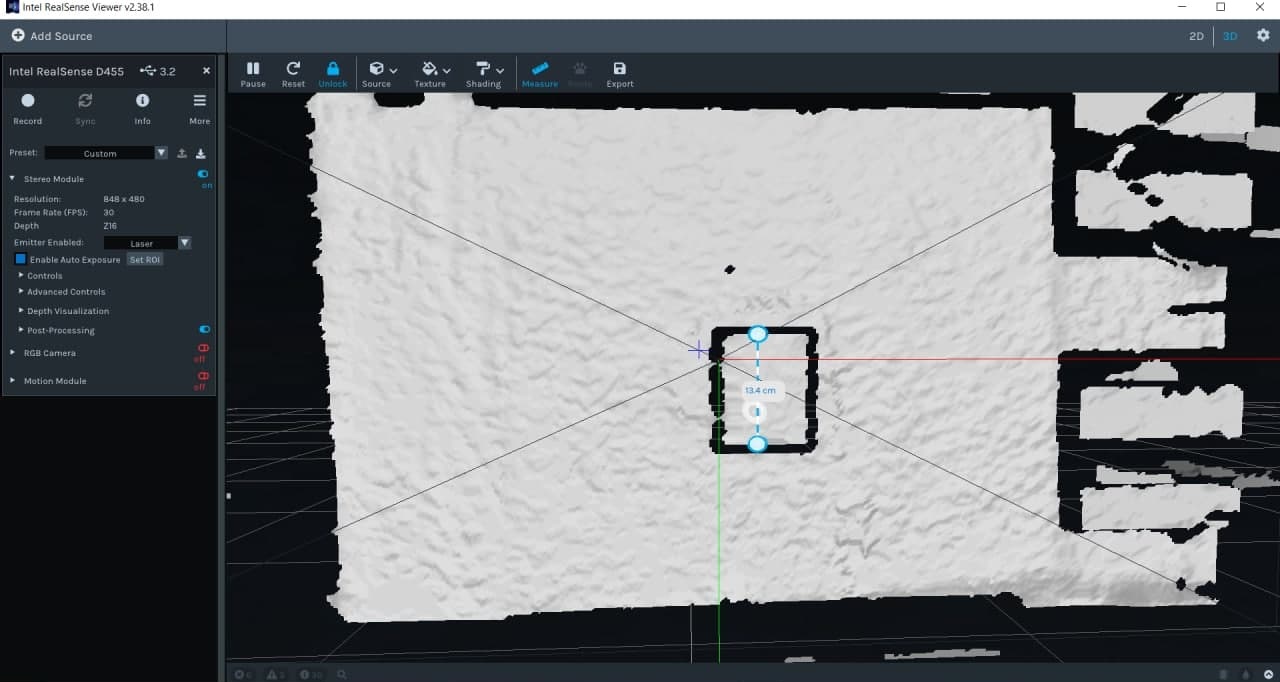
when we put box vertically problem is with length: 13.4
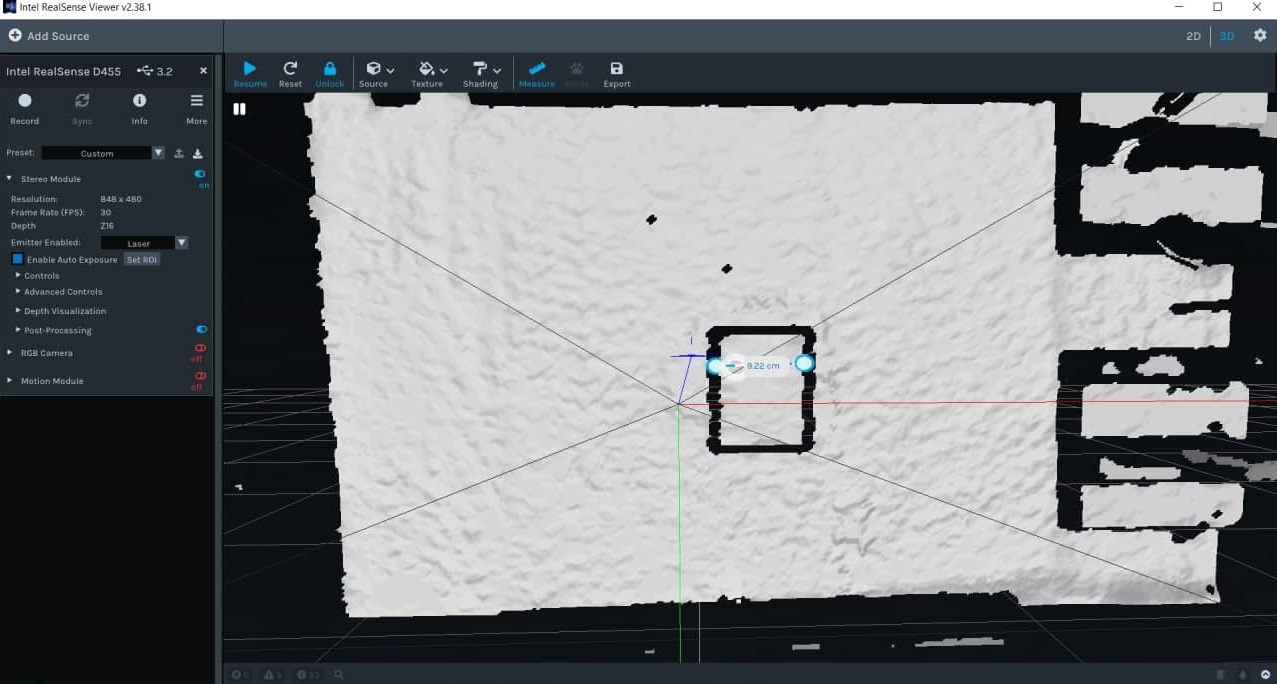
and width is fine: 9.22 cm
Where did we mistake? (^_^;)
And yes, we are using that align function
-
Is the camera mounted to a fixed point or being held in the hand, please?
I ask this because in the Viewer's measuring mode, once you define the measuring start point with the first left-click and then drag the line out to its end point, the value displayed will change as the camera moves until the measurement is fixed with a second left-click.
-
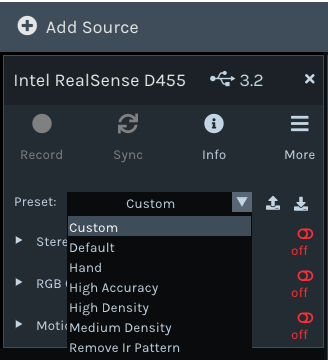
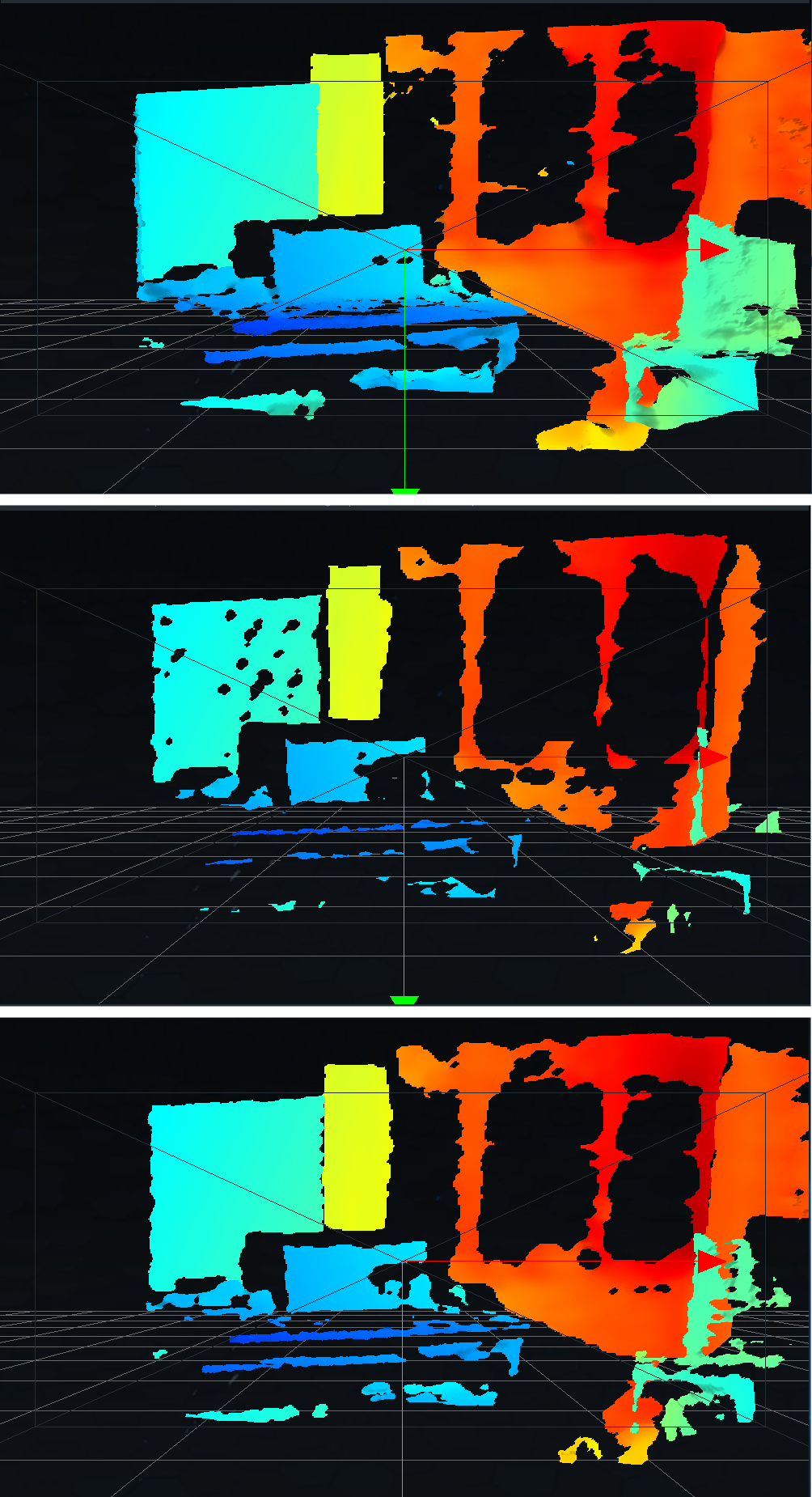
It may be worth applying the High Accuracy visual preset in the Viewer (selectable from the drop-down near the top of the Viewer side-panel) instead of the default Custom to see whether it improves the measurements. This prioritizes accuracy over image fill-rate. Or a balance between accuracy and fill-rate would be Medium Density.
The image below shows the effect of presets on the image: Custom (top), High Accuracy (middle) and Medium Density (bottom).
Please sign in to leave a comment.
Comments
16 comments