RGB sensor started showing strange lines in images [D435]
Hi,
I've been using this Intel RealSense D435 for a while now and it was working fine but some days ago it started showing images like this: 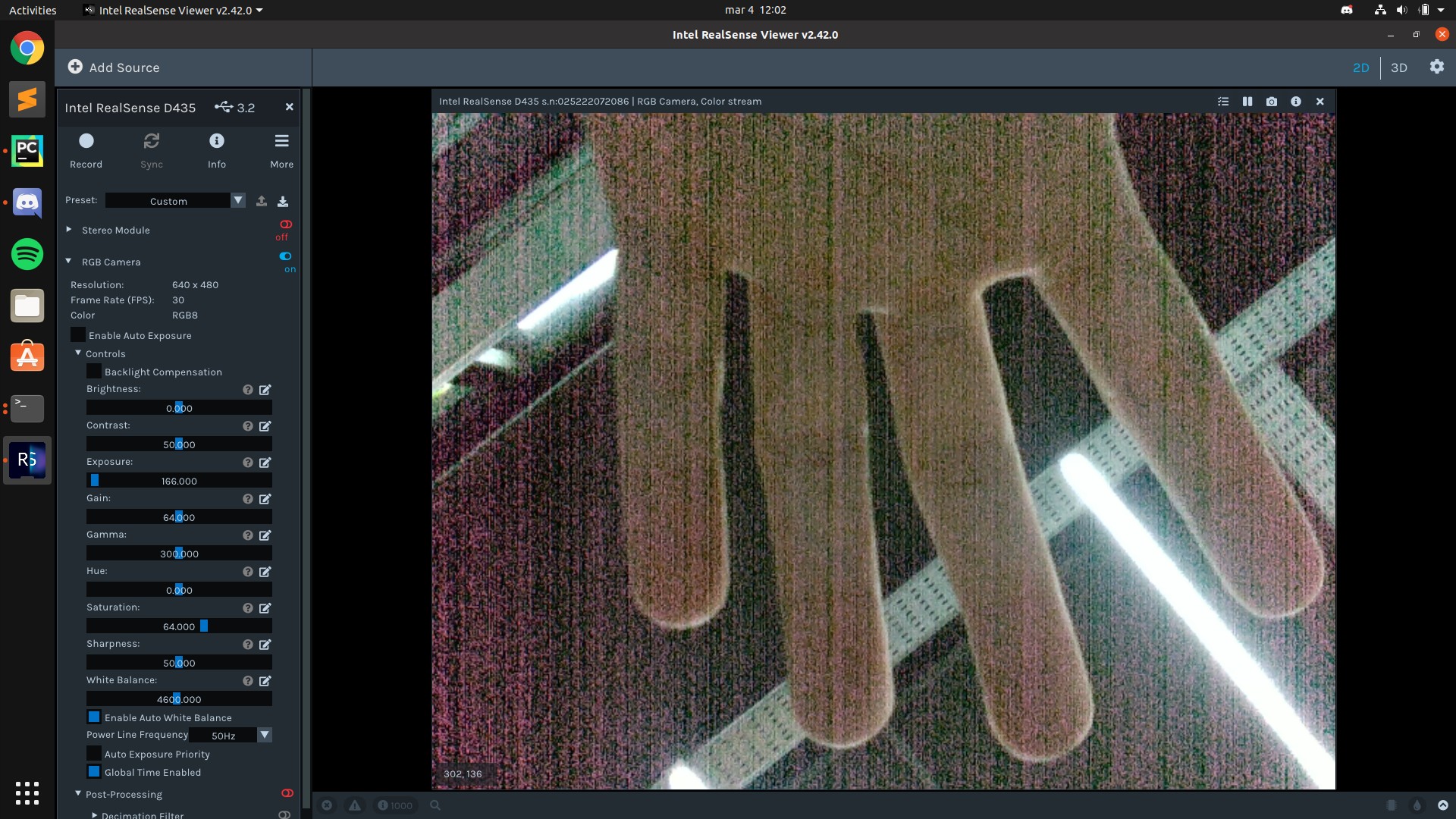
I've already tried resetting the camera to its factory settings and updating its firmware but the image keeps showing like this. Could this be a hardware issue?
Thanks in advance.
-
Hi Iblanco As a starting point in investigating your case, could you try resetting the RealSense Viewer settings if you have not done so already, please? This is a separate process from resetting the camera.
In the top corner of the Viewer, left-click on the gear-wheel icon and select the Settings option from its drop-down menu.
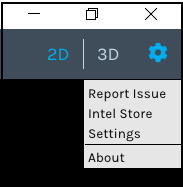
The Settings interface will pop up. Select the General category using the tabs on top of the windoweg.
Then left-click on the Restore Defaults button (marked as 1 on the image below) and click Apply (2) to complete the reset of the Viewer program.
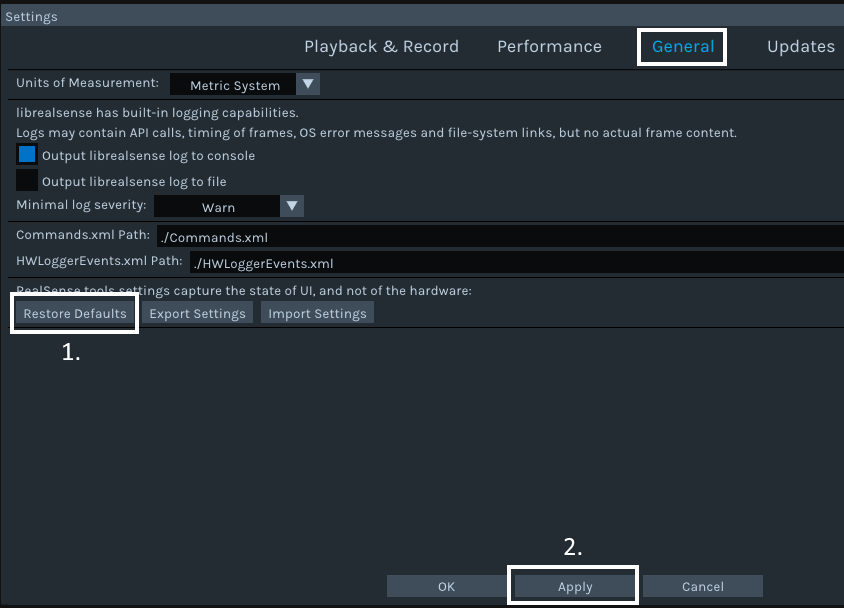
Does this make a difference to the image, please?
-
I was going to do what MartyG told me, but when I reconnected the camera to my computer it magically worked fine without doing that. The camera was sitting still on my desk for some days, because of that I'm even more eager to say it's a hardware issue. I will keep updating this post if something similar happens again.
Thanks anyway for the detailed and fast response
-
That is good news - thanks very much Iblanco for the update!
Please sign in to leave a comment.
Comments
3 comments