Frame didn't arrive within 5000 - with two camera | c#
Hello,
Since I'm using the D435 camera I'm encountering a problem. I use a configuration with two D435 cameras on the same pc. I use a DLL that I created to create the pipeline and the ProcessingBlock to apply filter. I identifying cameras with their serial number. But on one of the applications I have an error message that appears after a while. And before it crashes I see the image freezes a little bit from time to time, then once it appeared once it freezes even more and the message comes back regularly. The message is the following, the important part it's "Frame didn't arrived within 5000", before it's my message :
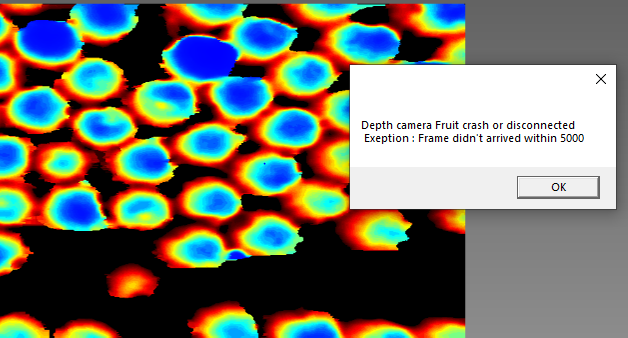
I tried to change the camera, change the usb cable, nothing help. Sometimes I get a message that the filters in my ProcessingBlock don't work, but I dont have screenshoot of this message. What surprises me is that in the application that crashes I removed absolutely all my code and it crashes anyway. The code just displays the stream video now. And I use exactly the same method for the other application and I have no problem.
Do you have any idea why I have my camera crashing?
Thanks a lot
-
Hi Thomas Chenus33 Which processing block are you using please?
If it is the point cloud processing block, a memory leak problem exists in that block that is a Known Issue. The link below provides advice about how to structure your code to avoid it.
https://github.com/IntelRealSense/librealsense/issues/2860
-
Are your frames being correctly disposed in C#, please?
https://github.com/IntelRealSense/librealsense/issues/2845#issuecomment-444448923
-
C# is not my best language in terms of coding knowledge, so I appreciate your patience.
My understanding through further research is that if a using block is used then you do not also have to use release() as the 'using' code should be sufficient to release the frames and help to avoid the pipeline jamming up with frames due to the garbage collector not collecting them.
Taking a leap of logic, if using releases frames then I wonder whether it is necessary to create a FrameReleaser object and embed WaitForFrames() within that process.
-
I would advise re-posting this question on the RealSense GitHub forum so that it can be brought to the attention of RealSense team members who have expertise in C# programming. I do apologise that I could not be of more help in this particular case.
-
I made a few tests and I create a new problem, maybe this is the reason of camera crashing. I loose the DepthFrame into my thread.
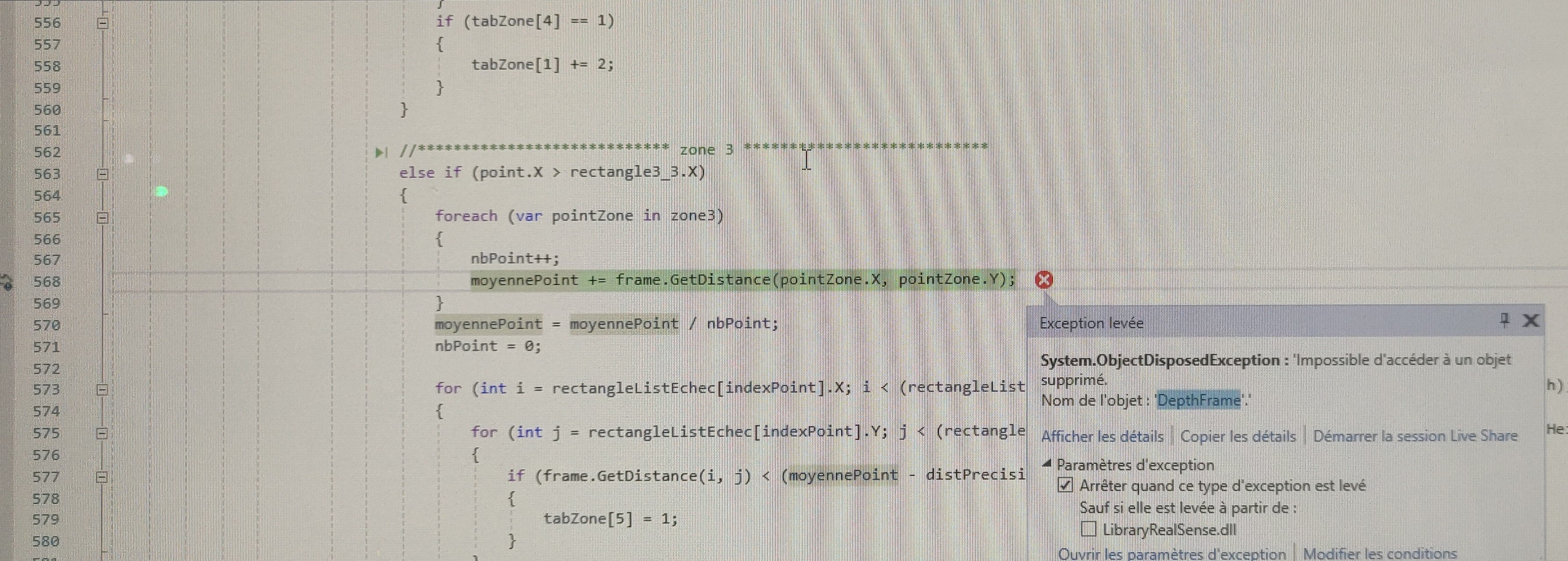
This is weird because I use the DethFrame just above in the same thread and same iteration, but for another zone, and the DepthFrame work. I don't have this error every time, it's maybe cause by the debugging process of VisualStudio. Because I receive this error only in debug mode.
-
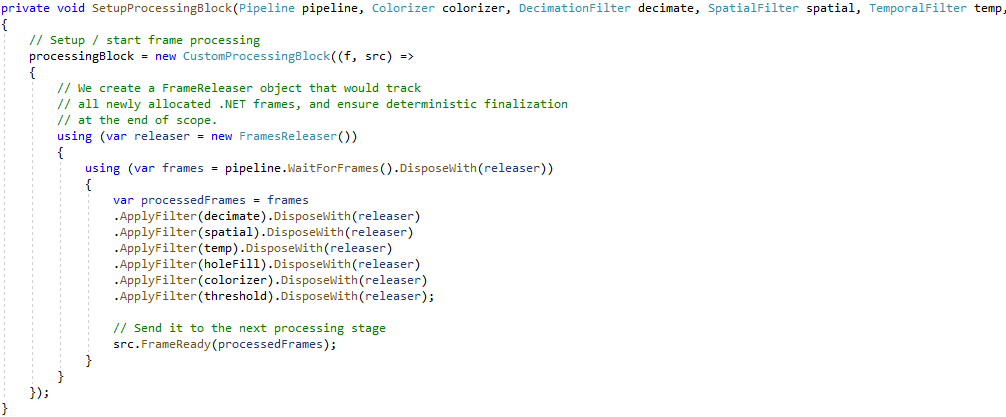
It remains a topic that is outside of my knowledge and best queried about on the GitHub. I did locate some information though, in the link below:
Please sign in to leave a comment.
Comments
13 comments