unable to install pyrealsense library in python 3.8 in mac
I can't able to install the pyrealsense2 package in Python 3.8 and Python 3.7 in the windows and mac OS. And also need to understand how to access the intel REALSENSE depth camera D435i through python coding.
-
Hi Revathi You will not be able to use the pip install method of installing the Python wrapper if using Python 3.8. This is because there is not a pip pyrealsense2 package for 3.8. The available packages go up to 3.7 at the time of writing this.
Also, the pip pyrealsense2 packages require a processor chip with x86 or x64 architecture, so if you have a recent Mac model with the new Arm based Apple Silicon M1 then the CPU architecture of M1 would likely be incompatible with pip pyrealsense2 installation.
You should be able to use the pip install method on Windows if using Python 2.7, 3.6 or 3.7 though.
If the pip install method is not suitable for your computer then you can instead install the Python wrapper by building it from source code. This is also the recommended method for building the wrapper for Python 3.8.
In regard to programming in Python, the example RealSense SDK programs provided in the link below are a good starting point, especially the Tutorial 1 introductory example.
-
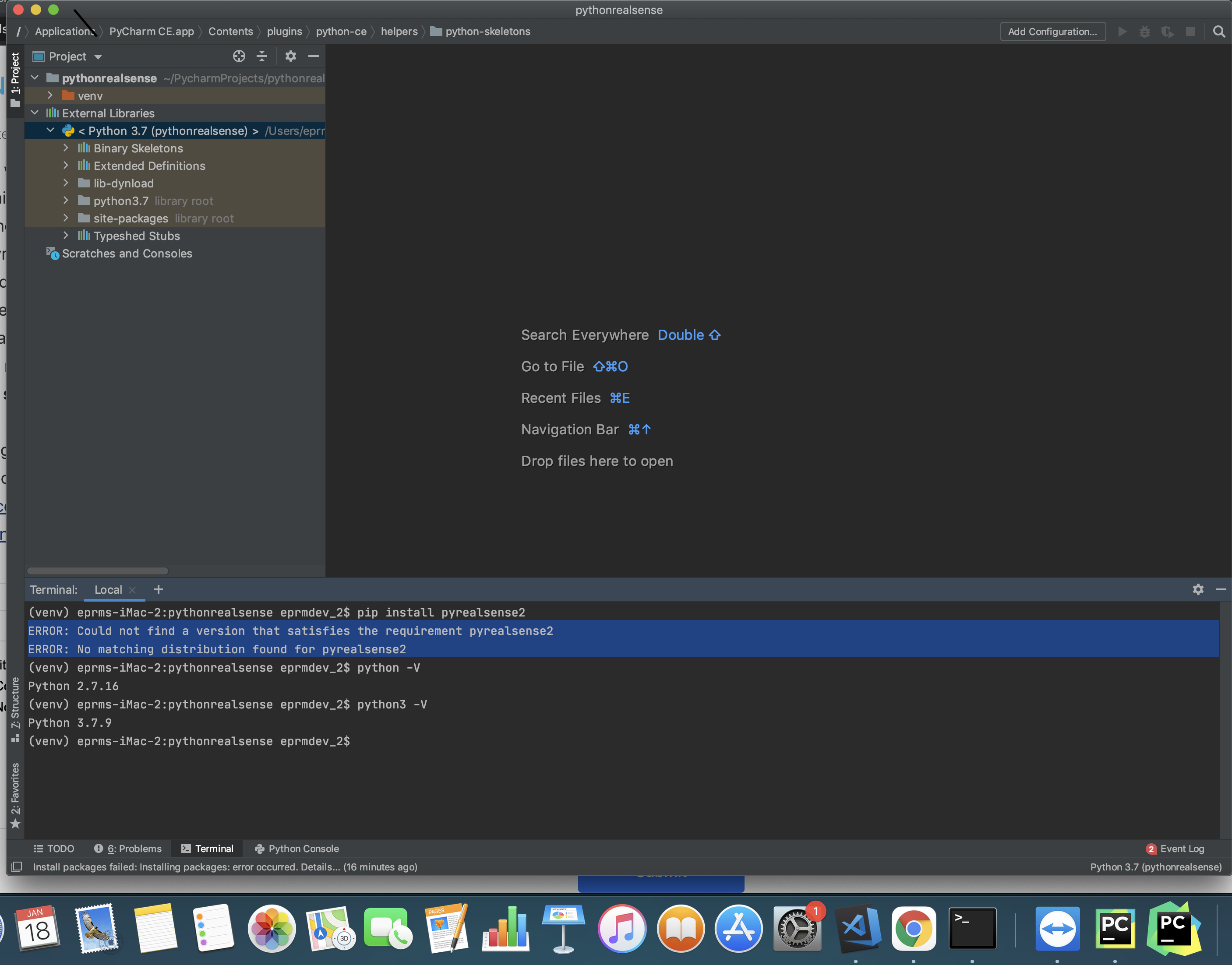
sir, here with your guidance that I installed python 3.7.9 for using pyrealsesnse2 still I am getting same error when I used python 3.8 that ERROR: Could not find a version that satisfies the requirement pyrealsense2
ERROR: No matching distribution found for pyrealsense2can you please kindly guide me to resolve the issues
Please sign in to leave a comment.
Comments
3 comments