realsense-viewer not starting in ubuntu 20.04
I am trying to launch realsense-viewer in vanilla ubuntu 20.04, but it always throws an error and exits immediately:
$ realsense-viewer
0:1(10): error: GLSL 1.30 is not supported. Supported versions are: 1.10, 1.20, and 1.00 ES
 15/12 18:14:39,131 WARNING [140280395247040] (rs.cpp:2087) null pointer passed for argument "block"
RealSense error calling rs2_gl_create_pointcloud():
    0:1(10): error: GLSL 1.30 is not supported. Supported versions are: 1.10, 1.20, and 1.00 ES
I installed RealSense SDK 2.0 following the instructions as described in https://github.com/IntelRealSense/librealsense/blob/master/doc/distribution_linux.md#installing-the-packages
glxinfo:
$ glxinfo | grep OpenGL
OpenGL vendor string: Intel Open Source Technology Center
OpenGL renderer string: Mesa DRI Mobile Intel® GM45 Express Chipset (CTG)
OpenGL version string: 2.1 Mesa 20.0.8
OpenGL shading language version string: 1.20
OpenGL extensions:
OpenGL ES profile version string: OpenGL ES 2.0 Mesa 20.0.8
OpenGL ES profile shading language version string: OpenGL ES GLSL ES 1.0.16
OpenGL ES profile extensions:
I don't understand why realsense-viewer even seems to think I am running GLSL version 1.3!?
Any idea how to fix this? I'm using a ThinkPad 200s and a Realsense D435i for this project, if that's of any help.
Also I would like to express my disappointment with the amount of entirely out-dated installation instructions for equally out-dated linux versions in various places, which makes it really difficult to find the correct instructions - particularly on the official product pages, eg. https://dev.intelrealsense.com/docs/compiling-librealsense-for-linux-ubuntu-guide
Thanks in advance, stay healthy!
-
Hi C Bruckhaus I hope that the information in the link below will be helpful to you.
-
You're right, it's a fairly old device (2009), however I don't think that's the issue here - do you? I usually use Manjaro Linux on my machines, so I'd have to wipe one of my productive systems just for testing... I'd rather not do that, unless there are substantial hints pointing at my device as the source of the problem.
Is there any other location where I could find .realsense-config.json? Where are the defaults stored, if the file does not exist? Or are they hard-coded?
-
Computer age may be an issue if a particular librealsense function requires AVX2 support in the processor and a computer is old enough for its processor chip not to have it.
https://en.wikipedia.org/wiki/Advanced_Vector_Extensions
On the Windows version of the SDK, the standalone pre-built executable version of the Viewer that can be downloaded separately from the SDK does not have special processor requirements. If you do not have Windows available, you could try building the Viewer for Linux from source code.
https://github.com/IntelRealSense/librealsense/tree/master/tools/realsense-viewer
Before doing so, I would recommend testing some of the other SDK tools and example programs if you have not done so already. If they do not work either then it may indicate a problem other than processor incompatibility.
The example program rs-capture would also act as a test of whether OpenGL is functioning properly on your computer, as it makes use of OpenGL for rendering like the Viewer does.
-
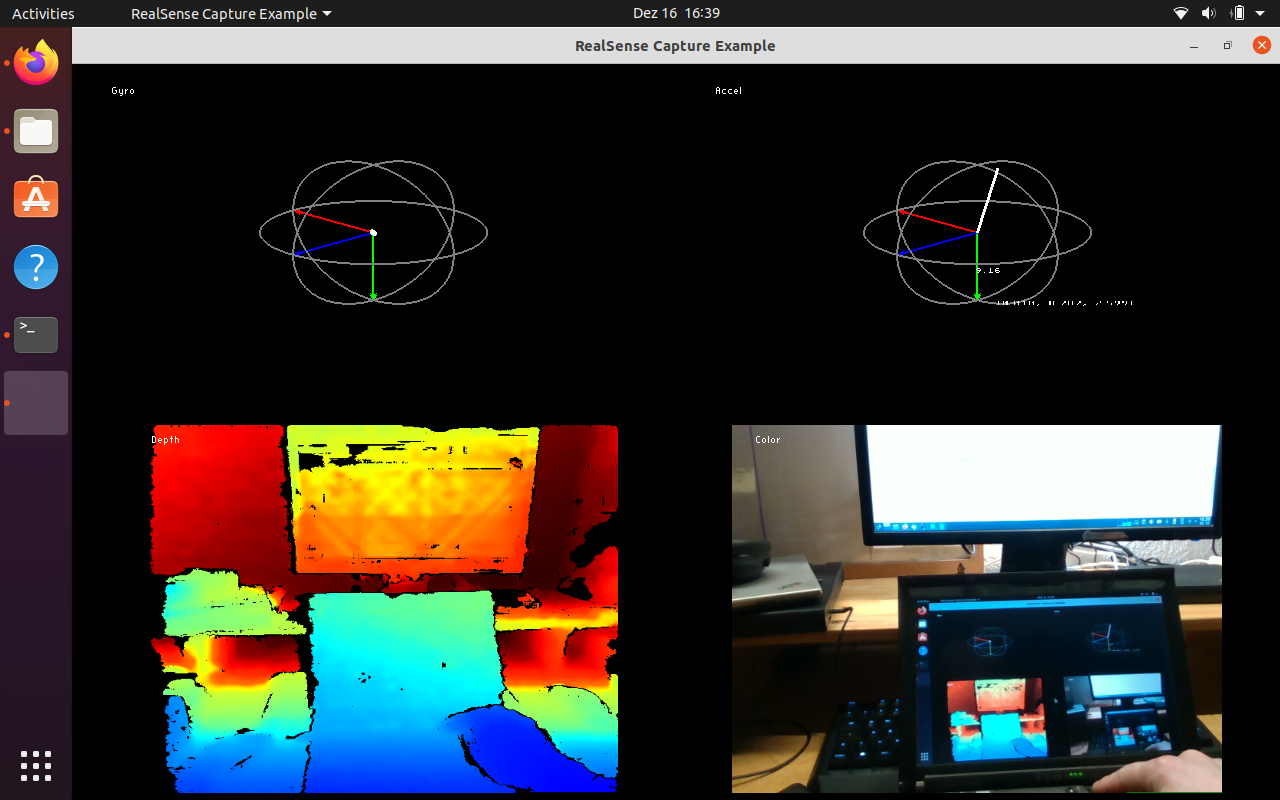
rs-capture works flawlessly, I think:
rs-depth-quality does not work:
"""
$ rs-depth-quality
2020-12-16 16:49:48,883 DEBUG [default] [carsten@unknown-host] [librealsense::context::context(librealsense::backend_type, const char*, const char*, rs2_recording_mode, std::string)] [/home/jenkins/workspace/LRS_SDK_CI_Debian/src/src/context.cpp:110] Logger [librealsense] is not registered yet!
2020-12-16 16:49:49,122 DEBUG [default] [carsten@unknown-host] [void librealsense::gl::rendering_lane::init(glfw_binding, bool)] [/home/jenkins/workspace/LRS_SDK_CI_Debian/src/src/gl/synthetic-stream-gl.cpp:81] Logger [librealsense] is not registered yet!
2020-12-16 16:49:49,122 DEBUG [default] [carsten@unknown-host] [void librealsense::gl::rendering_lane::init(glfw_binding, bool)] [/home/jenkins/workspace/LRS_SDK_CI_Debian/src/src/gl/synthetic-stream-gl.cpp:90] Logger [librealsense] is not registered yet!
2020-12-16 16:49:49,122 DEBUG [default] [carsten@unknown-host] [void librealsense::gl::processing_lane::init(GLFWwindow*, glfw_binding, bool)] [/home/jenkins/workspace/LRS_SDK_CI_Debian/src/src/gl/synthetic-stream-gl.cpp:133] Logger [librealsense] is not registered yet!
2020-12-16 16:49:49,144 DEBUG [default] [carsten@unknown-host] [void librealsense::gl::processing_lane::init(GLFWwindow*, glfw_binding, bool)] [/home/jenkins/workspace/LRS_SDK_CI_Debian/src/src/gl/synthetic-stream-gl.cpp:147] Logger [librealsense] is not registered yet!
2020-12-16 16:49:49,304 DEBUG [default] [carsten@unknown-host] [static std::vector<std::shared_ptr<librealsense::device_info> > librealsense::ds5_info::pick_ds5_devices(std::shared_ptr<librealsense::context>, librealsense::platform::backend_device_group&)] [/home/jenkins/workspace/LRS_SDK_CI_Debian/src/src/ds5/ds5-factory.cpp:1113] Logger [librealsense] is not registered yet!
2020-12-16 16:49:49,304 DEBUG [default] [carsten@unknown-host] [std::vector<std::shared_ptr<librealsense::device_info> > librealsense::context::create_devices(librealsense::platform::backend_device_group, const std::map<std::__cxx11::basic_string<char>, std::weak_ptr<librealsense::device_info> >&, int) const] [/home/jenkins/workspace/LRS_SDK_CI_Debian/src/src/context.cpp:381] Logger [librealsense] is not registered yet!
0:1(10): error: GLSL 1.30 is not supported. Supported versions are: 1.10, 1.20, and 1.00 ES
2020-12-16 16:49:49,307 DEBUG [default] [carsten@unknown-host] [void rs2_delete_processing_block(rs2_processing_block*)] [/home/jenkins/workspace/LRS_SDK_CI_Debian/src/src/rs.cpp:2087] Logger [librealsense] is not registered yet!
2020-12-16 16:49:49,307 DEBUG [default] [carsten@unknown-host] [void librealsense::gl::rendering_lane::shutdown()] [/home/jenkins/workspace/LRS_SDK_CI_Debian/src/src/gl/synthetic-stream-gl.cpp:98] Logger [librealsense] is not registered yet!
2020-12-16 16:49:49,307 DEBUG [default] [carsten@unknown-host] [void librealsense::gl::rendering_lane::shutdown()] [/home/jenkins/workspace/LRS_SDK_CI_Debian/src/src/gl/synthetic-stream-gl.cpp:104] Logger [librealsense] is not registered yet!
2020-12-16 16:49:49,307 DEBUG [default] [carsten@unknown-host] [void librealsense::gl::processing_lane::shutdown()] [/home/jenkins/workspace/LRS_SDK_CI_Debian/src/src/gl/synthetic-stream-gl.cpp:154] Logger [librealsense] is not registered yet!
2020-12-16 16:49:49,307 DEBUG [default] [carsten@unknown-host] [void librealsense::gl::processing_lane::shutdown()] [/home/jenkins/workspace/LRS_SDK_CI_Debian/src/src/gl/synthetic-stream-gl.cpp:165] Logger [librealsense] is not registered yet!
RealSense error calling rs2_gl_create_pointcloud():
0:1(10): error: GLSL 1.30 is not supported. Supported versions are: 1.10, 1.20, and 1.00 ES"""
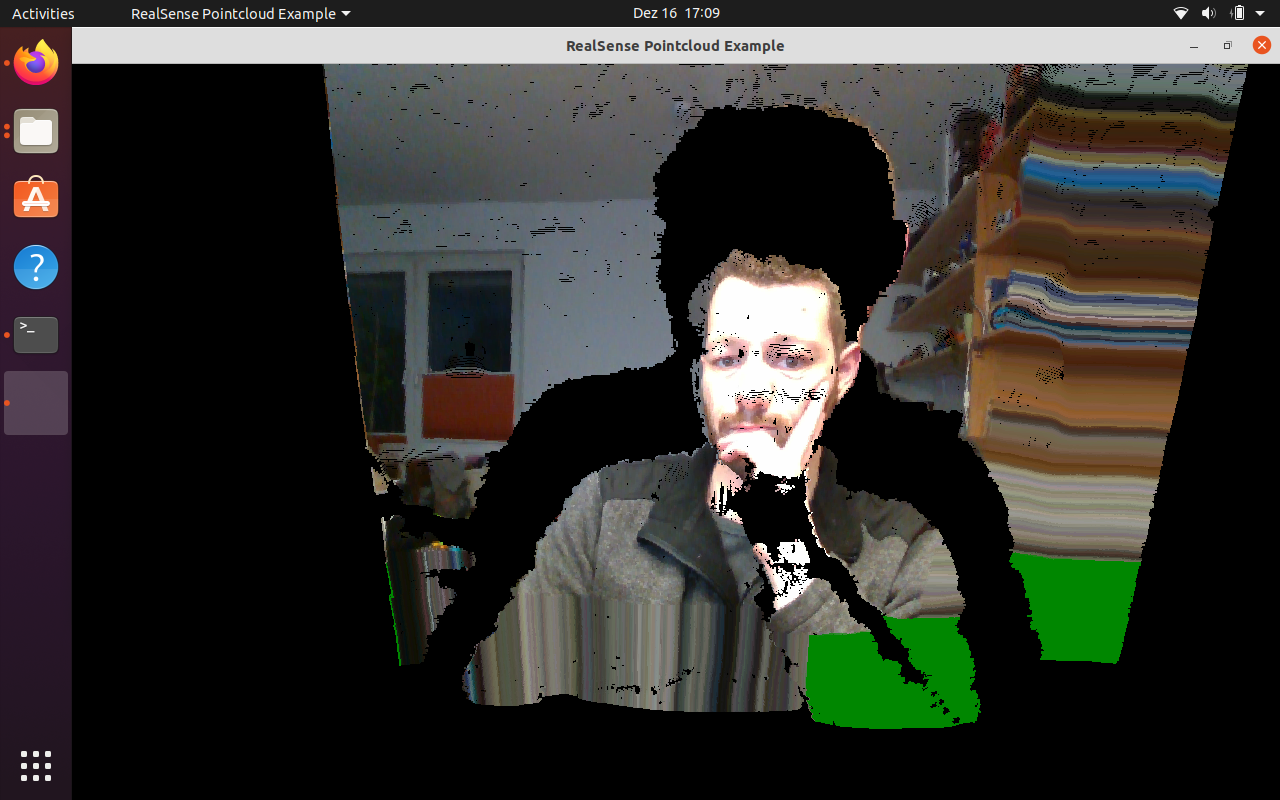
rs-pointcloud does work, I assume:
r-gl does not work:
"""
$ rs-gl
0:1(10): error: GLSL 1.30 is not supported. Supported versions are: 1.10, 1.20, and 1.00 ES
RealSense error calling rs2_gl_create_pointcloud():
0:1(10): error: GLSL 1.30 is not supported. Supported versions are: 1.10, 1.20, and 1.00 ES"""
<edit>rs-motion does work, too.</edit>
I'm not sure how to interpret these... does this indicate an incompatible CPU or a different problem?
-
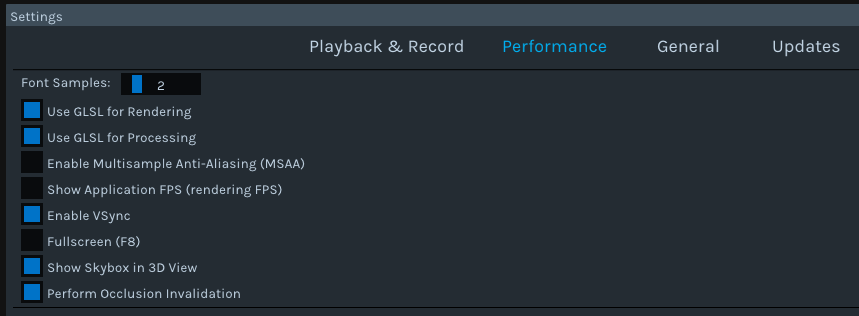
Looking at the case again from the beginning, I believe that the GLSL reference is to the GLSL graphics acceleration function that offloads work from the CPU to the GPU, and not OpenGL (as librealsense refers to its OpenGL implementation as GLFW, not GLSL).
The Viewer makes use of GLSL by default. So this would explain why both the Viewer and the example program rs-gl (which demonstrates GLSL graphics acceleration) would be affected but OpenGL is fine.
So this issue may not be related to AVX2 support in the processor, but to lack of support for GLSL.
-
I just edited my comment above to reflect my belief that lack of GLSL support rather than AVX2 is likely the cause of the problem.
If you had access to Windows then you would be able to download the 32 mb standalone version of the Viewer that does not have special processor requirements and should work with any processor. If that worked, it would likely mean that the problem was with the processor.
-
So is there any way to switch back to OpenGL? The first link (https://github.com/IntelRealSense/librealsense/issues/6421) you gave me says to remove ~/.realsense-config.json if users activated GLSL and were then no langer able to launch the viewer, as this would reset everything to default. So the default used to be OpenGL but was changed to GLSL?
Trying to override GLSL version string results in core dump:
"""
$ MESA_GL_VERSION_OVERRIDE=1.2 realsense-viewer
Segmentation fault (core dumped)"""
-
I found the json on my computer and opened it up in a text editor program to view its contents and see what its settings configured. It had no references to GLSL settings.
I am not aware of a means of configuring the GLSL settings of the Viewer from outside of the Viewer to de-select them.
-
I finally installed ubuntu 20.04 on a newer machine and here I'm able to launch realsense-viewer. The strange thing though is that here I have a ~/.realsense-config.json and GLSL is not activated by default, but can be enabled without problems.
I still don't see why it crashes on the other machine, but I'm going to leave it at that. If you see any point in doing so, I will post an issue on GitHub.
MartyG, thanks for your time and support! Stay healthy :)
-
Great to hear that you succeeded on a newer machine! :). I'm pleased that I could be of help
The age of the computer that you had the problem on means that your particular experience is likely to be a rare one. So it is probably best to leave it at that, as you suggest. Thanks again!
Please sign in to leave a comment.
Comments
16 comments