D435i "ghost noise" points
Hi,
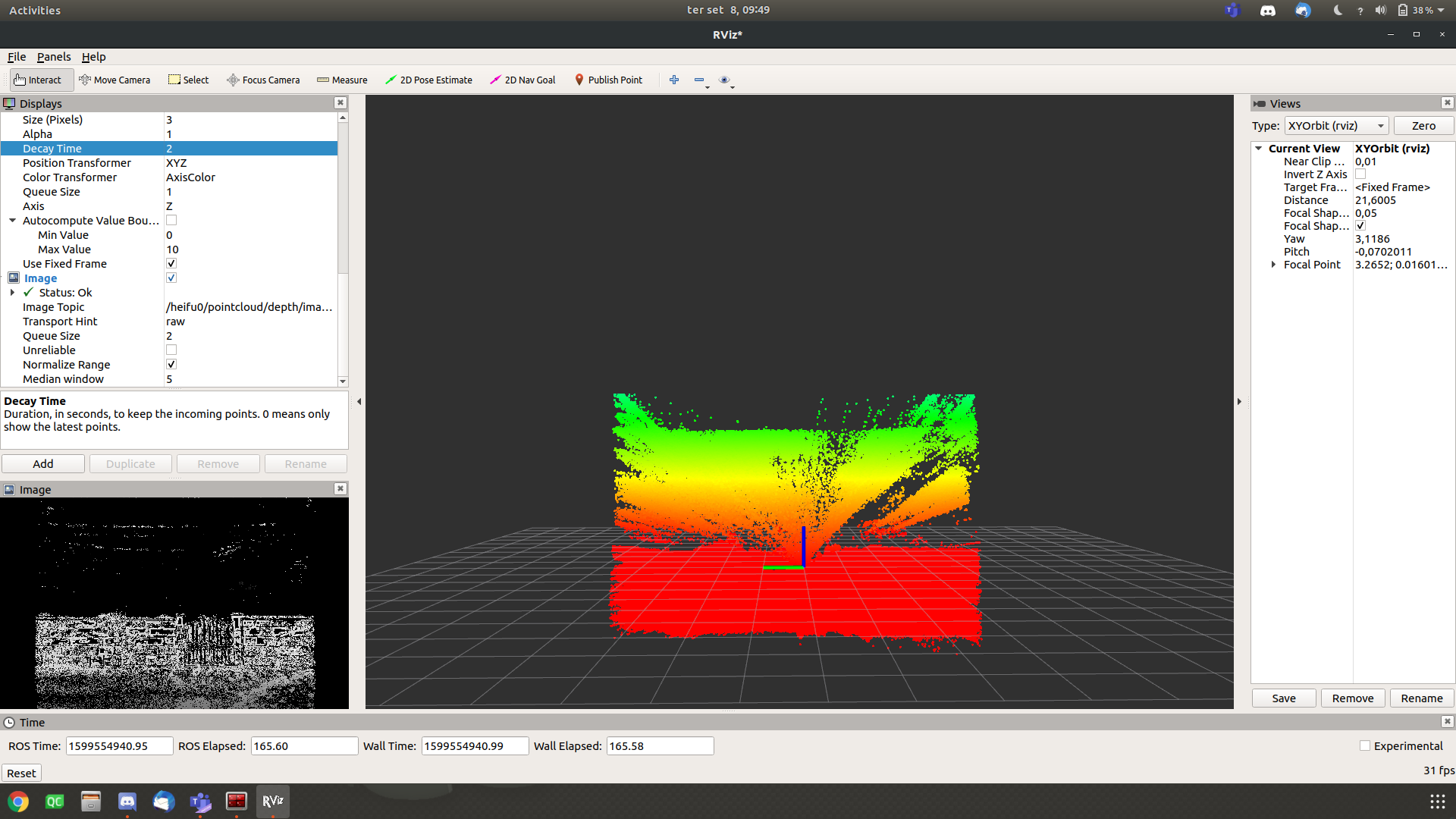
I'm getting an effect similar to a "shadow" line visible up to the real point.
Let me try to explain it better, there is a lot of points between the sensor and the real obstacle. I've tried different settings, filters, etc.
In the corner left of the picture you can see a wall and a gate and some power lines above them.
In the center, it's possible to see the resulting pointcloud with the points of the power lines "dragging" through the space and creating sort of a wall instead of a line.
So I had some decay time to see it more easily.
I can add my .json file here if you want!
If you know how to get rid of those points, please let me know.
-
Hi Amferreira I have seen cases where there is floating ghost noise inbetween the camera and the observed object, with the noise in places where there are no objects. It can be caused if the camera is observing a repetitive horizontal or vertical pattern of similar looking objects. Examples in past cases include fence posts, window blinds and a series of tree-tops.
A set of images in the case in the link below provide an excellent illustration of the phenomenon. In that case, Dorodnic the RealSense SDK Manager also discusses possible methods to minimize the effect of repetitive patterns,
https://github.com/IntelRealSense/librealsense/issues/6713
Do you have a similarly repetitive pattern in your scene, please? If you do not, another form of ghost noise can be one where the points get "dragged out". This resembles the points spray in your own image.
https://github.com/IntelRealSense/librealsense/issues/7021
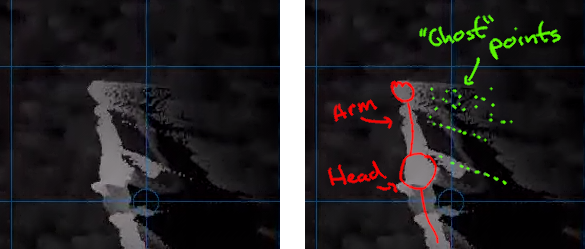
Dragging-out of points is also discussed in the case below:
Please sign in to leave a comment.
Comments
1 comment