SR300 depth detection method and night performance
What is the method of depth calculation in sr300? by using emit and receive the infrared light or by using the two camera lenses as stereo (since it has two camera lenses)?
Is it possible to get infrared video output instead of normal video output and depth map output? does sr300 work in darkness and night?
Actually we need to generate infrared data which will be collected at night (darkness).
-
Given that 400 Series cameras can "see" for a long distance in infrared mode, it would be best to consider infrared range in terms of the range of its projector, as the dot pattern emitted by the projector has a more limited range. The link below to a section of Intel's white-paper document about projectors describes this subject. All of the 400 Series USB camera models that you list have a projector.
https://dev.intelrealsense.com/docs/projectors#section-4-increasing-range
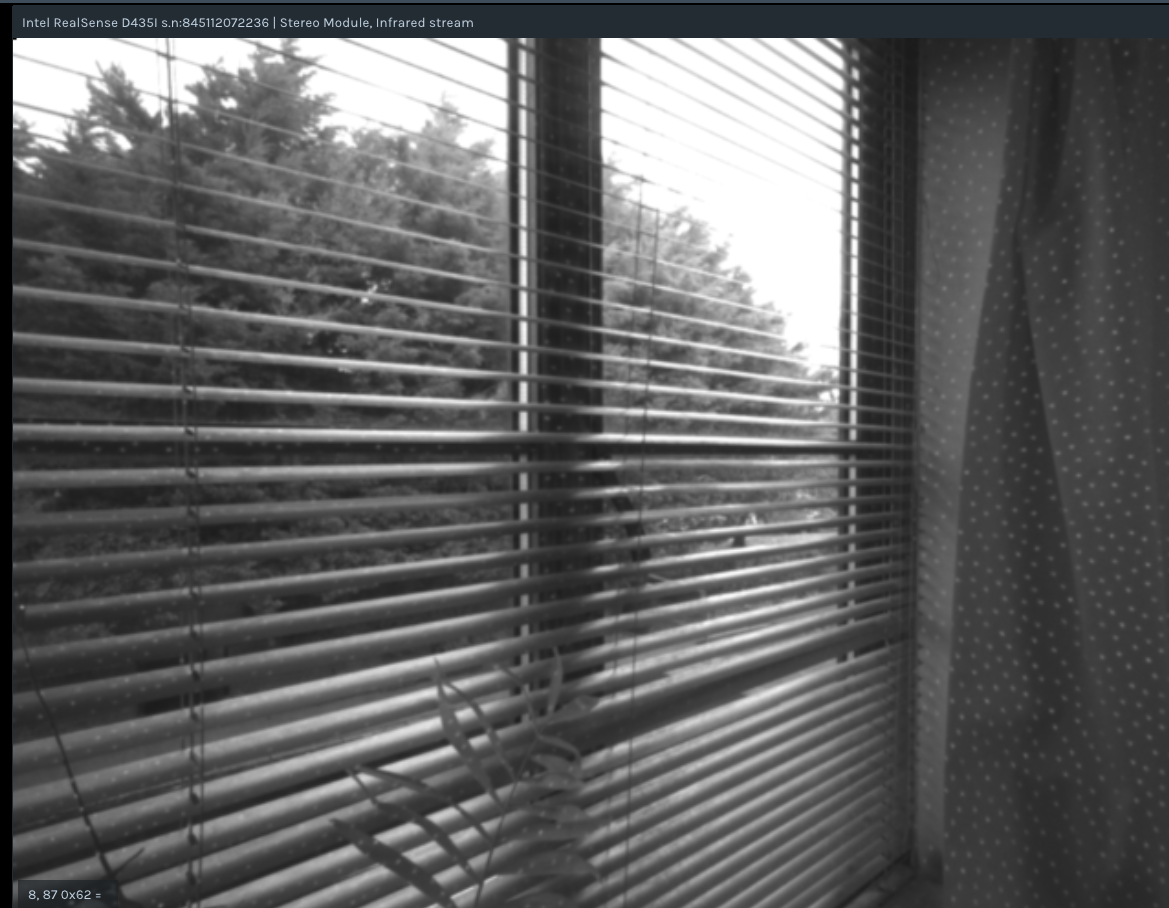
In the image below that I just captured with a D435i for illustrative purposes, you can see that the camera can observe far-off trees in infrared mode but the dot pattern of the projector only reaches to the window.
-
I have read the link you sent regarding the projectors.
But I did not find the min and max range of each camera's IR projector! it is just mentioned that by increasing the power the range will be increased.
D435 and D415 have different IR projector patterns. D415 has denser dot pattern. But which one works better for our purpose/research?
I am not sure because of this sentence of the white paper 'Specific patterns tends to optimize for specific situations'.
-
As a general rule, the D415 has around 2x less depth noise than the D435 models. Intel's camera tuning guide explains it in the following paragraph:
"Due to the wider FOV, the smaller baseline, and the smaller sensor resolution, the D435 has more depth noise (>2x) at any given range, compared to the D415. The D435 does however, benefit from having smaller minimum operation distance (minZ) at the same resolution. This means you can get closer to objects. For example, at 848x480 the D415 has a minZ of about 31cm, whereas the D435 has a minZ of about 19.5cm".
In regard to projector range: as the projector white-paper describes, projector range will be influenced by the Laser Power value. So there are not fixed minimum and maximum distance values for range.
https://dev.intelrealsense.com/docs/projectors#section-4-increasing-range
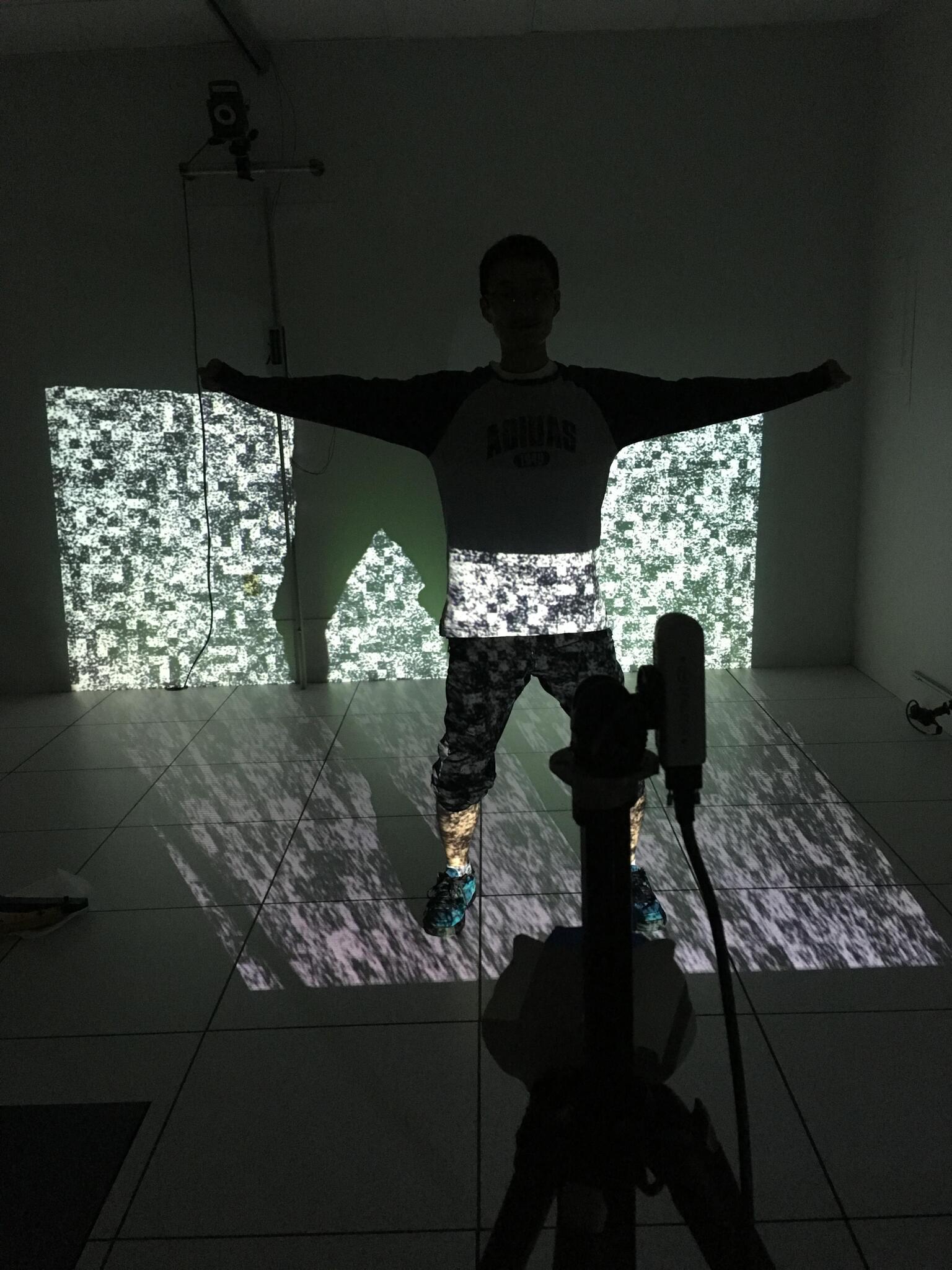
If you need to extend range then an external projector can be used, like in the image below of a RealSense user with an external projector. The built-in projector of the 400 Series cameras may be sufficient for your project though if the observed subject is at short range from the camera.
-
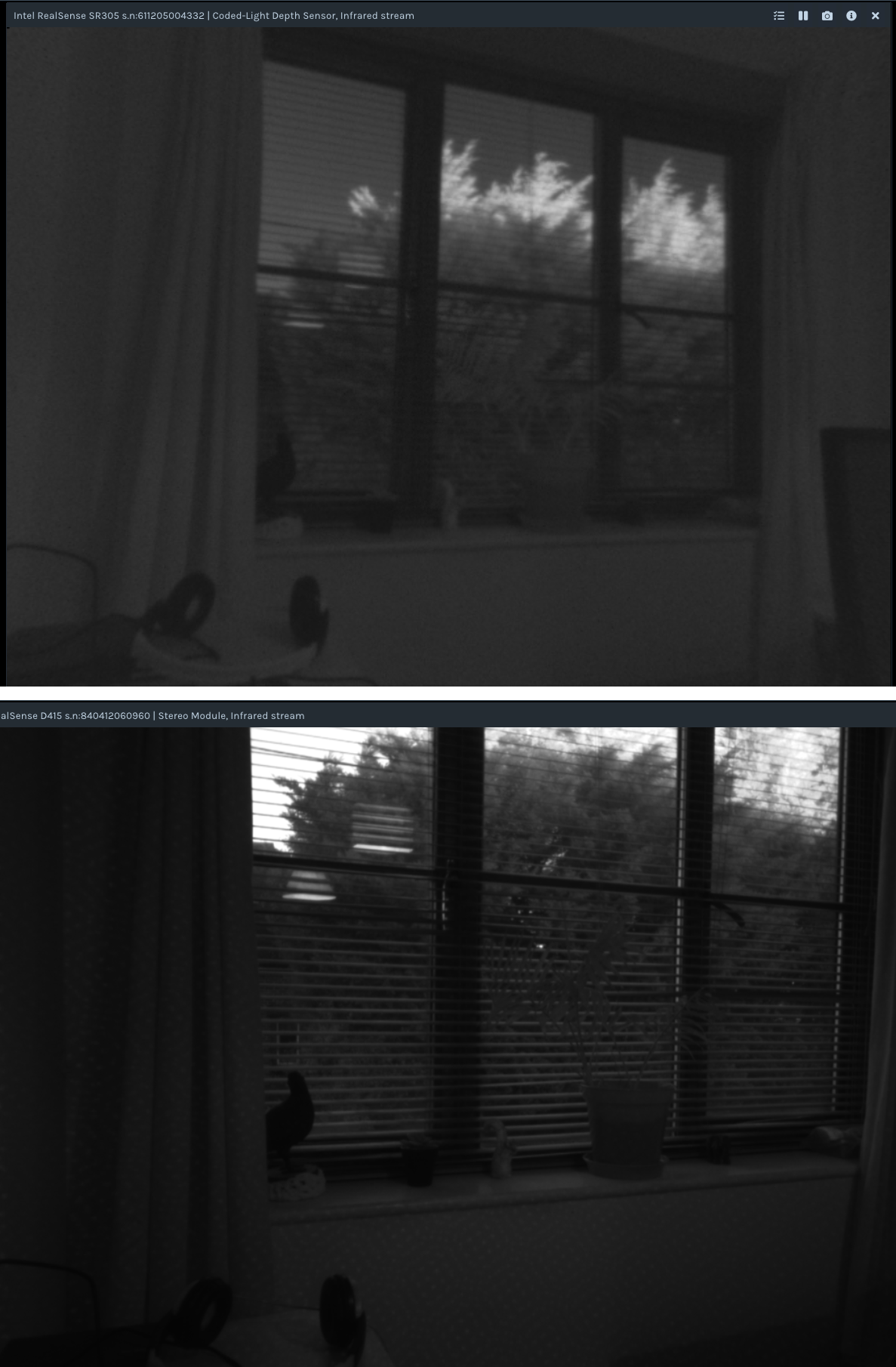
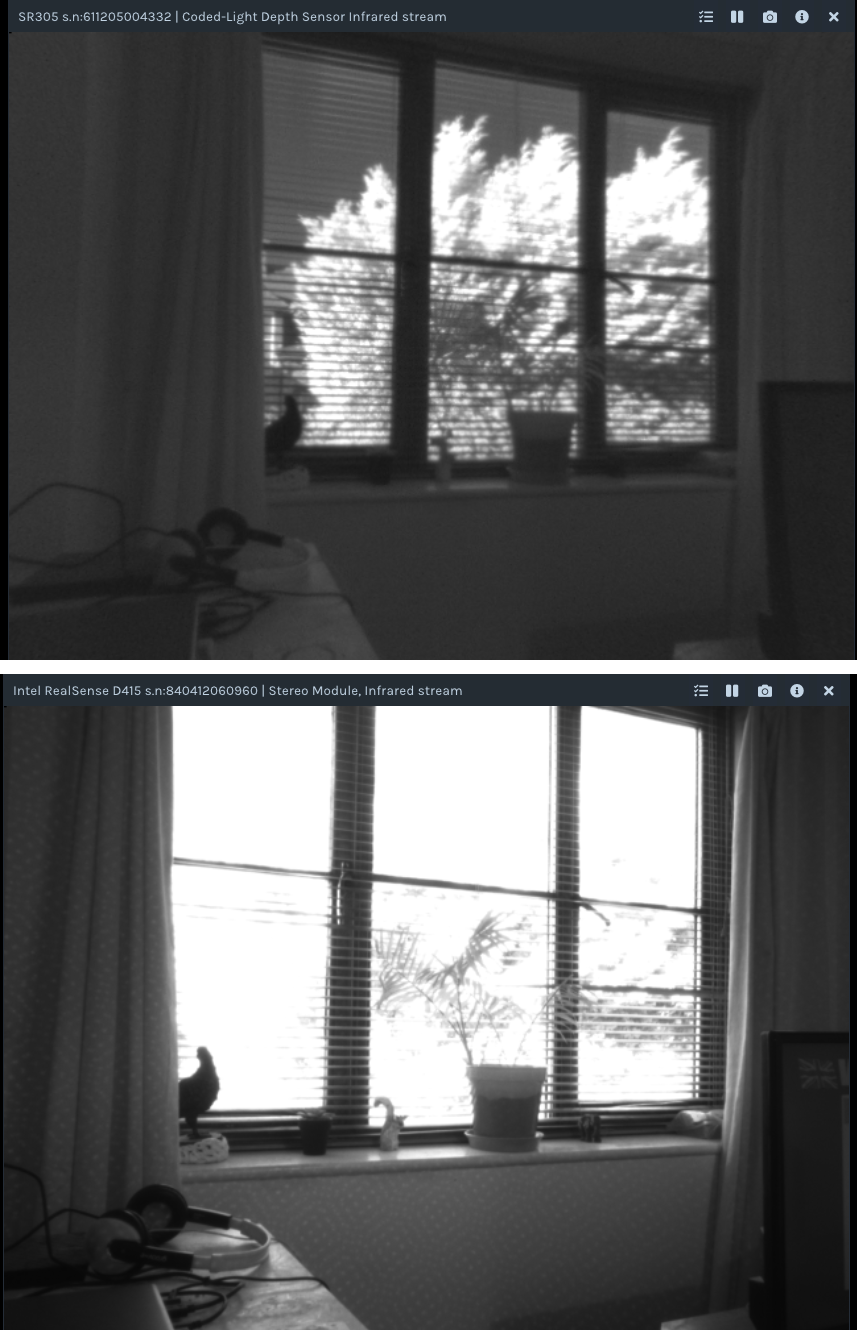
For comparison, I just captured infrared images from an SR300 (upper image, 640x480) and D415 (lower image, 1280x720) in dimly lit early-morning conditions (7.30 am in November). The 400 Series cameras can work in <1 lux lighting conditions, whilst the SR30x cameras can work in 0 lux. The distance from camera to window in these images is about 2 meters.
-
Thank you Marty :)
This is somehow the thing we wanted to see, a comparison of IR stream quality between sr300 and D4xx.
But this comparison is not fair. Would you please try same condition (weather, time, distance), same resolution but different cameras (sr300 and D4xx)?
We prefer daylight condition for this comparison.
-
Hello Marty,
Hope you are fine.
Finally we received our D435i.
1) we want to record/save the streams as pm4 not bag. Is there a way to do so?
For our previous experiments with SR300 we simply recorded the screen but it won't be a good choice for our future experiments. we need to directly save the data into any video format not bag files. I checked the link below:
https://github.com/IntelRealSense/librealsense/issues/6841
But I did not get a clear answer.
2) we used the same SDK for D435 (SDK which we previously installed for SR300). the IR stream of D435 is a bit strange, there are some scattered dots on the view (you can see them even in the above photo). Is it normal? How we can eliminate them, we want clean IR stream.
Thanks,
Leila
-
Hi Leila, welcome back!
The dots on the infrared view are generated by the IR emitter of the projector on the D435i camera. The projector casts a pattern of semi-random dots onto the scene observed by the camera. The camera can then use the dots on surfaces as a texture source to analyze for depth detail.
Whilst reducing the visibility of the dots (by reducing the Laser Power value or turning off the laser) can reduce the detail on the depth stream, in your particular IR-based project that does not require the depth stream, this should not be a problem.
I note from earlier in this case that you prefer to use Python. You can disable the emitter in Python by setting rs.option.emitter_enabled to a value of '0' (off). Some example code for doing so is provided in the link below.
If you wish to record mp4 video instead of a bag, you can make camera data accessible to standard Linux tools by buildng librealsense in v4l2 backend mode.
https://github.com/IntelRealSense/librealsense/issues/6841#issuecomment-660859774
Alternatively, there is a Python script in the link below for saving streams directly in .avi video format. It is for RGB and depth streams, though you may be able to adapt the script for the infrared stream if you need to do so.
-
Thank you for the links.
Regarding those scattered dots:
I remember from our previous talk when we asked about how we can increase the range and the quality of the IR stream of the SR300, and you suggested to increase the laser power to the max.
I know that SR300 and D435 methods of finding depth is a bit different, but to eliminate those dots turning off the laser power, would effect not only the depth stream (which we don't care) also it effects the IR stream in night/darkness.
Max and Zero laser power of D435 in daylight:
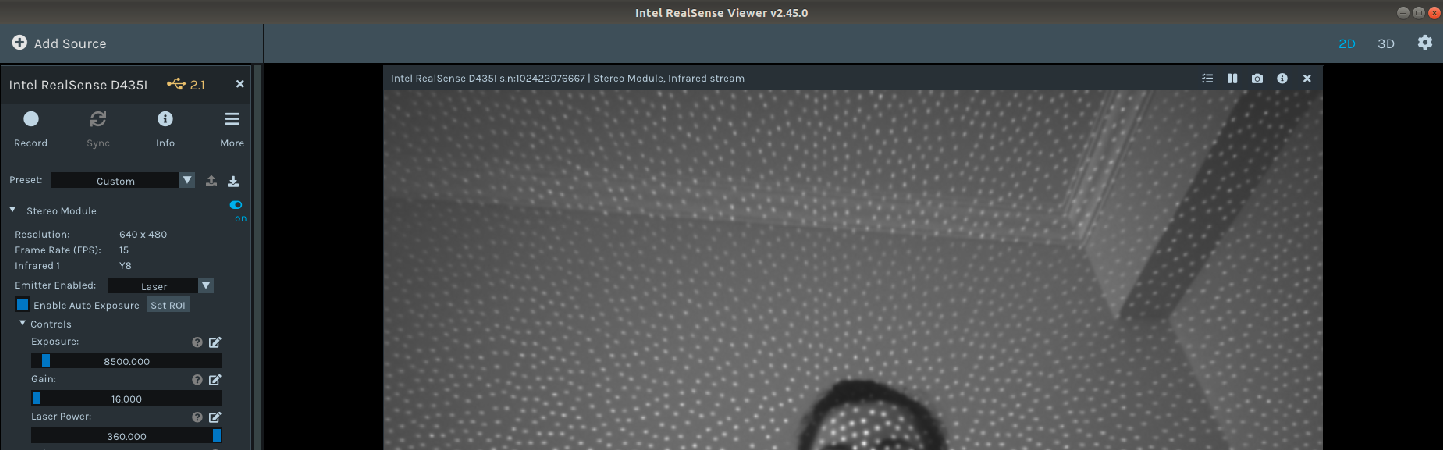
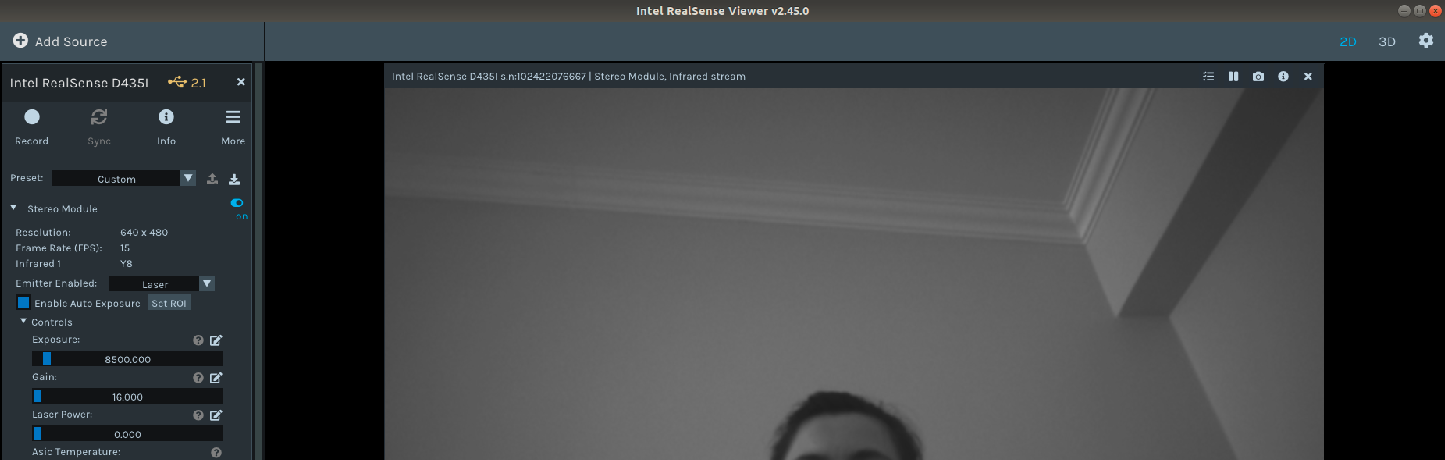
Max and Zero in darkness:
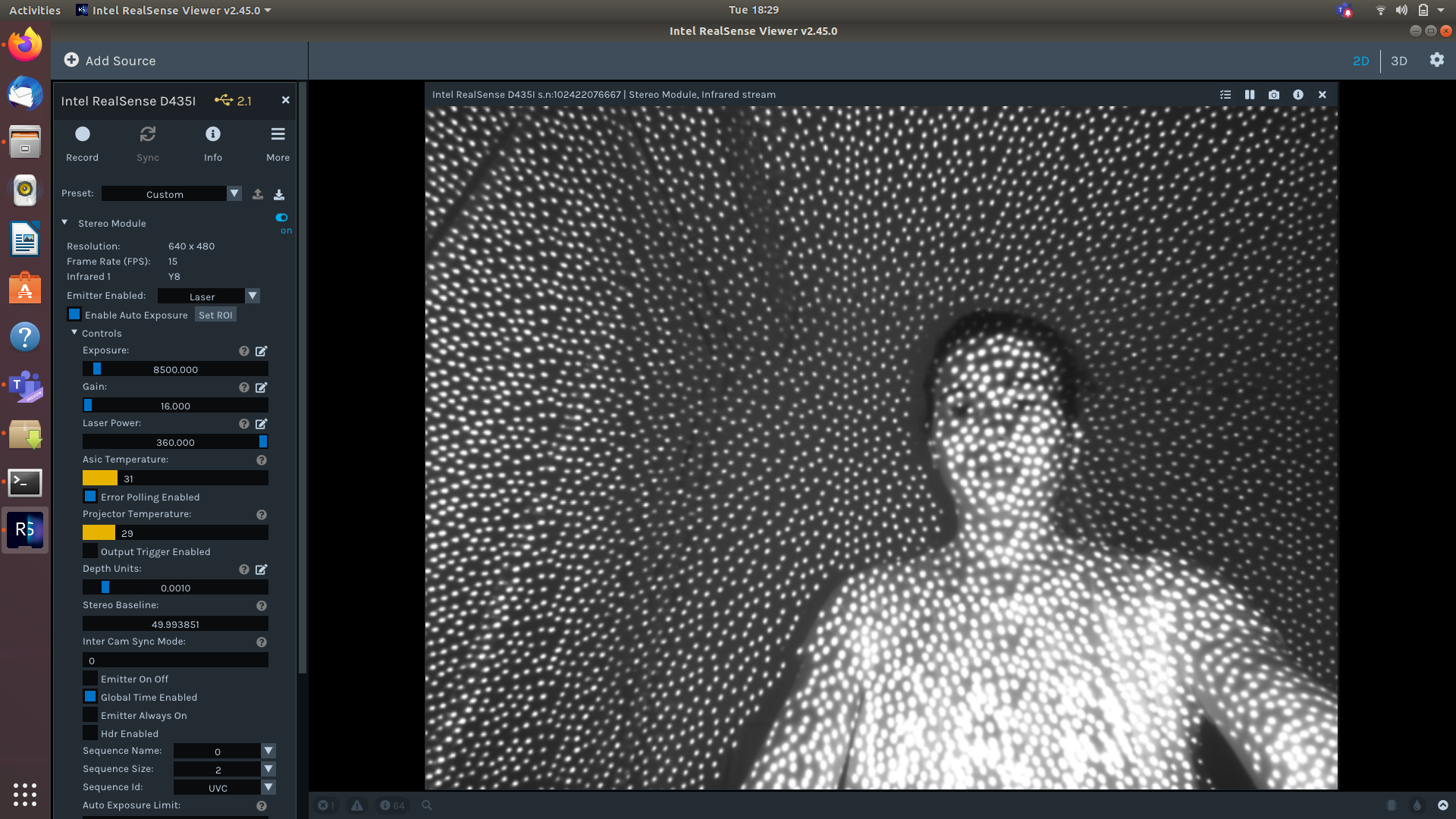
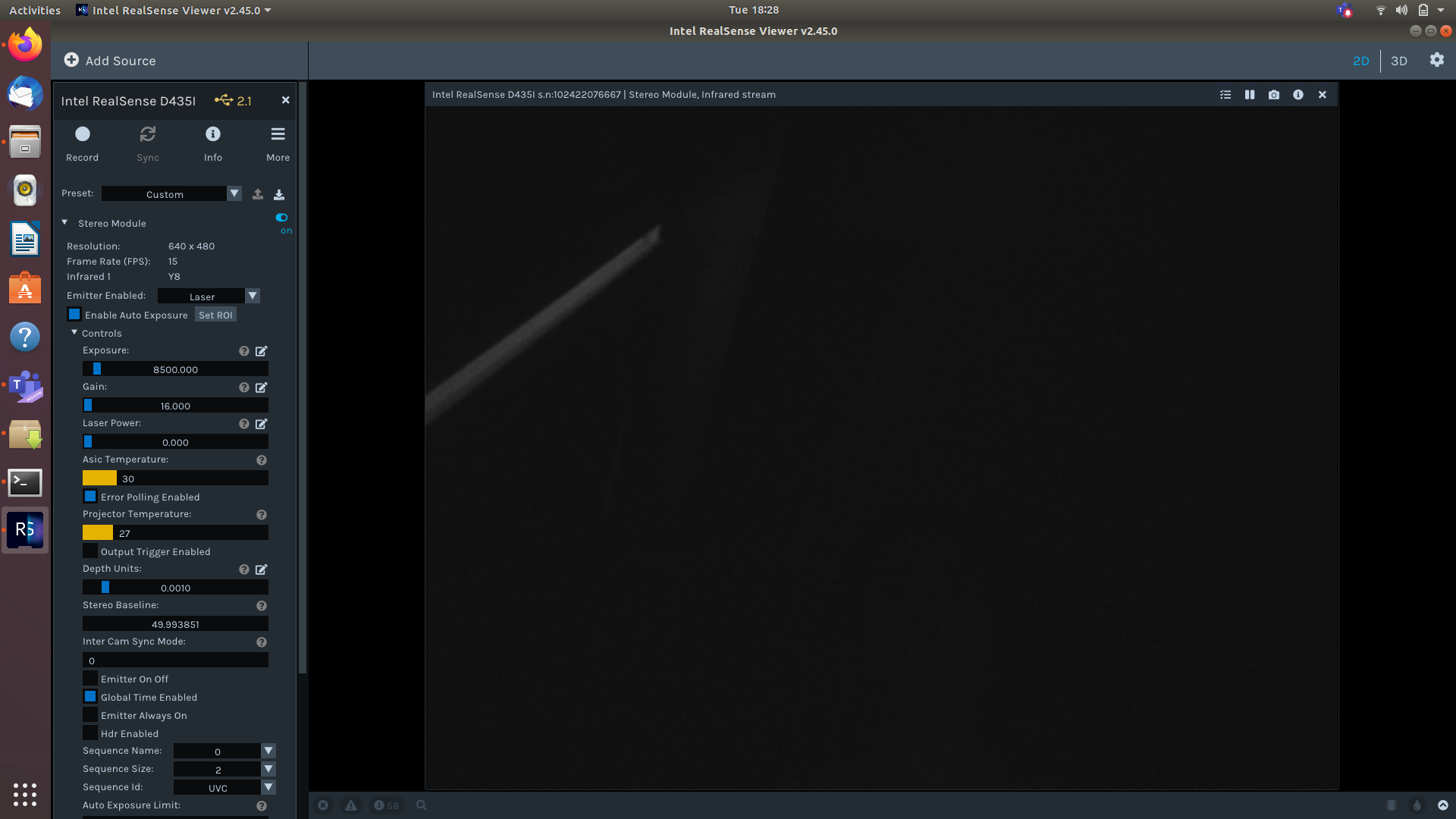
Is there any other way to get rid of those dots without loosing range and quality of IR?
Thx
-
One possibility for using maximum laser power without having dots on the image would be to enable the Emitter On Off mode, which rapidly alternates the dot pattern on and off, and only capture the Off frames. I have seen a couple of cases where RealSense 400 Series users have done this. It would have to be programmed in a script though using the instruction RS2_OPTION_EMITTER_ON_OFF as the Viewer does not support selectively capturing only the frames when the emitter is in the Off state.
Another possibility would be to mount a small IR illuminator lamp adjacent to the camera to provide an external IR light source for the camera instead of the internal projector.
https://github.com/IntelRealSense/librealsense/issues/2000
This would be an additional component cost to the project though, plus the added complexity of integrating that component into the project.
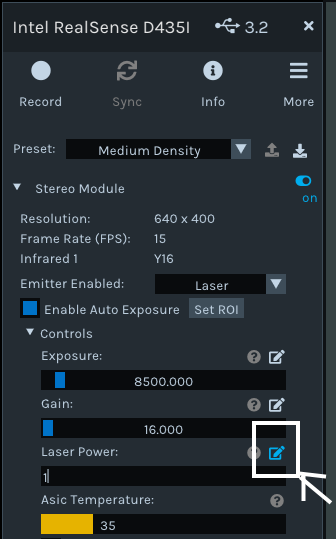
I note though that you have set Laser Power to '0'. Doing so turns off the projector completely. Could you test please the quality of IR image that you can receive when the Laser Power is '1', which will make the dot pattern invisible but keep the projector on? In the Viewer, you can manually enter '1' with the keyboard as the laser power by left-clicking on the pencil icon at the end of the Laser Power option.
-
Hello Marty,
I have two questions, One regarding the second screenshot from my previous message, the other about external IR illumination.
1)
In my previous message, I sent you the comparison between daylight and darkness.
We know that IR is a type of garyscale, but they have some differences in appearance and gray shades(?).
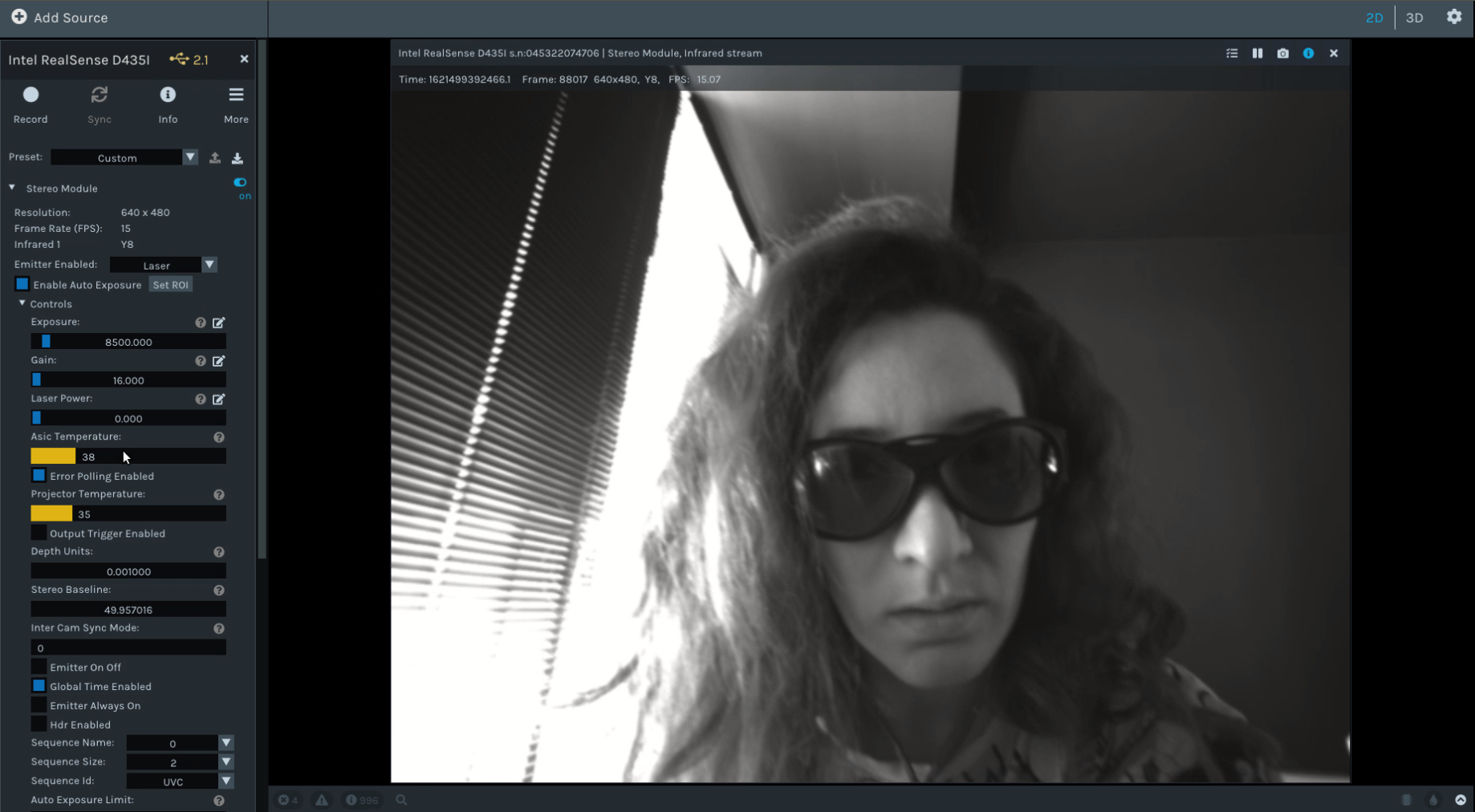
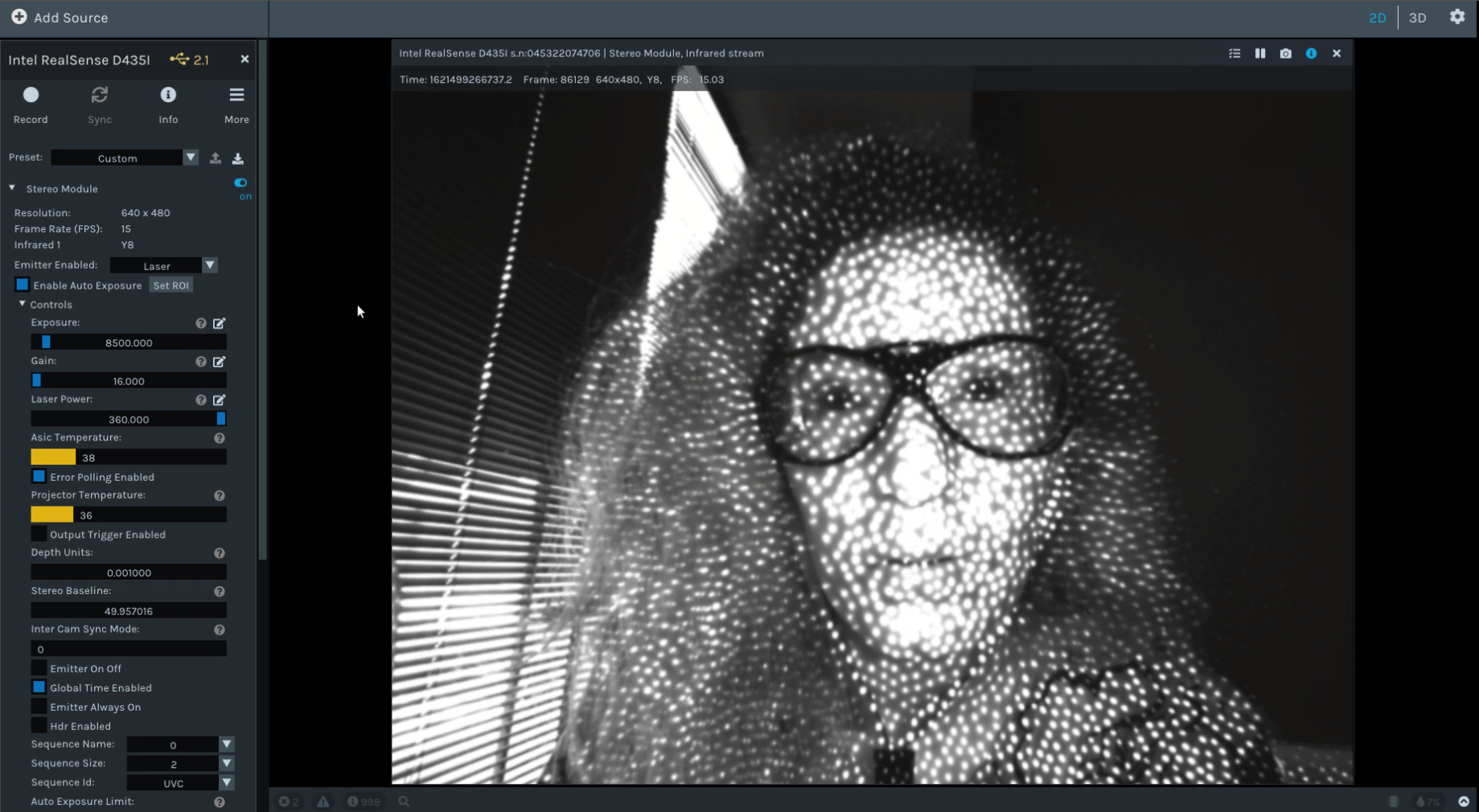
I got confused about the nature of that stream. When I turn off the laser power it means I turned off the IR, right? because it won' work in darkness anymore. but it still gives me stream it daylight, what is that stream?
If there is no IR anymore, why in daylight I can have stream? Is that normal grayscale stream? If yes, where it comes from?
If it is IR, Why it is different from other IR streams I saw so far? why in that stream the sunglasses won't be transparent anymore? (when the laser power is on/max, it makes the sunglasses transparent)
Below screenshots are in zero laser power and max laser power wearing sunglasses.
2)
would you please help us through finding a suitable external IR illumination which will be suitable for realsense cameras (SR300 and D435i), Does Intel have such these products?
Thank you
-
1. When the laser is turned off, its IR light-source and projected dot pattern cease but the IR stream continues streaming frames, because the IR sensor and the projector are separate hardware components inside the camera.
When the camera in placed in a dark area, turning off the projector can cause the IR image to go dark, whereas in low to medium light the scene is still visible. RealSense 400 Series cameras are not reliant only on the IR emitter and its dot pattern and can also make use of ambient light in the scene.
The projector's light-source is most intense at close range to the camera lenses, as demonstrated in your sunglasses image.
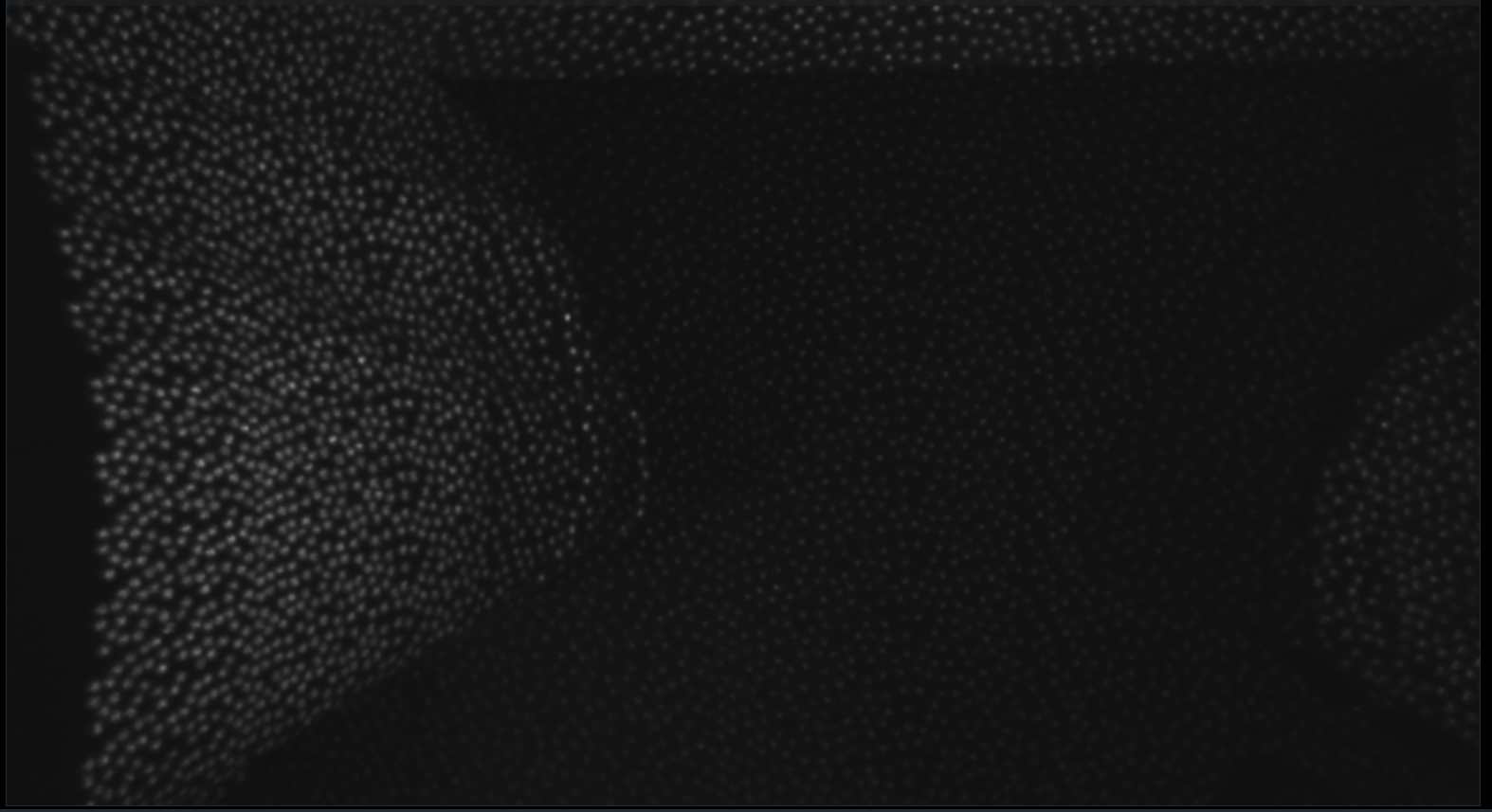
The images below (taken at 8 am in a dimly lit room) compare the camera under a desk with laser on / off, and above desk with laser on / off.
BELOW DESK
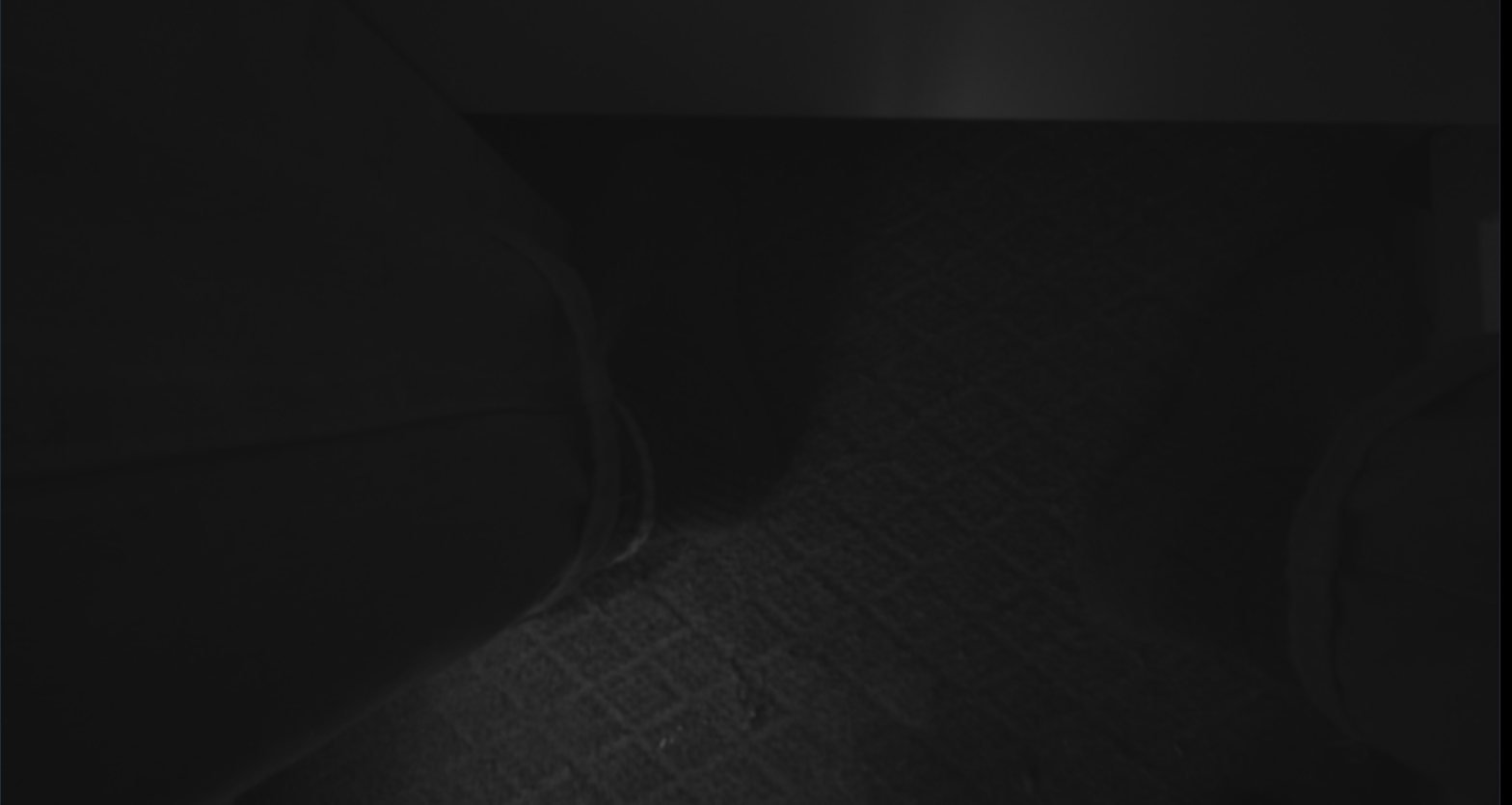
ABOVE DESK
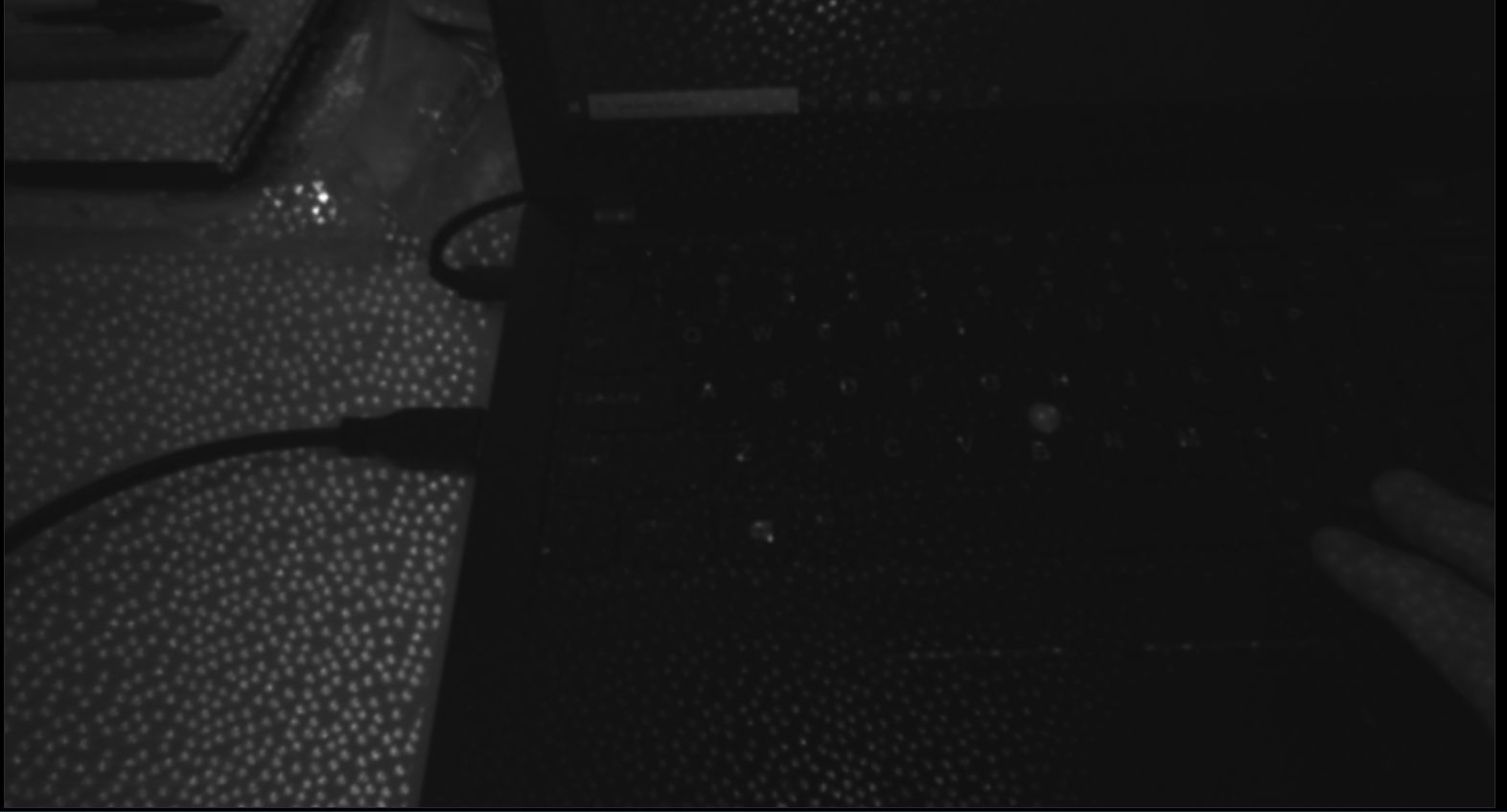
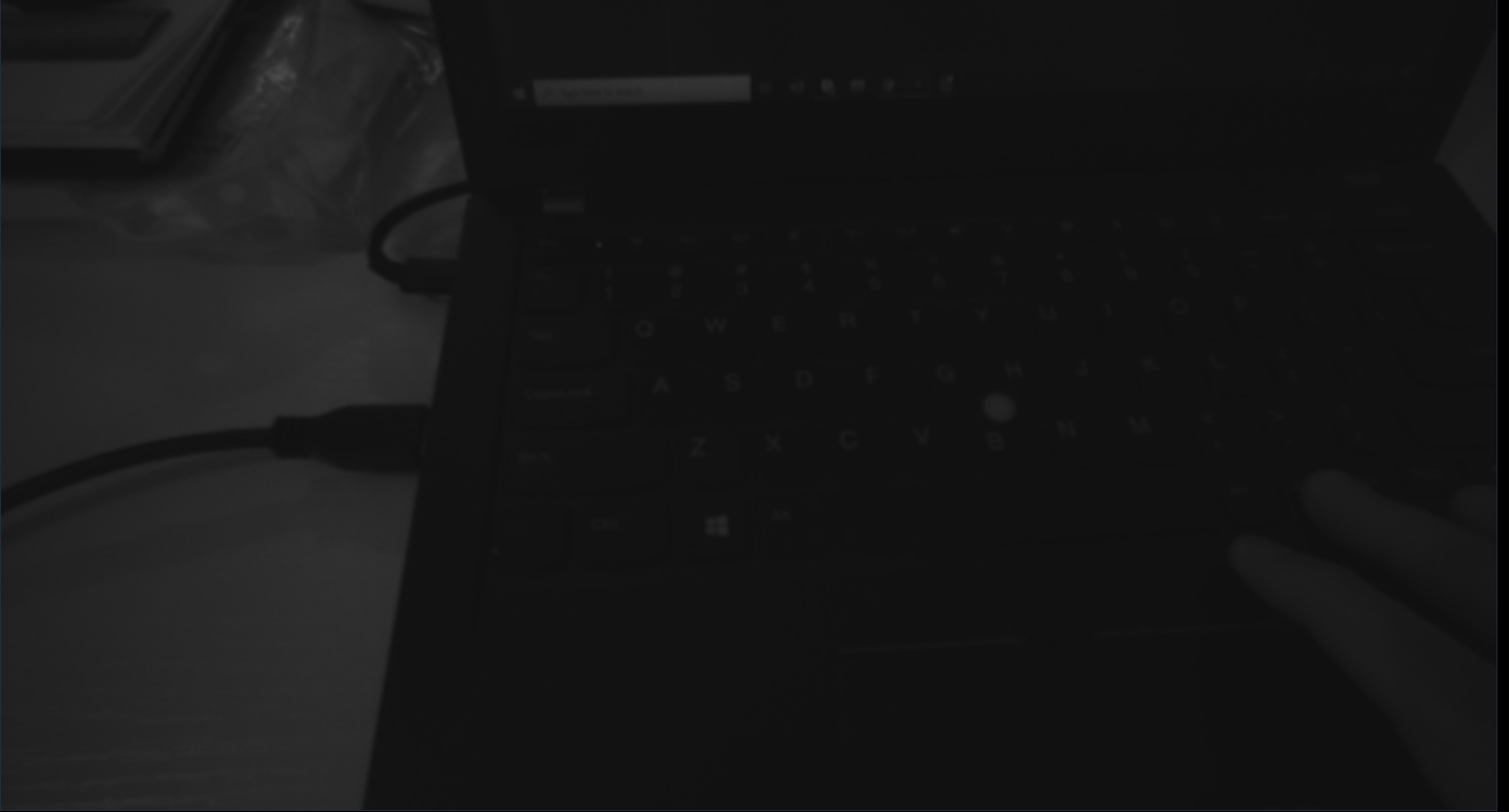
2. Intel do not provide recommendations for an IR illuminator. The Chief Technical Officer of the RealSense Group at Intel (agrunnet) has said that any IR light source can be used.
https://github.com/IntelRealSense/librealsense/issues/2000#issuecomment-402343737
You could research products by googling for the search term ir illuminator VCSEL though agrunnet states that the IR light source does not need to be VCSEL.
I would not expect an IR illuminator to affect an SR300 in the same way that it affects a 400 Series camera though, as the SR300 is a different camera technology from the 400 Series (SR300 = Coded Light, 400 Series = Stereo Depth). A video on the official RealSense YouTube channel explains about Coded Light technology.
https://www.youtube.com/watch?v=PluL7WTlKrM
Also bear in mind that, as mentioned at the beginning of this discussion, the SR300 and SR305 can operate in zero 'lux' illumination (darkness).
-
1) Yes the IR stream continues streaming frames (the camera still works) but doesn't behave like usual IR. With my partial knowledge IR should transparent sunglasses (940nm) and work in darkness (giving clear output). But it doesn't. When we turn of the projector, of course IR sensor won't receive any reflection/wave/beam. Isn't it?
The main concern is to be able to make sunglasses transparent via D435i without those scattered dots.
2) Thank you for the links and explanation.
Yes the external illumination doesn't have same impact on these cameras, we test this issue with other device's IR LED and saw different results on D435i and SR300.
-
Whilst the 400 Series cameras can work with 940 nm, there is reduced sensitivity compared to 850 nm.
https://github.com/IntelRealSense/librealsense/issues/3370#issuecomment-469287137
Turning off the laser does not prevent the IR sensor of the 400 Series cameras from streaming. Unless there is a light source in the scene for the camera to make use of if the projector is off then the IR image of a 400 Series camera will likely go dark in a low-light / unlit location (though still be streaming).
-
Hi Lghasemz I am well, thank you. :)
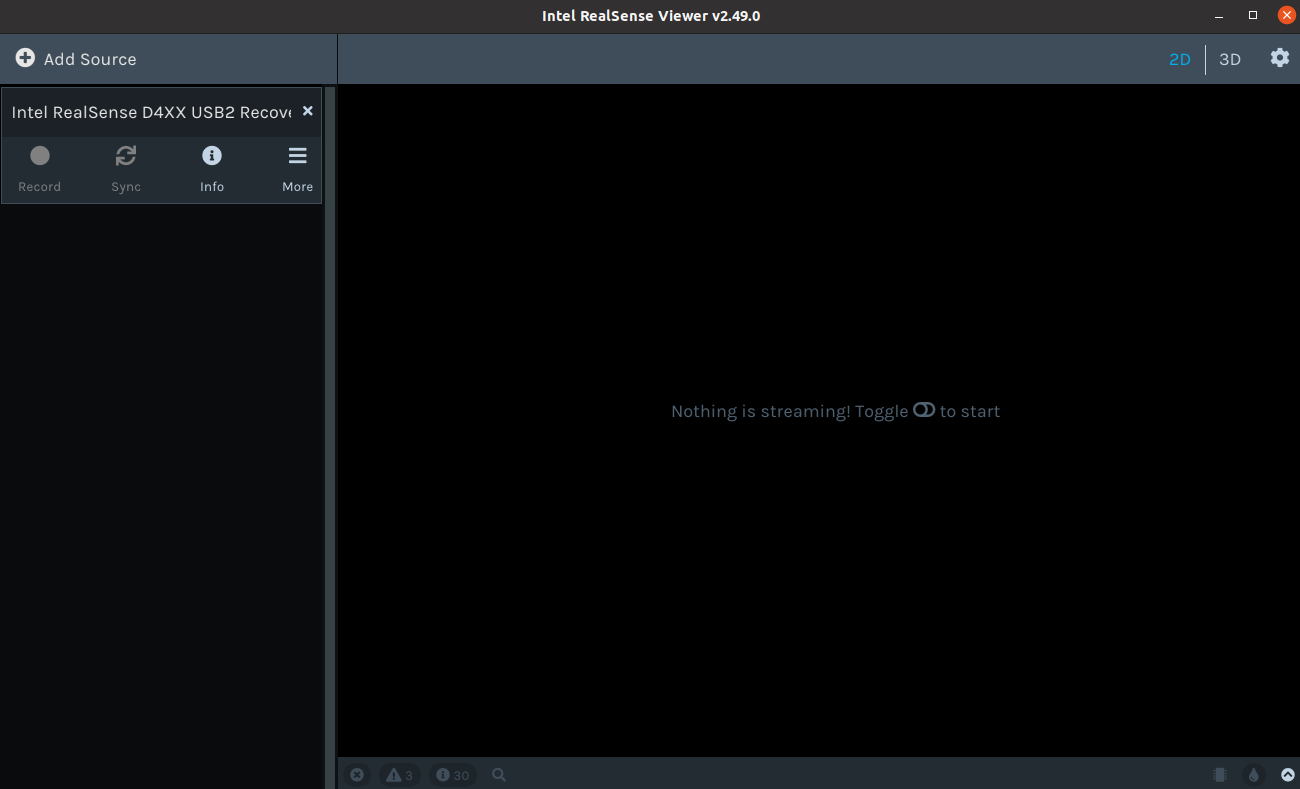
As indicated by your kindly provided image, your camera is in Recovery Mode, suggesting that something went wrong during your firmware update such as the process being interrupted before completion. If you go to the More option in the Viewer side-panel, is the option Update Firmware available to select?
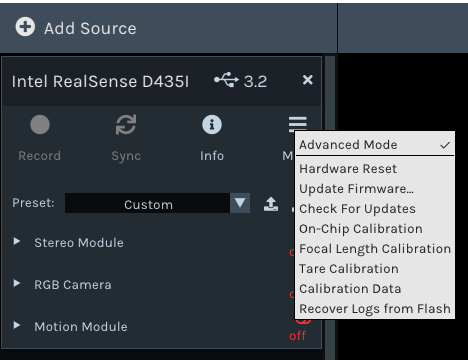
If the option is available then please visit the RealSense firmware releases page at the link below and download the file Signed_Image_UVC_5_12_15_50.bin (the recommended firmware for the SDK version 2.49.0 that you are using).
https://dev.intelrealsense.com/docs/firmware-releases#section-d400-series-firmware-downloads
Once the firmware is downloaded, click on the Update Firmware menu option in the Viewer and a file selection window will pop up. Navigate to the firmware .bin file that you just downloaded and select it. The camera should then hopefully begin automatically updating the firmware and result in normal operation of the camera being restored.
-
Hello Marty,
I had read somewhere in an official document regarding the Infrared impacts to human, but I cannot remember the source and the conclusion.
1) In general, is Infrared dangerous for human health? How about the IR technology used in both SR300 and D435i?
2) If yes, How can we reduce this negative impact?
3) Does the Harm increase when the distance of human to the source of illumination decrease? If yes, how much and how?
Thank you
-
1. RealSense cameras are a Class 1 laser device that is not harmful to human health, including the eyes, face and pregnancy. The RealSense range has extensive safety certification that can be found at the link below.
https://www.intelrealsense.com/regulatory-information/
The section of Intel's white-paper document about projectors in relation to the 400 Series cameras that is linked to below - which covers both the in-built projector of a camera and higher-power external projectors - describes how laser power level and its eye safety is related to the range of the projector.
https://dev.intelrealsense.com/docs/projectors#section-4-increasing-range
2. As described above, Class 1 devices are not hazardous to human health. As your application is a close-range one, an external projector would also not be being used and so there is not a danger of an external projector with a higher power output increasing health risk.
3. Exposure to a Class 1 laser should not cause injury, whatever the distance.
-
Thank you very much,
2) we purchased D435i but can not use it in our project since it produces dots on the stream (we have discussed this issue previously), so assume that we use the SR300, and the laser capability/power/range is not enough for our case and we decide to use an extra external illuminator accompany with the SR300. will this external illuminator harm the human?
4) what do you mean by close-range? you mean these cameras can handle close range distances since the laser power is suitable for that distance?
5) if we separate the camera and illuminators to different places, like the distance between camera and human face is 150cm and the distance between illuminator and human face is 50cm, can we get more clear streams with higher quality? I have tested it in a rough experiment, it seems that as we make the illuminator closer to the object the stream we get from the camera gets more clear (not pretty sure).
-
2. There are Class 1 infrared illuminators available, which you can find by googling for the term infrared illuminator class 1 safe
4. I mean the relatively close range distance between the human and the position in front of them where you plan to mount the camera.
5. The technology of the SR300 camera model will put a limit on how much improvement can be achieved compared to a more modern RealSense model such as the 400 Series. I would think that the closer that the illuminator is mounted to the human face then the lower the power output from the illuminator that will be required to reach the face and illuminate it.
I do not have any references about use of external projectors or IR illuminators with the SR300 model to be able to offer certain advice on that subject, so I would recommend performing your own tests as you have already been doing.
-
5) that is correct about power output but as the last question: from question 5 I meant, If we put the camera in a constant location (150cm from the object), and put the external illuminator nearer (50cm to the object; meaning that we bring the external illuminator closer to object than its previous location, which was next to the camera), the face will be more illuminated (the output of the camera gives more clear stream of the object/face). is that correct? since I have only one SR300 I can not test it correctly. If you have more than one camera at hand, I would really appreciate if you could test it :)
Scenario: for example, there are two SR300 or any other similar cameras (C1 and C2), I put the C1 in the distance of 150cm from the face and using the viewer I observe the output stream (laser power of the C1 is default or medium). Now I put the C2 in the distance of 50cm to my face (with the same laser power as C1) and check the output stream of C1 via viewer. Is there any difference between the quality of the output streams of C1 from the previous condition? Does the face receive more illumination and as the result does the face become more clear?
Here actually we used C2 as an extra external illuminator for C1.
I have tested this scenario with one SR300 and one D435i, and since their IR technology is a bit different I can not fairly conclude.
Thank you so much
Please sign in to leave a comment.
Comments
56 comments