Preset change in Unity and optimizing it for near distances (hand)
Hi ..Realsense Community,
I'm rendering a pointcloud same as in the example, in a unity scene and the D435i is head mounted.
I want to optimize it for hand ... near distance... reduce noise
How to change the preset .. ?
How to open device inspector ?
-
Only one custom preset (json) can be used at a time. So although you can create your own preset, if you have multiple priorities then you will have to balance the values, negatively impacting some configuration properties in favor of improving others.
If you use the Hand custom preset then you may be able to get the benefits of near-range detection and hand tracking in a single pre-made preset without having to edit it or create your own.
https://github.com/IntelRealSense/librealsense/wiki/D400-Series-Visual-Presets#preset-table
You could reduce noise using post-processing filters instead of doing so through the preset file. Guidance for using post-processing in the RealSense Unity wrapper is offered here:
https://github.com/IntelRealSense/librealsense/issues/1898
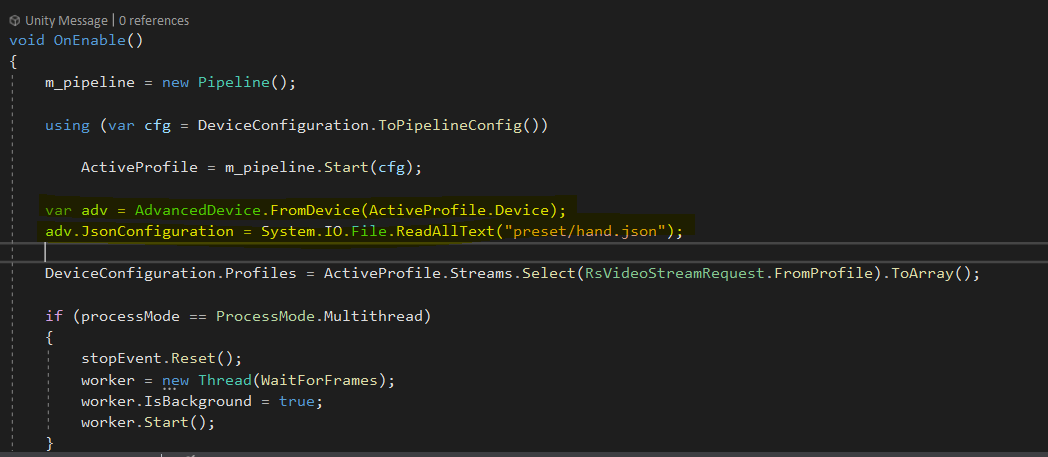
C# code for loading a preset file offered here:
https://github.com/IntelRealSense/librealsense/issues/2854#issuecomment-444803962
-
Thanks a lot MartyG
I updated this to the RsDevice code ... and it works fine
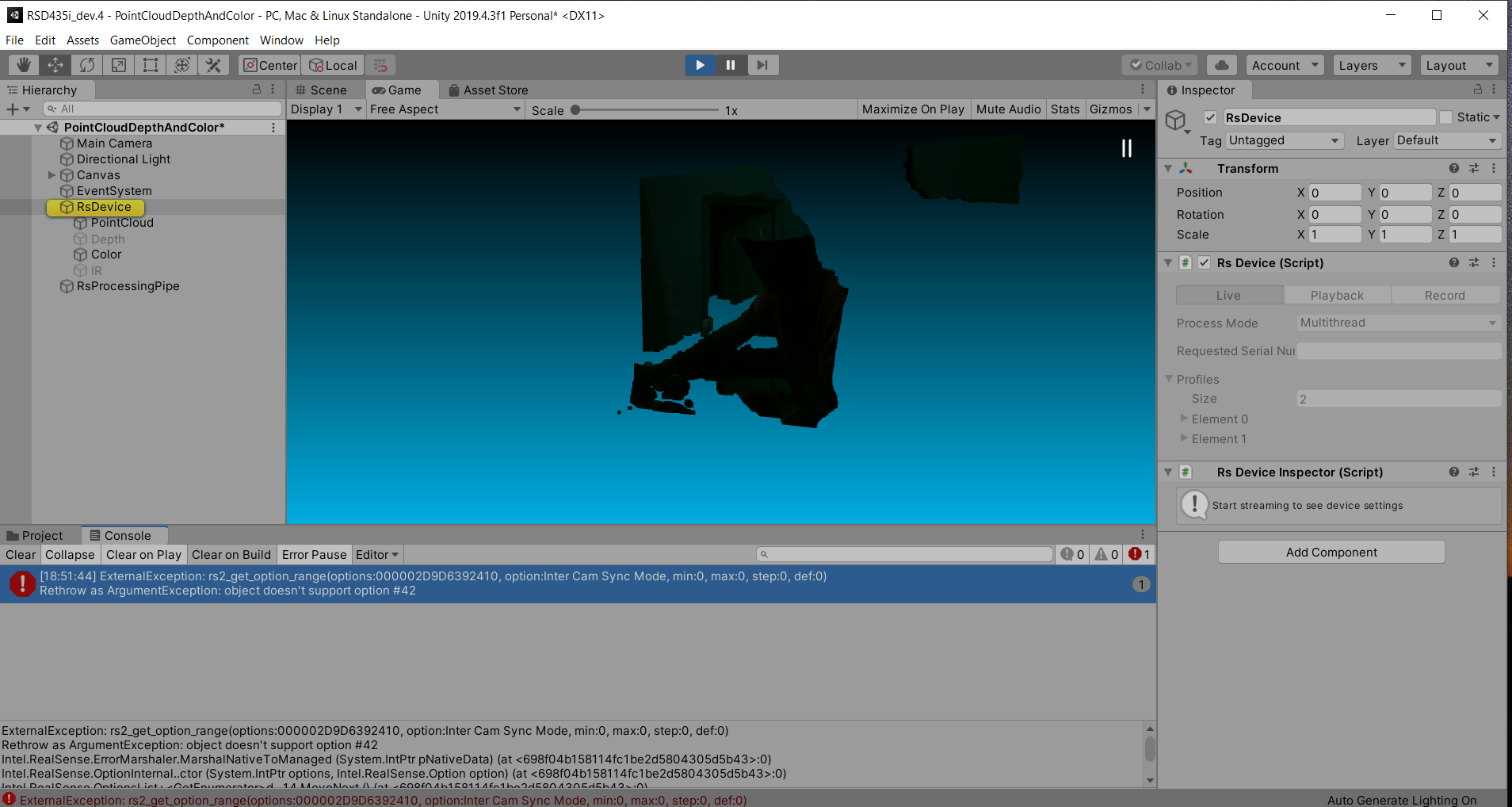
Also i'm trying to open RsDeviceInspector script by adding it to the RsDevice prefab, but this error is thrown

any help regarding this ?
-
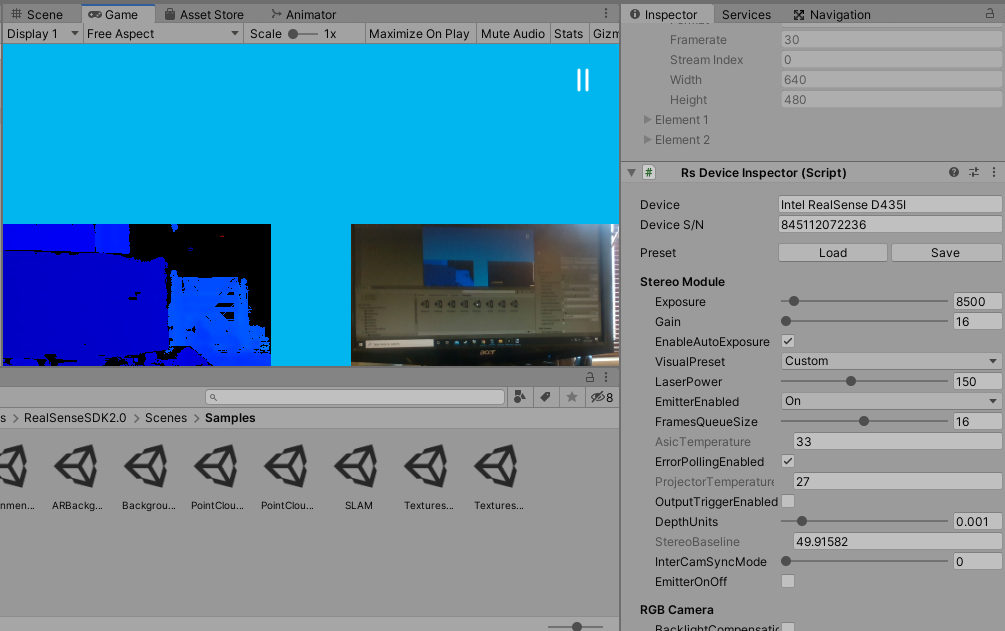
To run some tests, I installed the RealSense Unity wrapper on my computer in a new project with nothing else in it using realsense.unitypackage. I then browsed to the RealSenseSDK2.0 > Scenes > Samples folder and loaded the example TexturesDepthAndColor scene.
After running it with a RealSense camera attached to confirm that it worked, I went to the RsDevice object in the Hierarchy panel to bring up its details in the Inspector, including the RsDevice script.
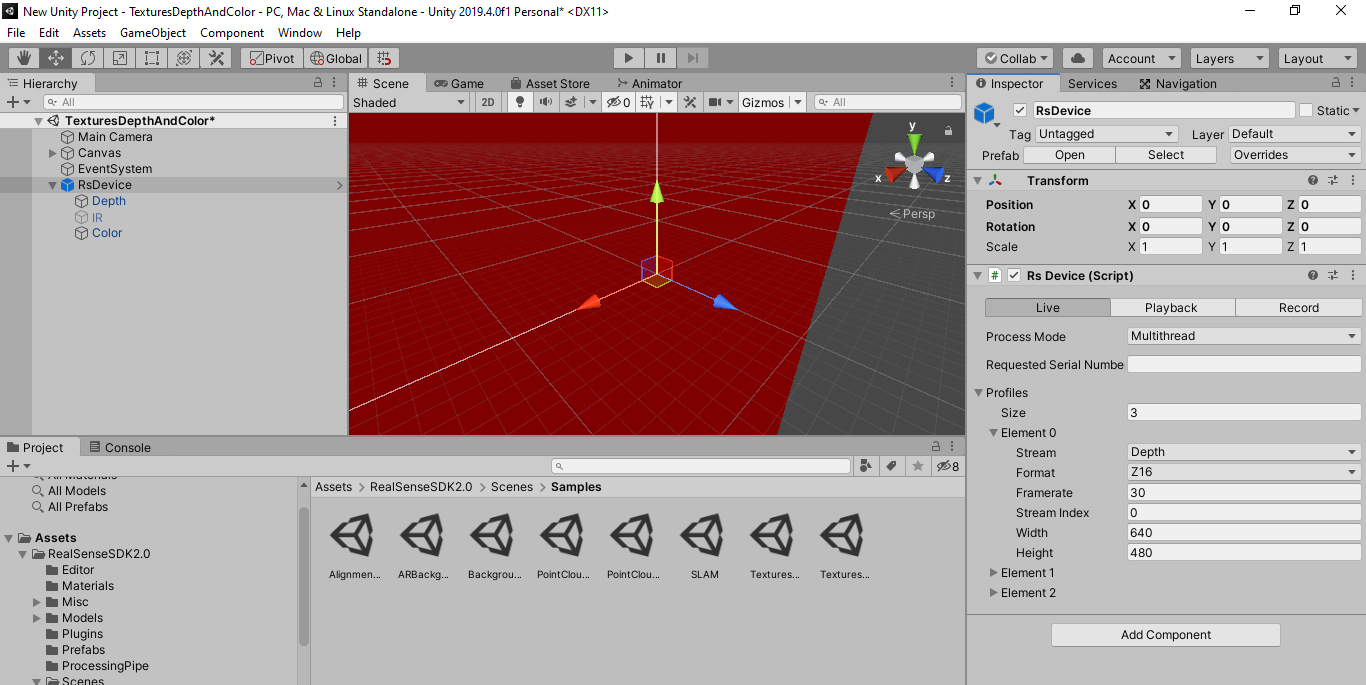
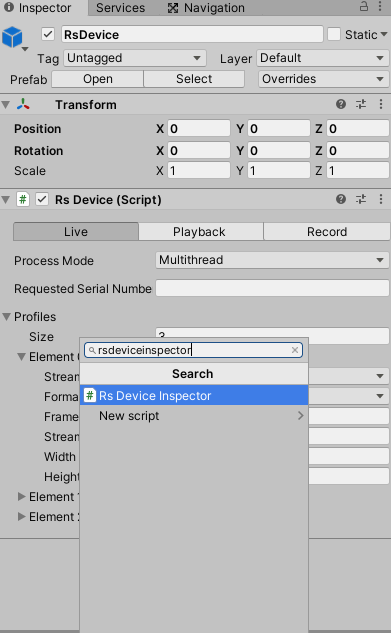
Next, I manually added the RsDeviceInspector script to the RsDevice object in the hierarchy (not the prefab version in Assets) by going to the Add Component button at the bottom of the Inspector panel, selecting the Scripts menu option and putting rsdeviceinspector in the search box. The script was then added to the RsDevice object by left-clicking on RsDeviceInspector in the search results.
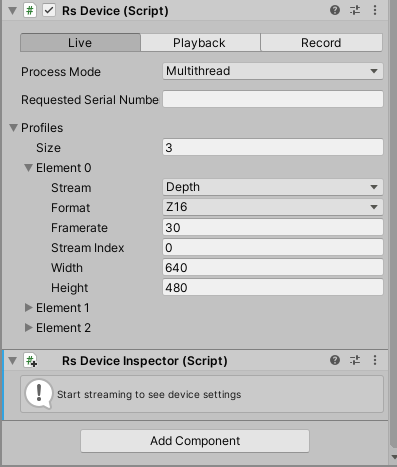
When the program is run, the options of RsDeviceInspector should then be accessible during runtime.
-
thanks a lot MartyG for replicating the unity scene
I too did the same with the same example now ..
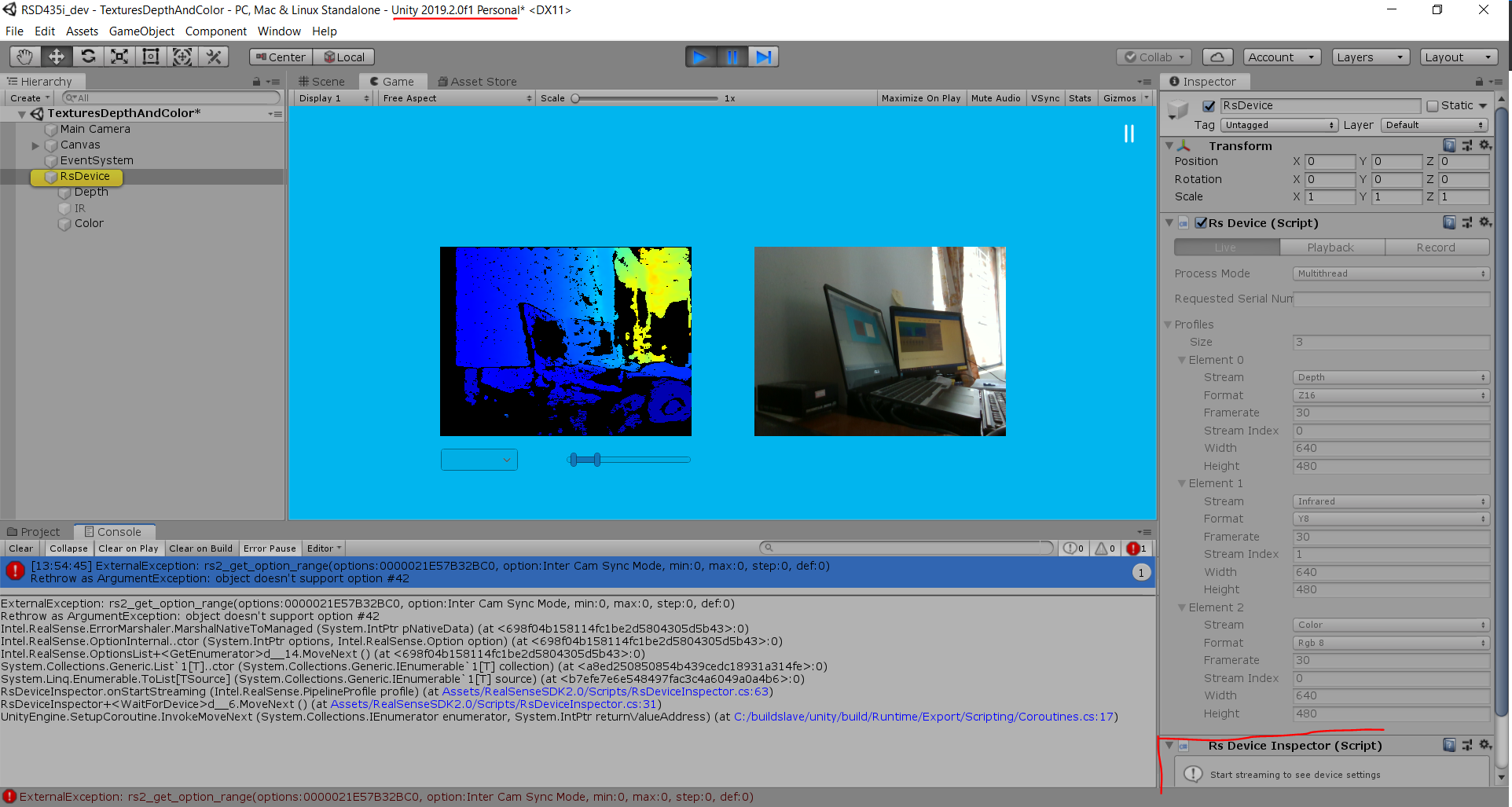
But still facing error ........ initial frames come but after that it gets freezed
-
It looks as though it is crashing before RsDeviceInspector even has the opportunity to collect information. Is there any difference if you change the Process Mode menu drop-down from Multithread to Unity Thread ?
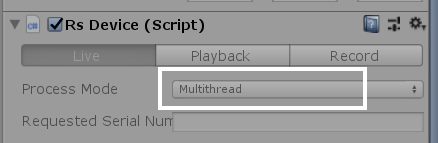
And do you have only one RealSense camera attached to the computer, or multiple cameras?
-
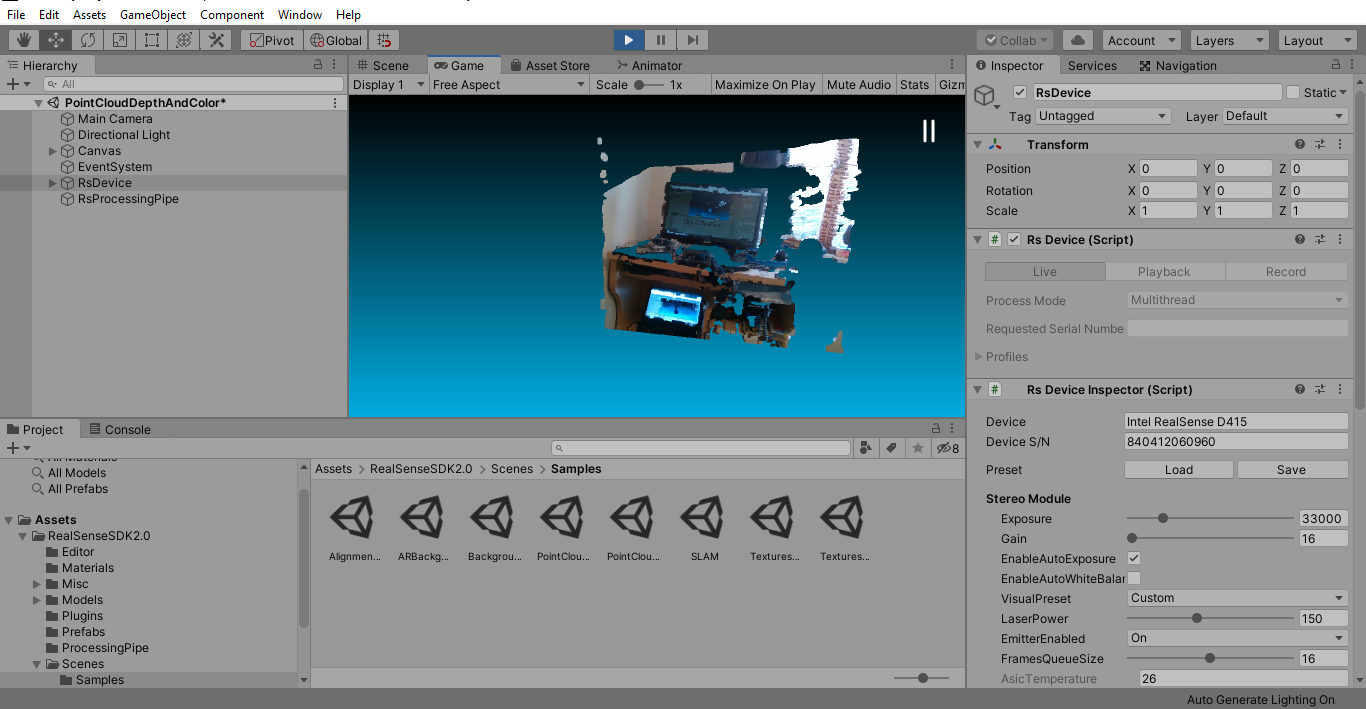
I tried running the PointCloudDepthAndColor example that you highlighted in the GitHub version of your question and similarly had no problems after adding RsDeviceInspector and running the program. I tested it with both a D415 and D435i.
The steps I took to set it up were:
1. Create a new Unity project with the '3d' project template.
2. Go to the Assets > Import > Import Custom Package Unity menu option and select the realsense.unitypackage file to import RealSense into Unity.
3. Go to the Assets > RealSenseSDK2.0 > Scenes > Samples folder in the Assets panel and load the PointCloudDepthAndColor example project.
4. Left-click on the RsDevice object in the left-hand Hierarchy panel and add the RsDeviceInspector script.
5. Plug a RealSense camera in if it is not plugged in already.
6. Run the program.
-
Is the RsDeviceInspector vital to your project, please? If the project involves hand tracking via a head-mounted D435i, and the RsDeviceInspector options are only accessible in the Unity editor's inspector during editor test runtime (and not in full Build and Run mode), then it may not be of practical use.
-
Yes it will not be of any use when built.
I thought may be it will be use full for tuning ...while in editor play mode .
For now i will go with advanced.profile scripting in the RsDevice script.
I have a query, can you correct me if I'm wrong in the statements
1. The loaded JSON script changes the operation settings in the D4 vision processor on board
2. The post processing filters are computed on the computer PC
-
Post-processing changes will be processed on the computer.
I believe that as json features are related to the camera's Advanced Mode, the camera hardware would handle them (the camera depth module board's ASIC, not the Vision Processor D4).
The inside of the camera has two separate circuit boards with an interconnector between them - the Depth Module camera board and the Vision Processor D4 Board.
The PDF in the link below describes the functions that the Vision Processor D4 performs.
The link below describes Advanced Mode.
https://dev.intelrealsense.com/docs/intel-realsense-d400-advanced-mode
-
Thanks a lot MartyX Grover
I have a Non-technical question. I'm interested in Pre Ordering in D455
I'm from India and should I preorder from IntelRS store ?
or from mouser india store ?
https://www.mouser.in/ProductDetail/Intel/82635DSD455?qs=sPbYRqrBIVkW8YqcWqMK9g%3D%3D
Please sign in to leave a comment.
Comments
14 comments