Strange depth artifacts on box edges
Hello!
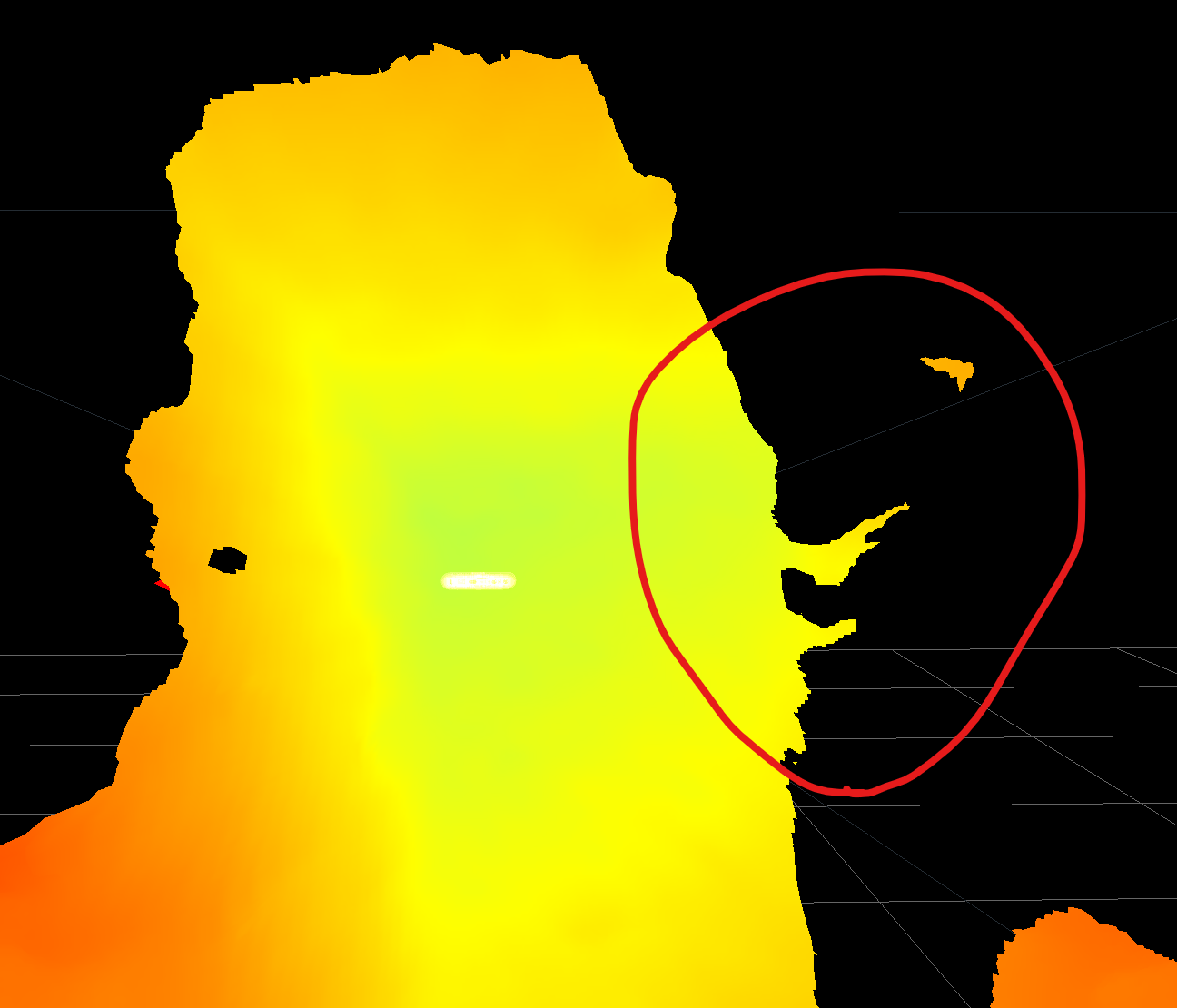
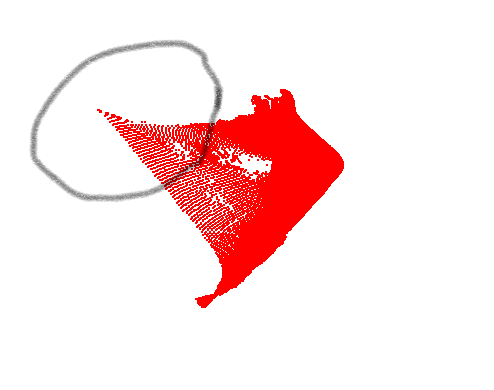
We are making a device for 3D scanning box-like objects with three d415 cameras. Although we don't need to achieve very high precision, we are not satisfied with depth quality of d415. The issue is that the camera adds points that don't exist. It leads to kinnd of spreading our pointclouds near to box edges. Since we have to automatically measure the box's parameters, we should do something to get rid of this effect.
We want to use our cameras with Medium Density or even High Density presets, but we see this effects even on High Accuracy. We also configired temporal filter to show points that exist on eight frames in a row. One picture is taken from Realsense Viewer and the other is from our software. They show the same box.
Did anyone have experience of dealing with this? Should we change some camera parameters? Maybe adding external light source or projector will help?
Thank you!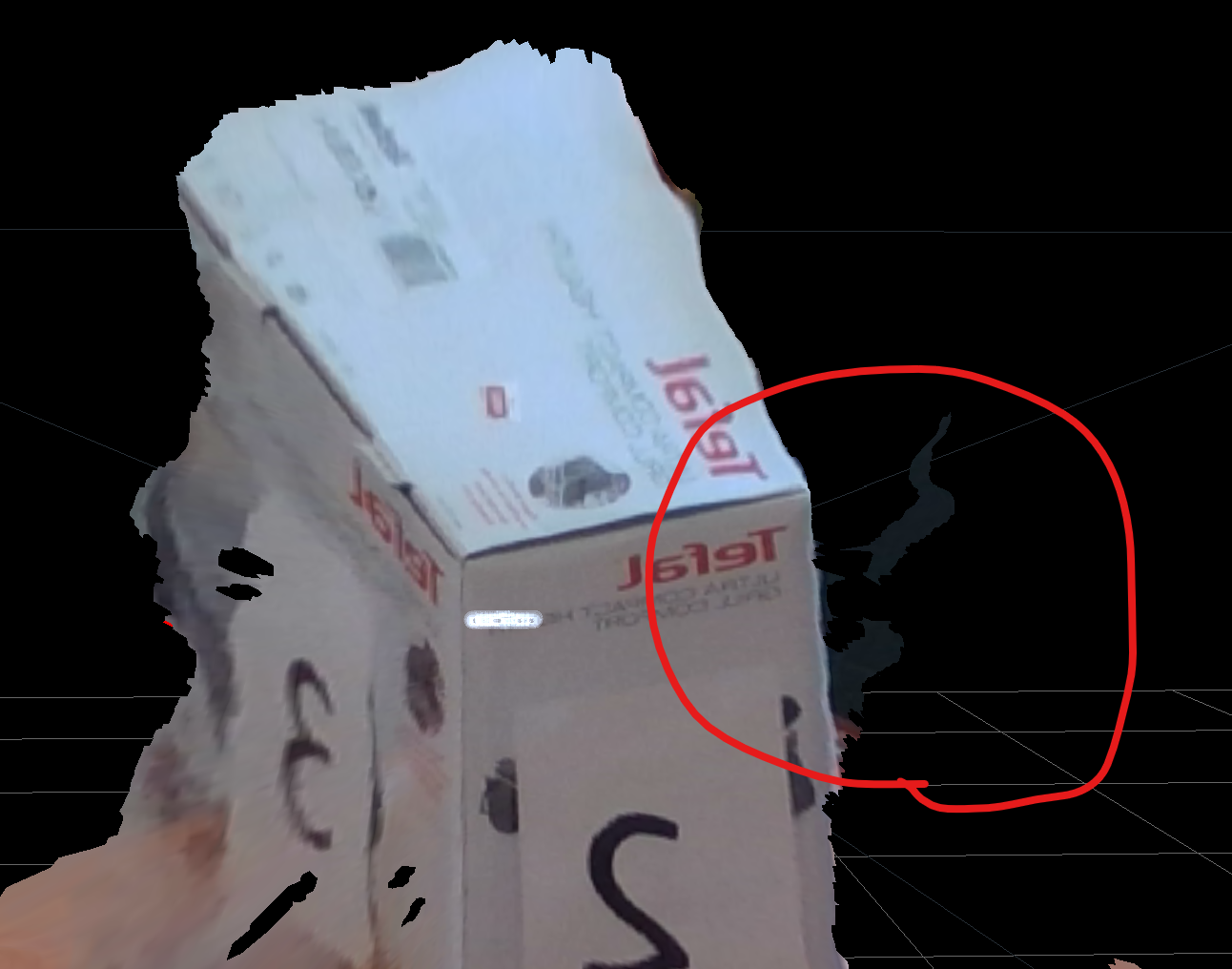
-
Using the "Default" preset will give best visual appeal, clean edges and reduced point cloud spraying. Using a high resolution will also improve accuracy - the optimal depth resolution for the D415 is 1280x720.
If the scene is well lit then the camera should be able to automatically use ambient light to analyse depth on the object without the need for a dot-pattern projection. LED lights are a good choice for external illumination, as they do not cast shadows.
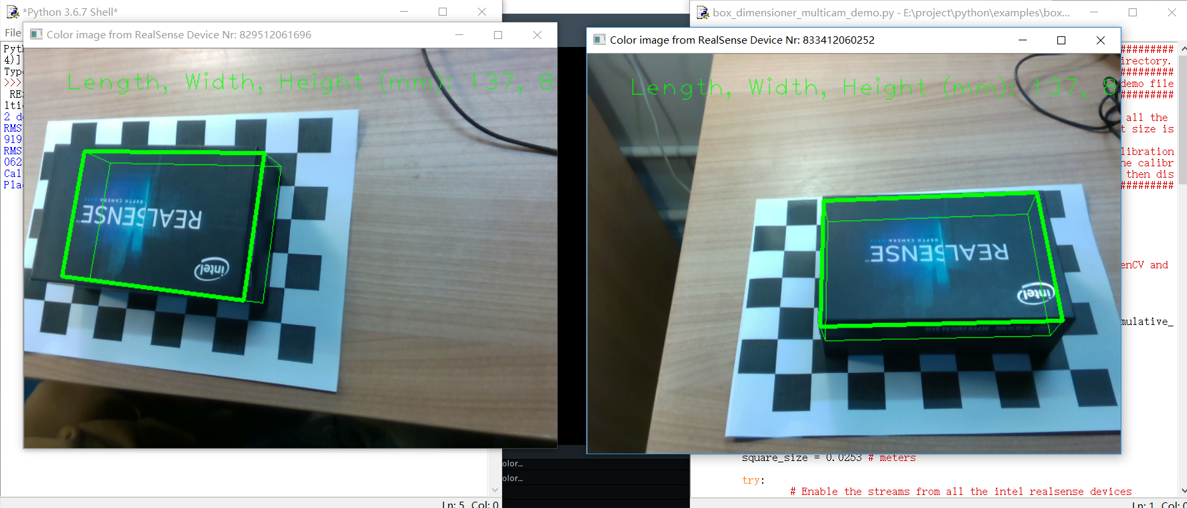
If your goal is to measure the volume of a box, the RealSense SDK has a multi-camera supporting example program in the Python language called box_dimensioner_multicam. The box is placed on a chessboard surface and then when the program starts, the multiple cameras are automatically calibrated and the measurements are calculated. If the box is too large to fit the default chessboard size then the values in the script can be adjusted for a larger chessboard surface size.
Please sign in to leave a comment.
Comments
1 comment