D435 Operating Temperature
Hello,
Going through D400 series datasheet, we have found that the operating temperature range lies between 0ºC and 35ºC. (Section 3.8.3 of the following link)
Given that our intention is to install these Intel RealSense cameras outdoors and likely in hot climates (where ambient temperatures larger than 35ºC may not be exceptional) we wonder which implications have this operating range.
Does the camera stop working when operating at an ambient temperature of 40ºC? Does the camera break when operating at an ambient temperature of 40ºC? Or, is it that just the performance of the camera will be affected (e.g. depth information accuracy)?
Please, could anyone comment anything regarding this issue.
Thank you very much in advance.
Best regards,
Pablo
-
The official maximum recommended temperature is 35 degrees C, though in real-world conditions it could probably go to around 42 degrees before problems in the image begin to manifest.
The camera's laser has built-in safety controls. When the temperature of the camera is above 60 degrees, and laser power is enabled, and depth streaming is active, then laser power will be halved in order to try to reduce the temperature. If the abnormally high temperature continues for a certain period of time after that then the laser shuts off.
Another consequence of high temperature is a chance that the camera will become mis-calibrated and need to be re-calibrated with software to restore good image output quality.
One way to keep temperature down may be to use a D430 Depth Module (the camera circuit board used inside the cased D435 USB camera) and provide your own 'heat sink' component for the circuit board that draws heat away more efficiently. Recommendations for a heat sink specification are in the data sheet.
If you anticipate consistently high temperatures, you could perhaps consider using a FRAMOS D435e. This is a form of RealSense D435 manufactured by a computer vision specialist company called FRAMOS that is dust / dirt proof and fully waterproof (it can be dropped into water without extra protection) and can operate at a maximum recommended temperature of 55 degrees instead of 35. Its numerous additional features means that it has a price premium of up to $1200 USD per camera though (currently at a sale price of $1099 in the FRAMOS online store).
https://github.com/IntelRealSense/librealsense/issues/4769
Edit: a member of the Intel RealSense support team coincidentally just mentioned in another user's case that lab tests found that the depth module should have to reach 44 degrees before the camera skin temperature reaches 60 degrees.
https://github.com/IntelRealSense/librealsense/issues/5209#issuecomment-563358823
-
Hello MartyG,
First of all, thank you very much for your quick and helpful response.
If I did not get it wrong, the consequences may be:
1) Laser turning-off: This will decrement the quality on depth information in low-light scenarios and non-textured surfaces. However, the RGB module will still operate normally isn't?
2) Miscalibration: Again the depth information may be compromised. But, what about the RGB module? How can we know that the depth module is mis-calibrated? Are the received depth images abnormally noisy? My concern is that if the decalibratiob effect is just a fraction of unknown pixels within the depth image one may not be able to discern whether the camera is well calibrated or not.
Thank you very much for heat sink and FRAMOS suggestions. We will analyze them.
Best regards,
Pablo
-
You are very welcome. :) In answer to your questions:
1. When laser power is off and the IR Projector's semi random dot pattern is absent (because visibility of the dots is tied to the value of Laser Power), the 400 Series cameras can automatically use ambient light in the scene to analyze the textures on surfaces instead. So if the location is well lit then having Laser Power off should not affect the results much.
It is conceivable that there may be an impact on the readability of non-textured surfaces in low-light conditions if the IR projector is off. In general though, the 400 Series cameras can cope well with low-lit conditions, and it is reported that they can work in < 1 'lux' illumination. The D435 model may be particularly suited to these conditions, as its wider IR imager can let in more light than the smaller IR imager on the D415 model.
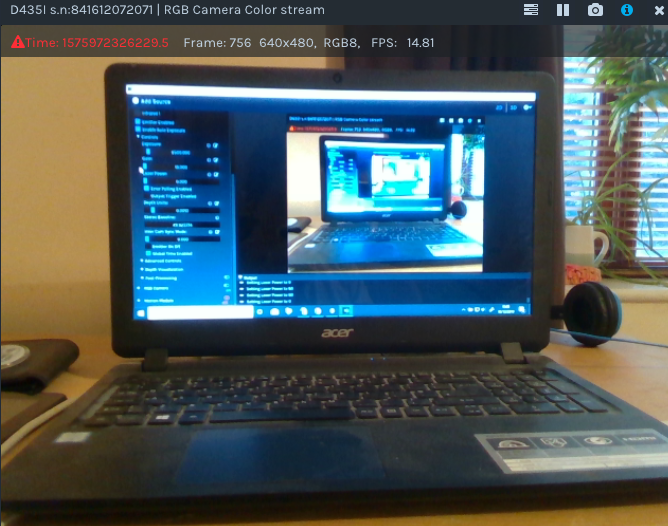
The RGB module has no dependence on the Laser Power setting and should work normally when Laser Power = '0' (off). The image I just took below shows the RGB when Laser Power = 0.
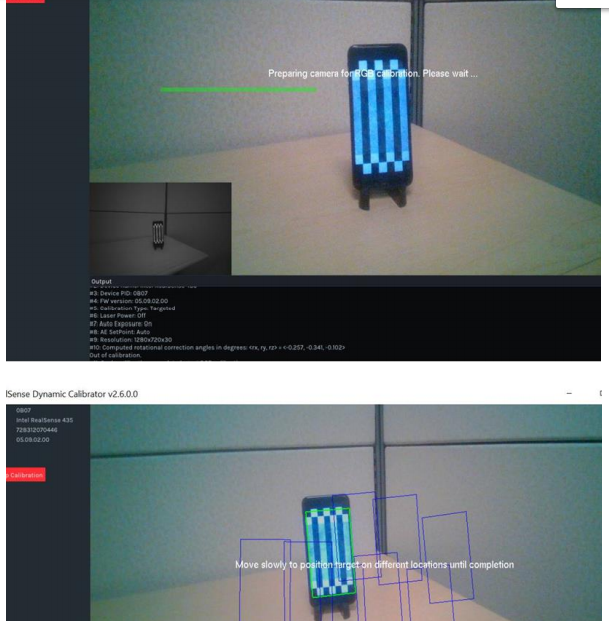
2. The calibration software for the 400 Series cameras can perform calibration on the RGB sensor if one is present (only the cased USB D415 and D435 cameras and the D415 Depth Module board have one). The image below, taken from the user guide for the RealSense Dynamic Calibrator software's user guide, illustrates the RGB calibration process.
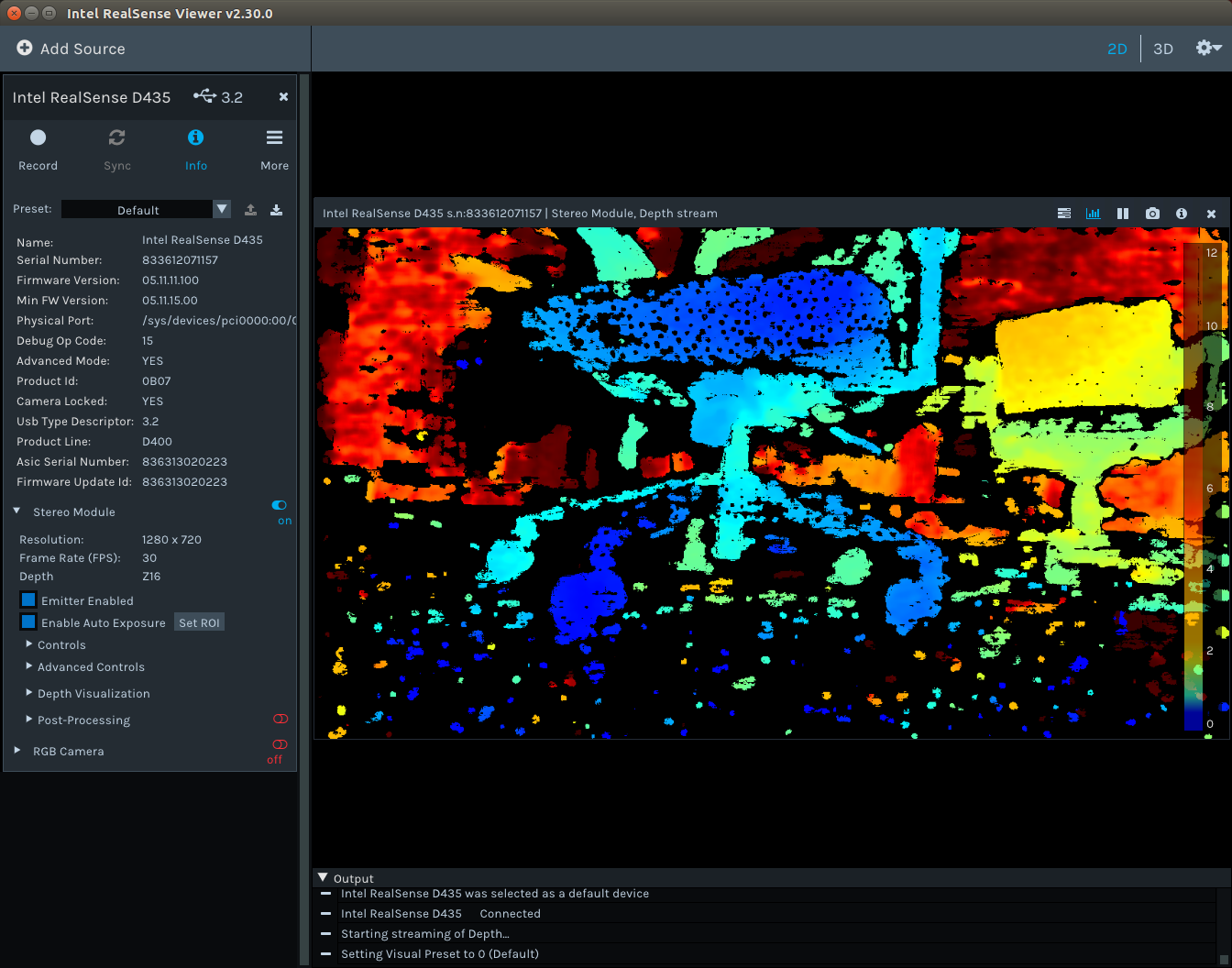
In regard to how to tell if the camera is mis-calibrated: in a lot of cases, you can tell immediately if the camera is mis-calibrated because the image looks like a broken mess, like the image below from such a case:
If the possibility of mis-calibration is less obvious (such as depth readings that do not seem right) then you can use the Depth Quality Tool software that comes packaged with the RealSense SDK to get very detailed feedback about the image's parameters.
Please sign in to leave a comment.
Comments
3 comments