The alignment produces some deviation
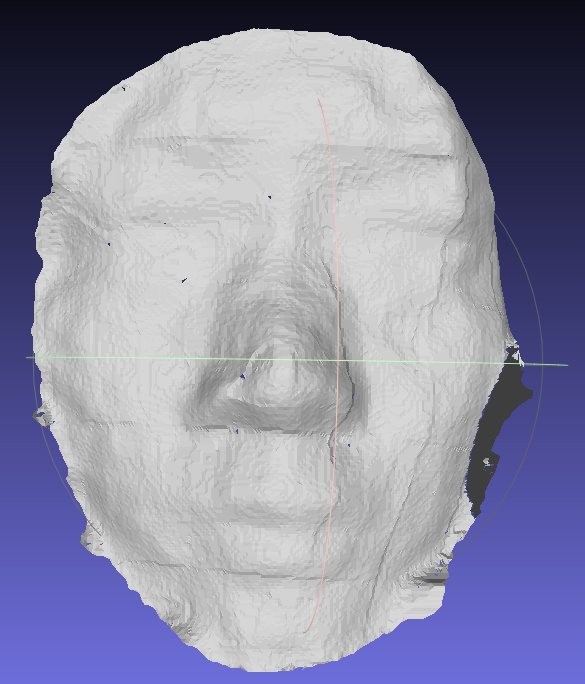
After depth alignment to color and post-processing, the resulting point cloud is slightly skewed, like the horizontal and vertical grid lines in the image below. How to avoid this?I compared the ply that was converted by rs-convert.exe and there were no such lines
-
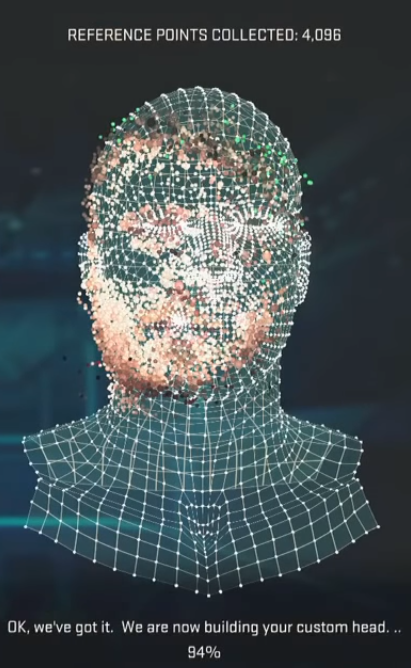
The effect reminds me of colored point clouds taken of faces with the Kinect camera several years ago, which could generate some really unusual results.
"Why is my face slanted??"
If you try the scan without depth alignment to color but with post-processing, and then with post-processing but without depth alignment, it may help identify which of the two could be having this effect on the image (if they are responsible). My guess would be that it is the depth alignment to color.
-
The image above is the point cloud reconstruction result of depth alignment to color. The lines of the face are generated during the alignment process. How to eliminate them?One of the questions I asked earlier said that export_to_ply is exported. The ply file is depth and color aligned, so I don't have to do the alignment at the front?
-
Similar marks to the thick vertical line on your image got rendered onto a model in Kinect scans too. The camera would pick up a detail on the face and translate it into"scars". Like in the image below:
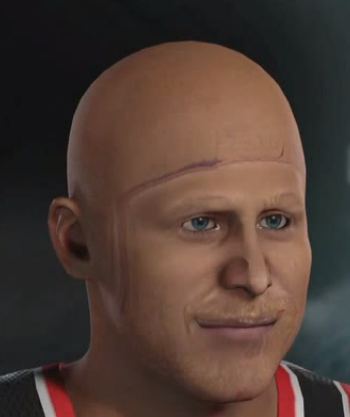
In that particular case, the user removed the lines simply by repeating the scan, and they did not appear on the next attempt. So maybe you could try the point cloud scan again and see if it gets rendered again.
To me, the line on your image just looks like the edge detail on the face was captured in a less than ideal way on that particular scan. It might disappear if you turn your head's angle a bit differently when taking the capture.
-
I saw that some of the alignment was done with different resolution of depth and color. My depth and color resolution are the same, so their pixel positions are offset and need to be aligned.
Also, how to find the position of the color image in the point cloud should also be done with the premise of alignment, right?
-
Earlier this week, using an instruction called rs2_project_color_pixel_to_depth_pixel to project the color pixels to depth pixels was discussed.
https://support.intelrealsense.com/hc/en-us/community/posts/360033741013/comments/360008664753
-
Using a ply export sample program to generate the ply and having misalignment result has been reported by somebody else. If they exported the ply from the RealSense Viewer then the misalignment was not present.
https://github.com/IntelRealSense/librealsense/issues/2526#issuecomment-429627236
I think one of the Intel support team members on this forum may be able to provide input about how to move forward from here if you want to achieve better ply results with scripting.
I see you have already posted this question on the GitHub too, so the team there may also be able to offer input.
-
Unless you really need to automate the export process with scripting, you can also align a 3D point cloud's color with depth in the RealSense Viewer using the instructions in the link below.
-
The link below gives some advice from a RealSense team member on exporting texture with a ply using scripting.
https://github.com/IntelRealSense/librealsense/issues/2100#issuecomment-409083580
-
Please sign in to leave a comment.
Comments
14 comments