No rgb or depth streams with T265 since SR300 tools install
Hi everyone,
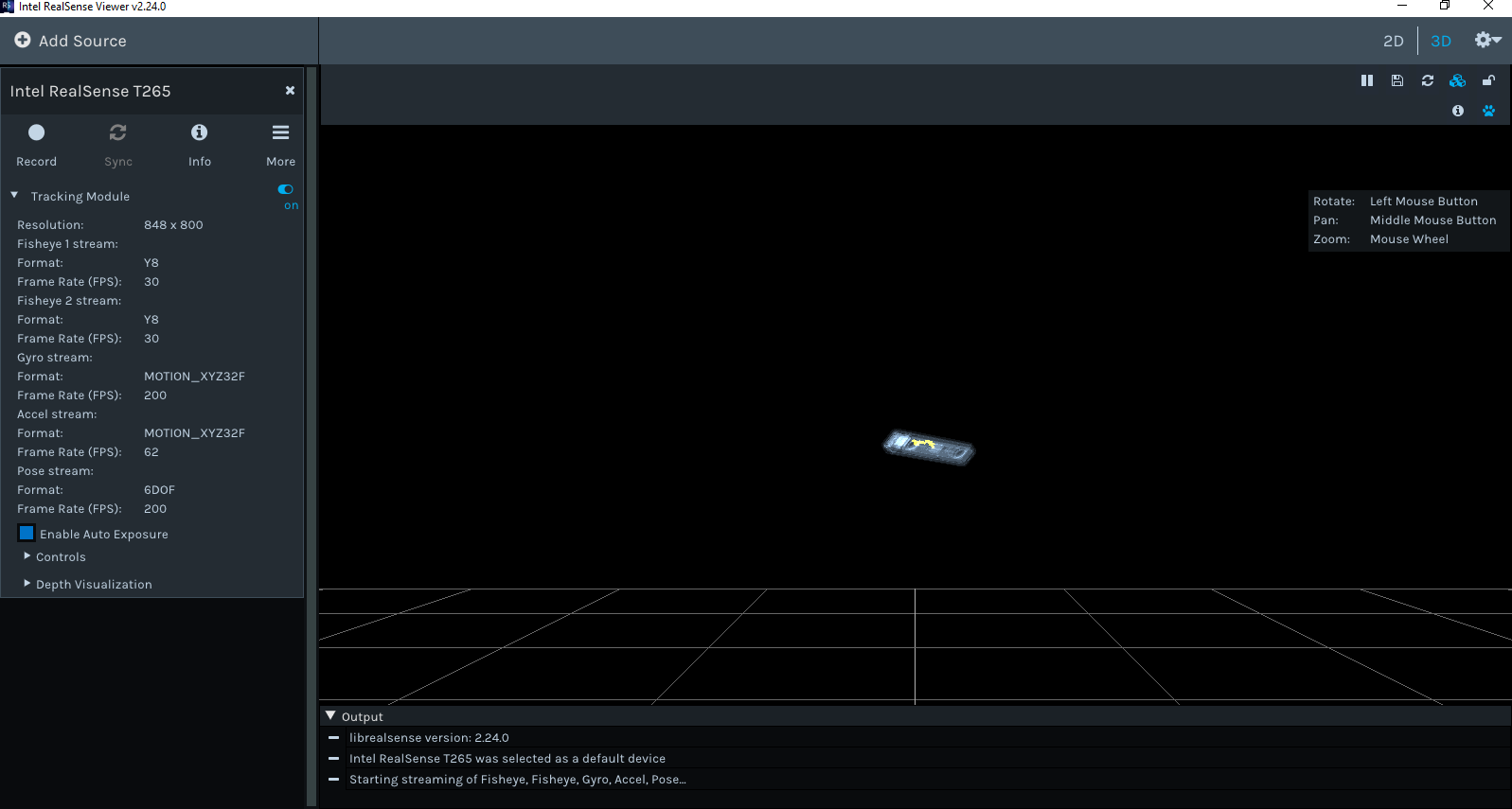
I bought a T265 last week* which is not detected by the Camera Explorer ; it is with the Realsense Viewer (v2.24.0), but only its tracking module which works well ; no rgb or depth streams are detected/displayed (cf. picture below). It worked well before I set up the tools for the SR300 model* (intel_rs_dcm_sr300_3.3.27.5718.exe and intel_rs_sdk_mw_core_offline_11.0.27.1384.exe)...
I already worked with a D435i, everything’s fine with...
The SDK viewer information log is available at my other thread*
*My SR300 dysfunction thread: https://support.intelrealsense.com/hc/en-us/community/posts/360033196914-SR300-detected-but-not-working-from-Intel-tools
I’m out of clue, what could make it work ?
Thanks !
Thibaut
-
The T265 does not have support for depth built in. It either needs to be paired with a depth sensing camera or have a Python script used with it to extract stereo depth from its fisheye cameras.
https://github.com/IntelRealSense/librealsense/blob/master/wrappers/python/examples/t265_stereo.py
The display of depth controls for the T265 in the viewer when the T265 is used on its own is explained here:
https://github.com/IntelRealSense/librealsense/issues/3619#issuecomment-477947116
-
It should be possible to display the monochrome fisheye cameras in the Viewer, yes.
https://www.youtube.com/watch?v=9f8qoTuR_I4
I have not actually used a T265 myself. My understanding is that the fisheye camera views should be displayed in the RealSense Viewer when the 'Tracking Module' icon is activated, turning it from red to blue.
Looking back at your image at the star of this discussion, it seems that you have correctly activated the Tracking Module but are getting no fisheye streams. The configuration that you were using in your image is exactly the same as the configuration used successfully in the YouTube video above.
I cannot think of any reason why the installation of the 2016 SDK and camera DCM would negatively affect your T265, as the old and current SDKs and cameras can co-exist on the same computer with no problems (they do not communicate with each other at all).
Are you able to reset your camera by going to the 'More' icon at the top of the Viewer and selecting the hardware reset option?
Please sign in to leave a comment.
Comments
3 comments