Can not use the camera with python
Raspberry pi 3 B + Ubuntu mate 18.04 + D435
I'm setting up referring to the following page.
https://github.com/IntelRealSense/librealsense/blob/master/doc/RaspberryPi3.md
Trying to build an environment that can use a camera with Python, I'm setting up referring to the following page.
https://github.com/IntelRealSense/librealsense/tree/master/wrappers/python
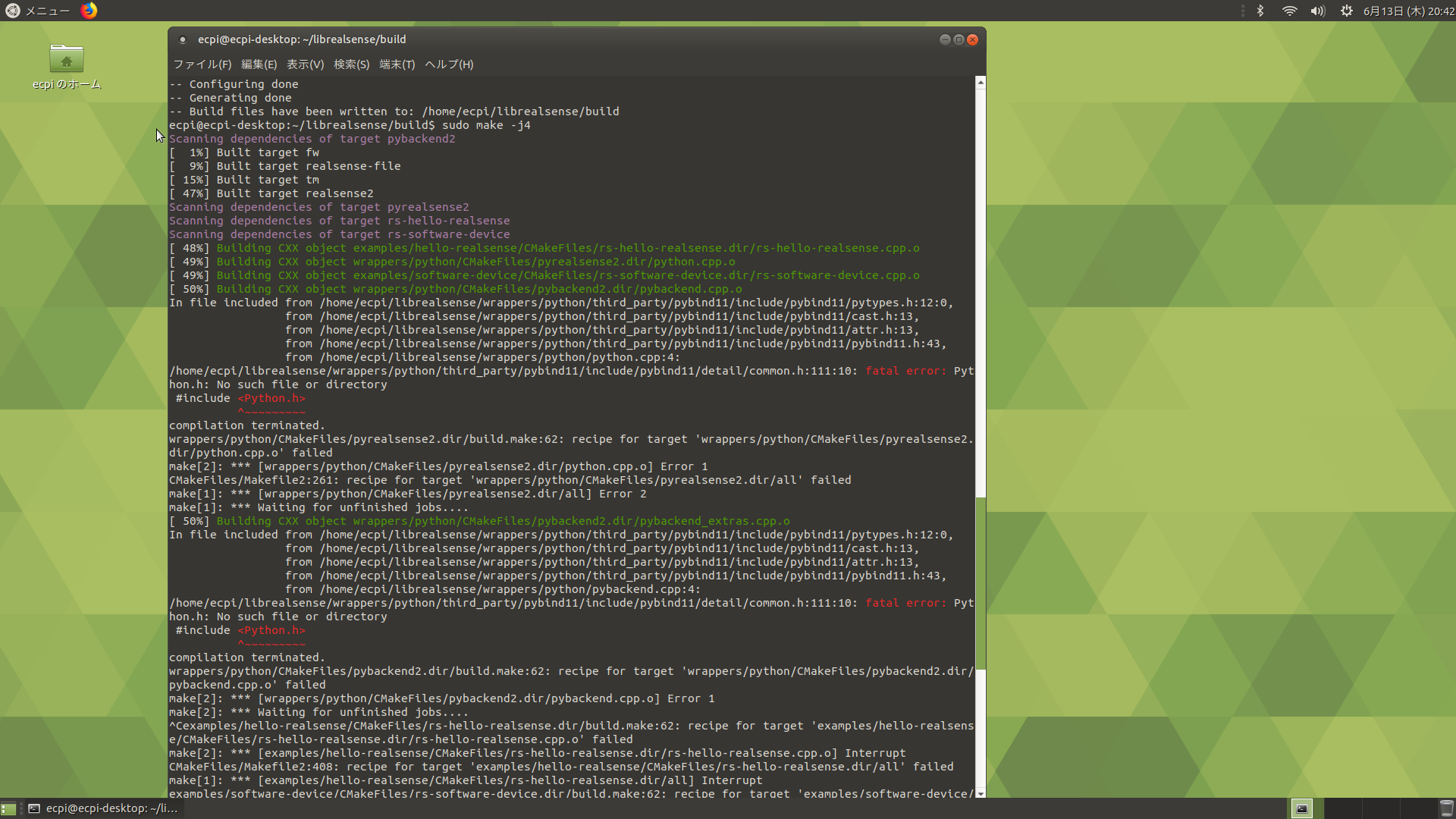
make -j4 error
fatal error:
Python.h No such file or directory.
I try sudo apt-get install python-dev. But it can't solve it.
-
May I please check the instruction that you used to try to install Python? You said that you used sudo apt-get install python-dev. The word 'python' is used twice in the installation command on the install instructions page though. Did you input it like this:
sudo apt-get install python python-dev
-
Someone else who encountered this error with python.h fixed it by providing an include path.
https://github.com/IntelRealSense/librealsense/issues/980#issuecomment-357846712
-
It would probably be easier to build using PyPy with a pip instruction. Though building from source is a good idea if you are installing on a piece of hardware that is not a typical PC.
I went through your kindly provided log image again. You use the command sudo make -j4 ... this lacks the install instruction that follows the make -j4 command in the instructions.
Another way to write the install instruction would be:
sudo make -j4 && sudo make install
In step 4 of the source installation guide after this step, it recommends updating your PYTHONPATH environment variable to add the path to the pyrealsense library
export PYTHONPATH=$PYTHONPATH:/usr/local/lib
Please sign in to leave a comment.
Comments
5 comments