Depth Measurement Is different from 2D view to 3D view in the Realsense Viewer
I am using the RealSense Viewer to get familiar with the camera. I have used both a D435i and a D456. I pointed the camera to a flat surface and made sure it was level, so the depth is constant across the surface. I get slightly different depth measurements when I use the 2D view versus the 3D view within the viewer. I have seen this difference get up to 4mm between the two different views. Although it is not a big difference, I was wondering where this difference comes from since it uses the same depth stream. Do the different views use different reference frames? Could this be a calibration issue? When I use the python wrapper to access the depth, I get data that matches the 2D view. I hope you can help.
Thanks,
Chris
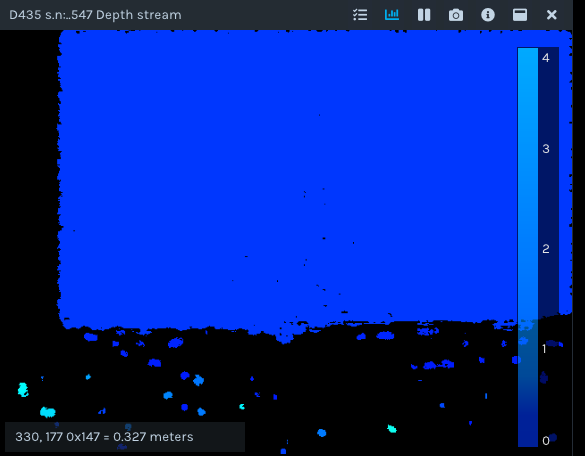
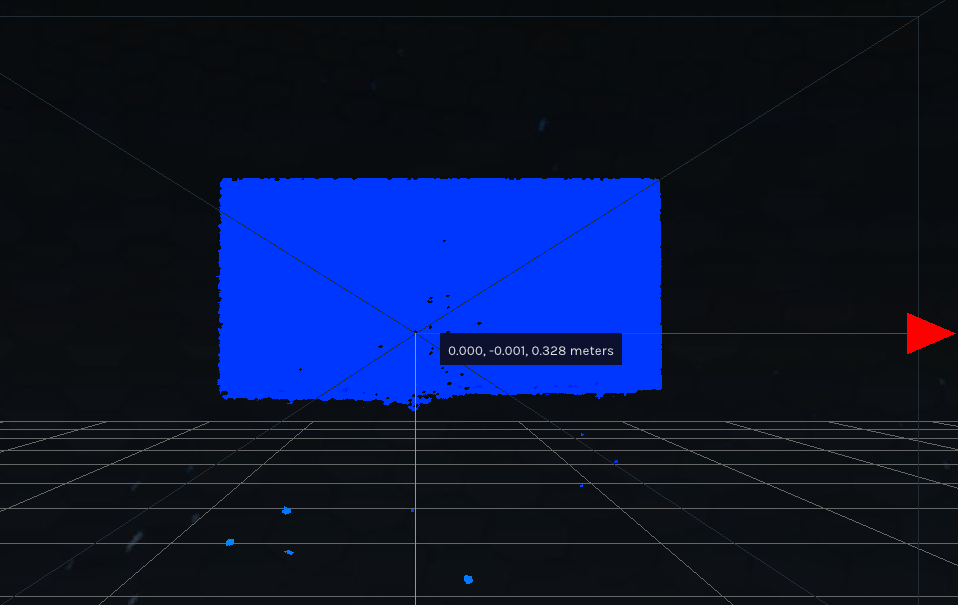
-
Hi Chris Garner The RealSense Viewer tool applies a range of post-processing filters to the depth data by default, whilst a Python script applies no filters unless they are deliberately programmed into the script. So if you click on the blue icon beside the Post-Processing option in the Viewer's options side-panel to disable all post-processing filters then you will be able to confirm whether the filters are influencing your depth readings in the 3D point cloud mode.
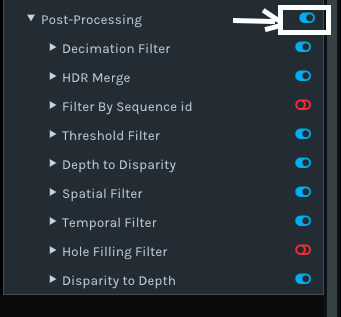
-
I turned off the post processor for the depth stream in the realsense viewer and I still got the same discrepancy. In the 2D view I got a depth of 0.772 m while in the 3D view I got a depth of 0.776 m. These measurements are just from the realsense viewer. Although this is a small difference, I would like to know how the 3D view is processing the data compared to the 2D view to get this difference.
2D:
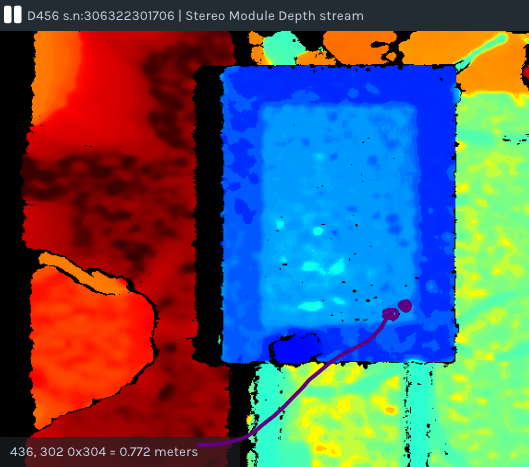 3D:
3D: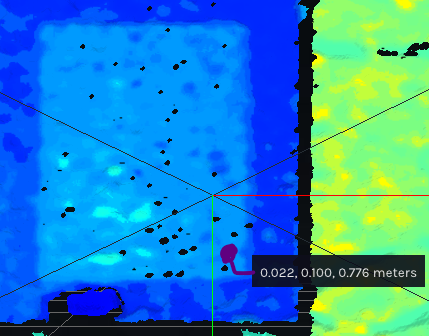
-
The point cloud is generated using the RealSense SDK's pointcloud processing block, and specifically the instruction pc.calculate()
https://dev.intelrealsense.com/docs/projection-in-intel-realsense-sdk-20#point-cloud
There is not a single universally applicable explanation though for why depth readings may vary between 2D and 3D mode.
Please sign in to leave a comment.
Comments
3 comments