About RealSence Viewer for D435
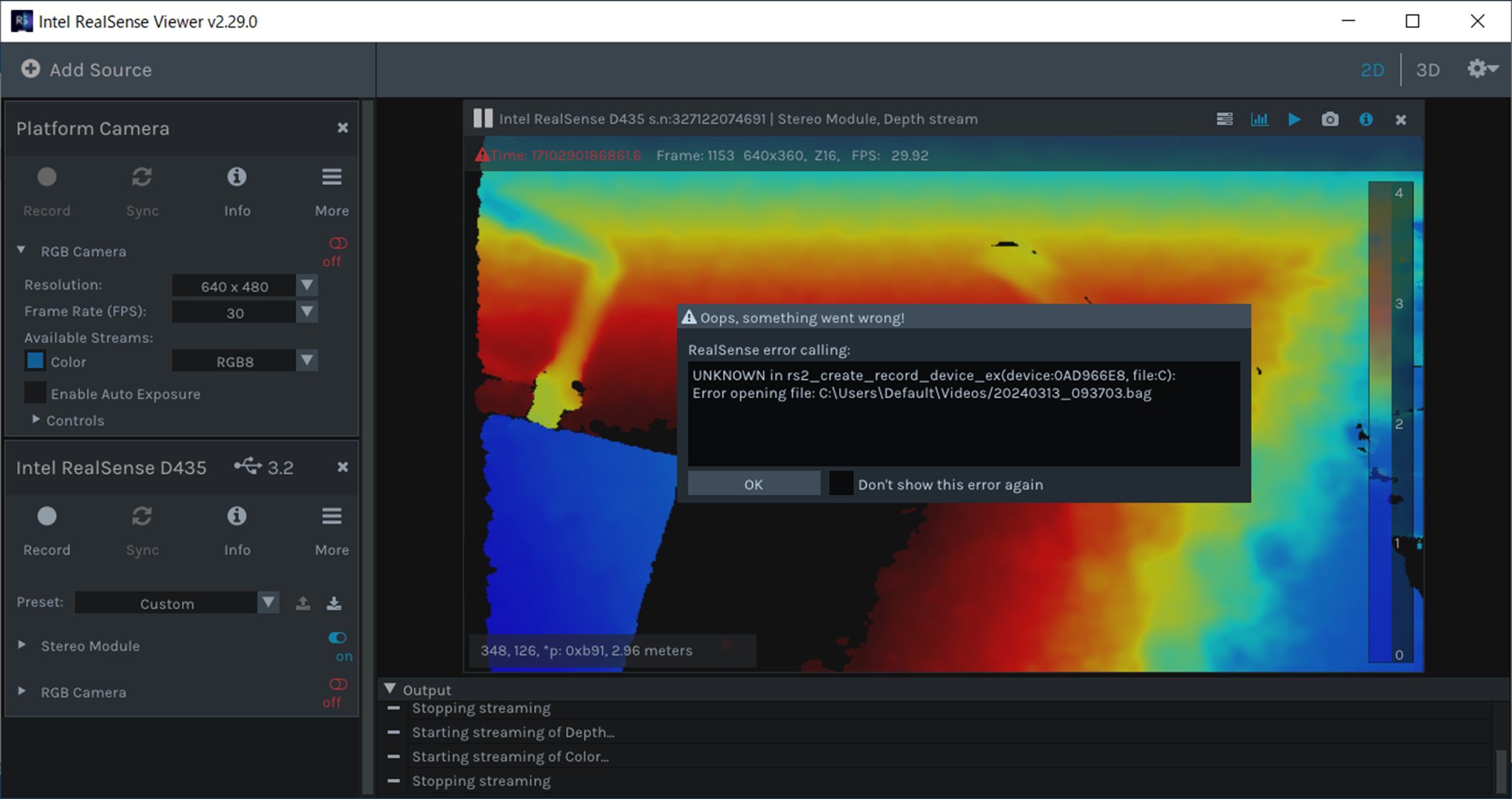
レコードボタンを押すと、下記のERROR MESSAGE 出ます。
対策は、ありますか?
---------------------------------------------------------------------------------------------------
in rs2_create_record_device_ex (device:0AD966E8、file:C)のUNKNOWN
ファイルを開くときにエラーが発生しました: C:\Users\Default\Videos/20240313_093703.bag
---------------------------------------------------------------------------------------------------
-
Hi Yoshiya Yamaue This error may occur if you are trying to save a bag file to a folder location on the computer that does not have write permission. You can set a path to save the bag file to in the settings interface of the RealSense Viewer tool.
You can change the bag file saving path by left clicking on the gear wheel icon in the top right corner of the Viewer window and selecting the Settings option from the drop down menu. It will bring up a settings menu with 3 tabs (Playback & Record, Performance, and General). You will find the .bag saving path configuration under "Playback & Record" and can change the path to a location that files can be saved to, such as Desktop.
**********
こんにちは @ Yoshiya Yamahae このエラーは、書き込み権限がないコンピューター上のフォルダーの場所にバッグ ファイルを保存しようとしている場合に発生することがあります。 RealSense Viewer ツールの設定インターフェイスでバッグ ファイルを保存するパスを設定できます。
Viewer ウィンドウの右上隅にある歯車アイコンを左クリックし、ドロップダウン メニューから [設定] オプションを選択することで、バッグ ファイルの保存パスを変更できます。 3 つのタブ (再生と録音、パフォーマンス、一般) のある設定メニューが表示されます。 「再生と録音」の下に .bag 保存パス構成が表示され、デスクトップなどのファイルを保存できる場所にパスを変更できます。
Please sign in to leave a comment.
Comments
1 comment