Depth accuracy for a particular application
Hello MartyG, hello everyone,
this time I'd like to ask how could I estimate or measure the accuracy for a particular application? Camera: D405
First, let's consider ideal conditions.
In different sources the accuracy is stated as 1%, as 2%, as +-2 %, sometimes it is defined as distance from the camera, sometimes as "Plane-Fit RMS Error" which is also in % Could you kindly differentiate that?
If I use the Depth Quality Tool, it shows me smth like 0,15 % RMS for my plane (7 cm away from the camera). Does it mean, that the depth accuracy for that plane is plus minus 0,105 mm or plus minus 0,0725 mm? Or how ths could be converted to the % of distance?
https://github.com/IntelRealSense/librealsense/issues/999 "For a stereo system the RMS error will scale quadratically. Another way of saying this is that the % error (which is % of distance) will scale linearly." This does not make things clearer.
Second, let's consider real conditions. I have quite a simple scene to capture. It is simple in a way, that there are no new objects that appear in the region of interest and only two materials to deal with - wet concrete and mate steel (which I plan to paint with semi random dots at some point but not now). How could I measure an average accuracy of scanning the wet concrete specimens? One possible way I can imagine is to overlay a realsense point cloud with one obtained from a "metrology-grade" 3D scanner such as Creaform MetraScan 3D.... But is this the only method to measure the accuracy for a particular real case?
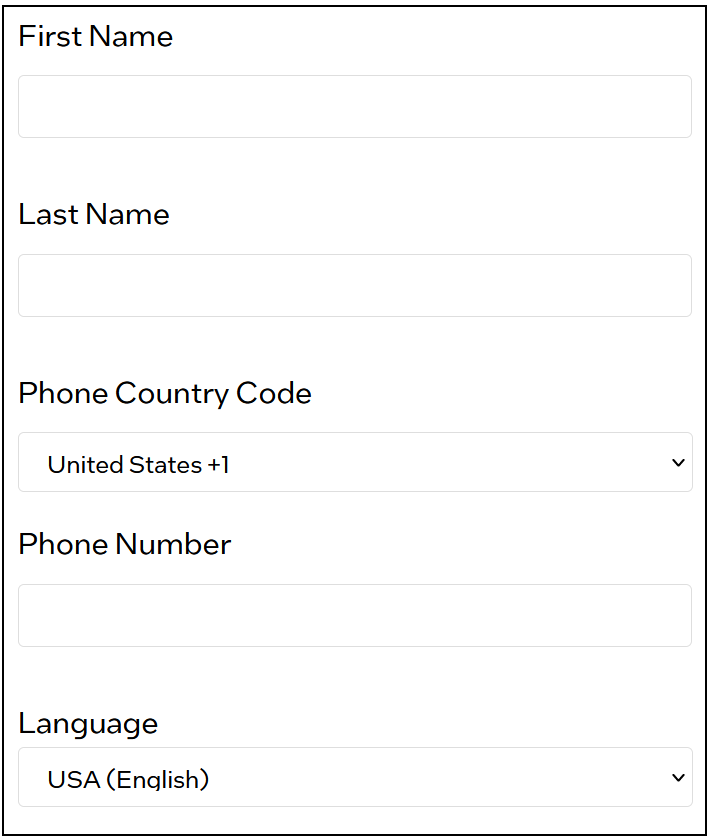
PS how may I use a nickname or just a name here on the forum? Instead of filling in my first + family name in the account settings (both are needed to be able to save the changes)?
-
Hi Dmitrii Sokolov RMS Error is error that starts at around zero at the camera and linearly increases as the distance of an observed object / surface from the camera increases. Higher error equates to less accuracy. So RMS Error is the same thing as error related to distance from the camera.
The section of Intel's camera tuning guide linked to below states that depth error scales as the square of the distance from the camera.
It is best to think of error in terms of its RMS percentage rather than attempt to convert it into a millimeter value and subtract it from the depth value. When the error percentage value is very small (0.15% would be a fifteenth of one percent) it will not make a noticeable impact on accuracy. The D405 camera model is designed to provide high accuracy, high quality images at very close range.
Are you aiming to compare the current state of the wet concrete with an ideal 'perfect' reference state, please? If you are then the concrete analysis case at the link below may be helpful.
In regard to forum account name, you may have to create a new account. Looking at the new account sign up form though, it looks as though you can use any name that you wish, not necessarily your real one. Members of this forum often have a single word name or a series of numbers as their displayed name. Your email address will be the most important real detail.
-
Thank you for your reply! There are still a couple of things that remain unclear.
First what I understood - we have RMS that scales linearly with distance, cannot be used to quantify the depth error but affects it in some way (a higher RMS leads to a higher depth error) and we have the depth error itself, which scales as the square of the distance.
I am trying to express it in absolute values. When I have let's say an object with a width of 20 mm is it 20 mm plus minus what? I was hoping to be able to calculate that depending on installation height, RMS or smth else. Is it possible somehow?
Regarding the forum account name - see the screenshot attached - both fields are required.

-
If the camera is installed at a known fixed height from a surface that does not change then the error will be the difference between that height and the depth value (the 'Z' distance) that the camera reports.
RMS error relates only to Z-depth and not the width and length (X and Y) of the observed object.
The XY size of the object can have an effect on the amount of error in the depth value though. If an object is very small or very thin then it will be more difficult for the camera to analyze it for depth information. Other factors that can make an object difficult to read are:
- A surface with low texture detail or no texture (which is why a dot pattern helps with such surfaces).
- If the surface is dark gray or black in color. This is because it is a general physics principle (not specific to RealSense) that dark grey or black absorbs light and so makes it more difficult for depth cameras to read depth information from such surfaces. The darker the color shade, the more light that is absorbed and so the less depth detail that the camera can obtain. In this situation, casting a stronger light source onto the surface may help to bring out depth detail, unless:
- If the surface is reflective, in which case the light glare from reflections could make a surface hard for the camera to read depth from.
In regards to the sign-up form, you could enter whatever names you are comfortable with using, such as 'John' and 'Doe' (John Doe is a term for a male person whose real name is not known). Email and telephone number are likely to be the fields where it is most important to provide accurate details.
-
Thank you for the provided details! In the interest of simplification, let's talk about the depth accuracy solely. Let's assume I measure an object with a D405 installed vertically with a distance to the surface of the object 100 mm and I get its height which is 20 mm The light is good stable indoor lightning, the object surface is heterogeneous and not shiny. How would I estimate my accuracy in determining the height? is it plus minus 10 mm? 1 mm? 0.1 mm?
-
I would still think that the accuracy will be the difference between the known real-world height (the tape-measured distance between the object surface and the front glass of the camera) and the depth value that is output by the RealSense SDK. If the real-world distance is known and fixed then you could work out the difference by hard-coding the real-world distance into a calculation and subtracting the actual RealSense depth value from it to get the + / - difference.
The RealSense SDK returns the distance value in meters, so if a camera was positioned 100 mm away then that should equate to a depth value of 0.1 (meters) as there are 1000 mm in 1 meter. So you could do 0.1 - (depth value in meters) = + / - error margin.
-
Thank you for your answer dear MartyG! I have searched more and found this comment from as I understood an Intel guy (please confirm) https://github.com/IntelRealSense/librealsense/issues/999#issuecomment-366407953
He clearly says that " that the % error (which is % of distance) will scale linearly. So if you have 1% error at 4m, then you will have 2% at 8m, and 4% at 16m. And conversely you will have 0.5% at 2m, and 0.25% at 1m" I guess that is exactly what I am looking for, at least that was a part of my question. BUT! Could you kindly tell me at what exact distance the camera delivers Z-Accuracy stated plus minus 2 % in the Datasheet? Can we assume at 50 cm ? Would you recommend to post such questions directly on github?
-
Officially, the D405 accuracy is rated as <2% at 50 cm as shown in the camera comparison chart at the link below.
https://www.intelrealsense.com/compare-depth-cameras/
In practice though, there are a range of factors that can affect accuracy. These can include environmental elements such as lighting levels and the type of material that the surface that is being observed by the camera is made from. If a surface is reflective or dark gray / black then it will be more difficult for the camera to read. Because the D405 is not equipped with a projector component to cast an invisible dot pattern onto surfaces, plain surfaces with low texture or no texture will also be difficult to analyze for depth detail.
Please sign in to leave a comment.
Comments
7 comments