Depth display range adjustment
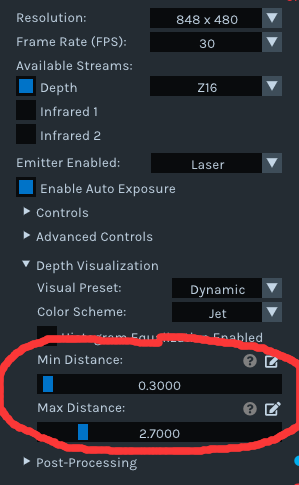
Hello, I would like to ask how to modify the program to achieve depth range adjustability when using python to call the depth image of the D435i camera when the color of the depth distance range is not clear (some objects cannot appear in the image).
As shown in the figure below, when the depth image is called in python in the first image, the distance of the objects in the image appears to be almost all blue and not even clear. In the second image, when invoked with Intel RealSense Viewer, different color distributions can be displayed at different distances.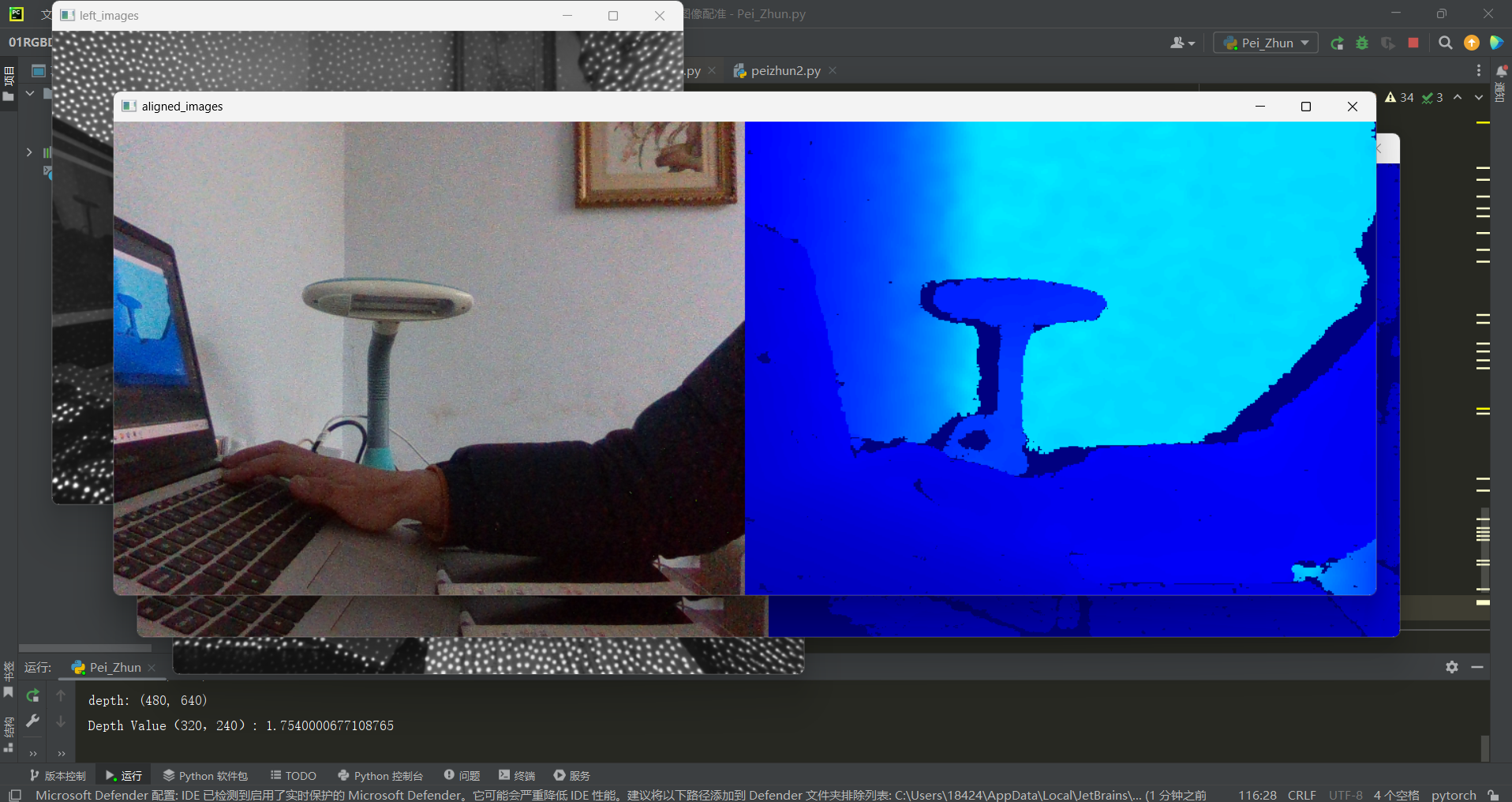

-
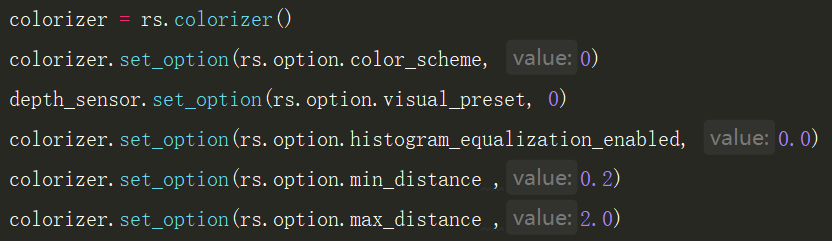
Hello, the links below provide Python scripting resources for configuring the color scheme and histogram on / off status for a depth image.
https://github.com/IntelRealSense/librealsense/issues/7767#issuecomment-726704671
https://github.com/IntelRealSense/librealsense/issues/7089#issuecomment-672105974
-
The intention of the links above is to use the Python code at the link below to set the color scheme:
https://github.com/IntelRealSense/librealsense/issues/3363
And use the C++ code at the link below to find the number for the color sceme that you want to use and put that color scheme number in your Python code.
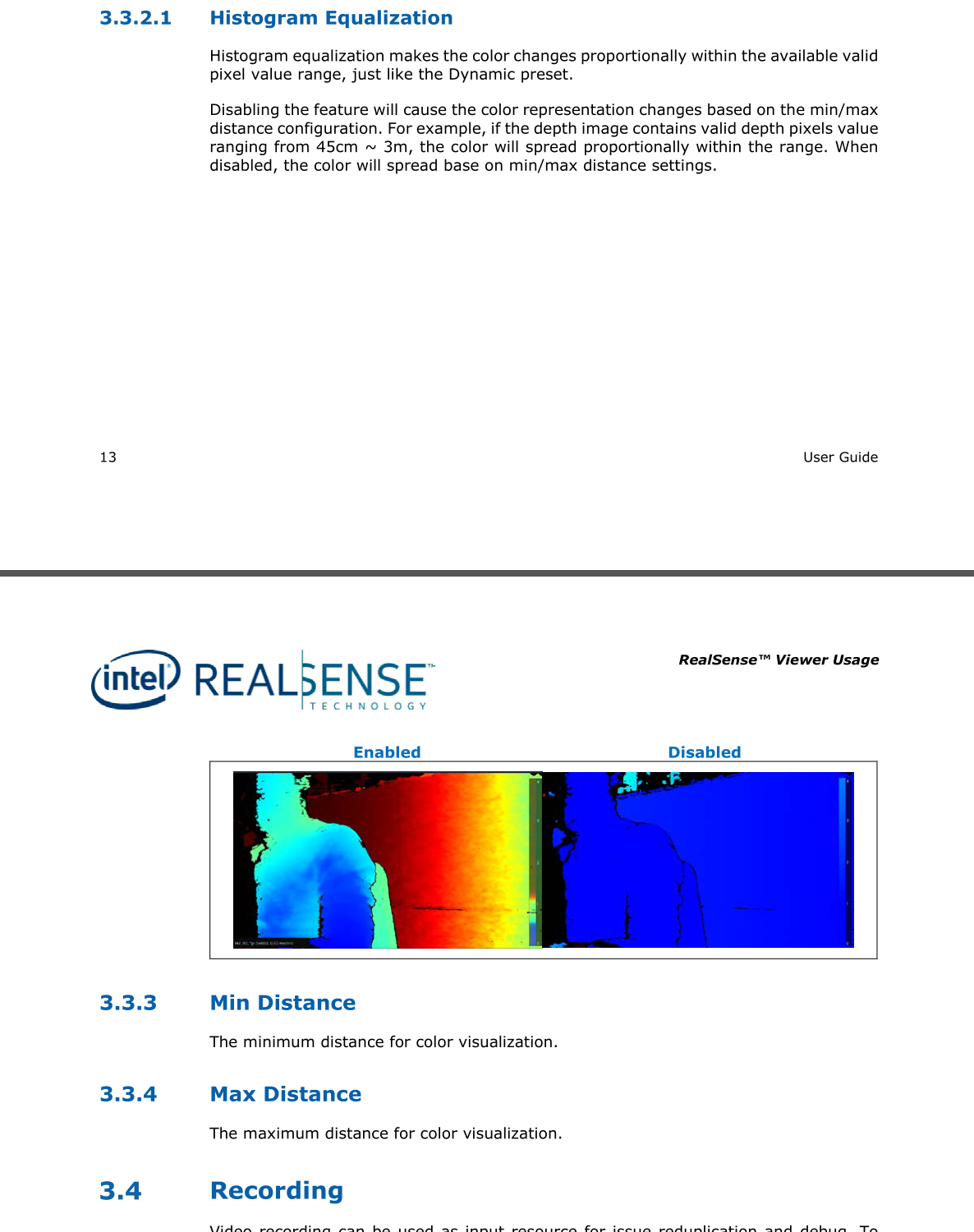
Python code for controlling the Histogram Equalization status can be found via this link:
https://github.com/IntelRealSense/librealsense/issues/9976#issuecomment-971273533
-
I cannot find a reason in your code why the depth colorization is still 'far to near' (red to blue) instead of near to far (blue to red). If you have access to the RealSense Viewer tool, please try resetting the camera's calibration to its factory-new default settings using the instructions at the link below to see whether it resolves the colorization issue in your Python program.
https://github.com/IntelRealSense/librealsense/issues/10182#issuecomment-1019854487
The official OpenCV documentation for cv2.convertScaleAbs describes alpha as being a scale factor.
https://docs.opencv.org/3.4/d2/de8/group__core__array.html#ga3460e9c9f37b563ab9dd550c4d8c4e7d
My research indicates that when using cv2.convertScaleAbs, the alpha and beta parameters are used to adjust the contrast and brightness of an image, with alpha affecting the contrast and beta affecting the brightness. Apparently the alpha value is '1' by default. My research also indicated that 0.03 is considered an appropriate alpha value for converting a RealSense depth image to an OpenCV mat. This alpha value is used by the RealSense SDK's align_depth2color.py example alignment script.
How is the aligned image affected if the alpha is changed from 0.9 to 0.03 please?


Please sign in to leave a comment.
Comments
9 comments