Square blinking noise in dark environments
Hi Marty,
I hope you are doing well!
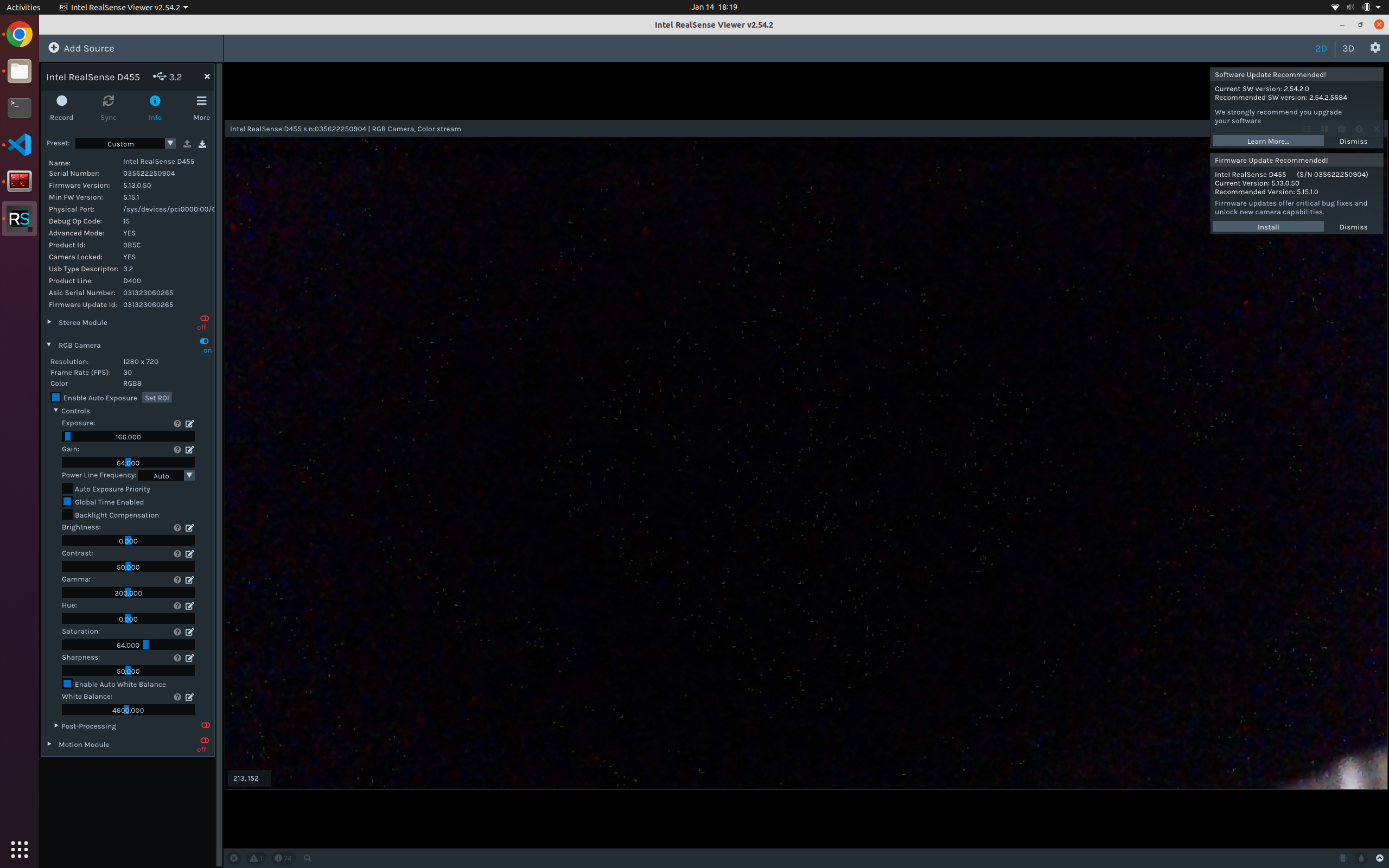
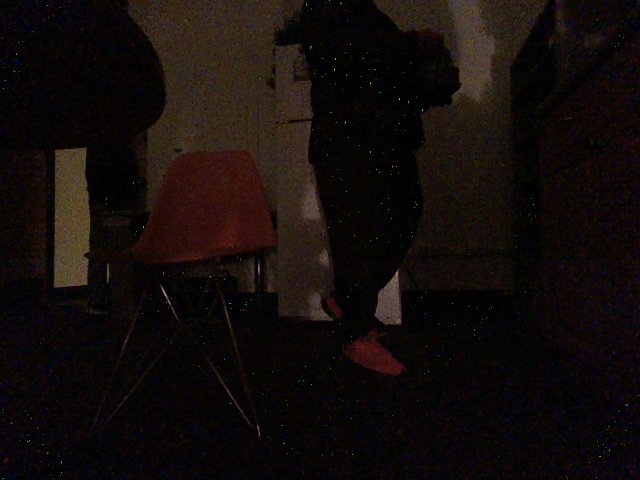
I encountered one issue when using D455 cameras to capture RGB images in low light conditions, especially at the areas of RGB images that correspond to black objects (2nd picture below).
I observed there are solid square blinking dots in the center of images and square strips in the other areas of images when auto exposure is on. It seems not come from infrared sensor.
Could you please take a look of the image and provide potential reasons?
Thanks for your help!
-
Hi Shifanzhu Please first test whether enabling the RGB option Auto Exposure Priority reduces the bright dots.
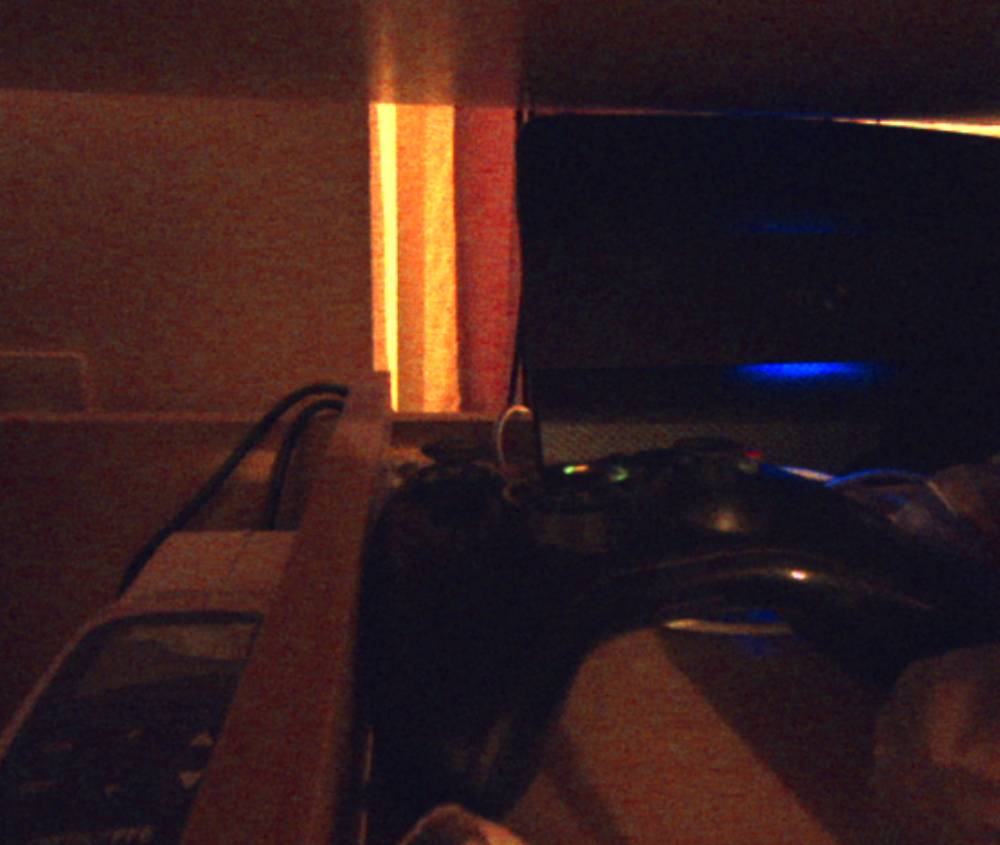
If it does not then D455 has an alternative RGB mode that you could try. It can stream RGB from the left infrared sensor instead of the RGB sensor. To use this to produce an RGB-like image, enable Infrared in the Stereo Module section of the Viewer's options side-panel and set the drop-down menu of Emitter Enabled to Off. Finally, set the Infrared stream's format to RGB8 instead of the default Y8.
After enabling the Stereo Module to start the Infrared stream, you should receive an RGB image from the infrared sensor like the one below.
-
Hi Marty,
Thank you for your quick response! :)
I've tested the Auto Exposure Priority setting for the RGB camera, and indeed, it does brighten the image, so effectively eliminating the blinking noise. However, as I understand it, this setting prioritizes exposure time over maintaining a high frame rate (60/90 Hz). Thus, I can observe very significant motion blur in high-speed motions in dark environments.
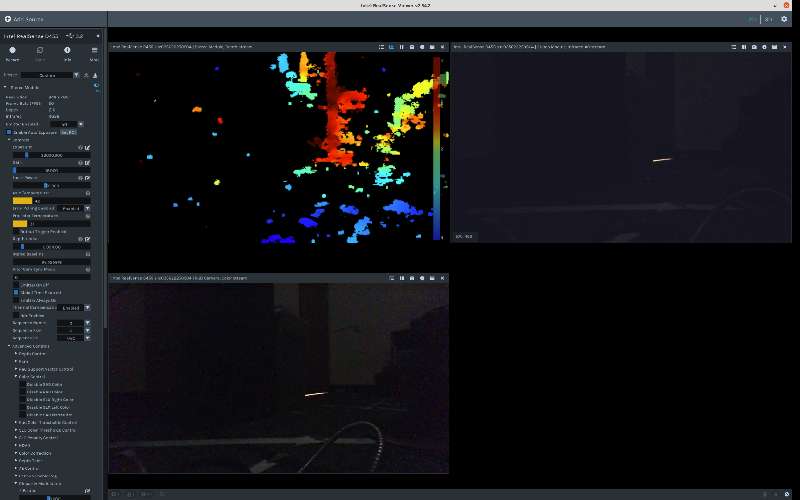
For the second option, the blinking noise disappears, however, the image quality from the left infrared camera (top right) appears worse compared to that of the RGB camera (bottom left), as demonstrated in the figure below. Additionally, disabling the Emitter sacrifices the depth image quality in textureless areas, making this option unsuitable for our needs.
Could you please provide some insight into what causes the blinking noise in low-light conditions? Are there any alternative solutions I could explore?
Thank you for all the support you've provided. Your assistance is greatly appreciated!
Best,
Shifan
-
If you have the Stereo Module enabled at the same time as RGB then I would suspect that the infrared dot pattern is leaking through to the RGB image. This is not meant to happen and is a highly rare problem but it has been known to occur in a few past cases. If you cannot set the emitter to Off then the only other way to reduce the dot visibility in that situation is to reduce the Laser Power value, which can have a negative impact on the depth image but not as much as disabling the emitter completely.
How does the RGB behave if you disable RGB auto-exposure and set a manual exposure value of 78 and an FPS speed of 5. This configuration can reduce RGB motion blur.
-
Yes, enabling the Emitter will make the RGB camera capture the dot pattern.
There is no blinking noise as long as the auto exposure is off, but we prefer to keep it on due to the high dynamic range present in the environment.
Could this issue be attributed to certain exposure control algorithms within the camera's system?
-
RealSense has a High Dynamic Range mode where auto-exposure is disabled and the camera can instead alternate between two different exposure values so that it can cope with both light and dark regions.
https://dev.intelrealsense.com/docs/high-dynamic-range-with-stereoscopic-depth-cameras
If the infrared stream is enabled when using this mode then the infrared image flickers, but this flicker can be dealt with by configuring the Viewer with settings described at the link below.
-
Thank you for suggesting these solutions. Unfortunately, we want to keep a high frame rate and less motion blur in our application, so HDR mode is not viable due to the 2-frame latency, and merging high and low exposure images will lead to motion blur for high-exposure images.
I will explore postprocessing methods as a potential solution to deal with the blinking noise issue.
Thanks for your help and discussion. Your contributions to the Realsense Community are greatly appreciated! :)
Please sign in to leave a comment.
Comments
8 comments