Memory leake trigered by the realsense pipeline code c++
rs2::pipeline p;

rs2::config cfg;
cfg.enable_device_from_file("test.bag");

// Configure and start the pipeline
p.start(cfg);
int i = 0;
while (i++<5)
{
   std::cout<<"i: "<<i<<std::endl;
   // Block program until frames arrive
   rs2::frameset frames = p.wait_for_frames();
   if( !frames)
     continue;

   // Try to get a frame of a depth image
   rs2::depth_frame depth = frames.get_depth_frame();

   if (! depth)
          continue;

   // Get the depth frame's dimensions
   auto width = depth.get_width();
   auto height = depth.get_height();

   // Query the distance from the camera to the object in the center of the image
   float dist_to_center = depth.get_distance(width / 2, height / 2);

   // Print the distance
   std::cout << "The camera is facing an object " << dist_to_center << " meters away \r";
 }
 p.stop();


The above code snippet is showing some memory leakes when I run valgrind.
Is it the way the code is written or it's a known library issue. Any help will be appreiated.
thanks
-
Hi Sanket Mali Which version of the RealSense SDK are you using, please
It looks as though your script is based on the RealSense SDK's Ready to Hack example on the librealsense front page. Does this example also generate memory leak in Valgrind?
https://github.com/IntelRealSense/librealsense#ready-to-hack
Memory leak reported by Valgrind has been discussed in a past case on this forum. It is a very long case that does not have a clear solution at the end of it. The problem seems to be related to use of Valgrind specifically though.
The RealSense user in that particular case found that the problem had more serious effects when their project was run on Raspberry Pi than when it was run on their laptop.
There was also a past Valgrind memory leak case on the RealSense GitHub support forum.
-
Thanks very much. Do you have the ability to run the code outside of Valgrind and monitor the memory usage to confirm whether it is a Valgrind-specific leak?
You could check memory usage in Windows in the 'Performance' section of the Task Manager window that is accessible with the Ctrl-Alt-Del keyboard shortcut.
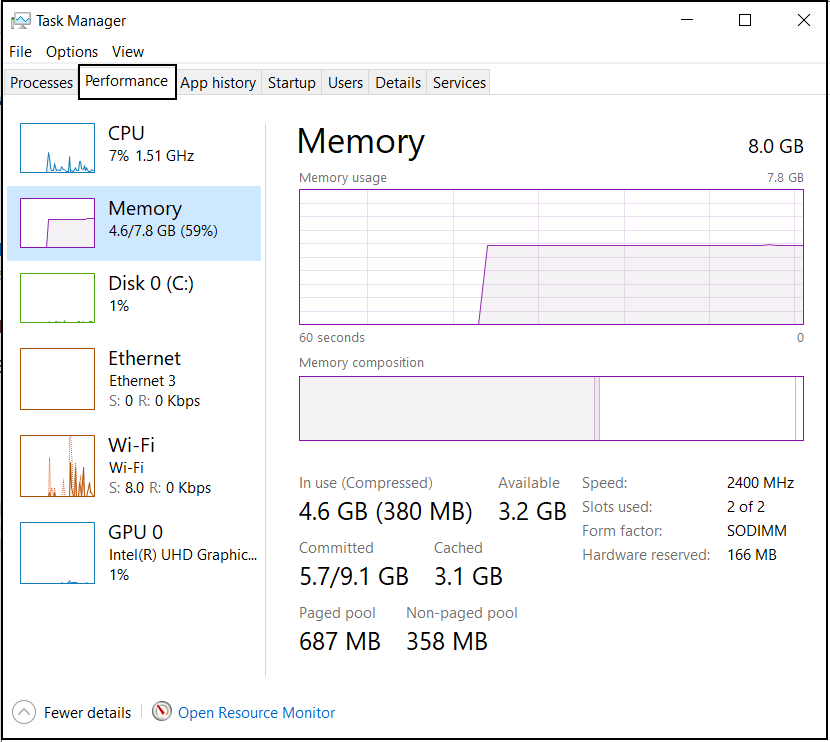
In Ubuntu you can monitor memory usage with a system tool such as htop.
-
As you have posted your question at the RealSense GitHub too, I will continue the case there so that the discussion is not being conducted at two locations at the same time.
Please sign in to leave a comment.
Comments
4 comments