Improve depth map on human body for skelton tracking | D435 python
I'm using the Intel RealSense D435 on indoor scenario to track the skeletons with the skeleton tracking SDK by Cubemos in Python. The code I'm using as the baseline is the default script provided in the SDK samples "skeleton-tracking-realsense.py".
I'm experiencing some troubles in the depth measures on the human body when it's further than ~3.5m. In particular, as you can see in the images below, the depth is not well captured in the arms when they are in horizontal positions (and also on other body points). As a consequence, the 3D skeleton points are estimated with a lot of noise in depth.

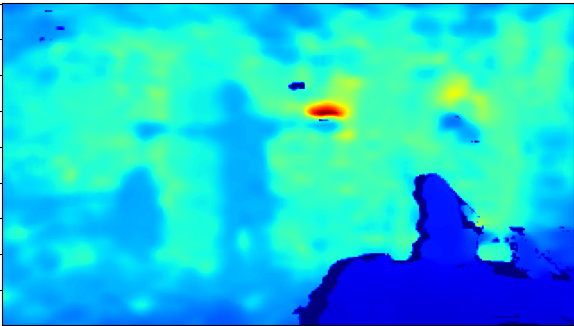

I already tried to calibrate the camera both with auto and manual exposure using the calibration tool and to apply some filters in post processing on the depth image (e.g. spatial filter) but the result doesn't seem to improve. Neither changing the camera position in order to not have source of noise in the background, such as monitors, I can achieve better performances. I also noticed that if the person is wearing a sweater or jacket the depth is less likely wrongly estimated.
Do you have any suggestion on how to improve the depth map or better estimate the 3D skeleton points?
Please sign in to leave a comment.
Comments
0 comments