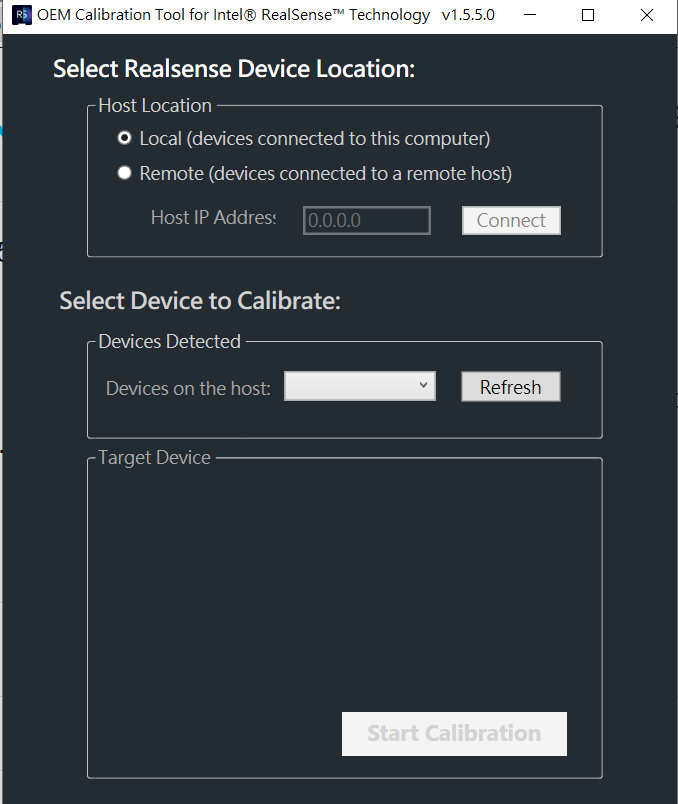
D455 cannot use OEM Calibration Tool (ver. 1.5.5.0).
D455 firmware : 5.12.08.200
OEM Calibration Tool version: 1.5.5.0
I would like to do the OEM calibration. When I connect D455 to the host, the calibration tool did not any response. Is there a newer version tool?
Thanks.
-
Hi Brice Miramont The main advantages of the OEM version of the Dynamic Calibration tool are to (1) calibrate both intrinsics and extrinsics, (2) calibrate remotely via a Linux server, and (3) be able to calibrate multiple cameras.
The free non-OEM version of the Dynamic Calibration tool only calibrates extrinsics. This is sufficient though for the needs of 99% of RealSense users, as it is extrinsics that will have the most effect on the image. This tool might therefore be sufficient for you.
The more recent On-Chip Calibration system can calibrate both the intrinsics and extrinsics of depth, though only one or the other at a time rather than both simultaneously. On-Chip calibration is accessible through the More option of the RealSense Viewer tool's side-panel or with program scripting. Intel have publised a white-paper guide about On-Chip calibration.
https://dev.intelrealsense.com/docs/self-calibration-for-depth-cameras
On-Chip calibration is built into the camera firmware driver and so does not require a separate software package like the Dynamic Calibration tool does.
Please sign in to leave a comment.
Comments
2 comments